Easy GPX Creator
Easy GPX Creator

This page is not an official page of the app or its developer, but an independent editorial publication created for informational and commentary purposes. Unless expressly stated otherwise, neither the app nor its developer is affiliated with, endorsed by, sponsored by, authorized by, or otherwise officially connected with MWM, Apple, Google Play, the app publisher, or the app's developer, and nothing on this page implies that the app was developed using MWM's services. Any trademarks, logos, screenshots, and other content remain the property of their respective owners.

Logo of Easy GPX Creator

Easy GPX Creator

No subscriptions, no accounts—just a powerful tool to draw, edit, and export GPS paths. Map your route on iPhone or iPad and sync to your favorite gear in seconds.

Key Figures

Downloads

100+

User Rating

1.0/5

Total Ratings

0

Publisher

KSENIYA DEMIDOVA

Category

Navigation

Locales

1

Latest Version

1.8.9

Size

92.8 MB

First Released

Feb 8, 2026
Features

Precision Planning Without the Clutter

Design, edit, and export custom GPS routes in seconds. No subscriptions, no accounts—just pure utility for your next adventure.

Tap-to-Map Simplicity

Forget complex menus. Just tap to drop points and watch your route form instantly on a clean, responsive map designed for quick planning.

Privacy-First & Offline Ready

No accounts or data tracking required. Your routes stay private on your device and remain accessible even when you're deep in the backcountry.

The following screenshots and description are sourced directly from the app's official store listing and are the property of the app developer.

App Store

Screenshots
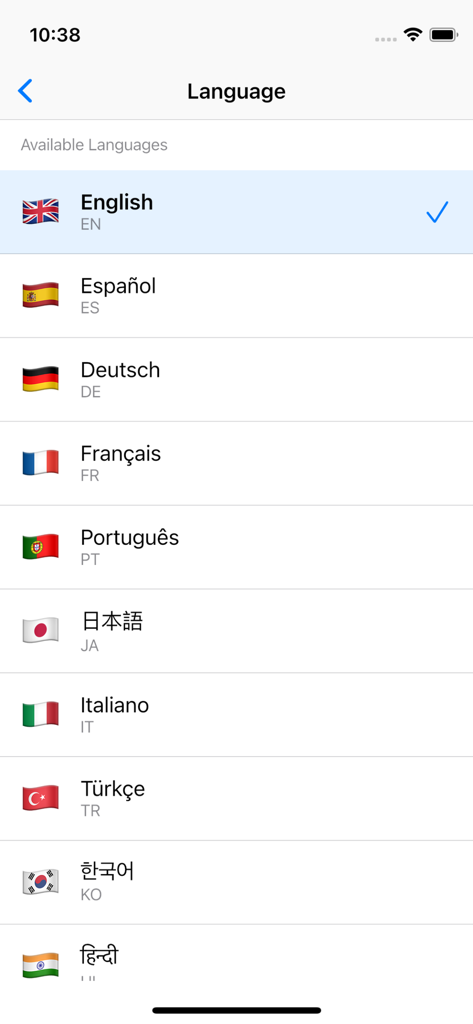
Easy GPX Creator - Language settings screen in Easy GPX Creator displaying a list of supported languages with their national flags.
Language settings screen in Easy GPX Creator displaying a list of supported languages with their national flags.

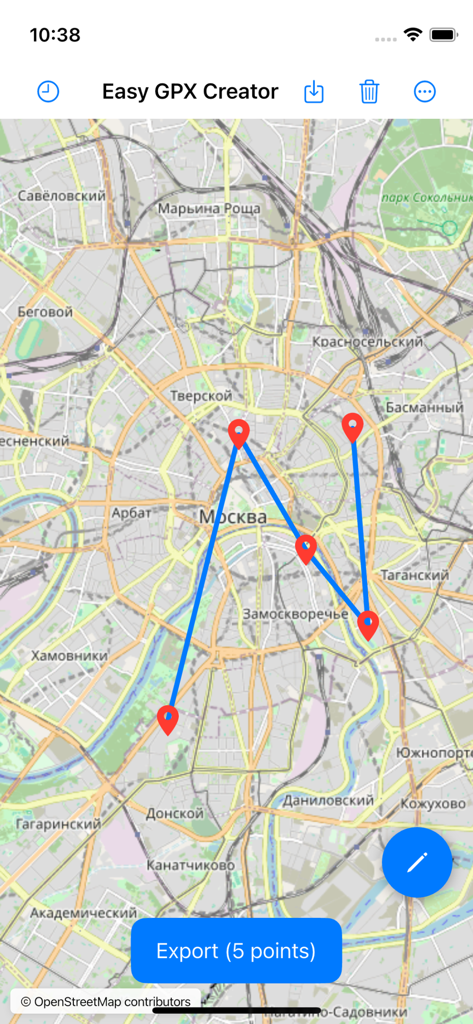
Easy GPX Creator - Easy GPX Creator app interface showing a five point GPS route on a map with an export button
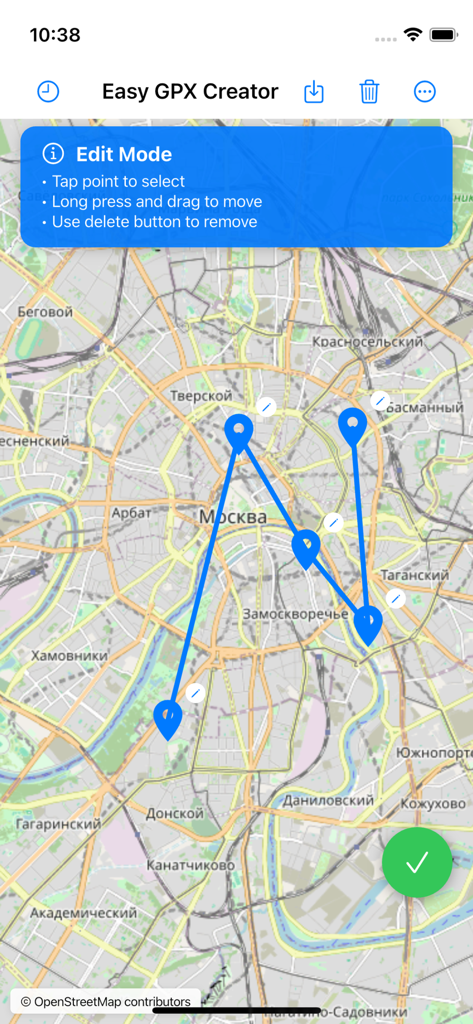
Easy GPX Creator app interface showing a five point GPS route on a map with an export button

Easy GPX Creator - Easy GPX Creator app interface showing route editing mode with blue waypoints on a map and a list of instructions
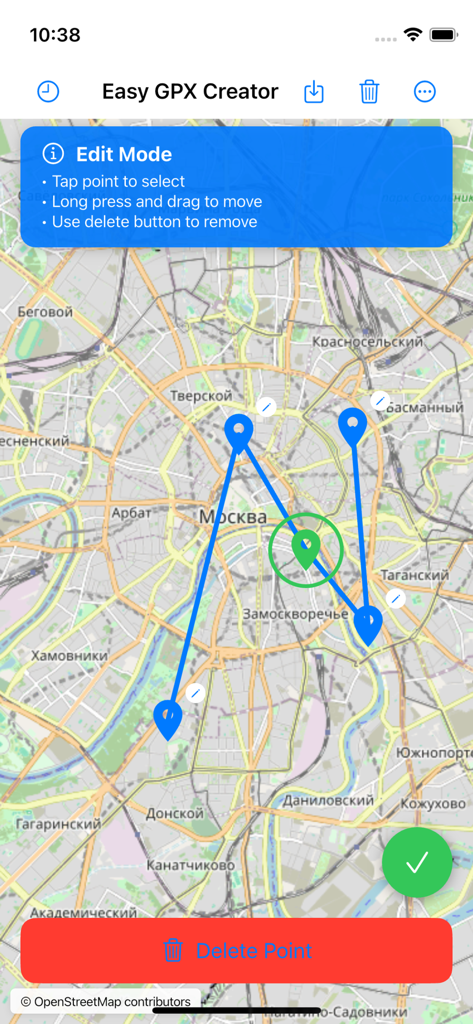
Easy GPX Creator app interface showing route editing mode with blue waypoints on a map and a list of instructions

Easy GPX Creator - Easy GPX Creator app interface showing the route edit mode on a city map with pin markers and lines.

Easy GPX Creator app interface showing the route edit mode on a city map with pin markers and lines.

Easy GPX Creator - Screen showing GPX and KML export format options in the Easy GPX Creator app.

Screen showing GPX and KML export format options in the Easy GPX Creator app.

Description

Easy GPX Creator - Simple GPS Route Builder Create GPS routes with just a few taps. Easy GPX Creator is designed for hikers, cyclists, runners, and outdoor enthusiasts who need to plan routes and export them to GPX or KML format. INTUITIVE ROUTE CREATION Tap anywhere on the map to add points. Continue tapping to build your route. Points automatically connect to form a path. The route line appears instantly between consecutive points. No complicated menus or settings - just tap and create. POWERFUL EDITING TOOLS Edit mode lets you modify routes with precision. Tap any point to select it (green ring appears). Long press and drag points to reposition them. Delete unwanted points with one tap. Move the entire route by adjusting individual points. Exit edit mode when finished. DUAL FORMAT EXPORT Export routes to GPX (GPS Exchange Format) or KML (Keyhole Markup Language). GPX is perfect for GPS devices and fitness apps. KML works great with Google Earth and mapping applications. Choose the format that fits your needs. FLEXIBLE SHARING OPTIONS Share routes directly with other apps using iOS share sheet. Save to app folder for quick access. Choose custom folder for organized storage. Send routes to navigation apps, fitness trackers, or cloud storage. Your routes, your way. FILE IMPORT SUPPORT Import existing GPX and KML files from other apps. Open files directly from Files app or other sources. Routes appear on the map instantly. Edit imported routes just like created ones. Combine multiple routes or modify existing paths. ROUTE HISTORY All exported routes are automatically saved to history. Access previously created routes with one tap. Load any route back to the map for viewing or editing. Swipe left to delete individual routes. Clear all history when needed. Never lose your work. INTERACTIVE MAP Based on OpenStreetMap for accurate worldwide coverage. Zoom and pan with standard pinch and drag gestures. See terrain, roads, and landmarks clearly. Find the perfect path for your adventure. Smooth 60fps performance even with complex routes. CLEAN INTERFACE Distraction-free design focuses on route creation. All tools are one tap away. Clear visual feedback for every action. Light and dark theme support with automatic switching. Optimized for both iPhone and iPad. MULTI-LANGUAGE SUPPORT Available in 11 languages: English, Spanish, German, French, Portuguese, Japanese, Italian, Turkish, Korean, Hindi, and Russian. Interface automatically adapts to your device language. Manual language selection available in settings. PRIVACY FOCUSED All routes stay on your device. No account required. No data collection or tracking. Works completely offline after initial map load. Your routes remain private and secure. PERFECT FOR Hikers planning trail routes. Cyclists mapping bike paths. Runners creating training routes. Outdoor enthusiasts exploring new areas. Travel planners organizing trips. Anyone who needs to create GPS routes quickly and easily. REQUIREMENTS iOS 14.0 or later. Compatible with iPhone and iPad. Internet connection required for map tiles. Route creation and editing work offline. SUPPORT For questions, feedback, or technical support, please contact us through the app or visit our support website. We respond promptly to all inquiries. Easy GPX Creator is free to download and use. The app is supported by non-intrusive advertising that appears after the third app launch. Ads are easily dismissible and don't interfere with route creation.

Download

This page is not an official page of the app or its developer, but an independent editorial publication created for informational and commentary purposes. Unless expressly stated otherwise, neither the app nor its developer is affiliated with, endorsed by, sponsored by, authorized by, or otherwise officially connected with MWM, Apple, Google Play, the app publisher, or the app's developer, and nothing on this page implies that the app was developed using MWM's services. Any trademarks, logos, screenshots, and other content remain the property of their respective owners.