EatFit | Calorie counter
Download on App Store

This page is not an official page of the app or its developer, but an independent editorial publication created for informational and commentary purposes. Unless expressly stated otherwise, neither the app nor its developer is affiliated with, endorsed by, sponsored by, authorized by, or otherwise officially connected with MWM, Apple, Google Play, the app publisher, or the app's developer, and nothing on this page implies that the app was developed using MWM's services. Any trademarks, logos, screenshots, and other content remain the property of their respective owners.


Logo of EatFit | Calorie counter
Download on App Store

EatFit | Calorie counter

Stop reactive tracking and take control. Our unique weight distribution tool tells you exactly how many grams of each food to eat to hit your nutritional goals perfectly every single day.

Key Figures

Downloads

114K+

User Rating

4.7/5

Total Ratings

400

Publisher

DZMITRY BARYSEVICH

Category

Health & Fitness

Locales

6

Latest Version

1.12.6

Size

79.9 MB

First Released

Sep 30, 2020
Features

Precision Planning for Peak Performance

Stop reacting to what you already ate. EatFit transforms your macro goals into a precise, actionable roadmap that tells you exactly how much to consume for every meal.

Smart Weight Distribution

Tell the app what is in your fridge and it calculates the exact grams you need to eat to hit your macro targets perfectly. No more manual math.

Proactive Meal Planning

Eliminate the late-night macro gap. Plan your tomorrow today and ensure you never run out of calories or fall short of your daily protein requirements.

The following screenshots and description are sourced directly from the app's official store listing and are the property of the app developer.

App Store

Screenshots
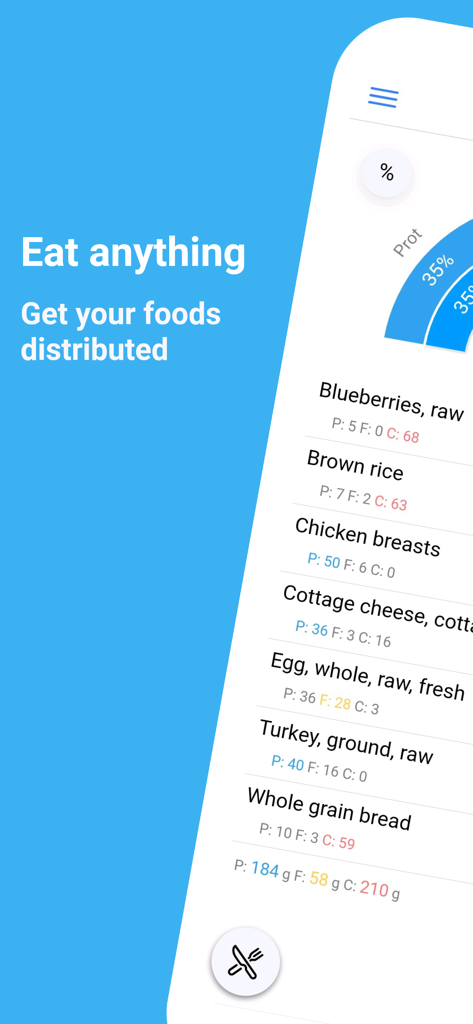
EatFit | Calorie counter - EatFit calorie counter app displaying food distribution by macronutrients.
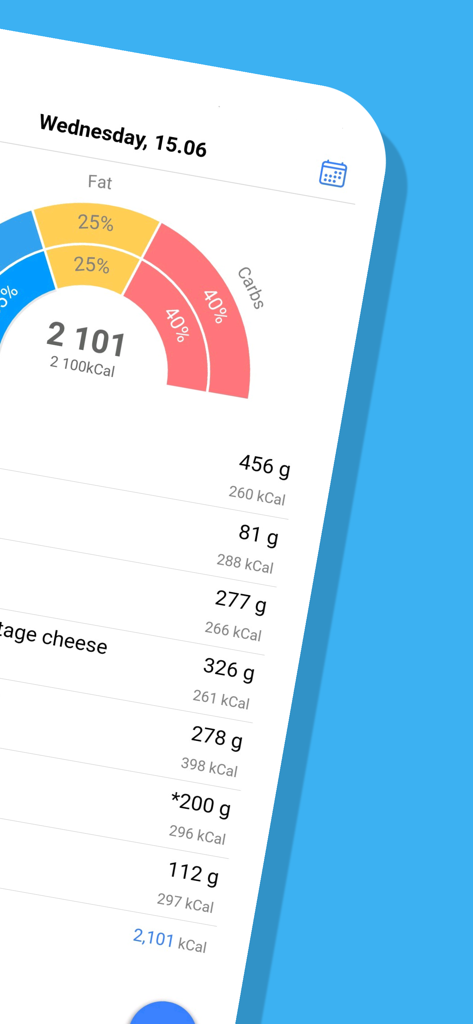
EatFit calorie counter app displaying food distribution by macronutrients.

EatFit | Calorie counter - EatFit app interface showing a macro distribution chart and a detailed daily meal plan with weights in grams.
EatFit app interface showing a macro distribution chart and a detailed daily meal plan with weights in grams.

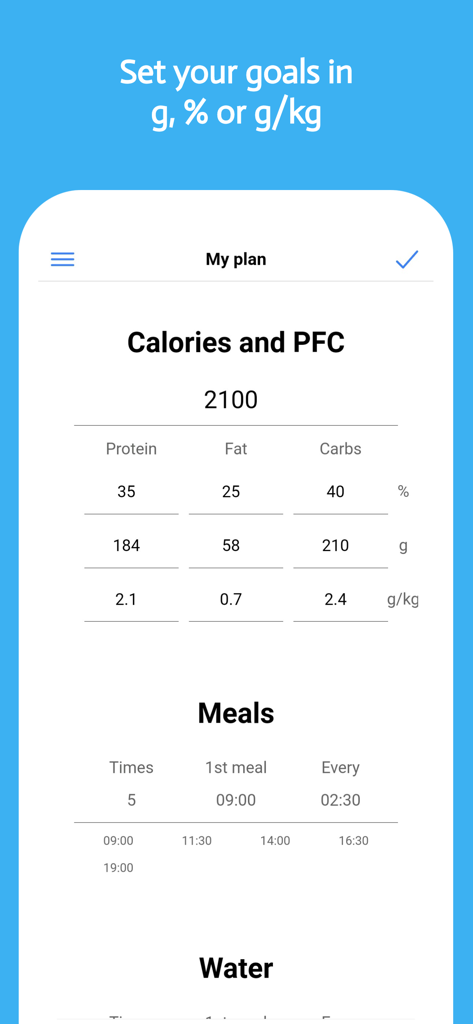
EatFit | Calorie counter - Mobile app interface showing calorie and macro goal settings with grams per kilogram tracking and meal frequency
Mobile app interface showing calorie and macro goal settings with grams per kilogram tracking and meal frequency

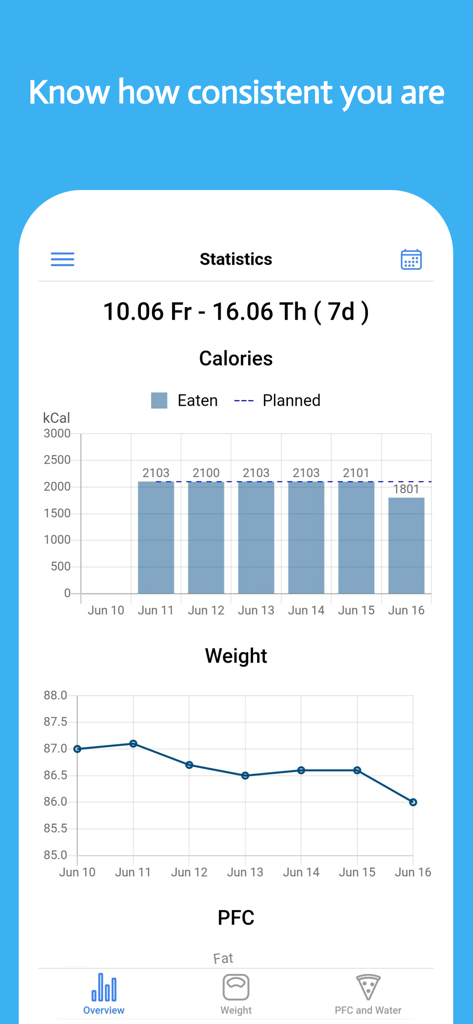
EatFit | Calorie counter - EatFit app dashboard displaying charts for calorie consumption and weight loss progress over time.

EatFit app dashboard displaying charts for calorie consumption and weight loss progress over time.
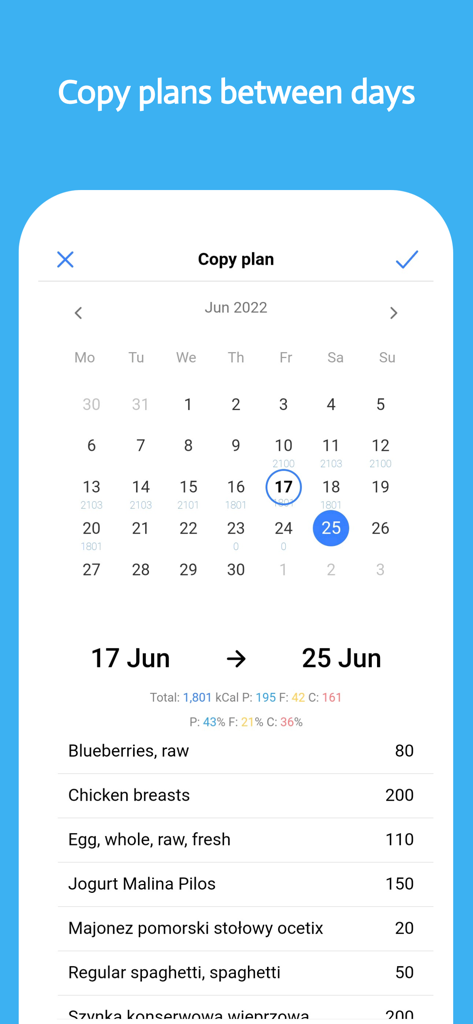
EatFit | Calorie counter - EatFit calorie counter app interface showing the copy meal plan feature between calendar days
EatFit calorie counter app interface showing the copy meal plan feature between calendar days

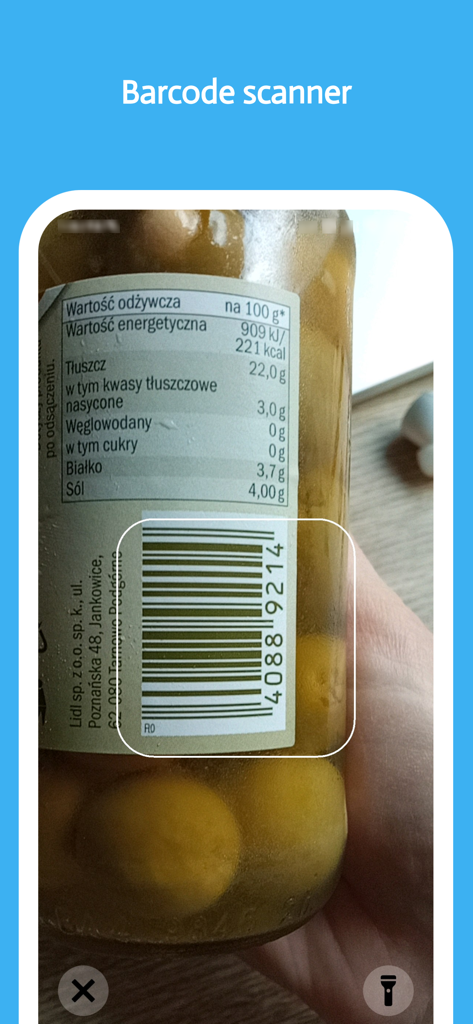
EatFit | Calorie counter - A smartphone using the EatFit app barcode scanner to log nutritional information from a food jar
A smartphone using the EatFit app barcode scanner to log nutritional information from a food jar

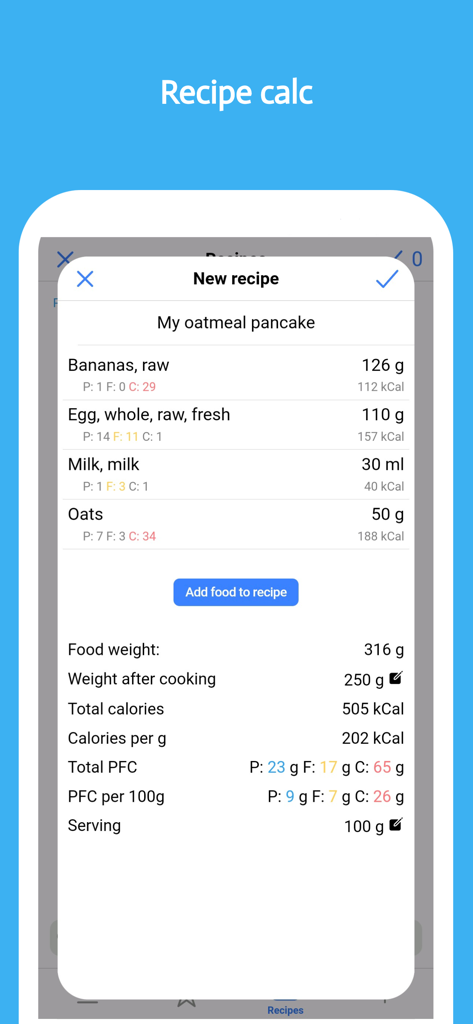
EatFit | Calorie counter - EatFit app interface for creating a new recipe with ingredient lists and macro calculations including weight after cooking

EatFit app interface for creating a new recipe with ingredient lists and macro calculations including weight after cooking

Description

Track your progress toward nutrition, macros, water, fitness, and weight loss goals. EatFit is more than just a calorie or food tracker and health app. Besides counting calories, you can plan meals for the next day or a week. You will stay as close as possible to your calories, macros, and nutrition. Want to know how many grams of protein, fat, and carbohydrates per kg of weight you eat (g/kg)? The app can calculate that. Grams per lb (g/lb)? No problem. EatFit is not another app about teaching you what to eat. Eat what you want. The app will help you adjust the amount of food so that you fit in your planned macros, calories, and other goals. As a nutrition tracker, EatFit will tell you how to fit in your macros. Macros proportion is almost as important as total calorie intake. As a water tracker, it will help you to drink enough water and remind you when it is time to sip some water. Got 500 calories left at the end of the day? Add some food and see how much of it you should consume. Here is a closer look at the features and benefits: * Distribution of food by weight - You add food, and the app tells you how much of it to consume * Calorie Tracker - Know how many calories you ate * Macro Tracker - See how much protein, fat, and carbohydrates you consumed * Fast and Easy Food Tracker Tools - Foods from history, type to search, add from favorites * Meal planner - Create a meal plan for tomorrow or any other day * Bar Code Scanner - Scan and add foods using your phone's camera * Weight Tracker - Log your everyday weight. See stats and how fast you approach your goals * Water Tracker - Track water and get notified when it is time to drink some * Copy plan - Most people eat the same food from day to day. Copy-pasting will make calorie tracking even easier * Add Your Own Foods/Recipe Tracker - Save recipes and take weight after cooking into account * Analyze Nutrition and Macros - See how many calories and nutrients you ate per any time period How many times have you tried to stay accurate about your nutrition? And here again, it is 6 p.m. you are hungry, all of the calories you planned for the day are eaten, and even worse - you are 50g of protein undereaten. That is what happens when you track calories after you've eaten them. But what if you've planned your meals ahead? How to stay accurate with macros? The answer is PLANNING AHEAD! For example: You need 2000 calories, 30% of calories from protein, 30% from fat, and 40% from carbs. Got chicken breasts, oats, rice, eggs, bread, and avocado in the fridge. How much of each food should you consume to meet the macro goals? The app will show you. Just add all the food you plan to eat for the day and it will be distributed by weight. Perfect for almost any diet! Want a keto? Set your goal to low carb and you're all set! You don't have to use a separate app specifically for tracking carbohydrates or following a keto diet. What differs EatFit Calorie Counter from any other calorie tracker app: 1. Calorie tracker with distribution * Distribution of your food by weight * Easy-to-use calorie tracker * % of proteins, fats, carbs * g/kg, g/lb of proteins, fats, or carbs * Built-in barcode scanner 2. Meal planner, also with distribution * No limit to the number of your meals * Equal distribution of food between meals * Manual adjustment 3. Recipe calculator * Takes into account weight after cooking * Configure servings EatFit is free to download and use. I constantly improve the app and hope you'll love it. Terms of use: https://www.apple.com/legal/internet-services/itunes/dev/stdeula/

Download

Download on App Store

This page is not an official page of the app or its developer, but an independent editorial publication created for informational and commentary purposes. Unless expressly stated otherwise, neither the app nor its developer is affiliated with, endorsed by, sponsored by, authorized by, or otherwise officially connected with MWM, Apple, Google Play, the app publisher, or the app's developer, and nothing on this page implies that the app was developed using MWM's services. Any trademarks, logos, screenshots, and other content remain the property of their respective owners.