EchoSpeak-ShadowingForFluency
Download on App Store

This page is not an official page of the app or its developer, but an independent editorial publication created for informational and commentary purposes. Unless expressly stated otherwise, neither the app nor its developer is affiliated with, endorsed by, sponsored by, authorized by, or otherwise officially connected with MWM, Apple, Google Play, the app publisher, or the app's developer, and nothing on this page implies that the app was developed using MWM's services. Any trademarks, logos, screenshots, and other content remain the property of their respective owners.


Logo of EchoSpeak-ShadowingForFluency
Download on App Store

EchoSpeak-ShadowingForFluency

Transform any video into a personalized language lesson. Bridge the gap between textbook English and real-world fluency with interactive shadowing and TikTok-style video flashcards.

Key Figures

Downloads

0

User Rating

4.1/5

Total Ratings

0

Publisher

俊良 宋

Category

Education

Locales

13

Latest Version

8.2.2

Size

197.4 MB

First Released

Jul 15, 2017
Features

Unlock Your Native-Level Fluency

Bridge the gap between understanding English and speaking it naturally. EchoSpeak transforms real-world videos into high-impact learning tools tailored for ambitious professionals and students.

Master the Rhythm of Speech

Use precision loop controls and shadowing techniques to mimic native speakers. Perfect your American intonation and gain the confidence to lead meetings and social calls.

Video Flashcards for Busy Pros

Turn complex dialogue into a swipeable video feed. Use active recall to memorize industry-specific vocabulary and American idioms during your commute or gym session.

The following screenshots and description are sourced directly from the app's official store listing and are the property of the app developer.

App Store

Screenshots
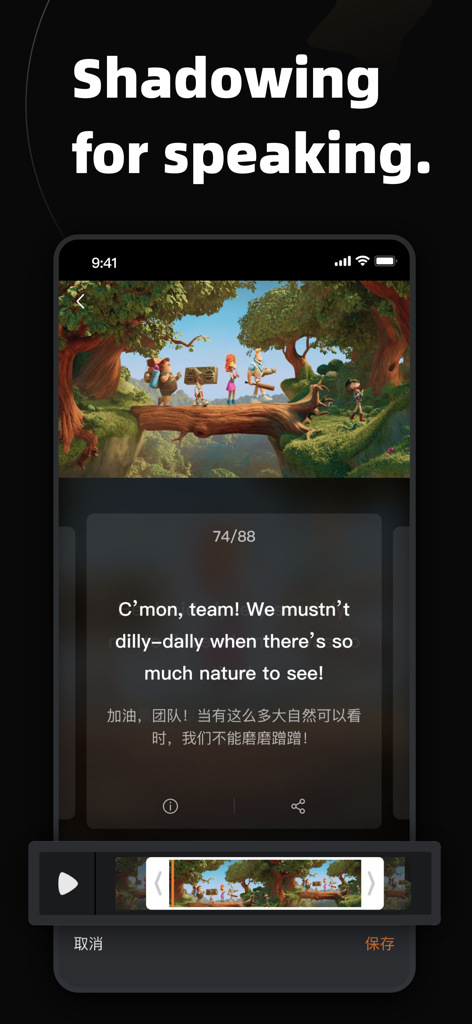
EchoSpeak-ShadowingForFluency - EchoSpeak app interface showing a video shadowing feature with English and Chinese subtitles for language learning
EchoSpeak app interface showing a video shadowing feature with English and Chinese subtitles for language learning

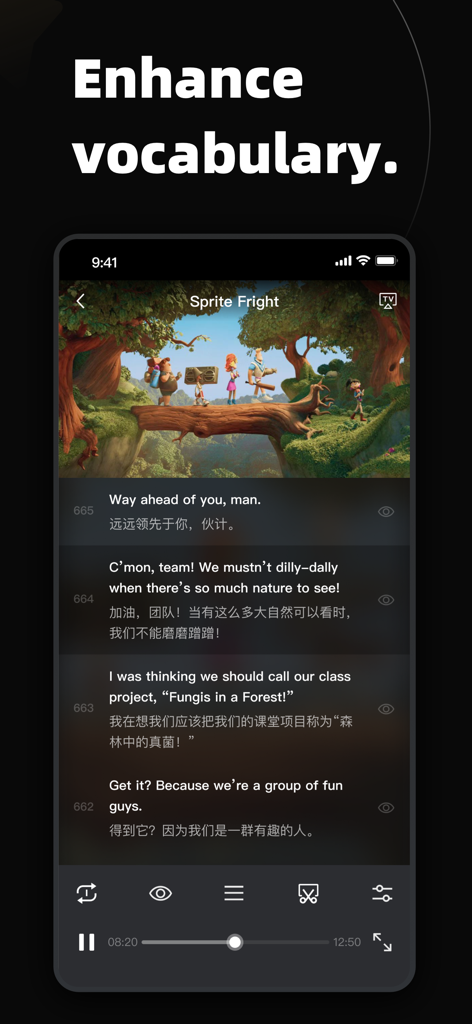
EchoSpeak-ShadowingForFluency - Interface of EchoSpeak app showing video playback with bilingual subtitles to enhance vocabulary.

Interface of EchoSpeak app showing video playback with bilingual subtitles to enhance vocabulary.
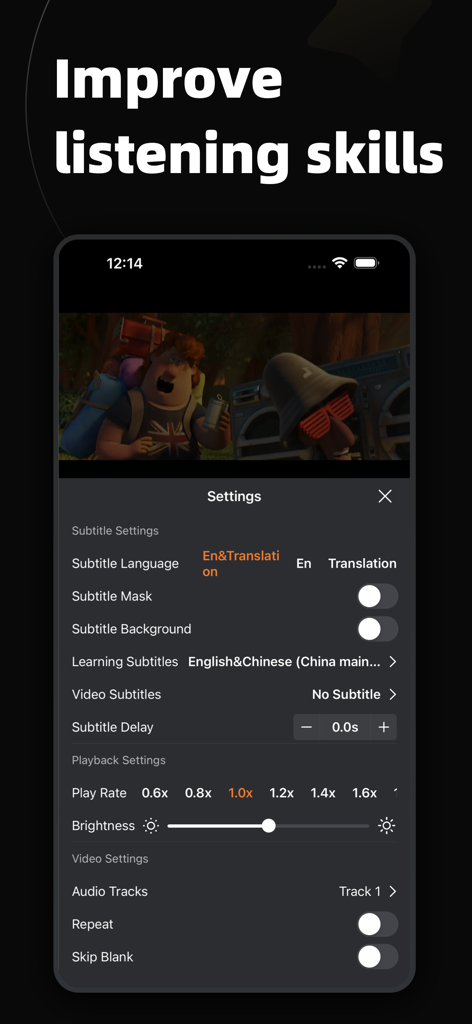
EchoSpeak-ShadowingForFluency - Settings screen of the EchoSpeak app showing options for subtitle language playback speed and audio tracks to improve listening skills
Settings screen of the EchoSpeak app showing options for subtitle language playback speed and audio tracks to improve listening skills

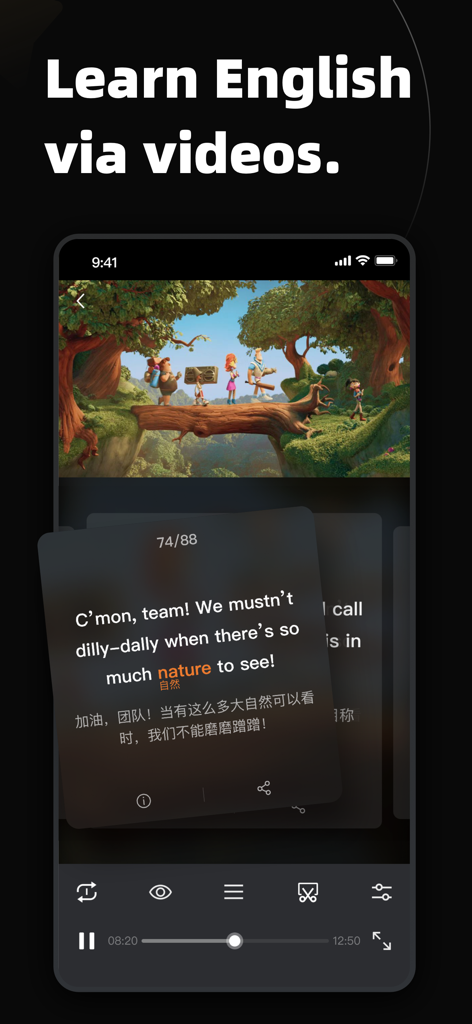
EchoSpeak-ShadowingForFluency - EchoSpeak app interface showing an animated video with English and Chinese subtitles for learning fluency.
EchoSpeak app interface showing an animated video with English and Chinese subtitles for learning fluency.

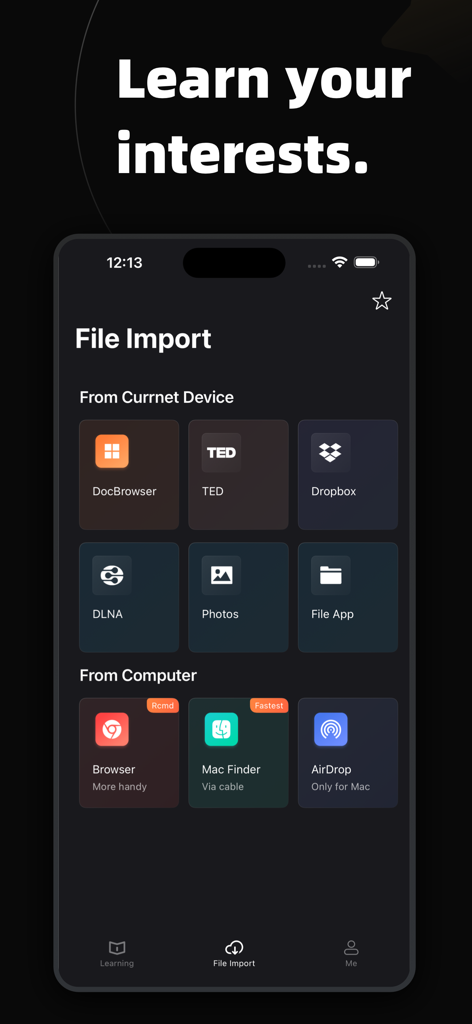
EchoSpeak-ShadowingForFluency - EchoSpeak app interface showing the file import screen with various sources like Dropbox Photos and AirDrop

EchoSpeak app interface showing the file import screen with various sources like Dropbox Photos and AirDrop

Description

"Echo Speak" is an innovative language learning app that harnesses the power of videos and subtitles to help users master English. With support for importing videos and subtitle files, the app offers a range of interactive features to enhance your language learning experience. Key Features: - Short Video Flashcard: Introducing the powerful short video flashcards feature! You can quickly add words, subtitles, or clips as short video flashcards. Learn English by swiping through flashcards just like short videos. Through repeated active recall and self-testing, flashcards help you strengthen memory and improve learning efficiency. - Vocabulary Filtering: Seamlessly integrated with an English word database, the app automatically filters out unfamiliar words from subtitles and provides instant explanations. You can also add your own unfamiliar words from the subtitles to expand your vocabulary. - Subtitle Language Switching: Enjoy the flexibility of switching between different language subtitles, such as English and Chinese, while watching videos. This feature allows you to practice your listening skills in different language contexts. - Subtitle Word Display: With just a tap, you can instantly view all the words, their definitions, and phonetic transcriptions within a subtitle. You can even listen to the standard American or British pronunciation by tapping the pronunciation button. - Generate Subs Locally: No need to hunt for matching subs – our app can whip up subtitles offline, hassle-free! - Subtitle Hide/Show: Customize your viewing experience by hiding or showing all or specific subtitles during video playback. If you encounter a challenging sentence, you can display the corresponding subtitle to aid comprehension. - Subtitle Playback Control: Easily navigate to specific moments in the video by selecting a subtitle from the list. This feature enables you to focus on specific dialogue lines and practice your listening skills through repetition. - Sentence Repeat Playback: Enhance your listening and speaking abilities by utilizing the subtitle repeat feature to practice individual dialogue lines. Perfect your pronunciation and mimic native speakers. - Slow and Fast Playback: Adjust the video playback speed from 0.5x to 2.0x to suit your learning needs. Slow down fast-paced conversations for better comprehension, or increase the speed to improve your ability to understand naturally spoken English. - Bookmark Segments: Create personalized segments within videos based on the story plot or your preferences. Easily replay specific segments to reinforce your understanding or start learning directly from a chosen segment. - Import Study Materials: Seamlessly import study materials from various sources, including AirDrop, browser uploads, and cloud sharing. Access learning resources that align with your learning goals and study at your own pace. - Lock Screen Video Playback: Enjoy the convenience of playing videos even when your device is locked. Listen to English content during your commute or in situations where watching the screen is not practical. - Offline Video Download: Download videos from your media servers to your device, allowing you to enjoy offline playback even without an internet connection. Start your language learning journey today with "Echo Speak"! Subscribe now to enjoy a free trial period. Once confirmed through your iTunes account, your subscription will automatically begin and renew. You can manage your subscription settings, including auto-renewal, or cancel at least 24 hours before the current period ends. For more information, please refer to our terms and privacy policy. https://player.peachtree.studio/terms.html https://player.peachtree.studio/privacy.html https://orange.blender.org/ CC Privacy https://creativecommons.org

Download

Download on App Store

This page is not an official page of the app or its developer, but an independent editorial publication created for informational and commentary purposes. Unless expressly stated otherwise, neither the app nor its developer is affiliated with, endorsed by, sponsored by, authorized by, or otherwise officially connected with MWM, Apple, Google Play, the app publisher, or the app's developer, and nothing on this page implies that the app was developed using MWM's services. Any trademarks, logos, screenshots, and other content remain the property of their respective owners.