
This page is not an official page of the app or its developer, but an independent editorial publication created for informational and commentary purposes. Unless expressly stated otherwise, neither the app nor its developer is affiliated with, endorsed by, sponsored by, authorized by, or otherwise officially connected with MWM, Apple, Google Play, the app publisher, or the app's developer, and nothing on this page implies that the app was developed using MWM's services. Any trademarks, logos, screenshots, and other content remain the property of their respective owners.

Edit Word Document with OffiX
Master your workflow with a powerful mobile workstation. Create Word docs, solve complex math formulas, scan contracts, and sign PDFs seamlessly from your iPhone or iPad.
Downloads
1K+User Rating
Total Ratings
0Publisher
Category
BusinessLocales
3Latest Version
1.5.3Size
51.7 MBFirst Released
Mar 16, 2025Your Complete Mobile Workspace
Stop switching between apps. OffiX combines professional editing, PDF management, and smart scanning into one powerful, mobile-first solution designed for the modern professional and student.
Pro Document & Math Editing
Draft reports, format rich text, and insert complex mathematical formulas with ease. Perfect for STEM students and professionals who need desktop power on an iPad or iPhone.
Scan, Sign, and Convert
Go paperless instantly. Use OCR to extract text from images, add secure digital signatures to contracts, and convert any file to a high-quality PDF in seconds.
The following screenshots and description are sourced directly from the app's official store listing and are the property of the app developer.
App Store
Screenshots
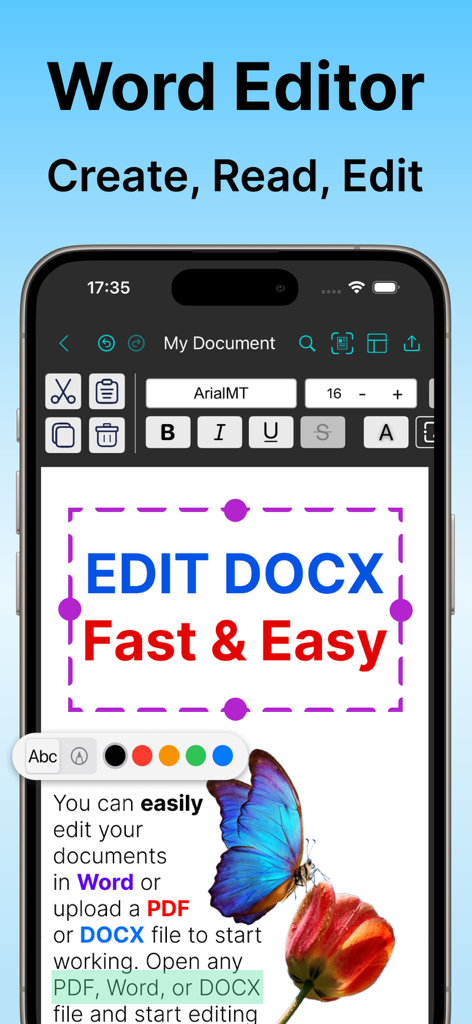
OffiX mobile app interface showing a Word document editor with text formatting tools on an iPhone screen
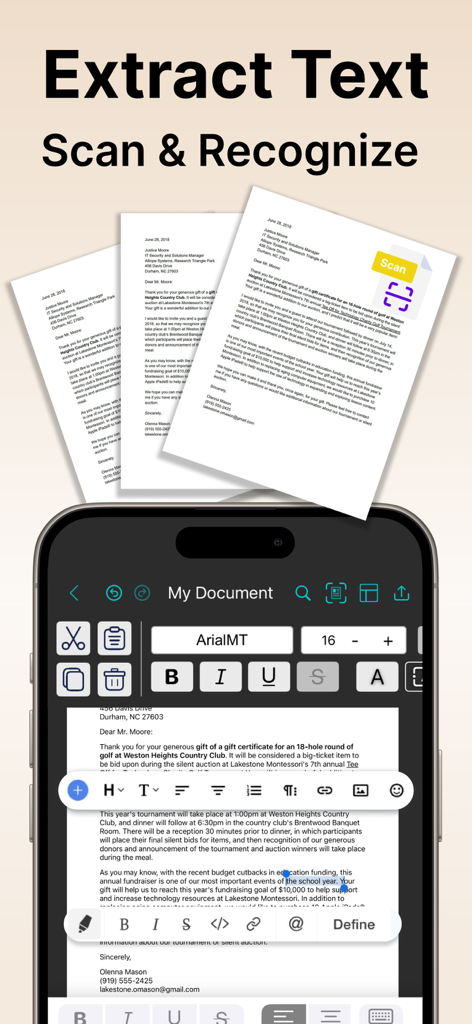
OffiX app mobile interface showing document scanning and OCR text extraction feature.
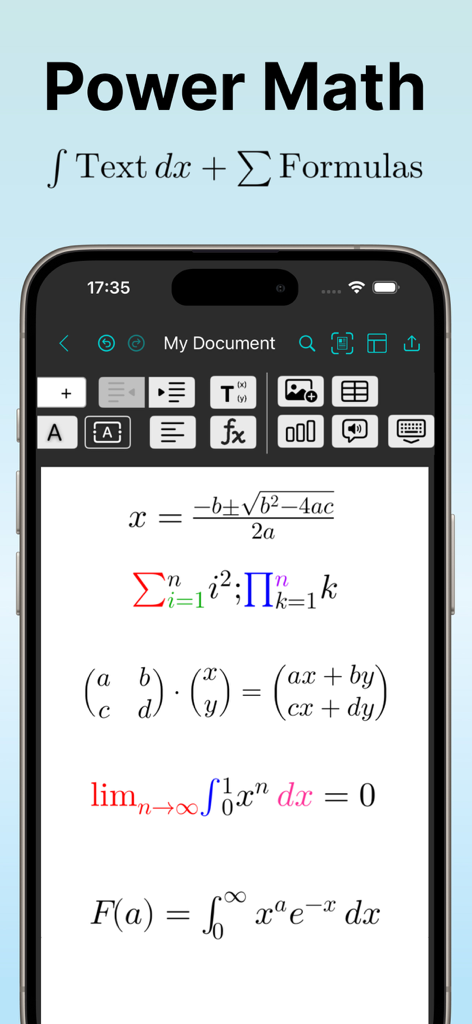
A mobile interface of the OffiX app displaying complex mathematical formulas like integrals and matrices in a word document editor.
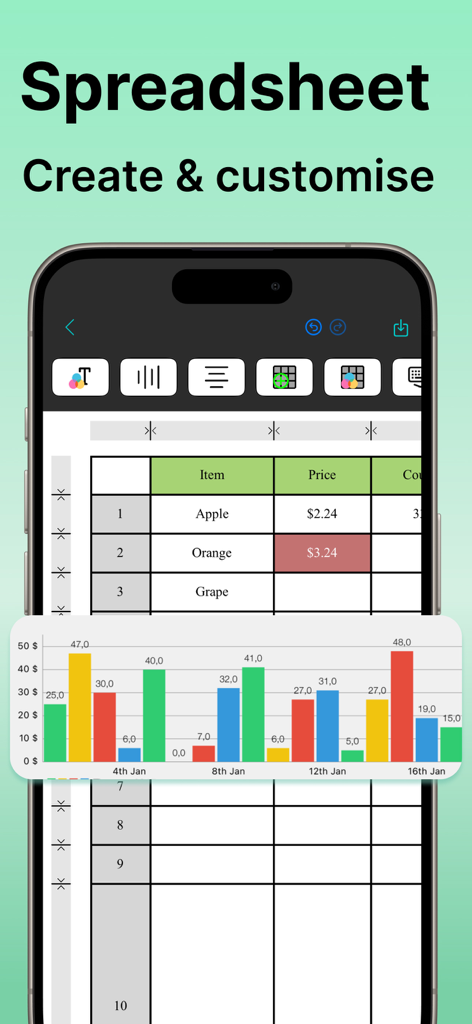
Mobile view of OffiX spreadsheet editor showing a data table and a colorful bar chart on an iPhone
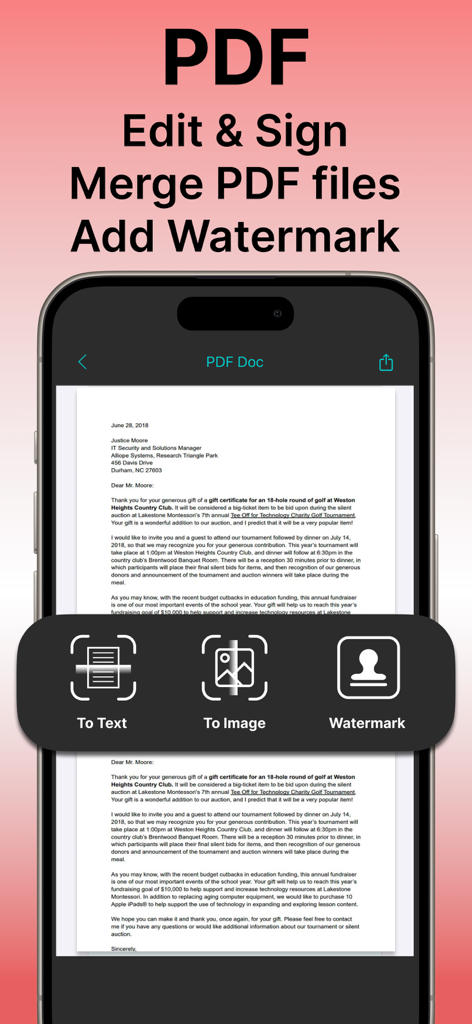
OffiX mobile app interface showing PDF document editing, signing, and watermarking features
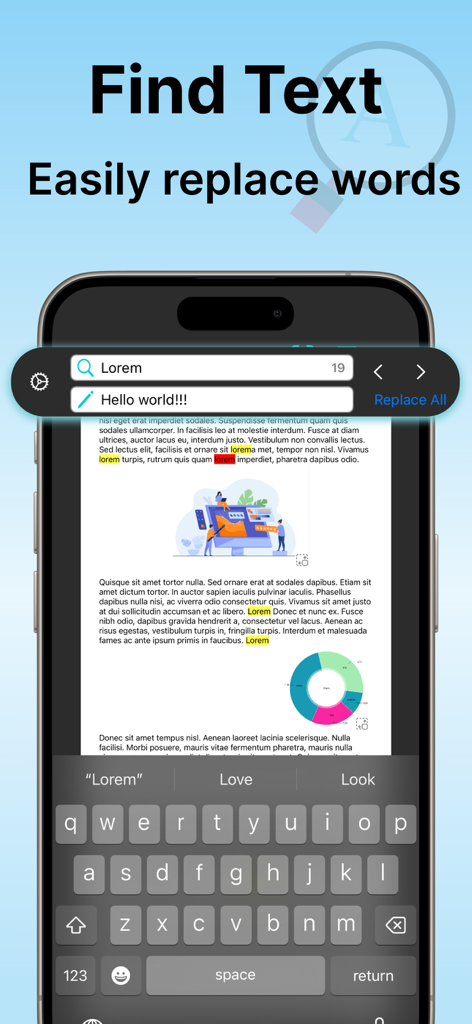
Mobile interface of OffiX app showing the find and replace text feature in a document.
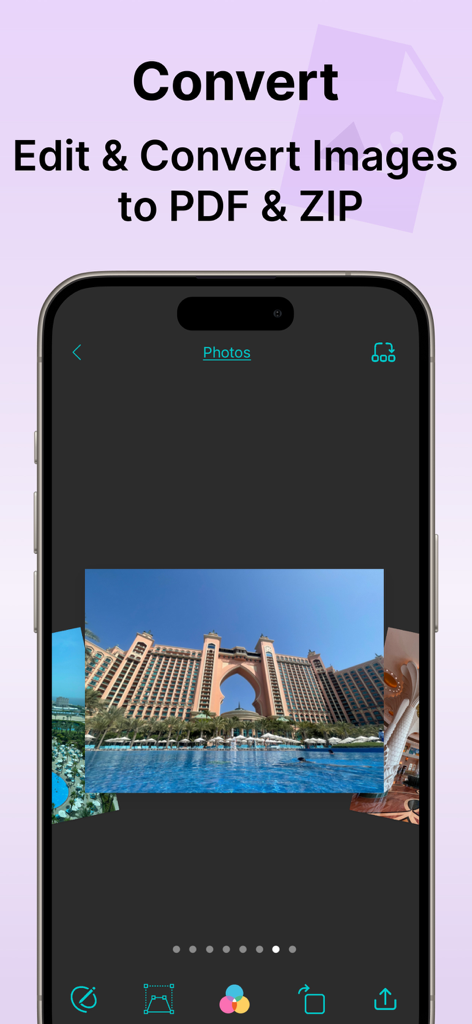
OffiX app interface showing image editing tools and options to convert photos to PDF and ZIP formats
Description
Download
More Like This
Top-ranked apps in the same category

Microsoft Teams
Microsoft Corporation

Zoom Workplace
Zoom Communications, Inc.

WhatsApp Business
WhatsApp Inc.

Indeed Job Search
Indeed Inc.

LinkedIn: Network & Job Finder
LinkedIn Corporation

Adobe Acrobat Reader: Sign PDF
Adobe Inc.

WeCom-Work Communication&Tools
Tencent Technology (Shenzhen) Company Limited

BOSS直聘-招聘求职找工作神器
Beijing China Product Bo Farce Network Technology Co., Ltd.

DingDing - Redefine Work in AI
DingTalk Technology Co., Ltd.
This page is not an official page of the app or its developer, but an independent editorial publication created for informational and commentary purposes. Unless expressly stated otherwise, neither the app nor its developer is affiliated with, endorsed by, sponsored by, authorized by, or otherwise officially connected with MWM, Apple, Google Play, the app publisher, or the app's developer, and nothing on this page implies that the app was developed using MWM's services. Any trademarks, logos, screenshots, and other content remain the property of their respective owners.