
This page is not an official page of the app or its developer, but an independent editorial publication created for informational and commentary purposes. Unless expressly stated otherwise, neither the app nor its developer is affiliated with, endorsed by, sponsored by, authorized by, or otherwise officially connected with MWM, Apple, Google Play, the app publisher, or the app's developer, and nothing on this page implies that the app was developed using MWM's services. Any trademarks, logos, screenshots, and other content remain the property of their respective owners.

EF Campus Connect
Unlock your global adventure with ease. From verifying travel documents to managing your class schedule, everything you need for your EF journey is right in your pocket.
Downloads
371K+User Rating
Total Ratings
1K+Publisher
Category
EducationLocales
1Latest Version
4.25.3Size
155.1 MBFirst Released
May 17, 2022Your Adventure, Organized
Everything from document verification to your daily schedule is managed right from your phone, so you can focus on exploring the world and making memories.
Hassle-Free Logistics
Keep your travel documents verified and stored in one secure digital vault for a smooth, stress-free departure.
Your Campus in Your Pocket
Access your personalized class timetable and daily activity schedule anytime, even while on the move.
Frequently Asked Questions
Everything you need to know about EF Campus Connect
What is the purpose of the EF Campus Connect app?
The EF Campus Connect app helps students manage all aspects of their EF trip. It includes travel document verification and schedule overviews, providing a central hub for their experience.
Is the EF Campus Connect app available for all EF students?
No, the EF Campus Connect app is exclusively for students traveling abroad to an EF International Language Campus or an EF Language Travel program. It supports specific EF programs.
How does EF Campus Connect help manage my EF trip?
EF Campus Connect assists in managing trip details by providing schedule overviews, verifying travel documents, and showing course, activity, accommodation, and travel details. It centralizes trip information.
Can I check my daily schedule using EF Campus Connect?
Yes, EF Campus Connect provides quick access to your daily schedule. The "Today's schedule" section displays classes and activities, while a full calendar overview keeps you updated on events.
Does EF Campus Connect provide my flight and booking information?
Yes, EF Campus Connect provides detailed flight and booking information. Users can view departure/arrival dates, times, carriers, flight numbers, and booking reservation numbers within the "Travel details" section.
What kind of course information is available in EF Campus Connect?
EF Campus Connect displays comprehensive course information. The app provides details on your specific course, available activities, accommodation arrangements, and general campus information relevant to your studies.
The following screenshots and description are sourced directly from the app's official store listing and are the property of the app developer.
App Store
Screenshots
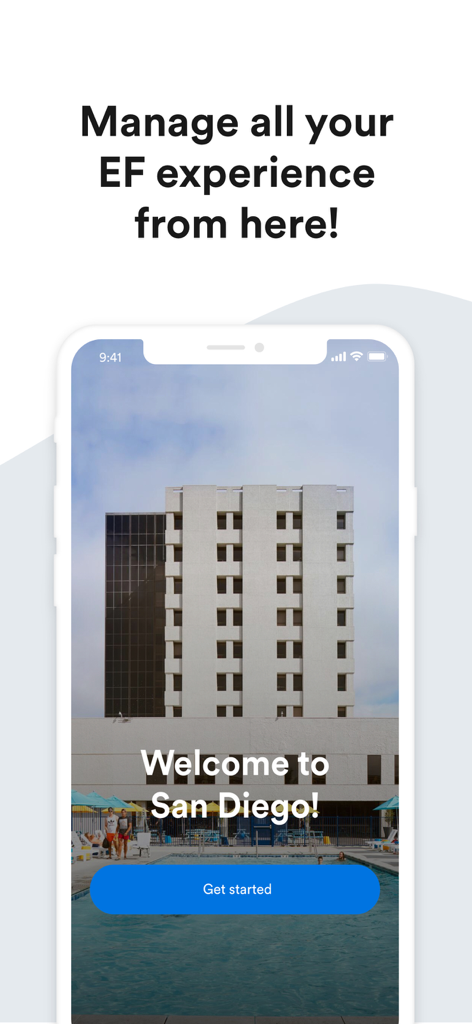
Smartphone displaying the EF Campus Connect welcome screen for San Diego
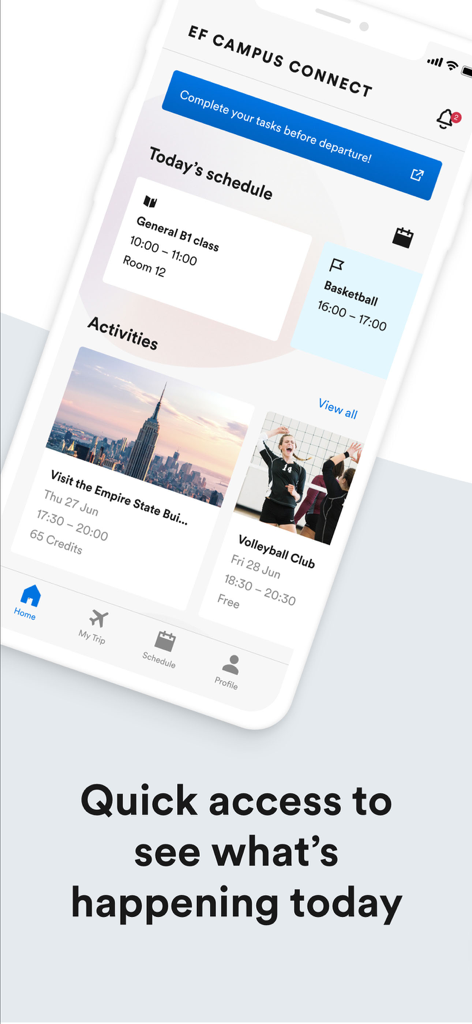
Interface of the EF Campus Connect app displaying a student schedule and daily activities
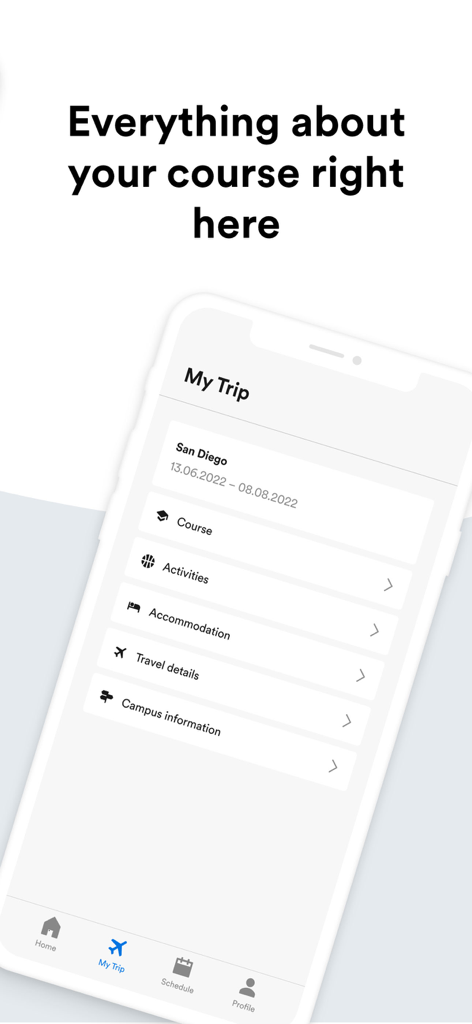
EF Campus Connect app screen showing trip details for San Diego including activities and accommodation
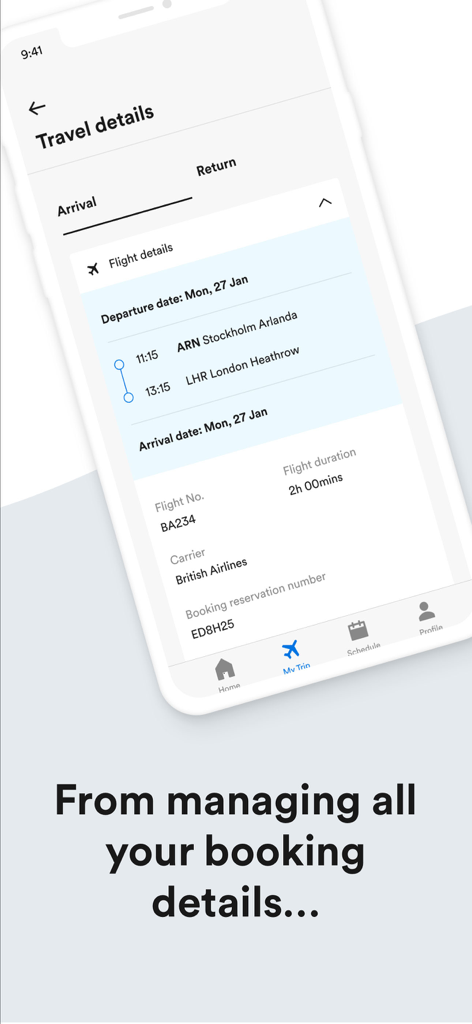
Mobile app screen showing flight booking details including arrival time and reservation number for a student travel program
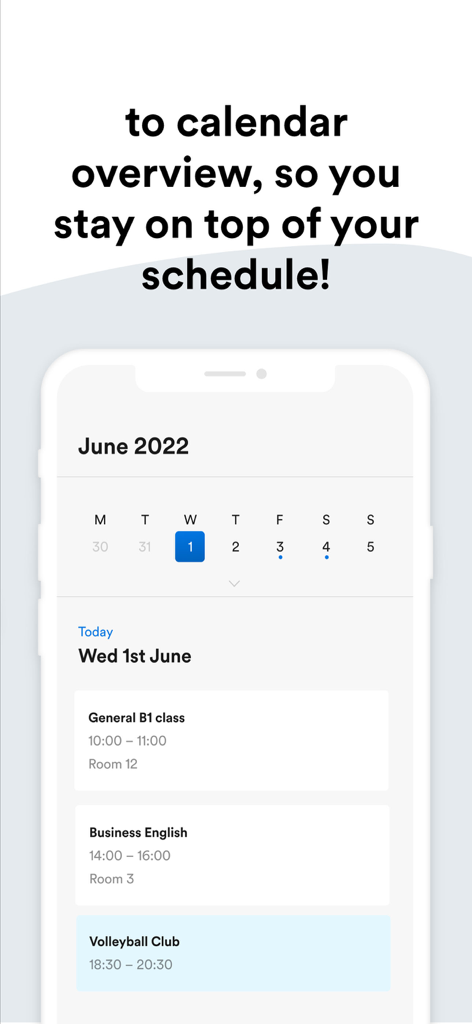
A mobile app interface showing a student daily schedule with classes and activities on a calendar
Description
Download
More Like This
Apps with similar features and user experience

Rainbow: Wakacje & Wycieczki
Rainbow Tours S.A.

mein alltours
alltours flugreisen GmbH

Trip Plans
Travefy Inc.

MyDERTOUR | Reisebegleiter
DER Touristik Deutschland GmbH

ViewTrail - Trailfinders
Trailfinders Ltd

Evaneos
EVANEOS

Ving – Allt om dina resor
Ving Sverige AB

Digi Yatra
Digiyatra Foundation

Viaxlab
PULSERAPP SAS
This page is not an official page of the app or its developer, but an independent editorial publication created for informational and commentary purposes. Unless expressly stated otherwise, neither the app nor its developer is affiliated with, endorsed by, sponsored by, authorized by, or otherwise officially connected with MWM, Apple, Google Play, the app publisher, or the app's developer, and nothing on this page implies that the app was developed using MWM's services. Any trademarks, logos, screenshots, and other content remain the property of their respective owners.