
This page is not an official page of the app or its developer, but an independent editorial publication created for informational and commentary purposes. Unless expressly stated otherwise, neither the app nor its developer is affiliated with, endorsed by, sponsored by, authorized by, or otherwise officially connected with MWM, Apple, Google Play, the app publisher, or the app's developer, and nothing on this page implies that the app was developed using MWM's services. Any trademarks, logos, screenshots, and other content remain the property of their respective owners.

Electronic Driving Licence
Bridge the gap between the US and HK with instant access to your driving credentials. Secure, encrypted, and valid the moment you are approved—no physical card required.
Downloads
160K+User Rating
Total Ratings
100Publisher
Category
UtilitiesLocales
3Latest Version
1.1.2Size
74.3 MBFirst Released
Oct 6, 2025Smart Driving for the Global Professional
Modernize your driving experience with a digital-first solution designed for seamless travel and absolute document security.
Instant Digital Issuance
Skip the international mail delays. Access your license on your phone immediately upon approval and be ready to drive the moment you land.
Bank-Level Security
Protect your identity with dynamic QR codes and anti-screen capture technology, offering more security than a physical card ever could.
Frequently Asked Questions
Everything you need to know about Electronic Driving Licence
What is the Electronic Driving Licence (eDL) mobile application?
The Electronic Driving Licence (eDL) mobile application allows driving licence holders to digitally display their licence to fulfill statutory requirements. It covers various licence types, offering an alternative to physical licences.
Can I use the Electronic Driving Licence (eDL) instead of my physical driving licence?
Yes, from 15 September 2025, driving licence holders can use the Electronic Driving Licence (eDL) on their smartphones. This provides a flexible option to meet the requirements of carrying or producing a driving licence.
Which driving licence types are supported by the Electronic Driving Licence app?
The Electronic Driving Licence app supports full, learner's, probationary, temporary, and driving instructor's licences. Users authenticate via a designated platform after downloading the app to display their electronic licences.
What security features does the Electronic Driving Licence app include?
The Electronic Driving Licence app has robust security. It restricts registration to one account per person and one mobile phone. Features include disabled screen capture, a dynamic TD logo, and a time-limited encrypted QR code.
Can I use my Electronic Driving Licence immediately after online application approval?
Yes, you can use the Electronic Driving Licence immediately upon approval of your online application. This convenience means you do not wait for the physical driving licence to be mailed before using your licence.
How does the Electronic Driving Licence app show the status of my licence?
The Electronic Driving Licence app clearly shows your licence status: "Valid" (Blue), "Partially Valid" (Yellow) for mixed statuses, or "Expired" (Red) for all expired types. It mirrors physical licence information.
Does the Electronic Driving Licence app provide notifications for licence changes?
Yes, the Electronic Driving Licence app sends push notifications to licence holders. These alerts cover important changes such as cancellation, revision, reinstatement, or the addition of restrictions on the driving licence.
How do I log in to the Electronic Driving Licence app?
You can log in to the Electronic Driving Licence app using your eLicensing Portal Account. There is also an option for biometric login, which is available for non-Hong Kong Identity Card holders.
The following screenshots and description are sourced directly from the app's official store listing and are the property of the app developer.
App Store
Screenshots
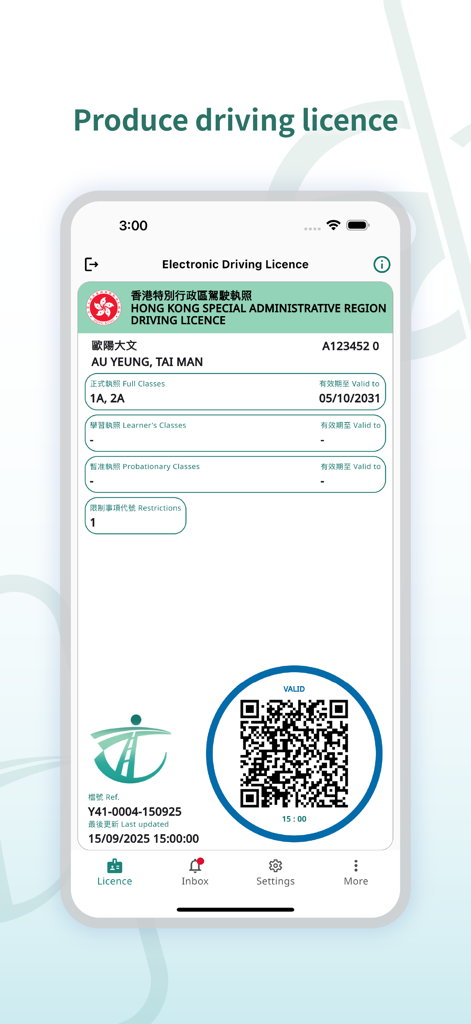
Electronic driving licence display for Hong Kong SAR with QR code and validity status
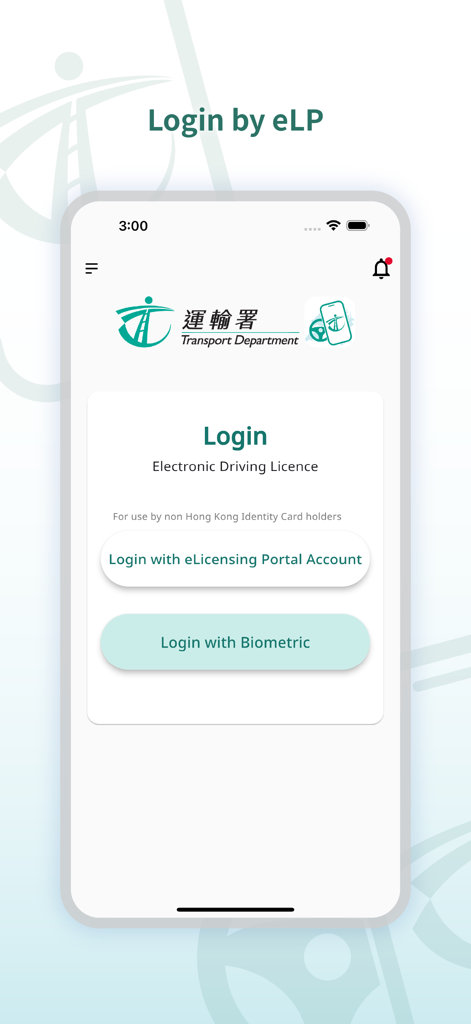
Login screen of the Hong Kong Electronic Driving Licence app showing biometric and portal account login options.
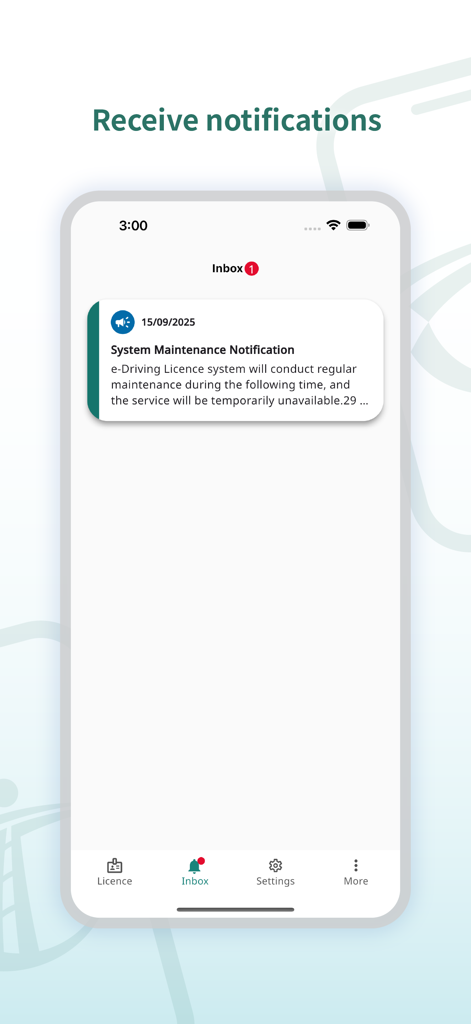
Electronic Driving Licence app inbox screen displaying a system maintenance notification message.
Description
Download
More Like This
Apps with similar features and user experience

SEEK Pass
SEEK Pass Pty Ltd
CA DMV Wallet
California Department of Motor Vehicles
RG Nacional GO
Estado de Goias

Carteira Digital de Enfermagem
valid certificadora digital ltda
RG DIGITAL - MG
valid certificadora digital ltda

Bluink eID-Me Digital ID
Bluink Ltd.

学信网
Student Information Consultation Service Co., Ltd.

Arizona Mobile ID
IDEMIA Group

Virginia Mobile ID
CBN Secure Technologies Inc.
This page is not an official page of the app or its developer, but an independent editorial publication created for informational and commentary purposes. Unless expressly stated otherwise, neither the app nor its developer is affiliated with, endorsed by, sponsored by, authorized by, or otherwise officially connected with MWM, Apple, Google Play, the app publisher, or the app's developer, and nothing on this page implies that the app was developed using MWM's services. Any trademarks, logos, screenshots, and other content remain the property of their respective owners.