
This page is not an official page of the app or its developer, but an independent editorial publication created for informational and commentary purposes. Unless expressly stated otherwise, neither the app nor its developer is affiliated with, endorsed by, sponsored by, authorized by, or otherwise officially connected with MWM, Apple, Google Play, the app publisher, or the app's developer, and nothing on this page implies that the app was developed using MWM's services. Any trademarks, logos, screenshots, and other content remain the property of their respective owners.

EN- Official Light Stick Ver.2
Join the ENGENE ocean and experience the concert like never before. Seamlessly sync your light stick or band for synchronized stage effects and personalized color control.
Downloads
100K+User Rating
Total Ratings
100Publisher
Category
EntertainmentLocales
13Latest Version
1.2Size
69.9 MBFirst Released
Sep 18, 2024Light Up Your World with ENHYPEN
Experience the ultimate connection between ENGENE and the stage. From synchronized concert effects to custom mood lighting, control every glow right from your smartphone.
Be Part of the Ocean
Sync your Light Stick with your concert seat to join thousands of fans in a spectacular, music-responsive light show that transforms the venue.
Custom Aesthetic Control
Express yourself in Self Mode by adjusting colors and brightness to create the perfect vibe for your room or your next viral TikTok.
The following screenshots and description are sourced directly from the app's official store listing and are the property of the app developer.
App Store
Screenshots
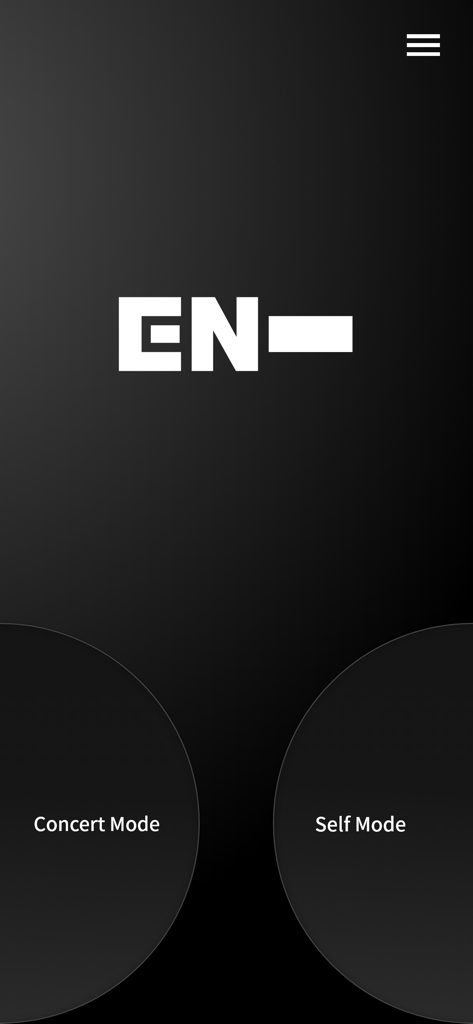
Main interface of the EN- Official Light Stick app showing Concert Mode and Self Mode selection
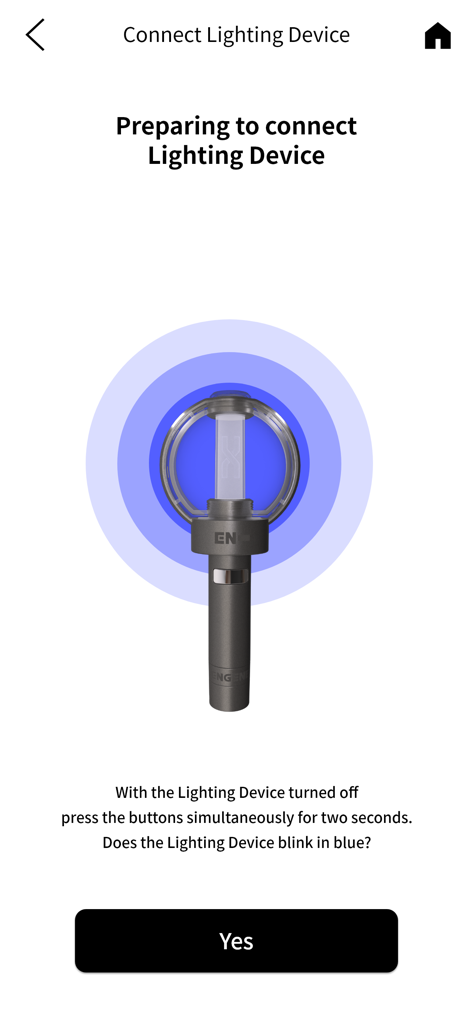
Instructions for pairing the ENHYPEN light stick with the app via Bluetooth
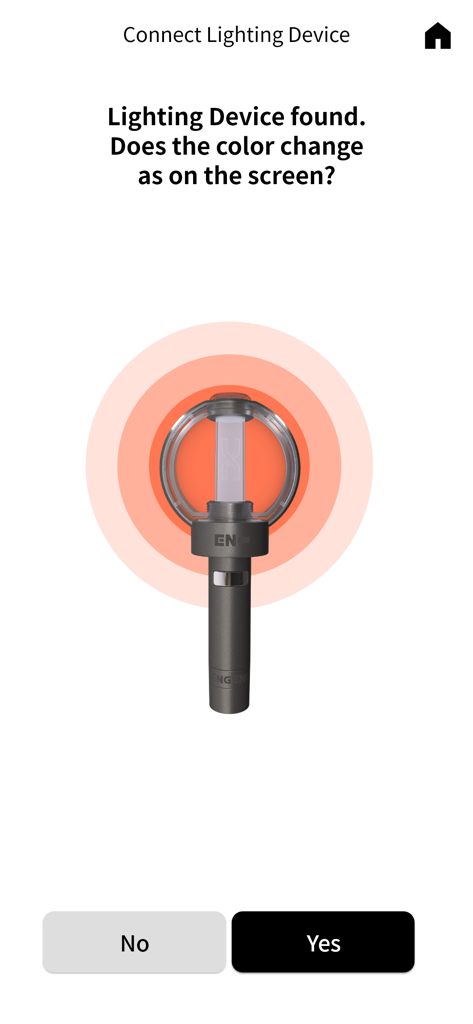
Connecting the ENHYPEN official light stick to the mobile app
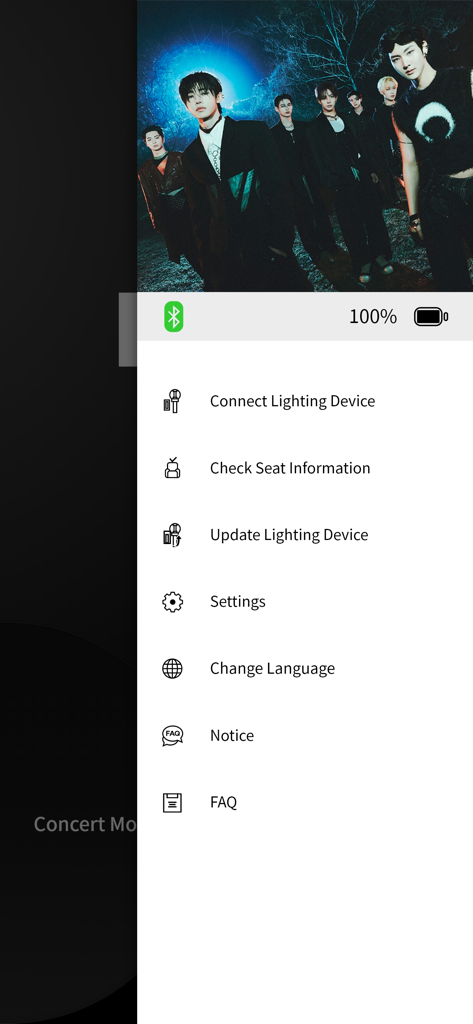
Side menu of the EN Official Light Stick Ver 2 app showing options to connect devices and check seat information
Description
Download
More Like This
Apps with similar features and user experience

G-DRAGON Official Light Stick
COCOAENT Co.,Ltd.
Stadium FX
CUE Audio, LLC
CrowdFX
Jamie Severns

Top Hat - Better Learning
TopHatMonocle Corp

Poll Everywhere
Poll Everywhere, Inc.
TXT Official Light Stick Ver.2
HYBE Co., Ltd

wePix arena
FREDERIC GIRY
&TEAM Official Light Stick V1
HYBE Co., Ltd

iClicker Student
HPHLP
This page is not an official page of the app or its developer, but an independent editorial publication created for informational and commentary purposes. Unless expressly stated otherwise, neither the app nor its developer is affiliated with, endorsed by, sponsored by, authorized by, or otherwise officially connected with MWM, Apple, Google Play, the app publisher, or the app's developer, and nothing on this page implies that the app was developed using MWM's services. Any trademarks, logos, screenshots, and other content remain the property of their respective owners.