
This page is not an official page of the app or its developer, but an independent editorial publication created for informational and commentary purposes. Unless expressly stated otherwise, neither the app nor its developer is affiliated with, endorsed by, sponsored by, authorized by, or otherwise officially connected with MWM, Apple, Google Play, the app publisher, or the app's developer, and nothing on this page implies that the app was developed using MWM's services. Any trademarks, logos, screenshots, and other content remain the property of their respective owners.

ESET Secure Authentication
Secure your corporate data with effortless multi-factor authentication. Approve logins with a single tap and ensure seamless access to VPNs, cloud services, and remote desktops.
Downloads
369K+User Rating
Total Ratings
200Publisher
Category
BusinessLocales
18Latest Version
4.1.54Size
166.6 MBFirst Released
Feb 18, 2013Seamless Security for the Modern Professional
Strengthen your organization's defenses with a multi-factor authentication solution designed for speed, security, and the flexibility of hybrid work.
One-Tap Approval
Say goodbye to typing manual codes. Approve login requests instantly with secure push notifications and biometric verification directly from your lock screen.
Instant Enrollment
Get up and running in seconds. Simply scan a QR code provided by your IT administrator to link your account—no complex configuration required.
Frequently Asked Questions
Everything you need to know about ESET Secure Authentication
What is ESET Secure Authentication?
ESET Secure Authentication is a multi-factor authentication (MFA) solution for businesses. It strengthens standard authentication and secures access to company systems and data with an additional factor.
Is ESET Secure Authentication a standalone app?
No, ESET Secure Authentication is a companion app. It requires server-side installation and does not function independently. Users must contact their network administrator for an enrollment link.
How do users add new accounts to ESET Secure Authentication?
Users can add new accounts to ESET Secure Authentication by simply scanning a QR code. This method facilitates easy setup and enrollment of new accounts.
What authentication factors does ESET Secure Authentication use?
ESET Secure Authentication uses push notifications for approval, generates one-time passwords, and integrates biometrics as security factors for multi-factor authentication.
Does ESET Secure Authentication support biometric verification?
Yes, ESET Secure Authentication supports biometric verification. It uses biometrics, such as Face ID, to boost account protection and authenticate login attempts.
What platforms and services does ESET Secure Authentication integrate with?
ESET Secure Authentication integrates with Microsoft Web Apps, Local Windows logins, RDP, VPNs, Cloud services via AD FS, Mac/Linux, and custom applications.
Can ESET Secure Authentication back up account data to the cloud?
Yes, ESET Secure Authentication provides a cloud backup feature. This option allows users to store their accounts securely in the cloud for convenience and recovery.
How does ESET Secure Authentication verify login attempts?
ESET Secure Authentication verifies login attempts through push notifications sent to the mobile app. Users can then accept or reject the request directly from their device.
The following screenshots and description are sourced directly from the app's official store listing and are the property of the app developer.
App Store
Screenshots
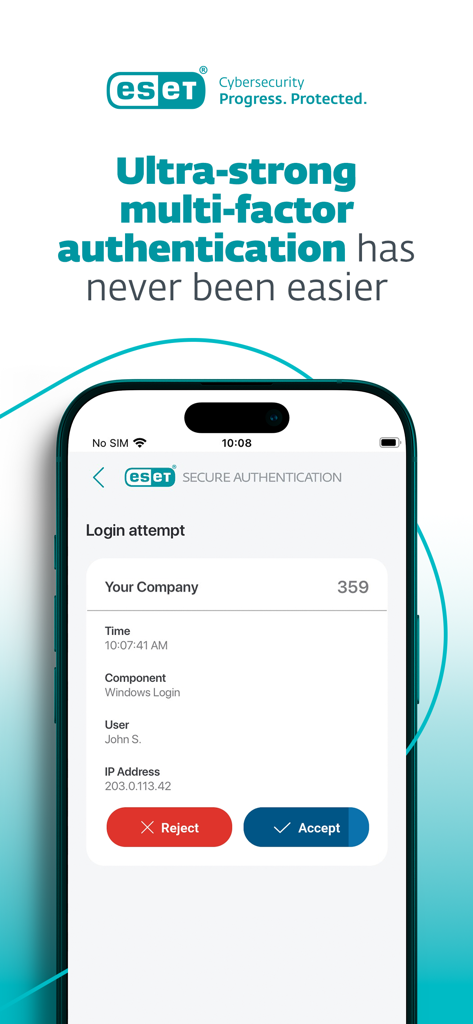
ESET Secure Authentication mobile app displaying a multi-factor authentication login request with accept and reject buttons.
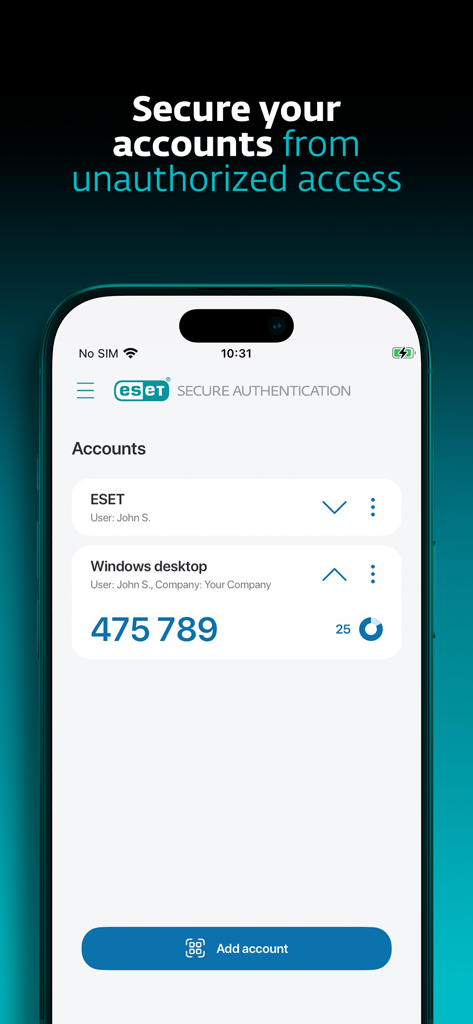
ESET Secure Authentication app interface showing a multi-factor authentication code for a windows desktop
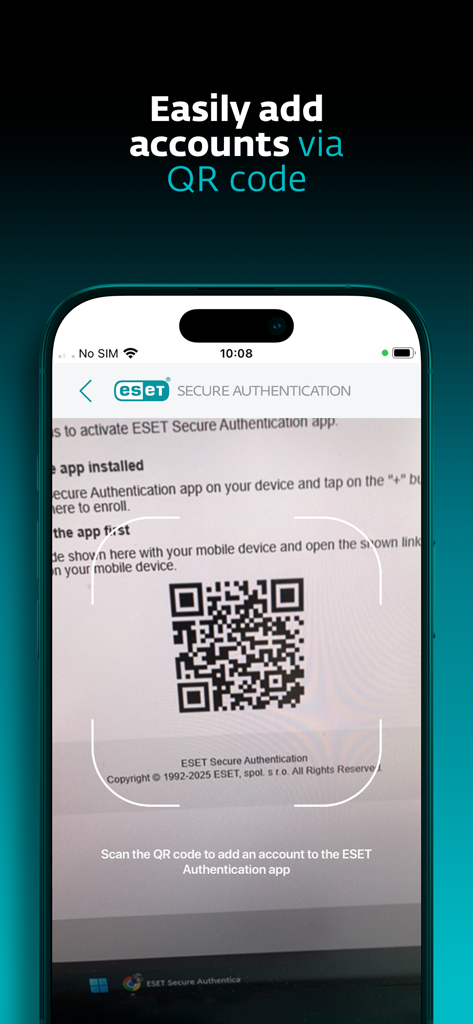
ESET Secure Authentication app scanning a QR code to add a new account
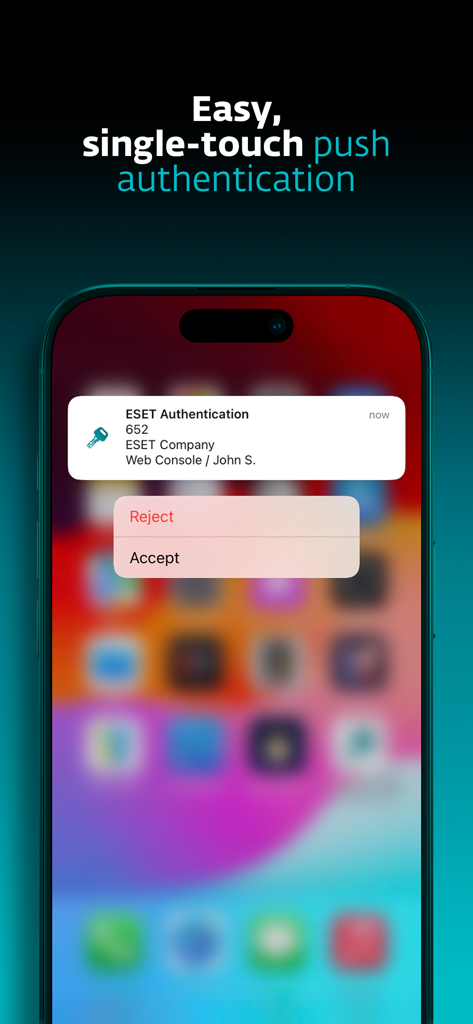
ESET Secure Authentication push notification on an iPhone showing options to accept or reject a login request
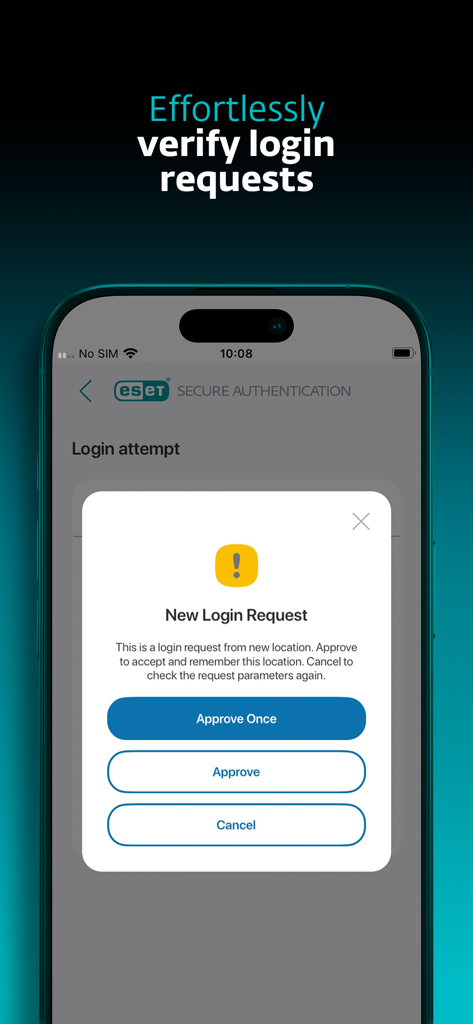
ESET Secure Authentication app displaying a new login request screen with options to approve or cancel
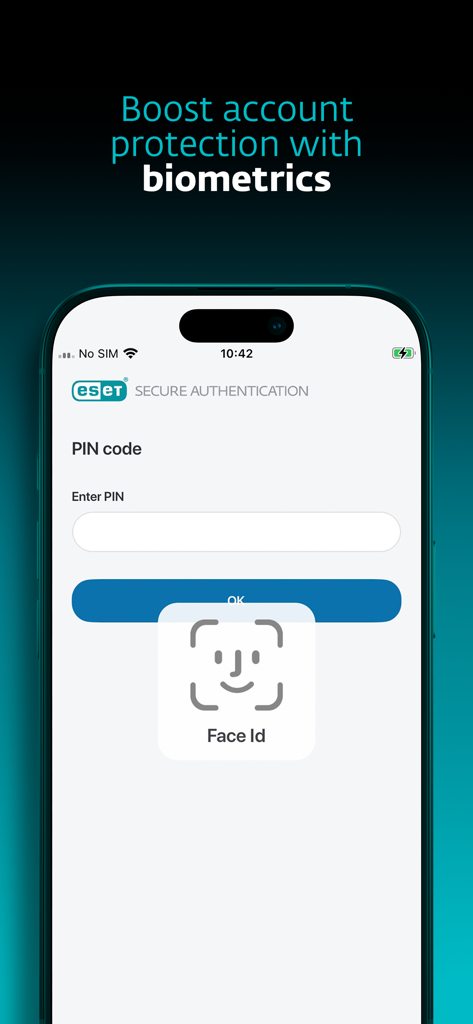
ESET Secure Authentication app interface showing Face ID login for account protection
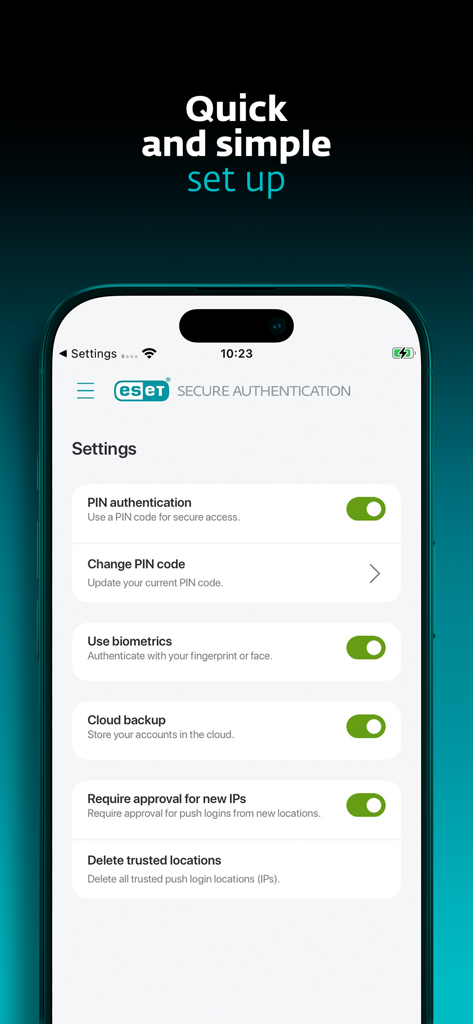
ESET Secure Authentication app settings menu displaying options for biometric login and security configuration
Description
Download
More Like This
Top-ranked apps in the same category

Microsoft Teams
Microsoft Corporation

Zoom Workplace
Zoom Communications, Inc.

WhatsApp Business
WhatsApp Inc.

Indeed Job Search
Indeed Inc.

LinkedIn: Network & Job Finder
LinkedIn Corporation

Adobe Acrobat Reader: Sign PDF
Adobe Inc.

WeCom-Work Communication&Tools
Tencent Technology (Shenzhen) Company Limited

BOSS直聘-招聘求职找工作神器
Beijing China Product Bo Farce Network Technology Co., Ltd.

DingDing - Redefine Work in AI
DingTalk Technology Co., Ltd.
This page is not an official page of the app or its developer, but an independent editorial publication created for informational and commentary purposes. Unless expressly stated otherwise, neither the app nor its developer is affiliated with, endorsed by, sponsored by, authorized by, or otherwise officially connected with MWM, Apple, Google Play, the app publisher, or the app's developer, and nothing on this page implies that the app was developed using MWM's services. Any trademarks, logos, screenshots, and other content remain the property of their respective owners.