
This page is not an official page of the app or its developer, but an independent editorial publication created for informational and commentary purposes. Unless expressly stated otherwise, neither the app nor its developer is affiliated with, endorsed by, sponsored by, authorized by, or otherwise officially connected with MWM, Apple, Google Play, the app publisher, or the app's developer, and nothing on this page implies that the app was developed using MWM's services. Any trademarks, logos, screenshots, and other content remain the property of their respective owners.


Events & Guest Lists | Diobox
Seamlessly manage high-stakes guest lists, custom seating charts, and rapid QR check-ins—even without Wi-Fi. Experience the power of a sophisticated all-in-one platform built for precision, reliability, and the luxury event standard.
Downloads
4K+User Rating
Total Ratings
100Publisher
Category
BusinessLocales
1Latest Version
6.14.3Size
62.3 MBFirst Released
Oct 14, 2014Master Every Detail of Your Event
Designed for the professional architect, Diobox provides a sophisticated and reliable ecosystem to manage your most prestigious events with absolute precision.
High-Speed, Offline Check-In
Never let unreliable venue Wi-Fi compromise your entrance. Scan QR codes and sync data in real-time or work completely offline.
Precision Seating & VIP Control
Manage complex guest lists, plus-ones, and dynamic floor plans with drag-and-drop ease and live vacancy tracking.
Frequently Asked Questions
Everything you need to know about Events & Guest Lists | Diobox
Does Diobox manage event and guest lists?
Yes, Diobox offers comprehensive event and guest management. It enables creating events, importing contacts, managing guest profiles, and tracking guest activities across multiple events.
Can I check in guests using QR codes with Diobox?
Yes, Diobox supports QR check-in by scanning guest barcodes. It includes features like alerts for duplicated QR codes, group check-in, and multiple check-ins per guest.
What types of registration forms can Diobox create?
Diobox offers a comprehensive system for creating various forms, including Registration Forms, RSVP Forms, Ticket Forms, and Waitlist Forms, tailored for different event requirements.
Does Diobox support sending email invitations and reminders to guests?
Yes, Diobox allows sending email invitations individually or in bulk. It also facilitates sending Smart Reminders with QR codes and viewing email delivery statistics.
Can I sell tickets and process payments for my events using Diobox?
Yes, Diobox enables creating and selling tickets on your event website. It integrates with Point-of-Sale (POS) to sell tickets at the door and process various payment methods.
How does Diobox assist with event seating arrangements?
Diobox helps with seating by allowing creation of custom seating charts, drag-and-drop assignments, and tracking real-time vacancy. It supports custom table shapes and placeholder seating.
Can I build a custom event website using Diobox?
Yes, Diobox includes a website builder to create customized event websites. These websites can promote the event, feature an integrated program guide, and use a vanity URL.
What are the badge printing features of Diobox?
Diobox offers badge printing, enabling on-demand or pre-printed name tags. Users can design badges, add QR codes for tracking, and print using supported Bluetooth and Wi-Fi printers.
Does the Diobox app work without an internet connection?
Yes, Diobox features an "Offline Mode." This allows the app to remain fully functional and perform tasks even when there is no internet connection available.
Can multiple team members collaborate on events using Diobox?
Yes, Diobox supports team collaboration. It allows inviting multiple team members with different permission levels to jointly manage events efficiently.
The following screenshots and description are sourced directly from the app's official store listing and are the property of the app developer.
App Store
Screenshots
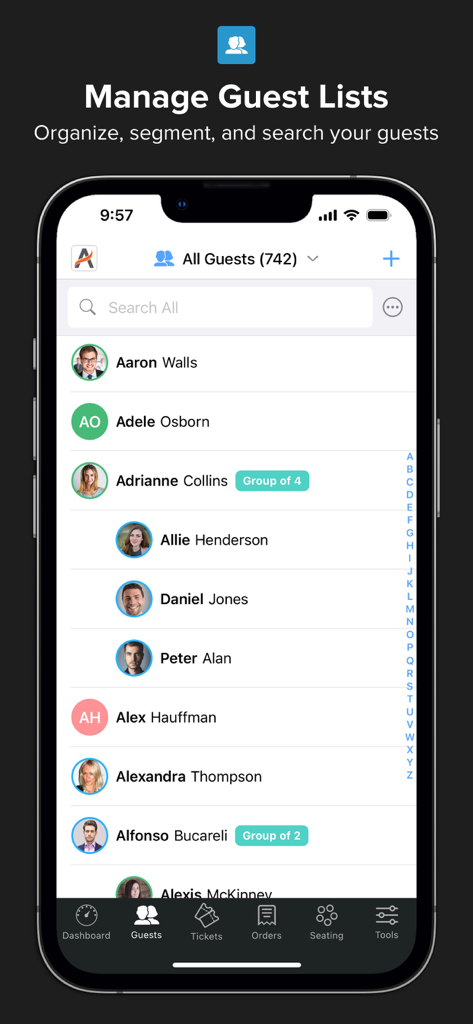
Interface of the Diobox app displaying a professional guest list with group labels and profile pictures on an iPhone
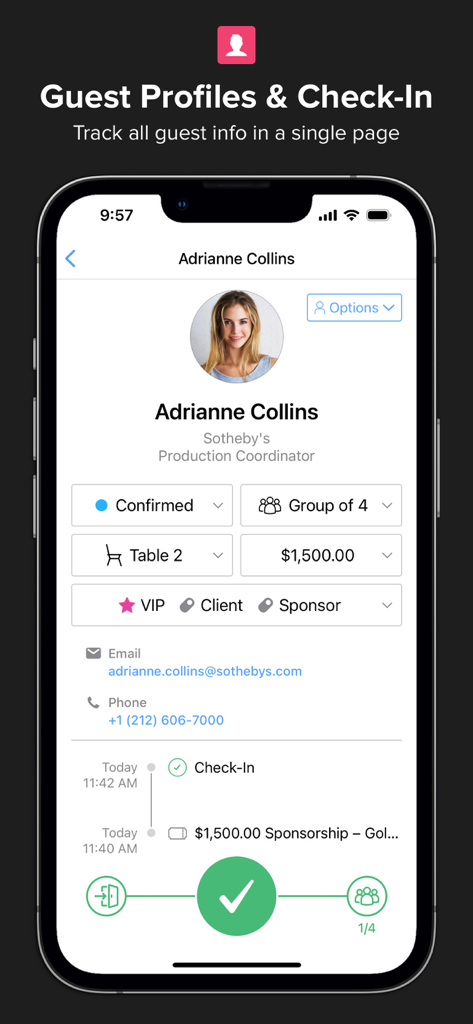
Diobox mobile app interface showing a detailed guest profile with check-in status and event tags
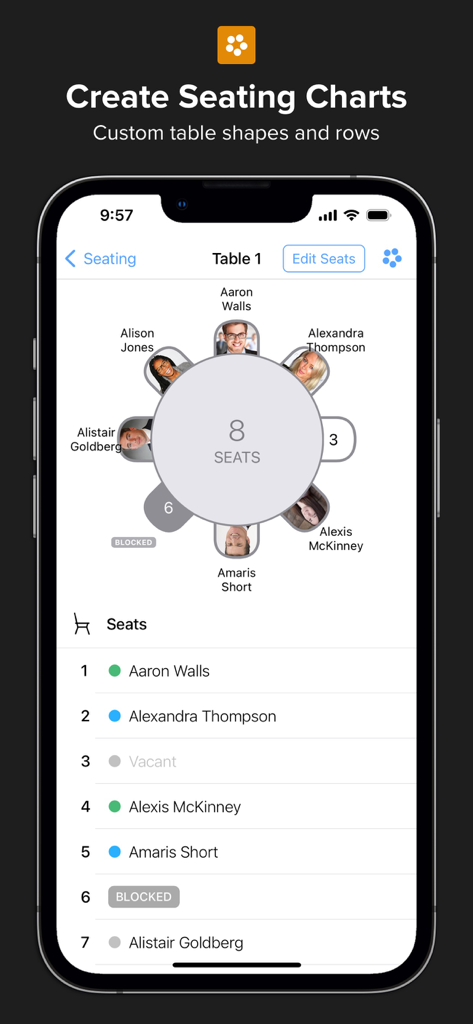
Diobox app interface for creating custom event seating charts with assigned guest list.
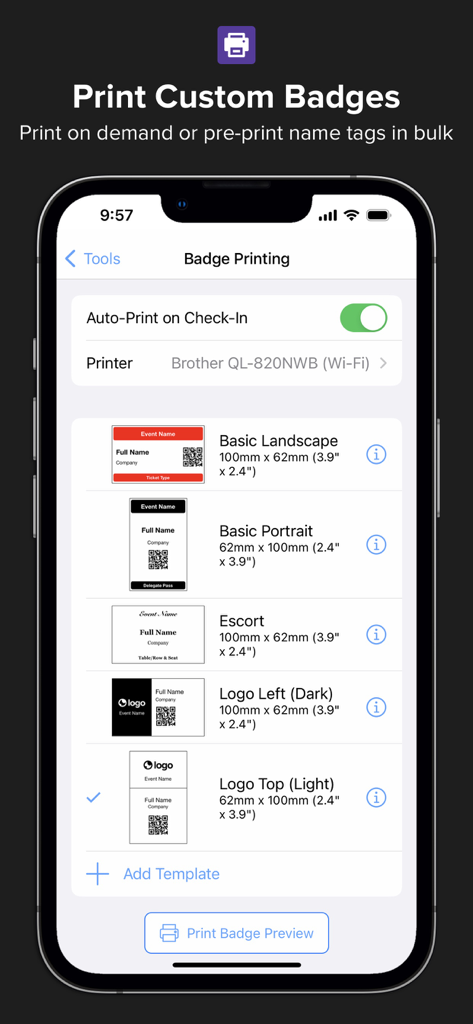
Diobox app interface showing custom event badge templates and printing settings.
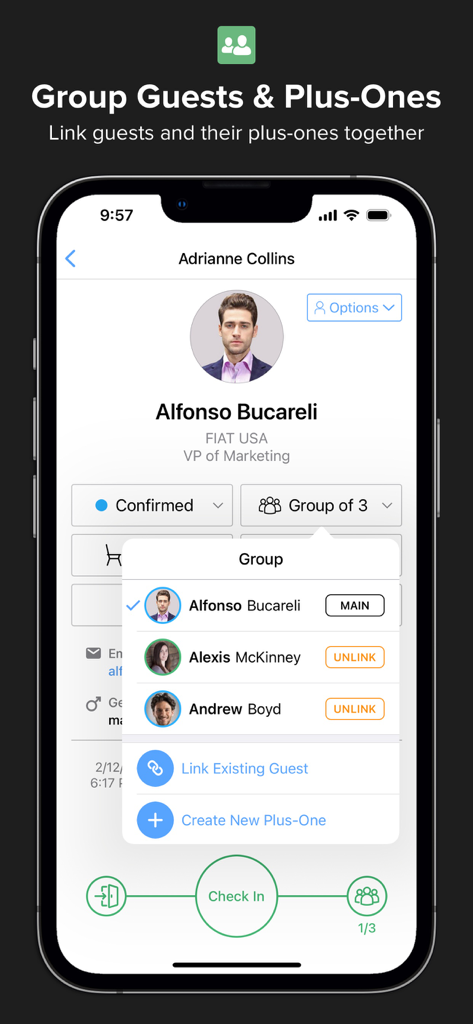
Diobox app interface showing a guest profile with a popup to manage and link plus-ones for a group check-in.
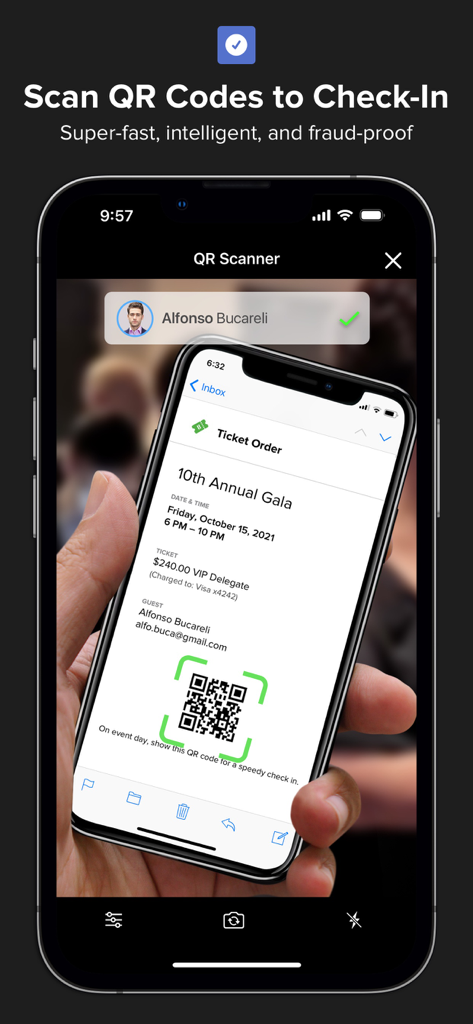
A smartphone using the Diobox app to scan a QR code on another device for a gala event check-in.
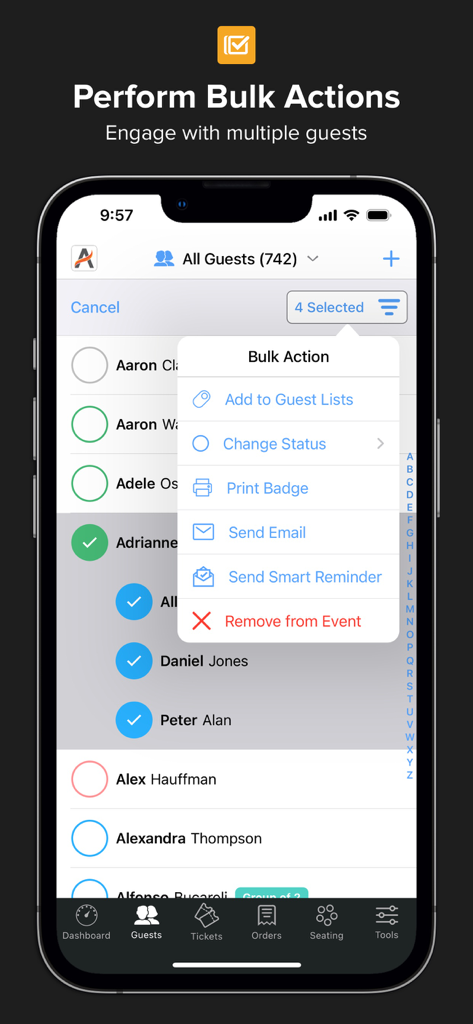
Diobox app interface showing a bulk action menu for managing multiple event guests simultaneously
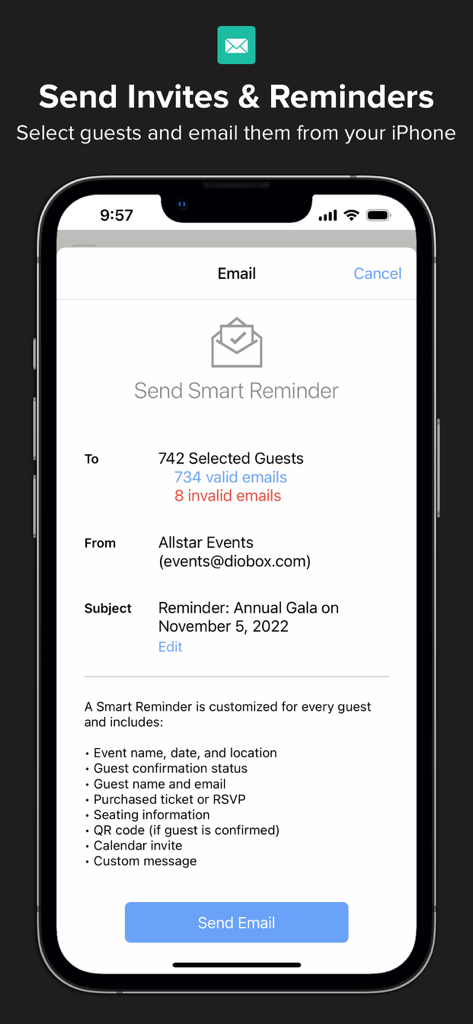
Interface of Diobox app showing the Send Smart Reminder screen to email event guests from an iPhone
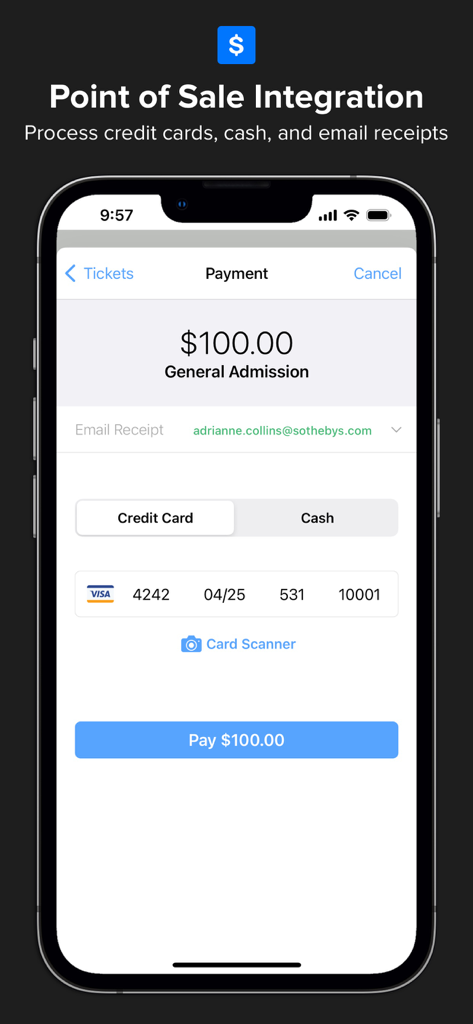
Diobox mobile app interface showing point of sale integration for processing event ticket payments
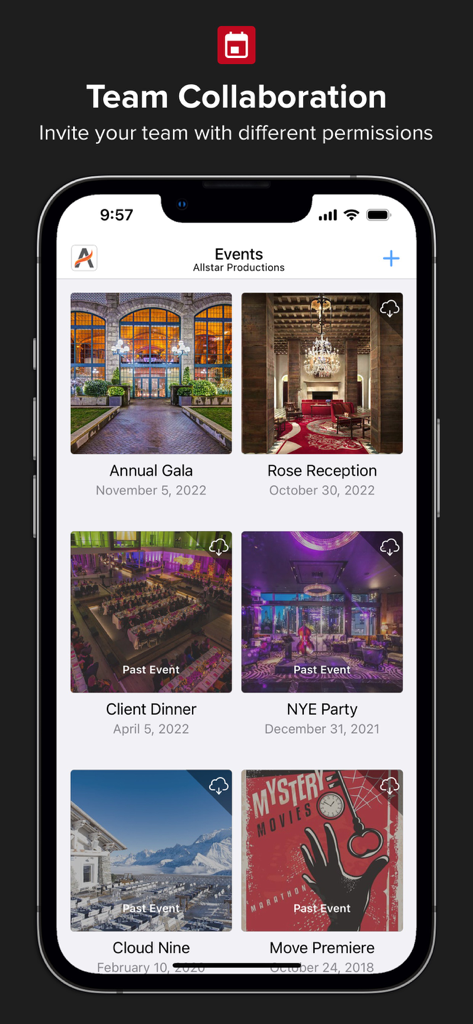
Diobox app screen showing a professional event dashboard with a list of upcoming and past events for team collaboration
Description
Download
More Like This
Top-ranked apps in the same category

Microsoft Teams
Microsoft Corporation

Zoom Workplace
Zoom Communications, Inc.

WhatsApp Business
WhatsApp Inc.

Indeed Job Search
Indeed Inc.

LinkedIn: Network & Job Finder
LinkedIn Corporation

Adobe Acrobat Reader: Sign PDF
Adobe Inc.

WeCom-Work Communication&Tools
Tencent Technology (Shenzhen) Company Limited

BOSS直聘-招聘求职找工作神器
Beijing China Product Bo Farce Network Technology Co., Ltd.

DingDing - Redefine Work in AI
DingTalk Technology Co., Ltd.
This page is not an official page of the app or its developer, but an independent editorial publication created for informational and commentary purposes. Unless expressly stated otherwise, neither the app nor its developer is affiliated with, endorsed by, sponsored by, authorized by, or otherwise officially connected with MWM, Apple, Google Play, the app publisher, or the app's developer, and nothing on this page implies that the app was developed using MWM's services. Any trademarks, logos, screenshots, and other content remain the property of their respective owners.