
This page is not an official page of the app or its developer, but an independent editorial publication created for informational and commentary purposes. Unless expressly stated otherwise, neither the app nor its developer is affiliated with, endorsed by, sponsored by, authorized by, or otherwise officially connected with MWM, Apple, Google Play, the app publisher, or the app's developer, and nothing on this page implies that the app was developed using MWM's services. Any trademarks, logos, screenshots, and other content remain the property of their respective owners.


Examica for Teachers
Reclaim your work-life balance with the ultimate hybrid assessment tool. Point your camera to grade paper tests instantly or host online exams with automatic reporting and deep student analytics.
Downloads
800User Rating
Total Ratings
100Publisher
Category
EducationLocales
8Latest Version
1.50.0Size
60.7 MBFirst Released
Oct 29, 2021Reclaim Your Weekends with Effortless Grading
From paper quizzes to online exams, Examica automates your most time-consuming task so you can focus on what truly matters: your students.
Instant AI Paper Grading
Point your camera and grade a class of 30 in under a minute. Say goodbye to the red pen and heavy Scantron machines forever.
Seamless Hybrid Assessments
Run assessments on paper, online, or both at once. Perfect for ensuring equity in 1:1 classrooms without doubling your workload.
Frequently Asked Questions
Everything you need to know about Examica for Teachers
What is Examica for Teachers?
Examica for Teachers is an application designed to save time by grading both paper and online assessments. It allows rapid scanning of paper answer sheets and the creation of online tests with unique access codes.
How does Examica grade paper assessments?
Examica grades paper assessments by using the device's camera to scan student answer sheets. This feature enables rapid grading, processing a 30-person class in less than 60 seconds.
Can Examica create online assessments?
Yes, Examica supports the creation of online assessments. Teachers can send students a link with unique access codes, allowing them to take the assessment without an account and receive immediate results.
What question types does Examica support?
Examica supports multiple choice and open questions for assessments. It also allows users to correct wrongly marked answers by painting over the square directly within the app.
Who is Examica for Teachers designed for?
Examica for Teachers is designed for teachers and university professors across all subject types and classes. It caters to middle school, high school, college, and university levels for various assessment needs.
Can Examica provide student statistics?
Yes, Examica analyzes meaningful statistics for assessments. It identifies which questions students struggled with most, the most common answers, and provides other detailed insights.
Can Examica customize and send student result reports?
Yes, Examica allows users to send customized result reports to students with just one click. Students receive their result reports as soon as they complete an online assessment.
Does Examica support both paper and online assessments simultaneously?
Yes, Examica supports conducting assessments in a hybrid way. Teachers can utilize both paper and online assessment methods simultaneously to accommodate diverse teaching and learning environments.
Where can Examica users access all features?
All features of Examica for Teachers are available for use in both the mobile app and on the dedicated web portal. This ensures consistent functionality regardless of the platform.
How can I create an assessment using Examica?
Users can create an assessment in Examica by uploading an existing assessment and filling in the answer key, or by using the built-in editor to create a new assessment from scratch.
The following screenshots and description are sourced directly from the app's official store listing and are the property of the app developer.
App Store
Screenshots
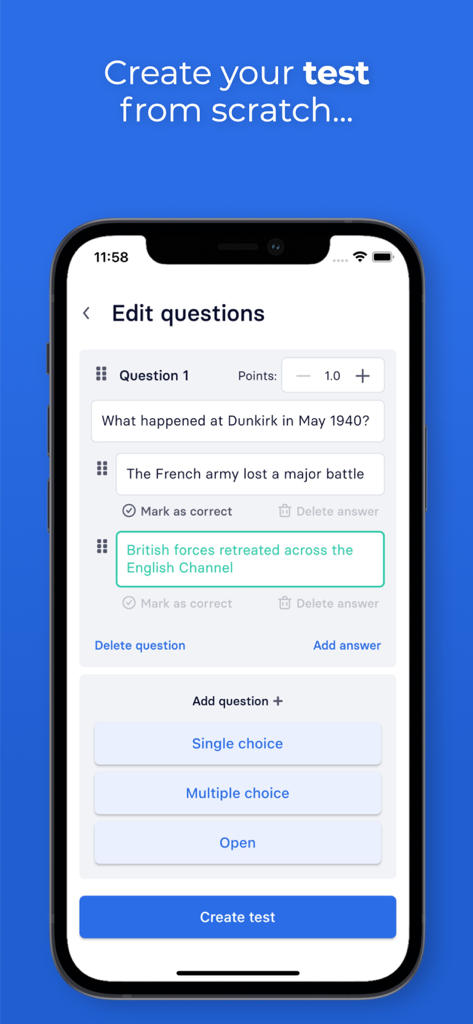
A smartphone displaying the Examica app interface where a teacher can create and edit test questions with multiple choice options
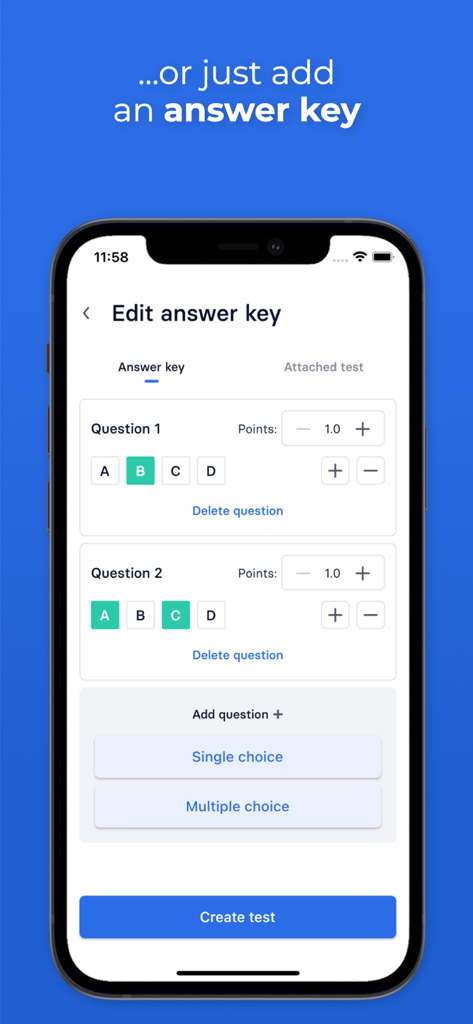
Mobile app interface of Examica for teachers showing the answer key editor where a user can select correct answers and assign points for multiple-choice questions.
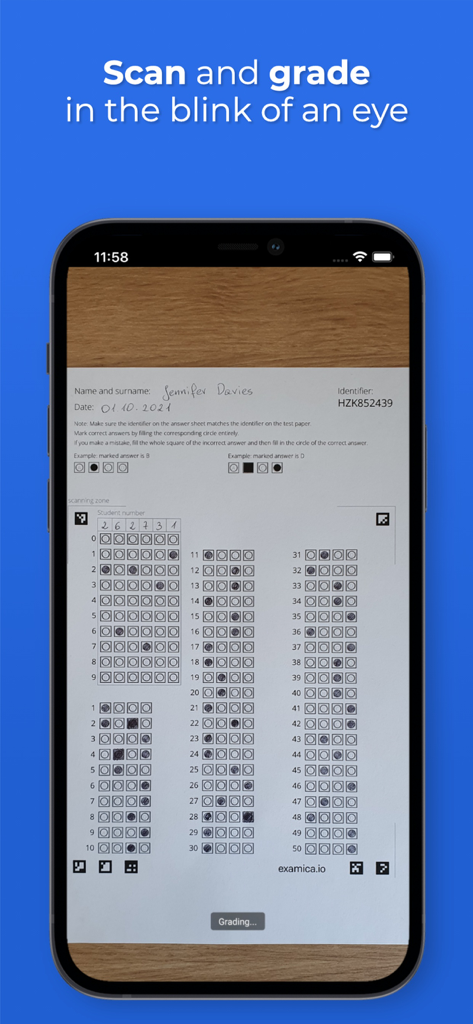
A smartphone using the Examica app to scan and grade a paper multiple-choice answer sheet instantly.
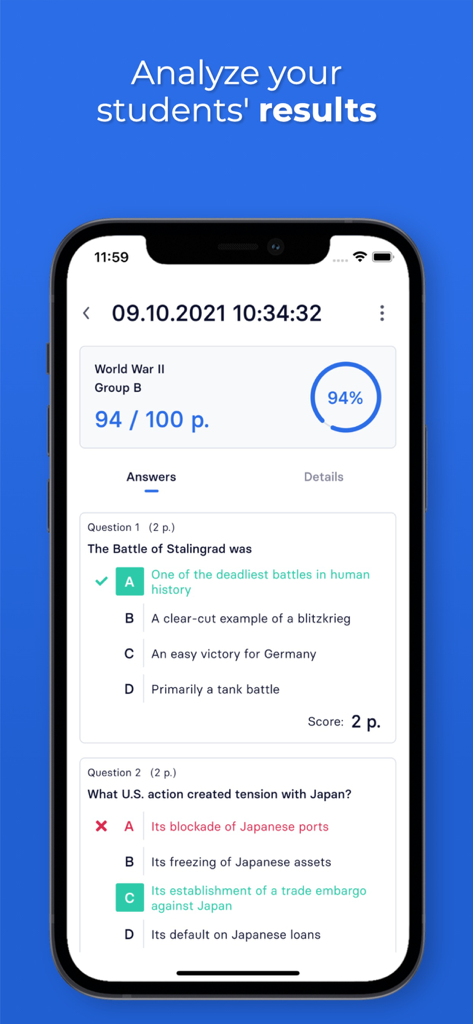
Detailed student assessment report on Examica showing score percentage and individual question analysis
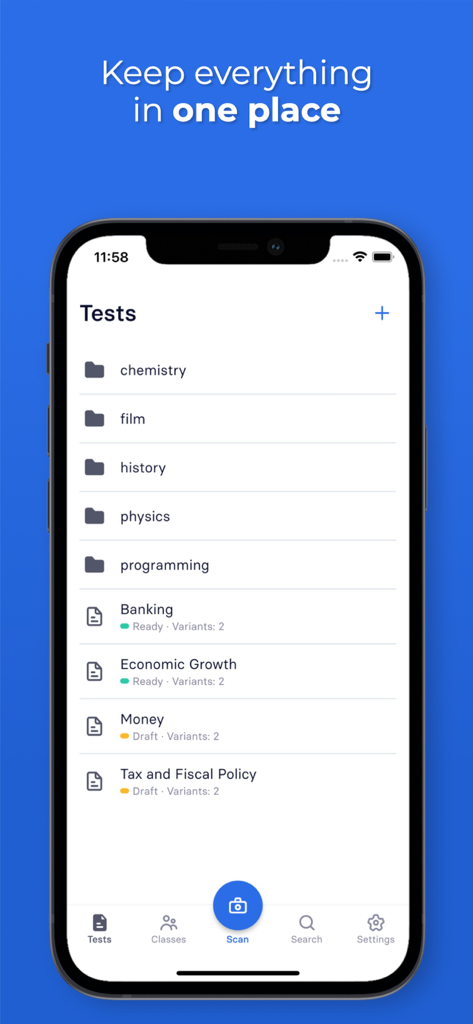
iPhone screen displaying the Examica app with categorized test folders and assessment lists for teachers
Description
Download
More Like This
Top-ranked apps in the same category

Duolingo - Language Lessons
Duolingo, Inc

Speak & Learn English: Learna
DEEP FLOW SOFTWARE SERVICES - FZCO

驾考宝典-科一科四驾驶证考试驾考通
Wuhan Jiakaobaodian Information Service Co., Ltd.

Toca Boca World
Toca Boca AB

Google Classroom
Google LLC

作业帮-中小学家长作业检查和辅导工具
Guangzhou Polar Future Culture Technology Co., Ltd

Gauth: AI Study Companion
GAUTHTECH PTE. LTD.

学信网
Student Information Consultation Service Co., Ltd.

ArtWorkout: Learn How to Draw
Aleksandr Ulitin
This page is not an official page of the app or its developer, but an independent editorial publication created for informational and commentary purposes. Unless expressly stated otherwise, neither the app nor its developer is affiliated with, endorsed by, sponsored by, authorized by, or otherwise officially connected with MWM, Apple, Google Play, the app publisher, or the app's developer, and nothing on this page implies that the app was developed using MWM's services. Any trademarks, logos, screenshots, and other content remain the property of their respective owners.