
This page is not an official page of the app or its developer, but an independent editorial publication created for informational and commentary purposes. Unless expressly stated otherwise, neither the app nor its developer is affiliated with, endorsed by, sponsored by, authorized by, or otherwise officially connected with MWM, Apple, Google Play, the app publisher, or the app's developer, and nothing on this page implies that the app was developed using MWM's services. Any trademarks, logos, screenshots, and other content remain the property of their respective owners.


Expense Tracker - Money Note
Financial data shouldn't be for sale. This app puts you back in control, offering real privacy in a market that constantly demands your data.
Downloads
7.5M+User Rating
Total Ratings
791.7KPublisher
Category
FinanceLocales
33Latest Version
5.1.1Size
126.5 MBFirst Released
Mar 25, 2018An Analytical Review of its Features for the Privacy-Conscious Budgeter
Core Strengths of MoneyNote
Privacy-Focused & Free Model
The app provides a secure, private, and free budgeting solution without requiring personal accounts, bank links, or recurring subscription fees, directly addressing the core needs of privacy-conscious and budget-minded users.
Local Data Storage
It ensures privacy, fast performance, and offline accessibility by storing all financial data directly on the user's device, aligning with preferences for local control and security.
Biometric Security Lock
The app provides robust protection for financial data through a passcode lock, fully supporting Face ID and Touch ID for enhanced security, crucial for safeguarding sensitive personal finance information.
Comprehensive Financial Reports
The app generates clear monthly, yearly, and cumulative reports, including pie charts, to help users easily analyze income and expense trends and spot overspending.
Intuitive iOS-Native Interface
The app offers an extremely simple and familiar iOS-native user experience, making expense tracking instant and effortless for Apple users who prefer simplicity over complexity.
iCloud Backup & Device Sync
It allows for secure iCloud backups and seamless synchronization across iOS devices like iPhone and iPad, ensuring data safety and accessibility without compromising privacy.
Customizable Category Budgeting
It allows users to set budgets for unlimited custom categories, providing detailed insights into spending ratios and helping to prevent overspending.
Convenient Widgets for Quick Access
The app supports extensive Home Screen and Lock Screen widgets, allowing users to view budgets, mini calendars, and add entries without opening the app, enhancing quick access and daily usability.
Integrated Calendar View
This tool features a built-in calendar that allows users to quickly view and manage daily income and expenses, with customizable start days and balance settings for personal budgeting.
Flexible Data Export Options
This tool offers versatile data export capabilities, including CSV (Excel-compatible) and PDF formats, enabling users to backup, analyze, or print their financial records for personal accounting or tax filing.
Frequently Asked Questions
Everything you need to know about Expense Tracker - Money Note
Is MoneyNote a free budget tracker?
Yes, MoneyNote is a completely free budgeting app. It has no monthly subscriptions or hidden charges, offering all essential features without cost.
Does MoneyNote require an account registration?
No, MoneyNote does not require any account registration. Users can start budgeting instantly without creating an account.
Is my financial data secure in Expense Tracker - Money Note?
Yes, Expense Tracker - Money Note stores all data locally on your device for enhanced security. It also supports Passcode lock with Face ID and Touch ID for data protection.
Can I use MoneyNote offline?
Yes, MoneyNote functions entirely offline. All data is stored locally on your device, eliminating the need for an internet connection.
What reporting features does MoneyNote offer?
MoneyNote provides monthly, yearly, and cumulative reports. It displays income and expenses in clear pie charts and allows viewing spending ratios by category.
Can I export data from the MoneyNote app?
Yes, the MoneyNote app allows data export. Users can export all data as CSV (Excel-compatible) files and monthly data as PDF files for archiving or printing.
Does MoneyNote support widgets for iOS?
Yes, MoneyNote supports both Home Screen and Lock Screen widgets. These widgets allow users to check budgets, see recorded days, and add new entries quickly.
Can I customize the appearance of the MoneyNote app?
Yes, MoneyNote offers extensive customization options. Users can choose from over 20 theme colors and select from more than 20 app icons to personalize their experience.
Does Expense Tracker - Money Note connect to bank accounts?
No, Expense Tracker - Money Note does not connect to bank accounts. It is designed for manual income and expense tracking, focusing on user privacy and simplicity.
How can I track daily expenses with MoneyNote?
MoneyNote provides a built-in calendar to check daily income and expenses at a glance. Users can also add or delete entries directly from the calendar.
Can I set budgets by category in MoneyNote?
Yes, MoneyNote allows users to set budget settings by category. This feature helps manage spending and identify areas of overspending.
Does MoneyNote offer unlimited custom categories?
Yes, MoneyNote offers unlimited custom categories. Users can create as many categories as needed to accurately track their specific income and expenses.
Is MoneyNote compatible with iPad?
Yes, MoneyNote is compatible with iPad. It supports iCloud backup and iPad sync, allowing users to manage finances across Apple devices.
The following screenshots and description are sourced directly from the app's official store listing and are the property of the app developer.
App Store
Screenshots
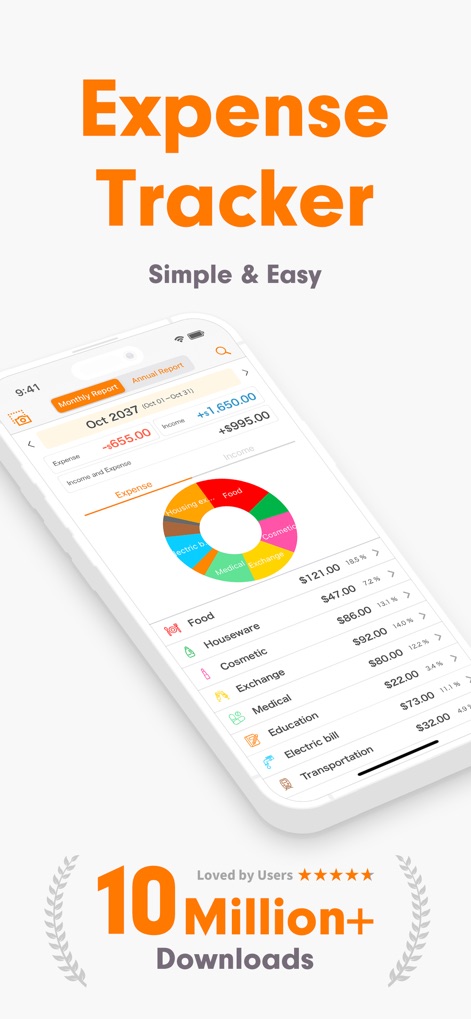
The app provides an intuitive overview of financial activity, clearly displaying a categorized pie chart for spending and a detailed list of individual expenses.
Financial Overview
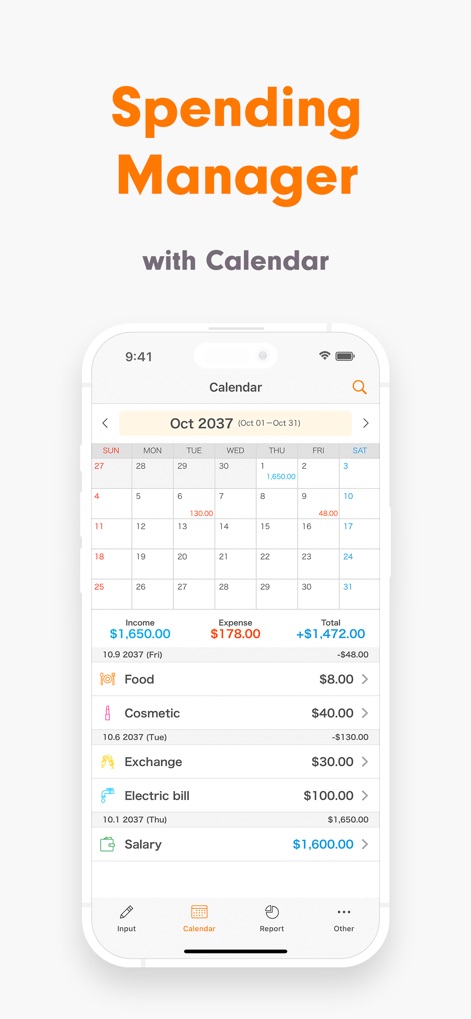
Users can efficiently manage their spending with a built-in calendar for daily transactions and a clear breakdown of income and expense entries.
Calendar Management
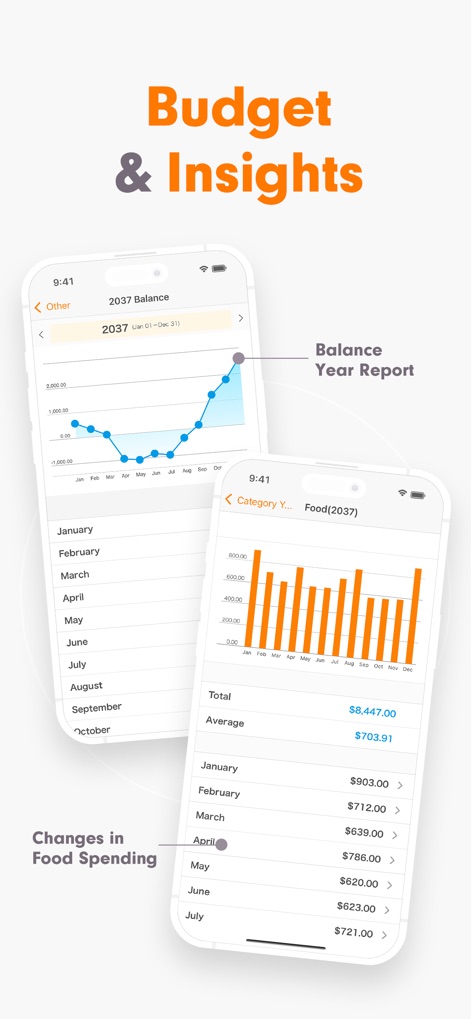
This tool offers powerful reporting, visualizing annual balance trends through a clear line graph and showcasing monthly category spending with informative bar charts.
Insightful Reports
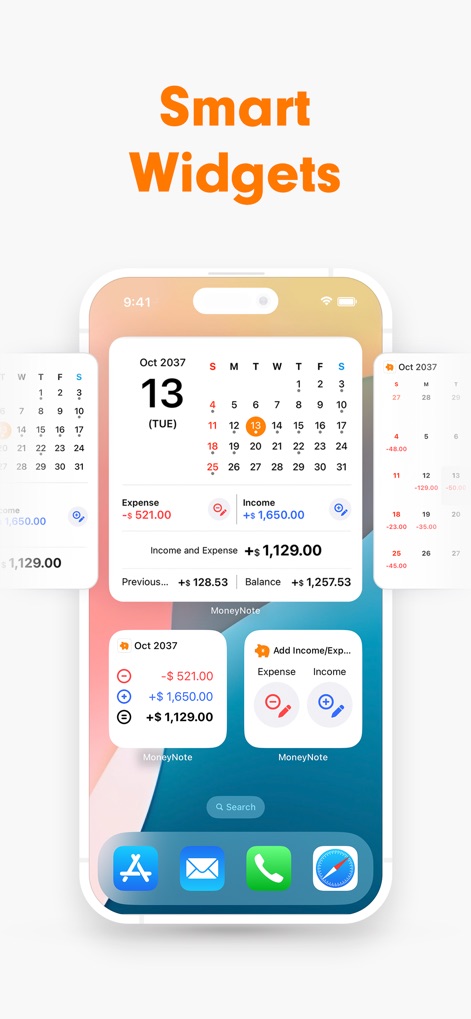
The app integrates seamlessly with customizable Home Screen widgets that provide a mini calendar overview and quick access buttons for adding new entries directly.
Smart Widgets
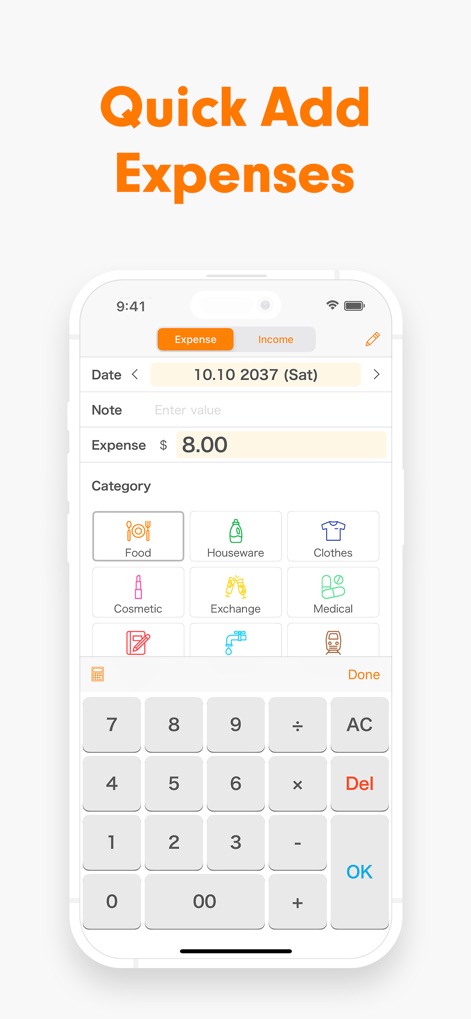
The streamlined input interface features large, easy-to-press category buttons and an integrated calculator keyboard, making transaction logging swift and accurate.
Effortless Input
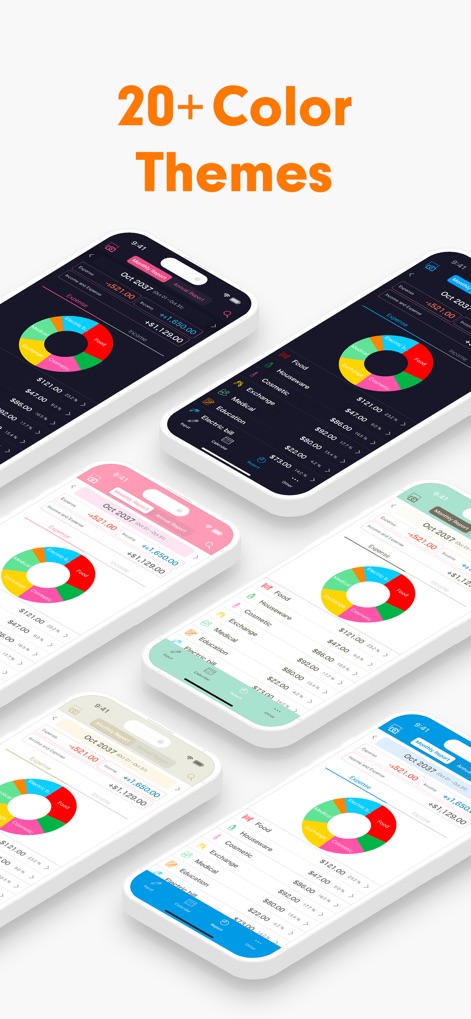
This tool allows extensive personalization, enabling users to choose from over 20 theme colors and various app icon designs to match their style.
Personalized Aesthetics
Description
Download
More Like This
Apps with similar features and user experience

鲨鱼记账本-城市理财圈子必备工具软件
Beijing Shark Pioneer Network Technology Co.,Ltd

咔皮记账 -自动记账 AI记账 预算 多账本 资产管理 存钱
Shanghai Yuhuan Technology Co., Ltd.

Money manager, expense tracker
Orange dog d.o.o.

Money Manager Expense & Budget
Realbyte Inc.

Budget Planner App - Fleur
Akash Jain

iCost记账-快速简洁好用的记账理财助手&记账软件
Guangzhou Quji Technology Co., Ltd.

YNAB
You Need A Budget LLC

Copilot: Track & Budget Money
Copilot Money, Inc.

小青账记账-存钱记账本理财购物清单
YouQian
This page is not an official page of the app or its developer, but an independent editorial publication created for informational and commentary purposes. Unless expressly stated otherwise, neither the app nor its developer is affiliated with, endorsed by, sponsored by, authorized by, or otherwise officially connected with MWM, Apple, Google Play, the app publisher, or the app's developer, and nothing on this page implies that the app was developed using MWM's services. Any trademarks, logos, screenshots, and other content remain the property of their respective owners.