
This page is not an official page of the app or its developer, but an independent editorial publication created for informational and commentary purposes. Unless expressly stated otherwise, neither the app nor its developer is affiliated with, endorsed by, sponsored by, authorized by, or otherwise officially connected with MWM, Apple, Google Play, the app publisher, or the app's developer, and nothing on this page implies that the app was developed using MWM's services. Any trademarks, logos, screenshots, and other content remain the property of their respective owners.


Expenses for Business
The powerful, intuitive solution for small businesses to scan receipts, track mileage, and manage projects while keeping your budget under control.
Downloads
3K+User Rating
Total Ratings
0Publisher
Category
BusinessLocales
34Latest Version
26.20Size
66.1 MBFirst Released
Dec 6, 2018Master Your Business Spend with Ease
Replace manual spreadsheets and lost receipts with a powerful, automated system designed for growing American small businesses and high-performing teams.
One-Tap Receipt Capture
Snap a photo and let the powerful scanner extract data instantly. Say goodbye to manual entry and maximize your IRS tax deductions without the clutter.
Project-Ready Billing
Log mileage and expenses directly to specific client projects. Generate stylish, branded reports that build trust and speed up your invoicing cycle.
Frequently Asked Questions
Everything you need to know about Expenses for Business
What is the "Expenses for Business" app?
The Expenses for Business app manages team travel and expenses in one place, helping businesses control their budget. It simplifies logging expenses, scanning receipts, and saving time for small businesses and organizations.
Can I scan receipts using the Expenses for Business app?
Yes, the Expenses for Business app includes a powerful receipt scanning tool, "ProScan," that allows users to quickly scan receipt information directly within the app.
Does the Expenses for Business app support multiple currencies?
Yes, Expenses for Business supports multiple currency options and includes a foreign exchange service to manage international transactions efficiently within the app.
How does the Expenses for Business app manage projects?
The Expenses for Business app organizes expenses using projects, which can be customer-based or internal. It allows tracking, budget management, and generating stylish reports for project expenses.
Is the "Expenses for Business" app customizable for specific business needs?
Yes, Expenses for Business is highly customizable. Users can create custom attributes, personalize expense types, and tailor reports with brand-specific fonts, colors, and logos.
What security features are available in the Expenses for Business app?
Expenses for Business offers robust security, including user and role management, access monitoring, device authorization, and Face ID support for fast and secure access.
How do I cancel my Starkode membership for the Expenses for Business app?
You can easily cancel your Starkode membership for Expenses for Business anytime within your device, 24 hours a day. There are no long-term contracts or cancellation fees.
Does Expenses for Business allow team expense approvals?
Yes, the Expenses for Business app features workflow approval, allowing managers to approve or deny team expenses directly within the system. This centralizes expense management.
Can users log automobile mileage within the Expenses for Business app?
Yes, the Expenses for Business app supports logging automobile mileage. Users can track and categorize mileage expenses into specific projects or categories as needed.
What kind of reports can "Expenses for Business" generate?
The Expenses for Business app generates customizable reports, including stylish project reports for customers and PDF reports with brand-specific customization options. It also shows trends and performance analytics.
The following screenshots and description are sourced directly from the app's official store listing and are the property of the app developer.
App Store
Screenshots
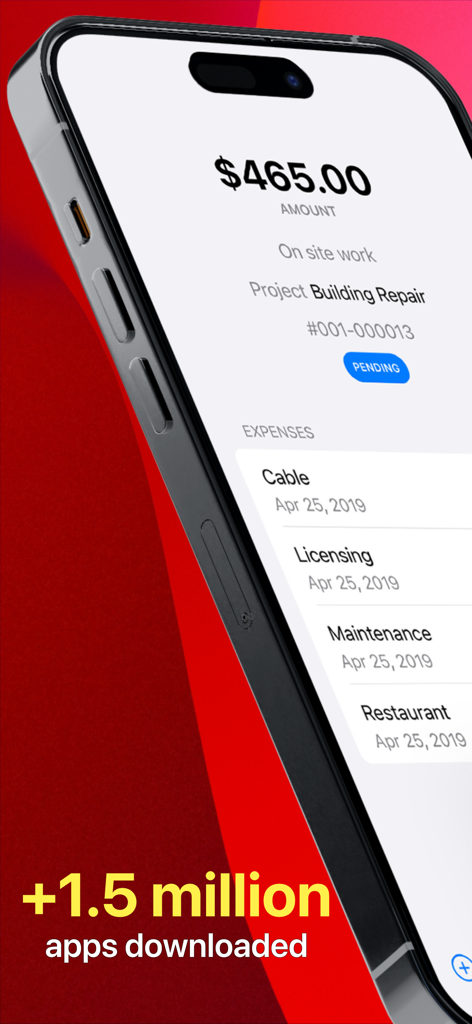
iPhone screen displaying a pending business expense summary for a building repair project totaling 465 dollars.
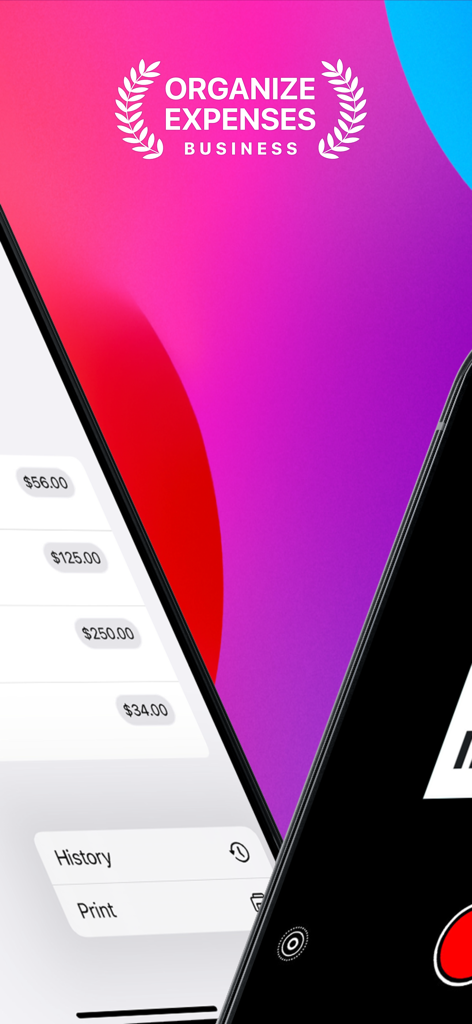
Interface of the Expenses for Business app showcasing expense lists and receipts scanning features
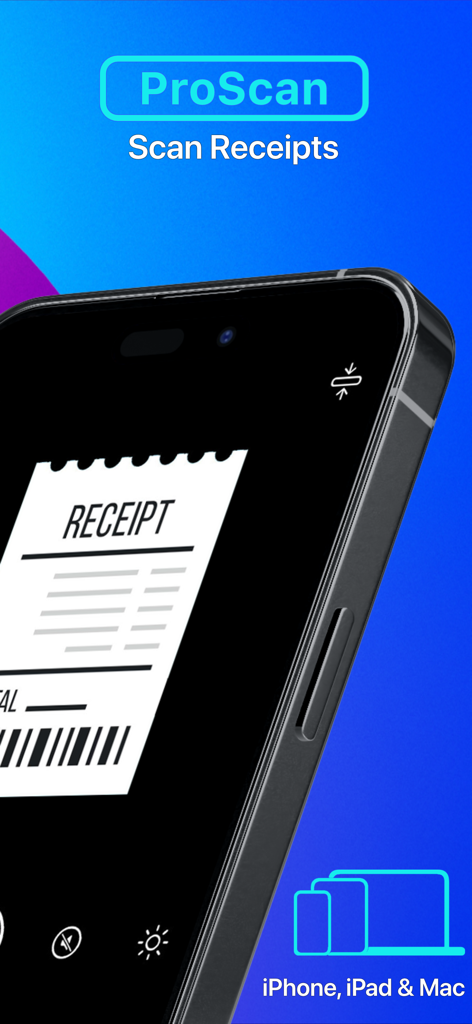
Smartphone screen showing the ProScan receipt scanning feature for business expenses
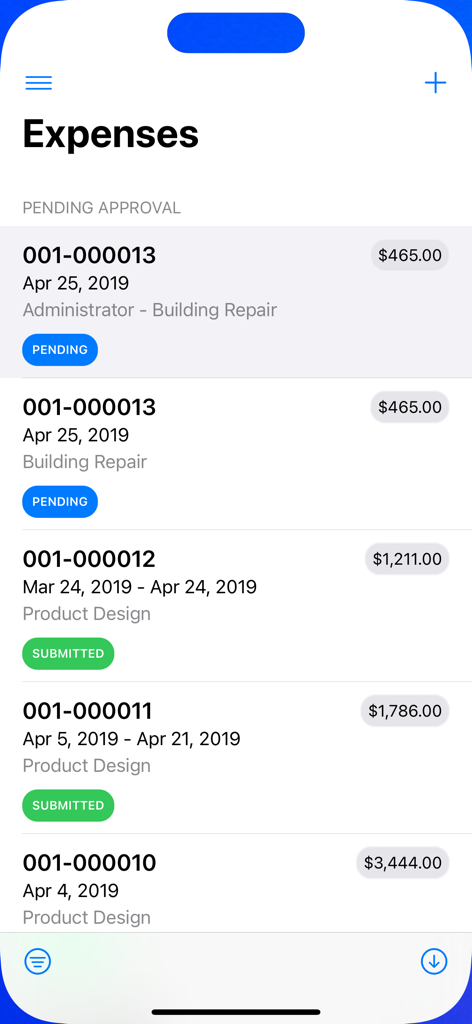
Dashboard showing a list of business expenses with pending and submitted status
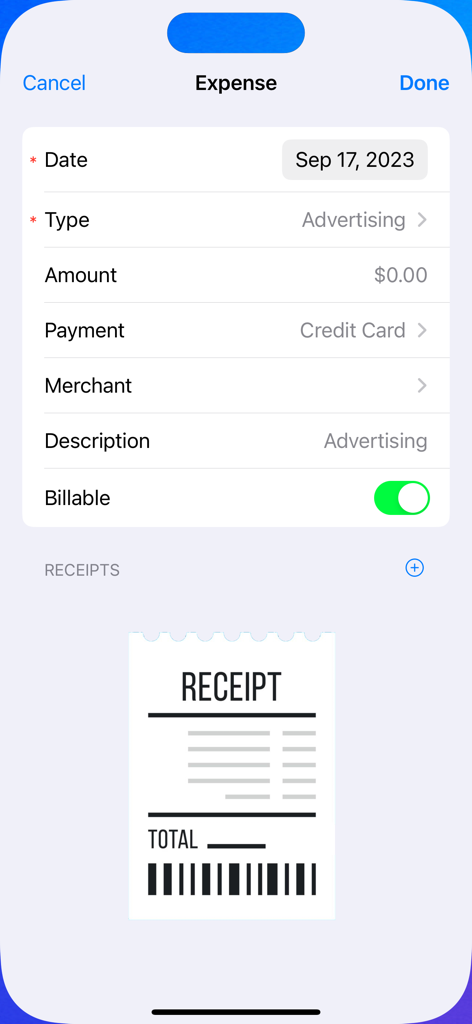
Mobile application interface for logging a new business expense with fields for amount and receipt attachment
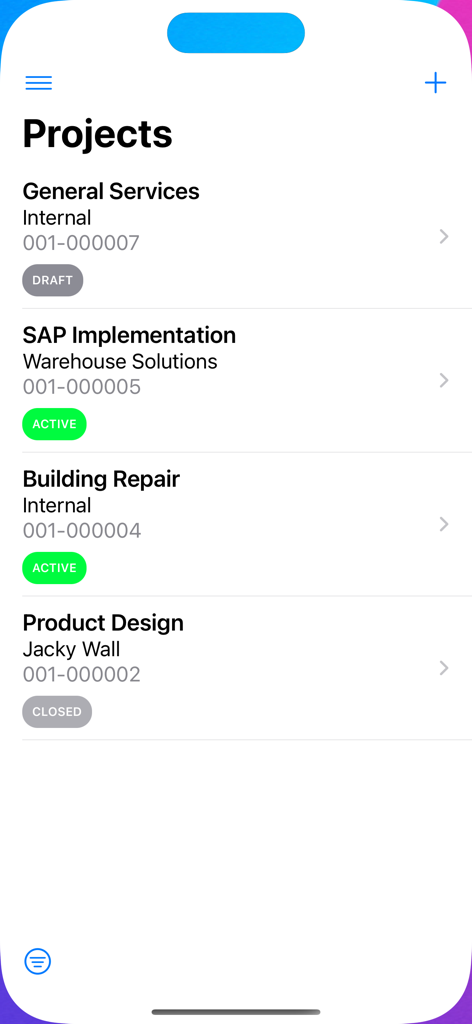
Business expense tracking app showing a list of internal and client projects with active or closed status
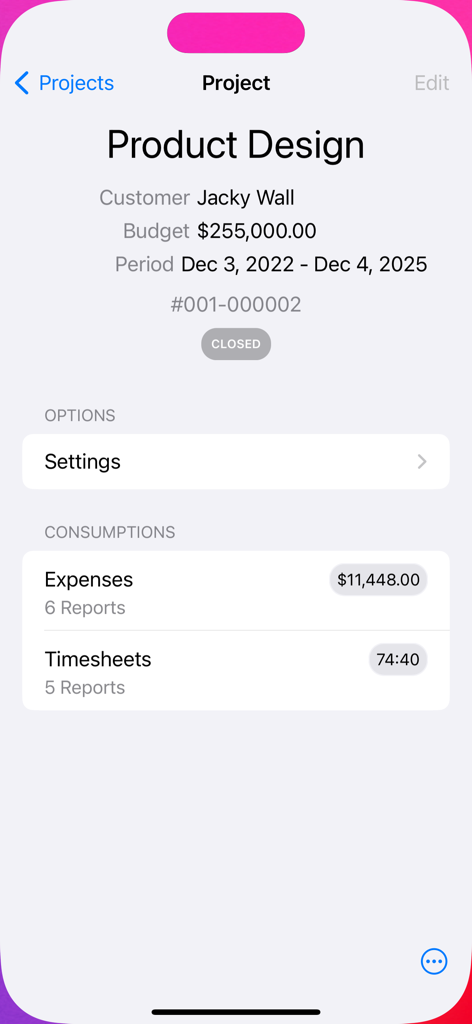
Project details screen showing budget and expense tracking for business projects.
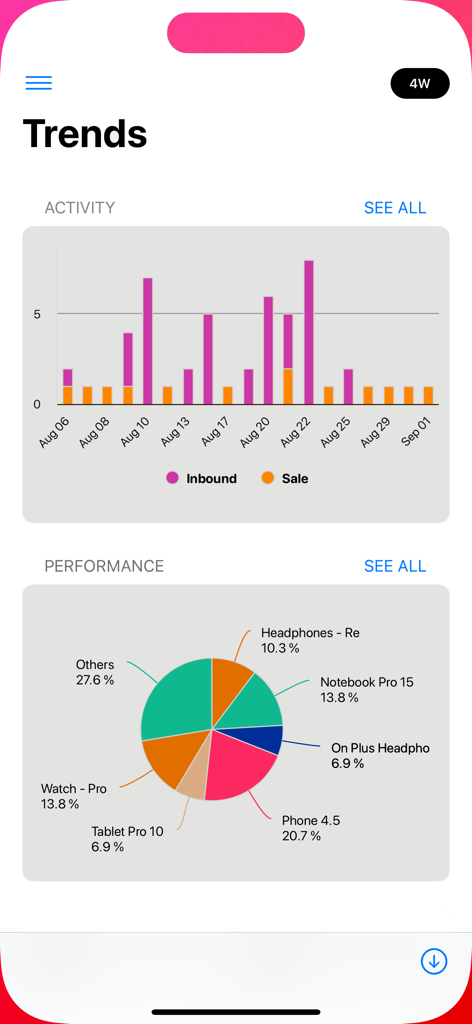
Mobile app dashboard showing business activity bar chart and performance pie chart
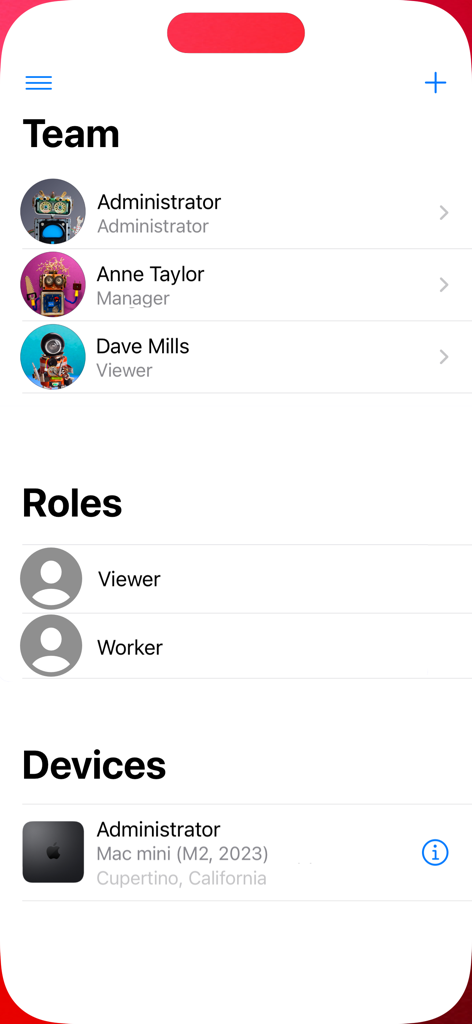
Interface of Expenses for Business app showing team member roles and authorized devices
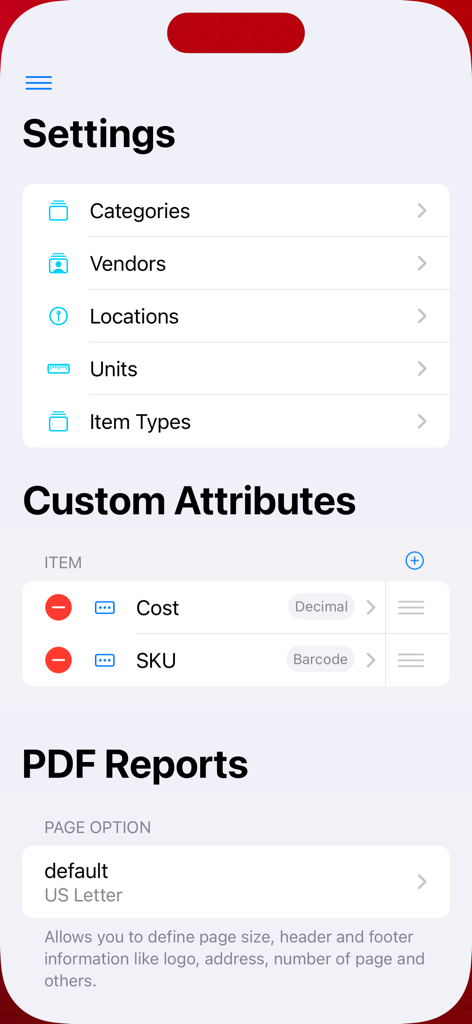
Settings screen of the Expenses for Business app showing options for categories custom attributes and PDF reports
Description
Download
More Like This
Top-ranked apps in the same category

Microsoft Teams
Microsoft Corporation

Zoom Workplace
Zoom Communications, Inc.

WhatsApp Business
WhatsApp Inc.

Indeed Job Search
Indeed Inc.

LinkedIn: Network & Job Finder
LinkedIn Corporation

Adobe Acrobat Reader: Sign PDF
Adobe Inc.

WeCom-Work Communication&Tools
Tencent Technology (Shenzhen) Company Limited

BOSS直聘-招聘求职找工作神器
Beijing China Product Bo Farce Network Technology Co., Ltd.

DingDing - Redefine Work in AI
DingTalk Technology Co., Ltd.
This page is not an official page of the app or its developer, but an independent editorial publication created for informational and commentary purposes. Unless expressly stated otherwise, neither the app nor its developer is affiliated with, endorsed by, sponsored by, authorized by, or otherwise officially connected with MWM, Apple, Google Play, the app publisher, or the app's developer, and nothing on this page implies that the app was developed using MWM's services. Any trademarks, logos, screenshots, and other content remain the property of their respective owners.