
This page is not an official page of the app or its developer, but an independent editorial publication created for informational and commentary purposes. Unless expressly stated otherwise, neither the app nor its developer is affiliated with, endorsed by, sponsored by, authorized by, or otherwise officially connected with MWM, Apple, Google Play, the app publisher, or the app's developer, and nothing on this page implies that the app was developed using MWM's services. Any trademarks, logos, screenshots, and other content remain the property of their respective owners.


Fan Wallet
The secure way to store and share tickets for your favorite concerts, sports, and shows. Enjoy effortless entry and peace of mind with offline access—so you never miss a beat, even when the signal is weak.
Downloads
726K+User Rating
Total Ratings
2K+Publisher
Category
EntertainmentLocales
2Latest Version
1.0.21Size
44.4 MBFirst Released
Jun 27, 2024Experience Live Like Never Before
Fan Wallet is your all-in-one digital vault for secure ticket storage, instant sharing, and guaranteed entry—even when the stadium Wi-Fi lets you down.
Guaranteed Entry, Offline
Don't let dead zones stop the fun. Your tickets are stored locally, ensuring a smooth scan even in the most crowded stadiums.
Seamless Group Sharing
The ultimate tool for the social planner. Transfer tickets to your crew in seconds so everyone can arrive on their own time.
Frequently Asked Questions
Everything you need to know about Fan Wallet
What is Fan Wallet?
Fan Wallet is an application for securely storing and managing digital tickets for various events like concerts, sports, and shows. It transforms your smartphone into your ticket, offering a seamless experience from purchase to event entry.
Is Fan Wallet secure for storing digital tickets?
Yes, Fan Wallet ensures maximum security for digital tickets. It uses the latest encryption technologies to protect tickets against fraud and theft, providing users with complete peace of mind.
How do I transfer tickets using the Fan Wallet app?
Fan Wallet allows easy ticket transfers. Users can transfer their event tickets to friends and family in just a few clicks directly within the application, simplifying sharing experiences.
Which ticketing partners does Fan Wallet support for importing tickets?
Fan Wallet supports importing tickets from Ticketmaster and its official partners. These include Leclerc, Carrefour, Auchan, Accor Arena, Arkéa Arena, and Live Nation, ensuring broad compatibility.
Does Fan Wallet send real-time notifications for events?
Yes, Fan Wallet provides real-time notifications. It sends alerts for definitive ticket availability, event details, incoming ticket transfers, and updates on tickets listed for resale on partner sites.
Can I use Fan Wallet tickets if I am offline?
Yes, Fan Wallet works offline. The application allows guaranteed access to your tickets even without an internet connection, ensuring a stress-free entry experience at any event venue.
How do I accept a transferred ticket in Fan Wallet?
To accept a transferred ticket, Fan Wallet presents a clear option to "Importer le billet" (Import the ticket) from the sender. This action adds the ticket to your personal collection.
The following screenshots and description are sourced directly from the app's official store listing and are the property of the app developer.
App Store
Screenshots
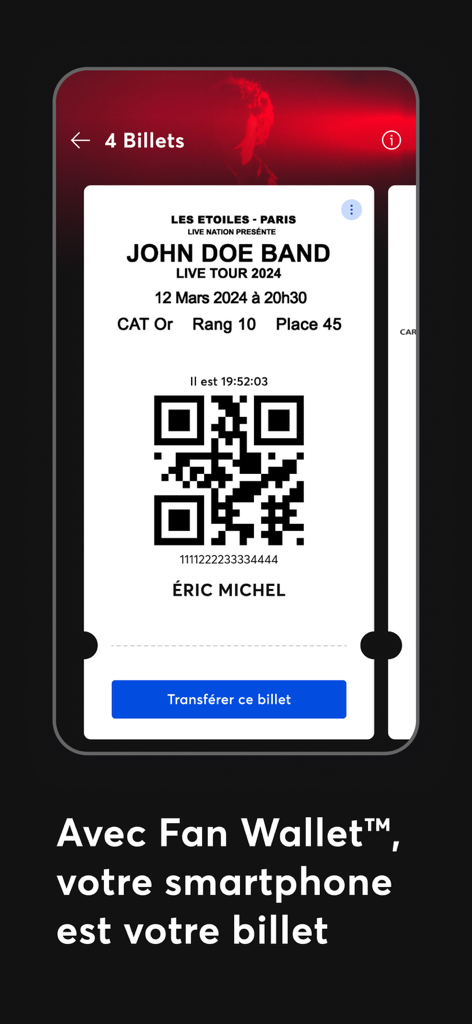
Fan Wallet app showing a digital concert ticket with a QR code on a smartphone screen.
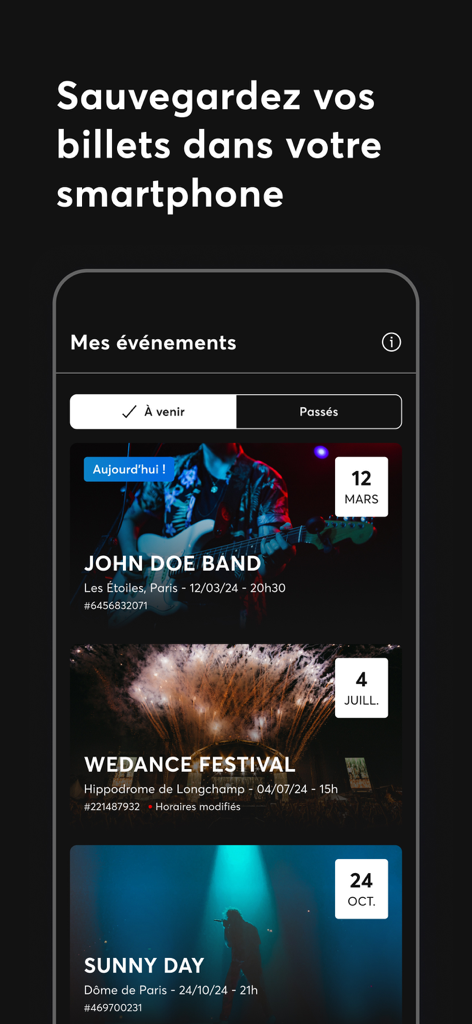
Smartphone screen showing the Fan Wallet app with a list of upcoming concert and event tickets
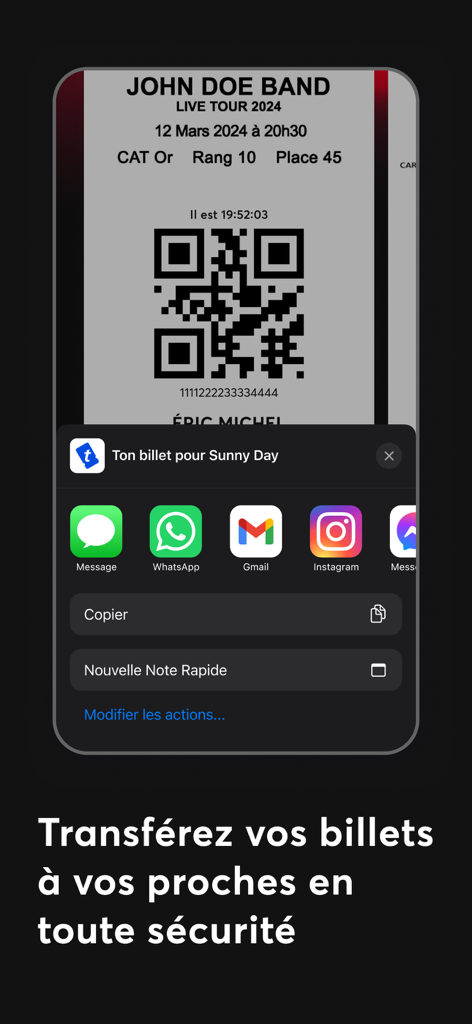
A mobile interface showing the Fan Wallet app's secure ticket transfer feature with a QR code and sharing options via Message and WhatsApp.
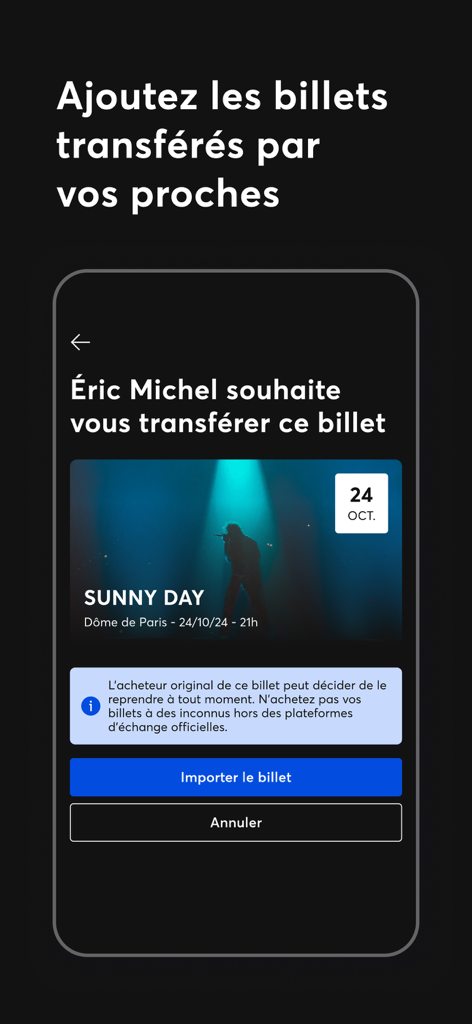
Mobile app interface of Fan Wallet showing a digital ticket transfer request for a concert event
Description
Download
More Like This
Apps with similar features and user experience

mobile-pocket loyalty cards
bluesource - mobile solutions gmbh

Barcodes: Loyalty Card Wallet
Small Colossus LTD

QPP - The Digital Backpack
HOLY BUSINESS CO., LTD

Portmonka - věrnostní karty
MAFRA, a.s.

Pass2U Wallet - Add store card
MicroMacro Mobile Inc.

Stocard - loyalty card wallet
Ivan Lapshev
This page is not an official page of the app or its developer, but an independent editorial publication created for informational and commentary purposes. Unless expressly stated otherwise, neither the app nor its developer is affiliated with, endorsed by, sponsored by, authorized by, or otherwise officially connected with MWM, Apple, Google Play, the app publisher, or the app's developer, and nothing on this page implies that the app was developed using MWM's services. Any trademarks, logos, screenshots, and other content remain the property of their respective owners.