
This page is not an official page of the app or its developer, but an independent editorial publication created for informational and commentary purposes. Unless expressly stated otherwise, neither the app nor its developer is affiliated with, endorsed by, sponsored by, authorized by, or otherwise officially connected with MWM, Apple, Google Play, the app publisher, or the app's developer, and nothing on this page implies that the app was developed using MWM's services. Any trademarks, logos, screenshots, and other content remain the property of their respective owners.


mobile-pocket loyalty cards
The smarter way to digitize your loyalty and membership cards. Access your rewards instantly on your phone or Apple Watch, even offline, and never miss out on savings again.
Downloads
1M+User Rating
Total Ratings
105K+Publisher
Category
ShoppingLocales
16Latest Version
6.37.1Size
75.6 MBFirst Released
May 5, 2011Everything You Need to Save, All in One Place
Ditch the bulky wallet. Store all your rewards, gym memberships, and loyalty cards digitally for instant access at any checkout.
Declutter Your Daily Carry
Digitise every loyalty, membership, and reward card in seconds. Say goodbye to thick wallets and messy keychains.
Lightning-Fast Checkout
Access barcodes instantly, even offline or via Apple Watch. Never hold up the line or miss a reward point again.
Frequently Asked Questions
Everything you need to know about mobile-pocket loyalty cards
Is mobile-pocket loyalty cards free to download?
Yes, mobile-pocket loyalty cards is available for free download. Users can install the app without any cost to efficiently manage their loyalty and membership cards.
How do I add my loyalty cards to mobile-pocket?
You add loyalty cards to mobile-pocket by digitizing their barcode or QR-code. The app also allows photographing both sides of a card or using an existing template from its catalogue.
Can I access my mobile-pocket loyalty cards without internet?
Yes, you can access your digitized loyalty cards in mobile-pocket offline. Barcodes and QR-codes for your stored cards remain available even without an internet connection.
Does mobile-pocket support loyalty cards not listed in its catalogue?
Yes, mobile-pocket supports unlisted loyalty cards. You can store any card by adding it as an "other card" even if it is not pre-listed in the app's catalogue.
What account options are available for mobile-pocket backup?
Mobile-pocket offers backup, synchronization, and restore functions. Users can register and use an account via email, or sign in directly with their Facebook, Google, or Apple accounts.
Is it possible to share loyalty cards from mobile-pocket?
Yes, mobile-pocket allows users to share their loyalty cards. This feature enables convenient sharing of digitized membership and loyalty cards with others directly from the app.
How do I secure my cards in mobile-pocket loyalty cards?
You secure your cards in mobile-pocket by activating a passcode. This feature protects all your stored loyalty and membership cards within the application from unauthorized access.
Can I use mobile-pocket loyalty cards on my Apple Watch?
Yes, mobile-pocket loyalty cards is compatible with Apple Watch. The app allows users to access and present their digital loyalty cards directly from their Apple Watch device.
The following screenshots and description are sourced directly from the app's official store listing and are the property of the app developer.
App Store
Screenshots
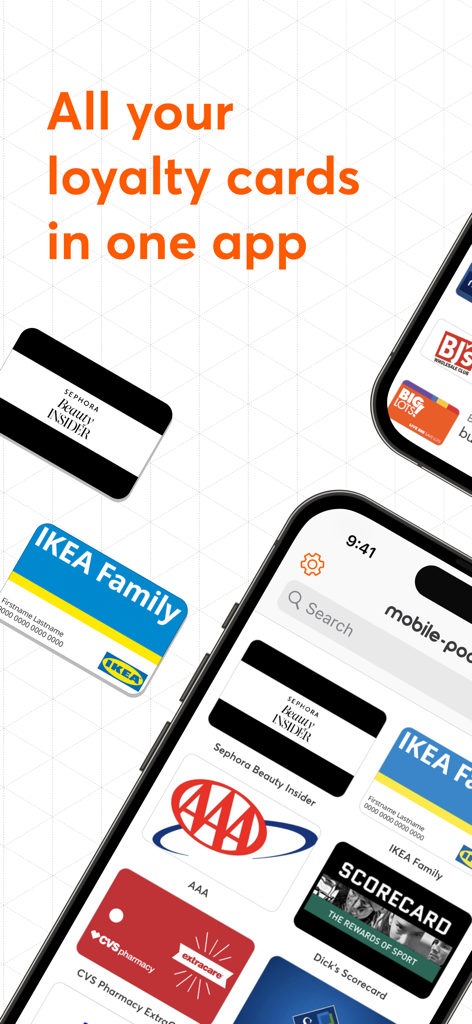
Mobile app interface displaying digital loyalty cards from retailers like Sephora, IKEA, and CVS on a smartphone screen.
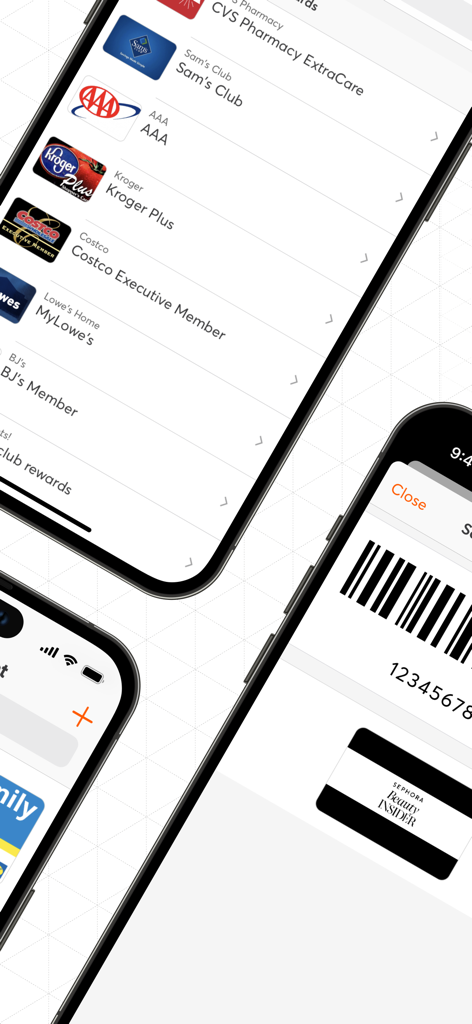
Digital wallet app interface displaying loyalty cards for major U.S. retailers like CVS and Kroger with a scannable barcode.
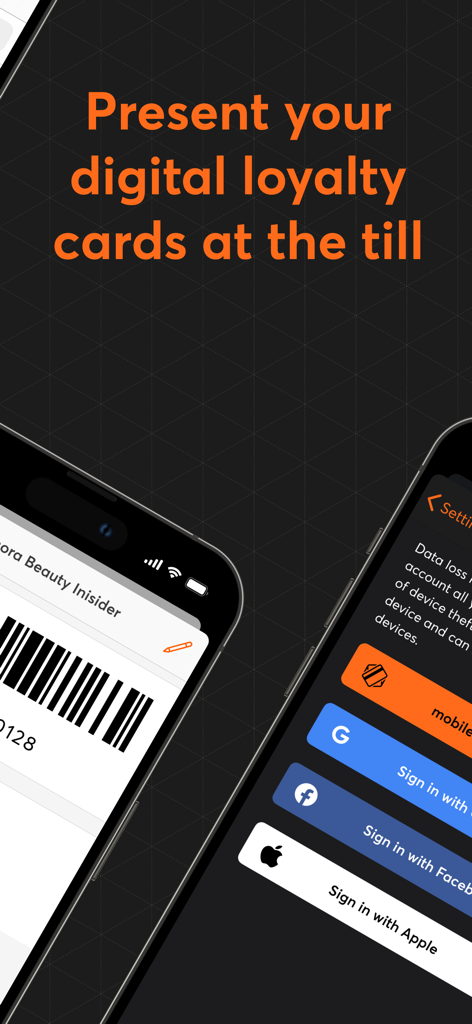
Digital loyalty card barcode for Sephora and social sign in options
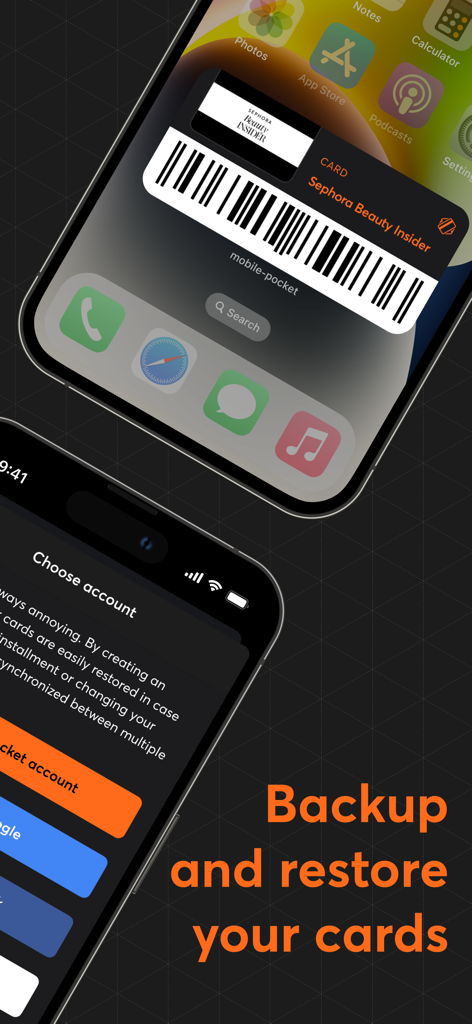
Mobile-pocket app interface showing a Sephora loyalty card barcode widget and the backup and restore account settings on a smartphone screen.
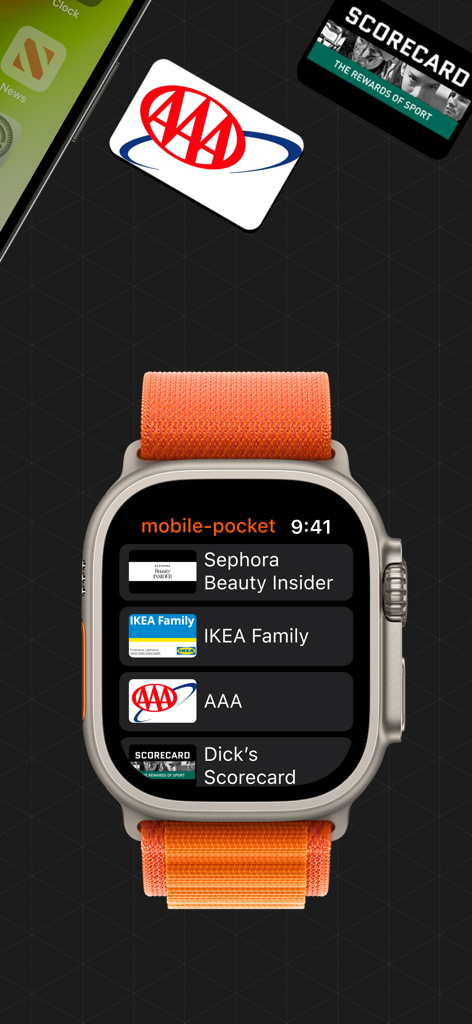
Mobile pocket loyalty cards app interface displayed on an Apple Watch
Description
Download
More Like This
Apps with similar features and user experience

Fan Wallet
Ticketmaster L.L.C
Barcodes: Loyalty Card Wallet
Small Colossus LTD

QPP - The Digital Backpack
HOLY BUSINESS CO., LTD
Portmonka - věrnostní karty
MAFRA, a.s.

Pass2U Wallet - Add store card
MicroMacro Mobile Inc.

Stocard - loyalty card wallet
Ivan Lapshev
This page is not an official page of the app or its developer, but an independent editorial publication created for informational and commentary purposes. Unless expressly stated otherwise, neither the app nor its developer is affiliated with, endorsed by, sponsored by, authorized by, or otherwise officially connected with MWM, Apple, Google Play, the app publisher, or the app's developer, and nothing on this page implies that the app was developed using MWM's services. Any trademarks, logos, screenshots, and other content remain the property of their respective owners.