
This page is not an official page of the app or its developer, but an independent editorial publication created for informational and commentary purposes. Unless expressly stated otherwise, neither the app nor its developer is affiliated with, endorsed by, sponsored by, authorized by, or otherwise officially connected with MWM, Apple, Google Play, the app publisher, or the app's developer, and nothing on this page implies that the app was developed using MWM's services. Any trademarks, logos, screenshots, and other content remain the property of their respective owners.


Files - Media File Manager
This app ends digital chaos, giving users absolute command over their files.
Downloads
100k+User Rating
Total Ratings
480Publisher
Category
Photo & VideoLocales
18Latest Version
2.1.0Size
176.1 MBFirst Released
Dec 31, 2022An Analytical Overview for Comprehensive Digital Management
Key Features of Files - Media File Manager
Unified Storage Management
The app allows users to seamlessly manage files across their device, Network-Attached Storage (NAS), and various cloud services like Google Drive, OneDrive, Dropbox, Box, and Yandex.
Comprehensive File Operations
This tool features a full suite of file management actions, including opening, searching, navigating directories, copying, pasting, cutting, deleting, renaming, compressing, decompressing, transferring, downloading, bookmarking, and organizing various file formats.
Detailed Storage Analysis & Cleanup
It provides detailed storage analysis capabilities, enabling users to identify which files and applications consume the most space and facilitates the cleanup of useless files to optimize device storage.
Integrated Media Viewers & Editor
The app incorporates built-in utilities such as an image viewer, music player, and text editor, offering users faster and better performance for handling media and documents directly within the application.
Automatic File Categorization
It automatically sorts files and folders into categories like Downloads, New files, Images, Audio, Videos, and Documents, making it significantly easier for users to locate specific content.
PC to Device File Transfer (FTP)
The app facilitates adding any files to the device's storage from a PC using the File Transfer Protocol (FTP), streamlining data transfer between devices.
Frequently Asked Questions
Everything you need to know about Files - Media File Manager
What is Files - Media File Manager?
Files - Media File Manager is a free, fast, and full-featured file explorer for iPhone devices. It allows users to manage local, NAS, and cloud storage with a simple user interface.
Does Files - Media File Manager support cloud storage?
Yes, Files - Media File Manager supports cloud storage. It connects to Google Drive, OneDrive, Dropbox, Box, and Yandex, alongside local and Network-attached storage (NAS).
Can I transfer files from my PC to Files - Media File Manager?
Yes, Files - Media File Manager allows users to add files to device storage from a PC using FTP (File Transfer Protocol).
What file management actions does Files - Media File Manager support?
Files - Media File Manager supports comprehensive file management actions including open, search, navigate, copy, paste, cut, delete, rename, compress, decompress, transfer, download, bookmark, and organize.
How much does Files - Media File Manager Pro cost?
Files - Media File Manager Pro costs $1.99 for a monthly subscription and $9.99 for a yearly subscription. These subscriptions provide an ads-free experience.
Does Files - Media File Manager offer private browsing?
Yes, Files - Media File Manager includes a private browsing mode that forgets visited pages, search history, and AutoFill information upon closing the tab. It also offers VPN protection.
Can I use two accounts online with Files - Media File Manager?
Yes, Files - Media File Manager features a "Dual Space" function. This allows users to operate two online accounts for various apps, including WhatsApp, Facebook, and Instagram.
Can Files - Media File Manager help clean up device storage?
Yes, Files - Media File Manager provides storage analysis tools. Users can analyze local storage to identify and clean up useless files, seeing which files and apps consume the most space.
Does Files - Media File Manager have a built-in music player?
Yes, Files - Media File Manager includes an internal music player. This built-in utility offers faster and better performance for media playback and allows setting music as a ringtone.
The following screenshots and description are sourced directly from the app's official store listing and are the property of the app developer.
App Store
Screenshots

The app presents an intuitive file management interface, categorizing content into folders like 'Photo Albums' and 'Zip Files', all navigable via the 'My Files' section.
Organized File Hub

Users can effortlessly navigate their 'Camera Roll' in a clear grid view, with quick actions such as 'Delete' and 'Move' for efficient media management.
Media Grid View
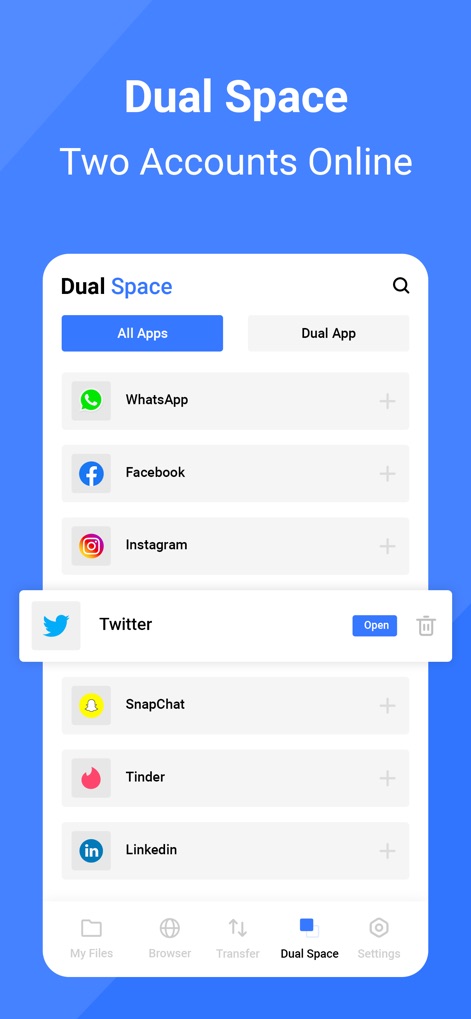
This tool introduces 'Dual Space' functionality, enabling users to run multiple accounts for popular apps like 'WhatsApp' and 'Twitter' simultaneously.
Dual Account Power
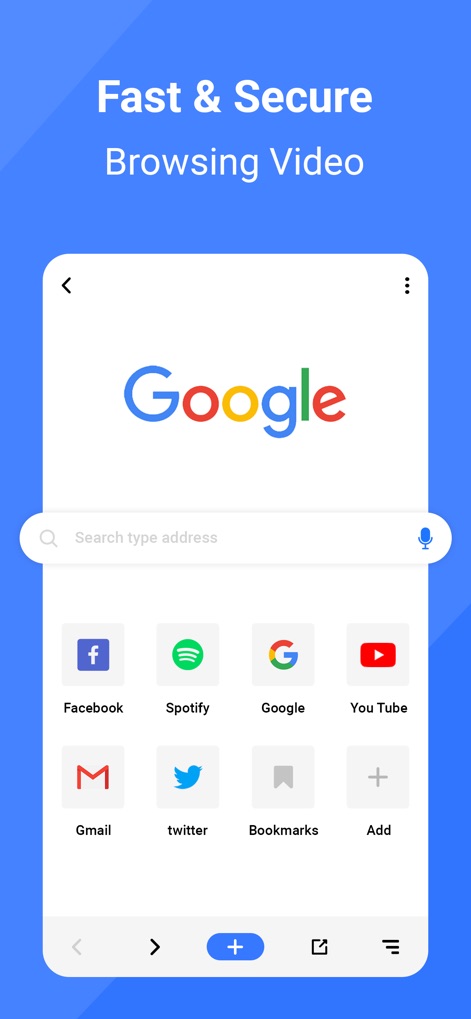
Discover the app's integrated browser, featuring convenient speed dial shortcuts to sites like 'Google' and 'YouTube' for fast and secure access.
Secure Web Browsing
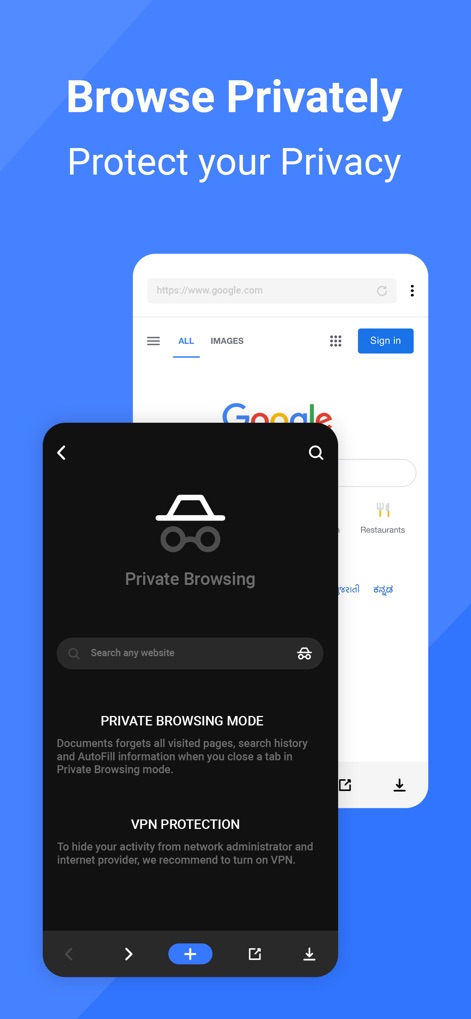
The app offers robust privacy features, including a dedicated 'Private Browsing Mode' and optional 'VPN Protection' for secure, anonymous web exploration.
Private Browsing Unlocked

An integrated music player allows for easy playback with standard controls, providing the added convenience of setting any song as a custom ringtone with a simple click.
Music Player & Ringtones
Description
Download
More Like This
Apps with similar features and user experience

Video Save : Video Saver
Mason Hertial

トルミル
ULTIMATE, Y.K.

FE File Explorer Pro
Skyjos Co., Ltd.

FileBrowser: Documents Manager
Stratospherix

Total files pro
App Ideas S.r.l.

Photo Manager Pro
Skyjos Co., Ltd.

FTPManager Pro
Skyjos Co., Ltd.

Owlfiles - File Manager
Skyjos Co., Ltd.

File Master - document manager
俊杰 阮
This page is not an official page of the app or its developer, but an independent editorial publication created for informational and commentary purposes. Unless expressly stated otherwise, neither the app nor its developer is affiliated with, endorsed by, sponsored by, authorized by, or otherwise officially connected with MWM, Apple, Google Play, the app publisher, or the app's developer, and nothing on this page implies that the app was developed using MWM's services. Any trademarks, logos, screenshots, and other content remain the property of their respective owners.