Financial - Manager & Tracker
Download on App Store

This page is not an official page of the app or its developer, but an independent editorial publication created for informational and commentary purposes. Unless expressly stated otherwise, neither the app nor its developer is affiliated with, endorsed by, sponsored by, authorized by, or otherwise officially connected with MWM, Apple, Google Play, the app publisher, or the app's developer, and nothing on this page implies that the app was developed using MWM's services. Any trademarks, logos, screenshots, and other content remain the property of their respective owners.


Logo of Financial - Manager & Tracker
Download on App Store

Financial - Manager & Tracker

Take total control of your spending, budgets, and shared expenses with on-device AI and seamless iCloud sync. A privacy-first experience designed exclusively for your iPhone, iPad, Mac, and Apple Watch.

Key Figures

Downloads

1K+

User Rating

4.6/5

Total Ratings

0

Publisher

Philipp Strunk

Category

Finance

Locales

16

Latest Version

3.0.6

Size

263.7 MB

First Released

Sep 29, 2020
Features

Master Your Finances with Total Privacy

The ultimate command center for your money, built exclusively for the Apple ecosystem. Track accounts, split expenses, and gain AI-powered insights—all while your data stays strictly on your device.

Privacy-First Architecture

Your financial data never leaves your device. Enjoy full offline support and iCloud-only syncing with zero ads and zero tracking of your personal habits.

Seamless Apple Integration

Designed for power users with native support across iPhone, Mac, and Apple Watch. Stay updated with glanceable widgets and real-time balance syncing.

The following screenshots and description are sourced directly from the app's official store listing and are the property of the app developer.

App Store

Screenshots
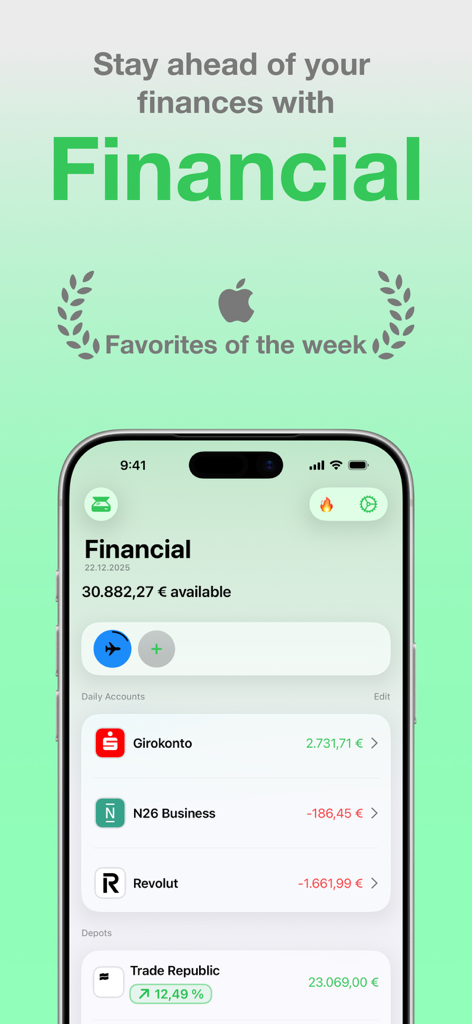
Financial - Manager & Tracker - Dashboard of the Financial manager app on an iPhone showing account balances and total available funds
Dashboard of the Financial manager app on an iPhone showing account balances and total available funds

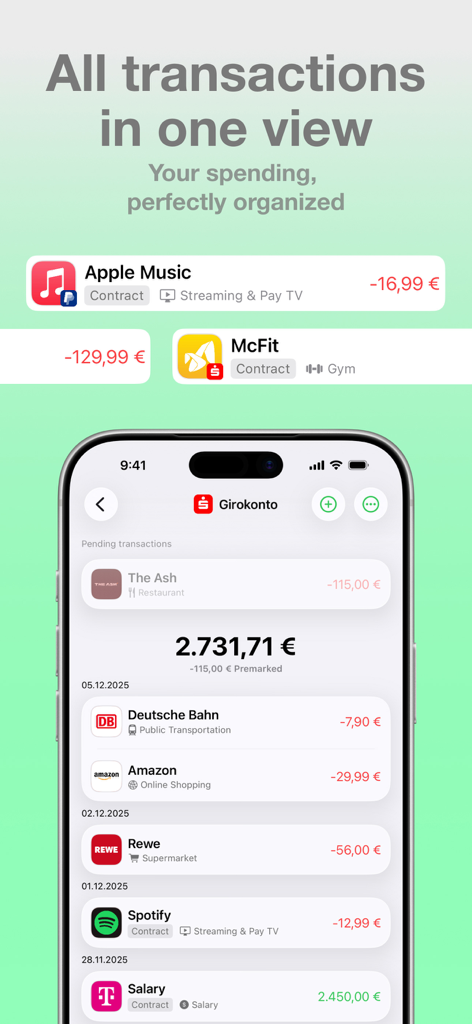
Financial - Manager & Tracker - iPhone screen showing a list of organized financial transactions and bank account balance
iPhone screen showing a list of organized financial transactions and bank account balance

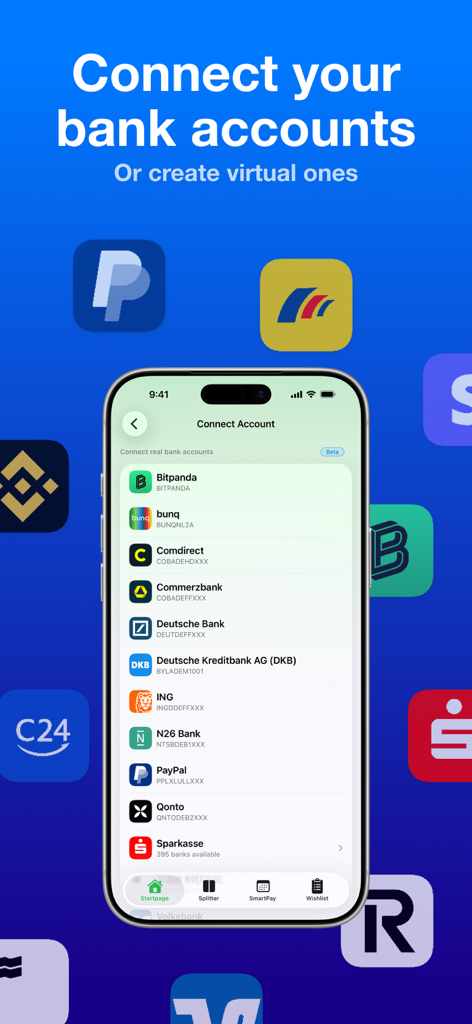
Financial - Manager & Tracker - An iPhone screen displaying a list of bank connection options in the Financial app
An iPhone screen displaying a list of bank connection options in the Financial app

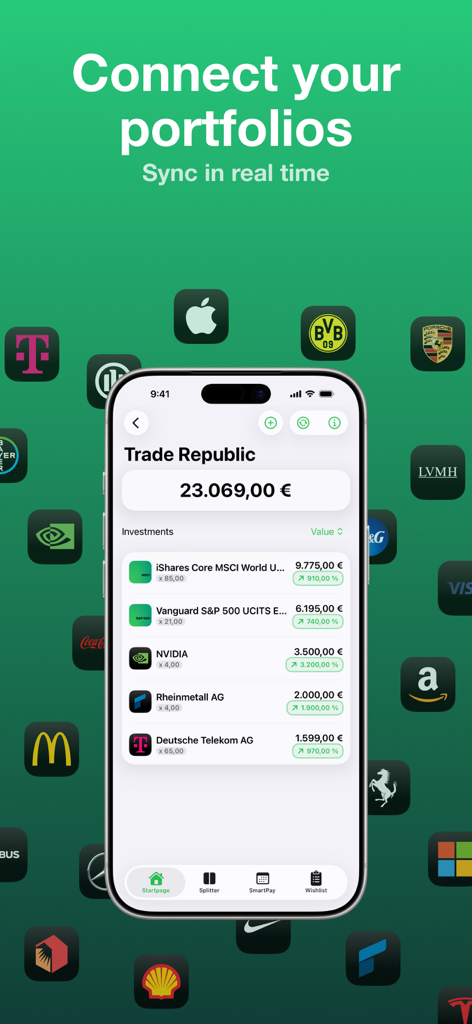
Financial - Manager & Tracker - A smartphone displaying the investment portfolio view of the Financial app with real time sync for stocks and funds.
A smartphone displaying the investment portfolio view of the Financial app with real time sync for stocks and funds.

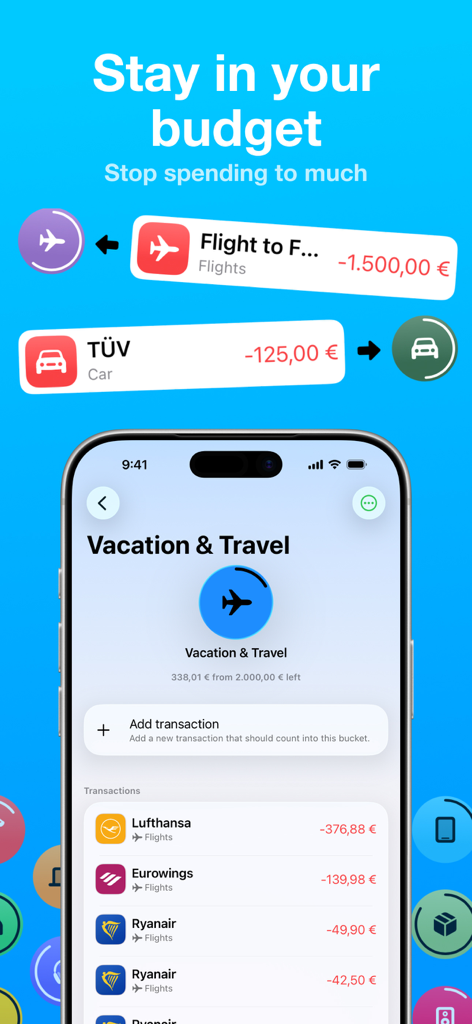
Financial - Manager & Tracker - Budget tracking screen for vacation and travel expenses in the Financial app on an iPhone.
Budget tracking screen for vacation and travel expenses in the Financial app on an iPhone.

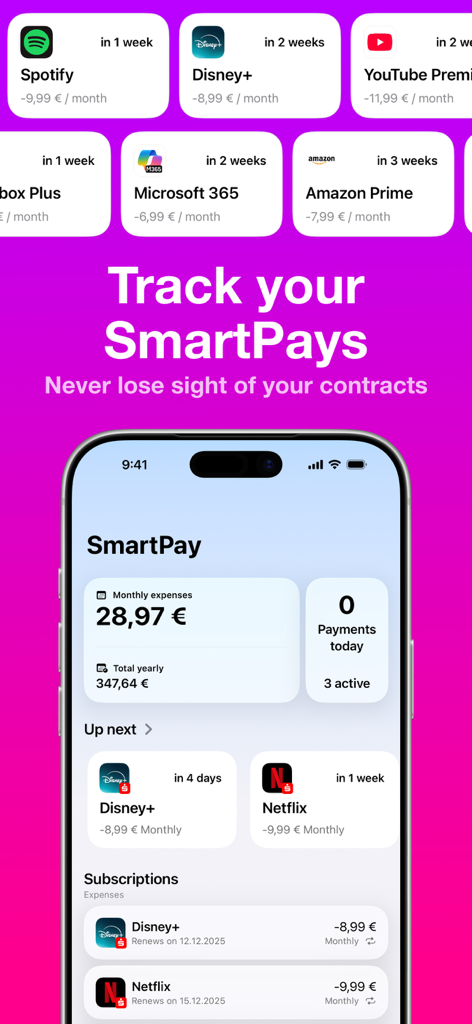
Financial - Manager & Tracker - Financial app dashboard showing the SmartPay feature for tracking monthly and yearly subscription costs
Financial app dashboard showing the SmartPay feature for tracking monthly and yearly subscription costs

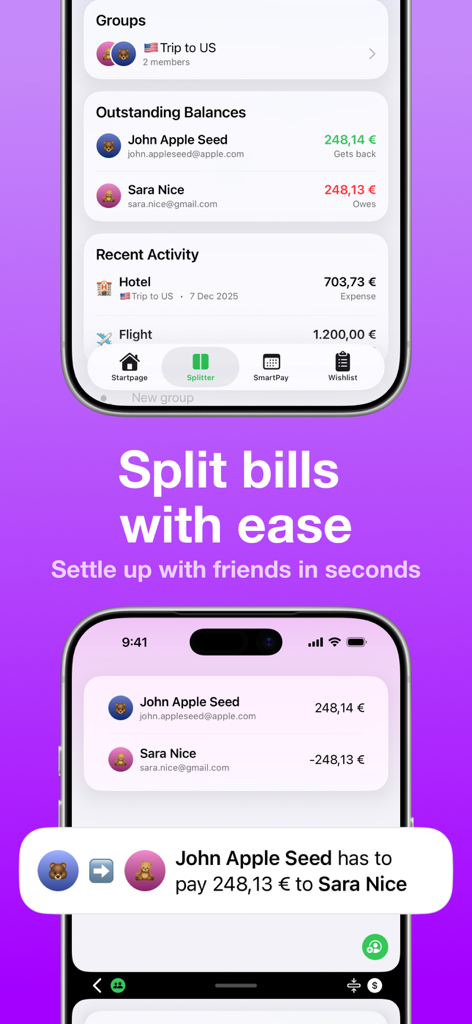
Financial - Manager & Tracker - Mobile app interface showing the Splitter feature to track and settle group expenses with friends.

Mobile app interface showing the Splitter feature to track and settle group expenses with friends.
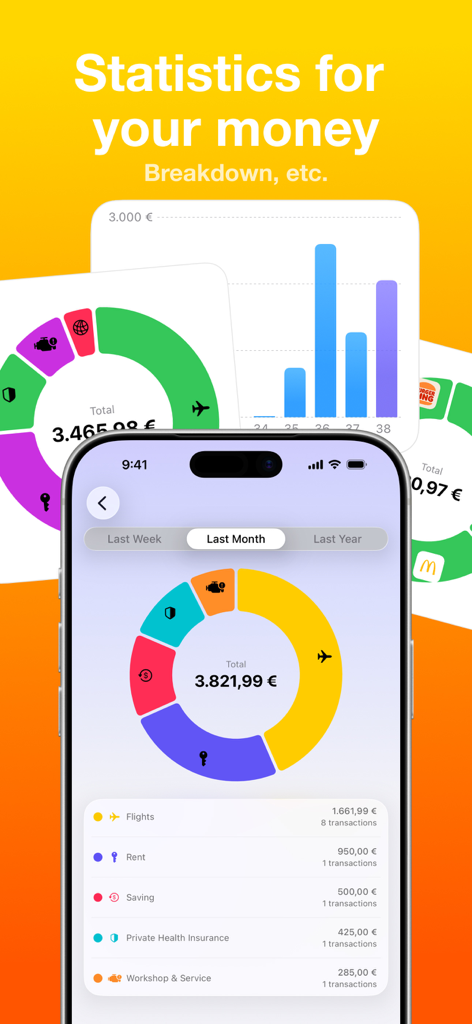
Financial - Manager & Tracker - An iPhone screen showing a doughnut chart and breakdown of monthly expenses by category like flights and rent.

An iPhone screen showing a doughnut chart and breakdown of monthly expenses by category like flights and rent.

Description

Discover Financial, the all-in-one app for managing your finances! • Apple Favorites of the week No ads. No-credit-card free trial. Full offline support. Privacy-first. All your finances, in one place – finally visible and under control. • Add all your accounts in one view • Support for banks, credit cards, wallets • Live balance syncing (where possible) • Smart categorization # AUTOMATIONS • Automatic transaction import • Automatic detection of SmartPays through transactions • Automatic detection of outstanding payments from Splitter through transactions • Automatic recognition of outstanding Wishes from your personal Wishlist through transactions # BUDGETS, SPLITTER, SMARTPAY & WISHLIST • Budgets - set monthly or custom budgets, track spending, and get notified before you overspend • Splitter - split expenses with friends, family, or teammates and always know who owes what • SmartPay - create and manage recurring payments for rent, bills, and subscriptions with just a few taps • Wishlist – track progress toward larger purchases and save with a clear plan # INSIGHTS & ANALYTICS • Clear charts & graphs - see your income and expenses at a glance • Category breakdowns - discover where your money really goes (food, travel, bills, etc.) • Trends & forecasts - spot monthly patterns and plan ahead • Comparisons - track spending across months or categories • Custom reports - filter by accounts, categories, or timeframes • Smart alerts - notifications when budgets are exceeded or spending changes unexpectedly # SHARED ACCOUNTS • Group accounts - create shared virtual accounts for trips, households, or events • Track contributions - always know who paid what and how much is left • Real-time sync - balances update instantly across all devices • Perfect for couples, roommates, friends & teams - from daily groceries to travel budgets # FINANCIAL ASSISTANT – FIN • Smart suggestions – FIN learns from your habits to help you save and plan smarter • Personalized insights – highlights what really matters in your financial data • Contract & SmartPay reminders – automatically notifies you before renewals or payments • Unusual spending alerts – detects irregular activity without sending data to external servers • On-device processing – your financial data never leaves your device • Ask FIN anything – get instant, context-aware answers about your finances # EXTRAS & UTILITIES • Currency converter – real-time exchange rates for over 150 currencies • Receipt scanner – capture bills and receipts instantly with your camera • Document management – attach PDFs or notes to any transaction or contract • iCloud sync & backup – your data securely stored and always accessible • Widgets & Apple Watch – check your balance and budgets right from your wrist or Home Screen • Multi-device support – seamless experience across Apple iPhone, Apple iPad, Apple Watch and Apple Vision Pro • Localization – available in 23 languages across 50+ countries and supports all currencies # WHAT'S FREE? • No ads, no tracking – privacy-first experience • Budgets & wish lists – plan smarter without restrictions • SmartPay setup – create recurring payments easily • Splitter & shared accounts – manage group expenses together • Basic insights – monthly summaries and category overviews • iCloud sync & backup – your data, always safe • Widgets & Apple Watch support – insights at a glance, everywhere # WHAT'S PRO? • Unlimited accounts – add all your banks, cards, and wallets • Unlimited amounts of SmartPays, splinter groups, or buckets. • Advanced analytics – detailed charts, trends, and comparisons • Smart notifications – alerts for budgets, unusual spending, and upcoming bills • Extended SmartPay – automate more complex recurring payments • Contract management – track deadlines & cancellations unlimited • Full history access – explore past transactions without limits # TRUST & LEGAL • Terms of Use: https://www.apple.com/legal/internet-services/itunes/dev/stdeula/

Download

Download on App Store

This page is not an official page of the app or its developer, but an independent editorial publication created for informational and commentary purposes. Unless expressly stated otherwise, neither the app nor its developer is affiliated with, endorsed by, sponsored by, authorized by, or otherwise officially connected with MWM, Apple, Google Play, the app publisher, or the app's developer, and nothing on this page implies that the app was developed using MWM's services. Any trademarks, logos, screenshots, and other content remain the property of their respective owners.