
This page is not an official page of the app or its developer, but an independent editorial publication created for informational and commentary purposes. Unless expressly stated otherwise, neither the app nor its developer is affiliated with, endorsed by, sponsored by, authorized by, or otherwise officially connected with MWM, Apple, Google Play, the app publisher, or the app's developer, and nothing on this page implies that the app was developed using MWM's services. Any trademarks, logos, screenshots, and other content remain the property of their respective owners.


FM Radio Tuner live Player app
Experience crystal-clear local and global stations with seamless CarPlay, Siri, and Apple Watch integration. Designed for the modern commuter, enjoy effortless gesture-based navigation and professional-grade sound wherever you go.
Downloads
666K+User Rating
Total Ratings
25K+Publisher
Category
MusicLocales
5Latest Version
3.3.1Size
91.5 MBFirst Released
Nov 19, 2018Modern Features for the Classic Radio Lover
From your daily commute to your morning workout, enjoy a seamless listening experience with advanced tools designed specifically for the Apple ecosystem.
Built for the Open Road
Stay safe with full CarPlay support and a dedicated Driving Mode. Use simple gestures to switch stations without ever taking your eyes off the road.
Total Apple Ecosystem Control
Control your radio hands-free with Siri, manage stations from your Apple Watch, and access your favorites instantly via iOS Home Screen widgets.
Frequently Asked Questions
Everything you need to know about FM Radio Tuner live Player app
What is the FM Radio Tuner live Player app?
The FM Radio Tuner live Player app, also known as Radio Live, allows users to listen to their favorite radio and music from anywhere. It offers various features for an enhanced listening experience.
How do I switch radio stations in the FM Radio Tuner live Player app?
Yes, the FM Radio Tuner live Player app allows users to switch between radio stations by swiping left or right on the player page or in driving mode. A simple touch also turns the radio on or off.
Is CarPlay supported by the FM Radio Tuner live Player app?
Yes, the FM Radio Tuner live Player app supports CarPlay. This feature allows users to integrate and control the app's radio functions through their car's infotainment system.
Can I use Siri with the FM Radio Tuner live Player app?
Yes, the FM Radio Tuner live Player app integrates with Siri. This allows users to control the application using voice commands, enhancing convenience and accessibility.
Does the FM Radio Tuner live Player app have an equalizer?
Yes, the FM Radio Tuner live Player app includes an equalizer. Users can adjust sound frequencies through various presets or custom settings, as shown in the app's interface.
Does the FM Radio Tuner live Player app offer song recognition?
Yes, the FM Radio Tuner live Player app has song recognition. It identifies the artist and title of the currently playing song, allowing users to copy this information.
Can I control the FM Radio Tuner live Player app from the lock screen?
Yes, the FM Radio Tuner live Player app supports native iOS lock screen controls. Users can manage playback directly from their device's lock screen without unlocking it.
How do I manage favorite radio stations in the FM Radio Tuner live Player app?
The FM Radio Tuner live Player app provides a dedicated favorites screen. Users can add, remove, and modify the order of their favorite radio stations for quick access.
Does the FM Radio Tuner live Player app offer a widget for quick access to favorites?
Yes, the FM Radio Tuner live Player app includes a widget. This widget provides quick access to users' favorite radio stations directly from their device's home screen.
How can I contact the Radio Live team for support?
Users can contact the Radio Live team through Facebook, Facebook Messenger, Telegram, or email at radio.rlive@gmail.com. This allows for feedback and inquiries about the FM Radio Tuner live Player app.
Does the FM Radio Tuner live Player app have a privacy policy?
Yes, the FM Radio Tuner live Player app has a privacy policy. It is available for review at https://radiolive.web.app/#/privacy-policy, detailing how user data is handled.
Does the FM Radio Tuner live Player app offer a driving mode?
Yes, the FM Radio Tuner live Player app features a dedicated driving player mode. This mode optimizes the interface for listening to radio safely and easily while in a car.
Can I discover new stations by genre in the FM Radio Tuner live Player app?
Yes, the FM Radio Tuner live Player app allows users to discover new stations by genre. It provides a list of genres and a search function to find specific types of music.
Is the FM Radio Tuner live Player app compatible with Apple Watch (WatchOS)?
Yes, the FM Radio Tuner live Player app supports WatchOS, making it compatible with Apple Watch devices. Users can control their radio playback directly from their smartwatch.
Can the FM Radio Tuner live Player app run in the background?
Yes, the FM Radio Tuner live Player app supports background playback. It allows users to control the player from the lock screen, indicating continued operation when the app is not in the foreground.
The following screenshots and description are sourced directly from the app's official store listing and are the property of the app developer.
App Store
Screenshots
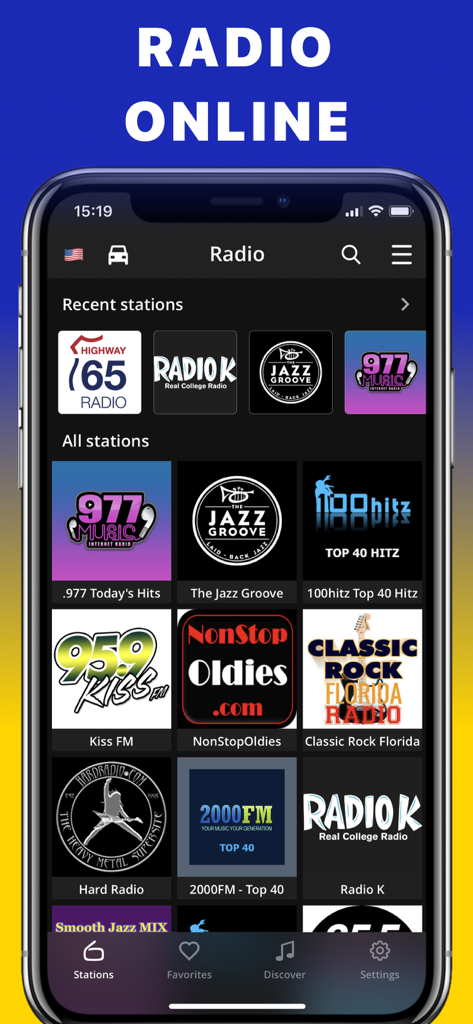
Mobile interface of FM Radio Tuner app showing a selection of online radio stations like Jazz Groove and Kiss FM.
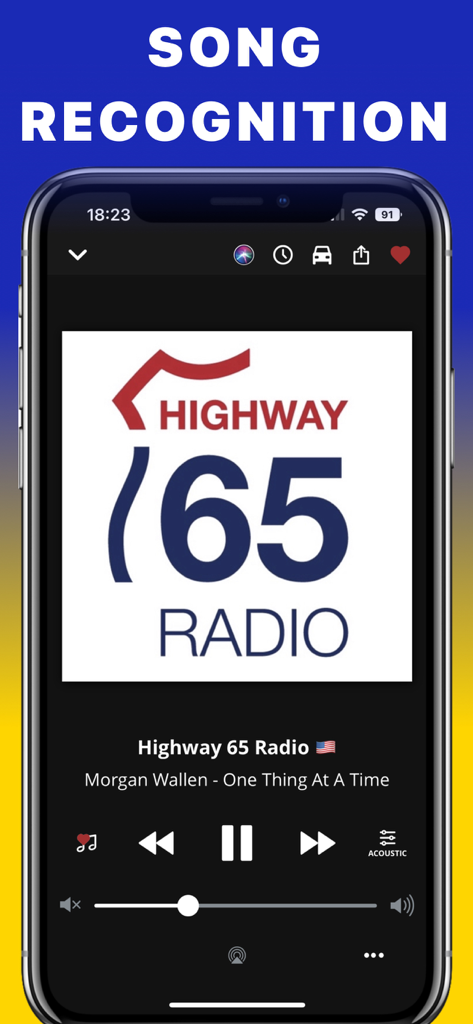
Interface of the FM Radio Tuner app highlighting the song recognition feature showing artist and track information
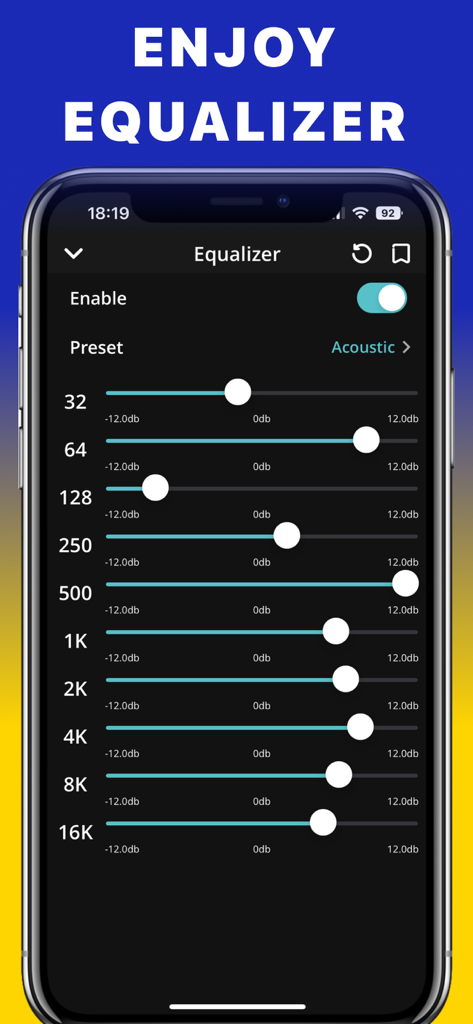
FM Radio Tuner app equalizer settings screen showing adjustable frequency sliders and acoustic preset
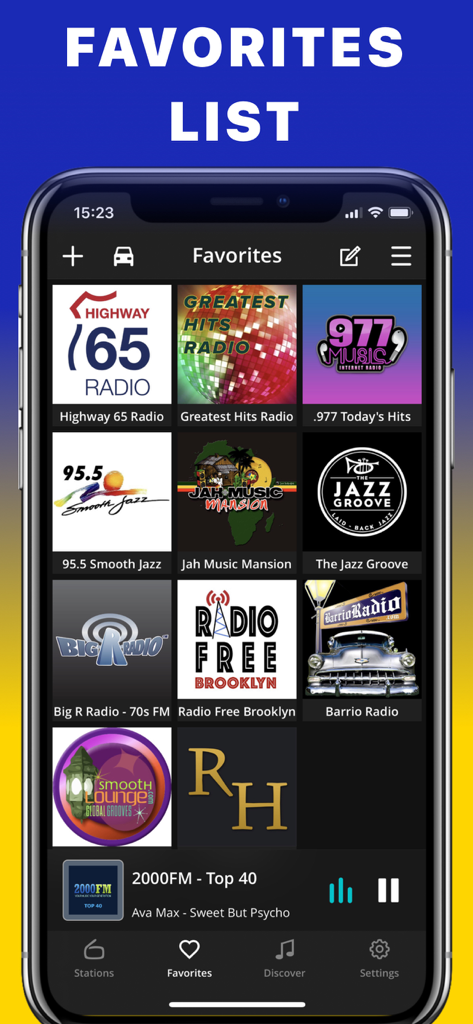
Interface of the FM Radio Tuner app showing a grid of favorite radio stations on an iPhone.
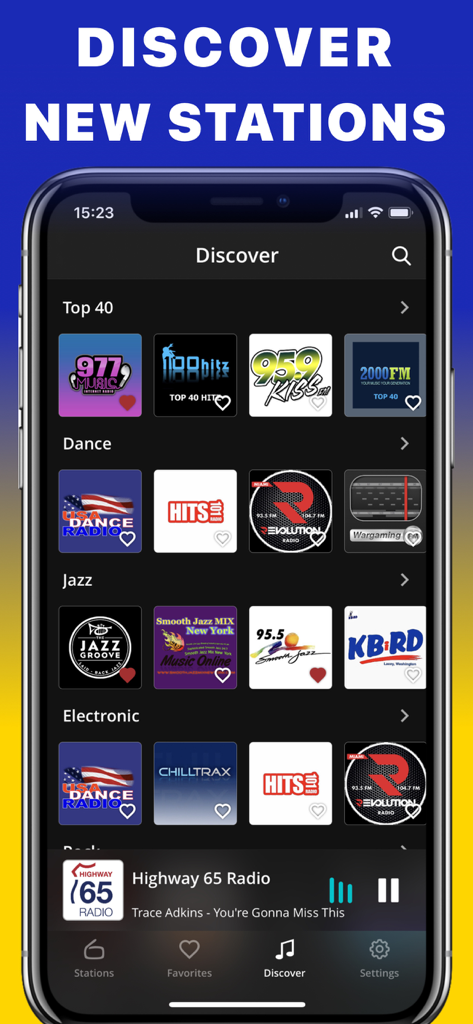
A mobile app interface showing radio station discovery categorized by music genres
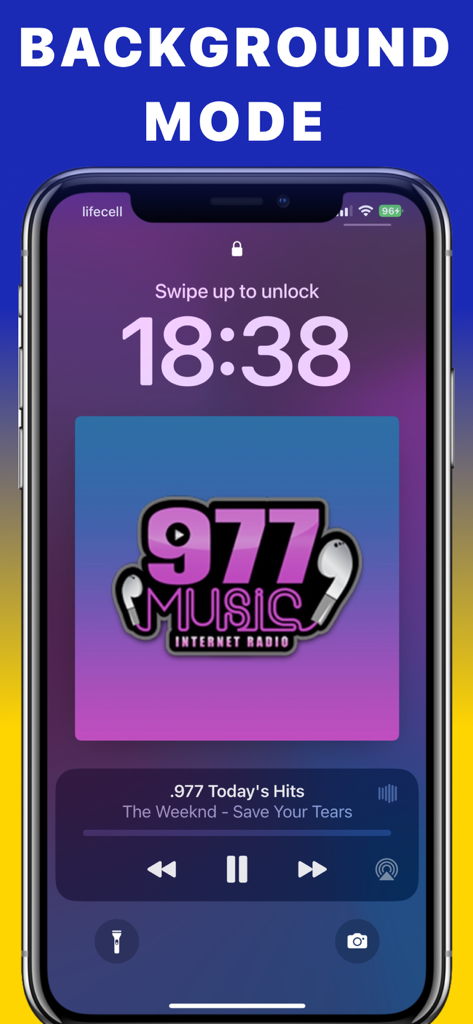
FM Radio Tuner app lock screen player displaying music info and background mode controls on an iPhone
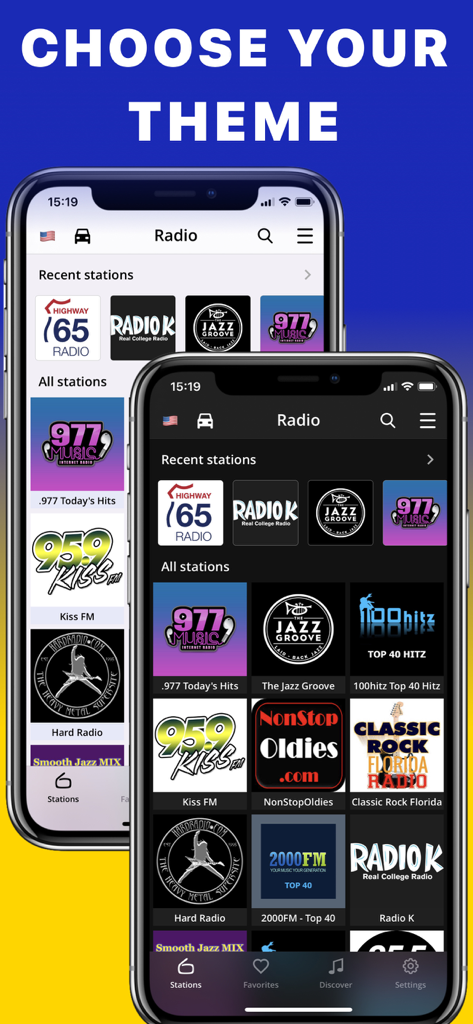
FM Radio Tuner app interface showing light and dark theme options with radio station icons
Description
Download
More Like This
Apps with similar features and user experience
This page is not an official page of the app or its developer, but an independent editorial publication created for informational and commentary purposes. Unless expressly stated otherwise, neither the app nor its developer is affiliated with, endorsed by, sponsored by, authorized by, or otherwise officially connected with MWM, Apple, Google Play, the app publisher, or the app's developer, and nothing on this page implies that the app was developed using MWM's services. Any trademarks, logos, screenshots, and other content remain the property of their respective owners.