
This page is not an official page of the app or its developer, but an independent editorial publication created for informational and commentary purposes. Unless expressly stated otherwise, neither the app nor its developer is affiliated with, endorsed by, sponsored by, authorized by, or otherwise officially connected with MWM, Apple, Google Play, the app publisher, or the app's developer, and nothing on this page implies that the app was developed using MWM's services. Any trademarks, logos, screenshots, and other content remain the property of their respective owners.


Form for Google Forms
Stop struggling with mobile browsers. Create professional surveys, scan physical questions into digital forms, and track real-time responses with beautiful analytics—all from your iPhone or iPad.
Downloads
10M+User Rating
Total Ratings
112K+Publisher
Category
ProductivityLocales
37Latest Version
1.8.2Size
92.1 MBFirst Released
Jan 25, 2021Power Up Your Google Forms Workflow
The ultimate native iOS toolkit to create professional forms, track real-time responses, and automate your data collection without needing a computer.
Desktop Power on Mobile
Stop struggling with mobile browsers. Enjoy a native experience with drag-and-drop editing, undo/redo support, and professional templates designed for your iPhone and iPad.
Real-Time Response Alerts
Never miss a lead or a student submission. Get instant push notifications and visualize data with beautiful charts or export results to Excel and social-ready videos.
Frequently Asked Questions
Everything you need to know about Form for Google Forms
What is Form for Google Forms?
Form for Google Forms is a free iOS app that allows users to create, edit, and manage all their Google Forms directly on their iPhone, iPod, or iPad. It provides comprehensive tools for form management and response analysis.
Can I create new Google Forms using the Form for Google Forms app?
Yes, Form for Google Forms allows users to create new Google Forms directly on their iOS device. It offers various templates and the ability to import questions from existing forms.
Does Form for Google Forms support editing existing Google Forms?
Yes, Form for Google Forms supports editing existing Google Forms. Users can open any form from their Google Drive on their iOS device to modify questions, re-order them, and add images or videos.
Can Form for Google Forms users receive notifications for new responses?
Yes, Form for Google Forms provides response notifications. Users can get notified via push notifications whenever someone submits a new response to their Google Forms.
What are the options for viewing form responses in Form for Google Forms?
Form for Google Forms allows viewing responses in three modes: Summary, Questions, and Individual. The app displays responses using beautiful graphs in summary mode for comprehensive analysis.
Can I export responses from Form for Google Forms?
Yes, Form for Google Forms allows users to export responses. Responses can be exported in CSV or Excel file format, providing flexibility for further data analysis outside the app.
Is it possible to add collaborators to forms in Form for Google Forms?
Yes, users can add collaborators or editors to their forms directly within the Form for Google Forms app. This feature facilitates teamwork and shared form management.
Can Form for Google Forms scan questions from physical documents or images?
Yes, Form for Google Forms can scan questions. It supports scanning questions using the device's camera, images from the photos library, and files like doc, pdf, or ppt from the Files app.
Does Form for Google Forms allow setting points and feedback for quiz questions?
Yes, Form for Google Forms allows setting points and correct answers for quiz questions. Users can also add feedback with URL links for both correct and incorrect responses.
Is Form for Google Forms an official Google application?
No, Form for Google Forms is a third-party app. It is not associated with Google. All trademarks mentioned are the property of their respective owners.
The following screenshots and description are sourced directly from the app's official store listing and are the property of the app developer.
App Store
Screenshots
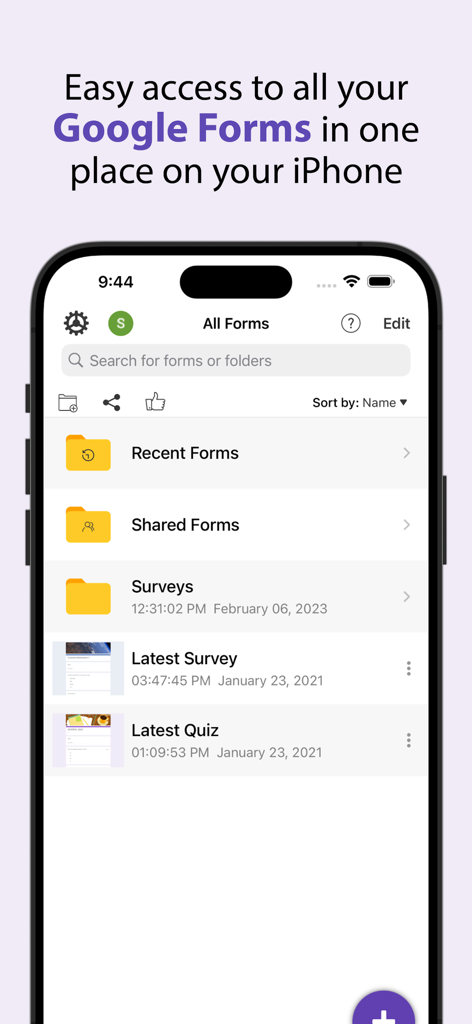
Mobile app interface showing organized Google Forms folders and documents
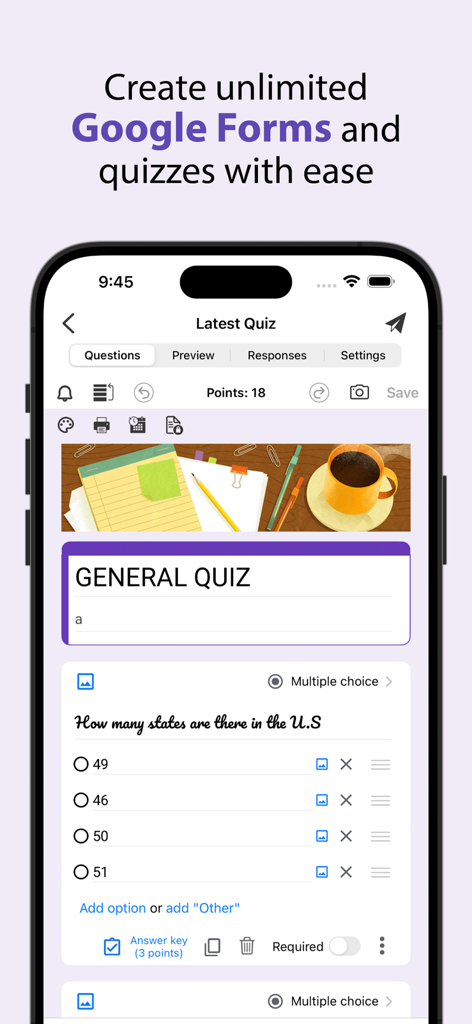
A mobile interface for creating a Google Forms quiz with multiple choice questions and point values.
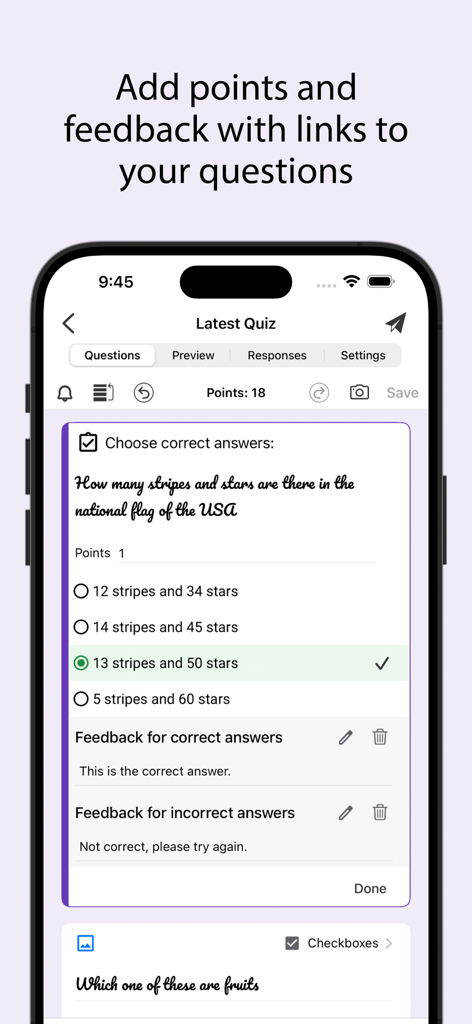
Interface of a mobile app for editing Google Forms quizzes showing points and feedback options
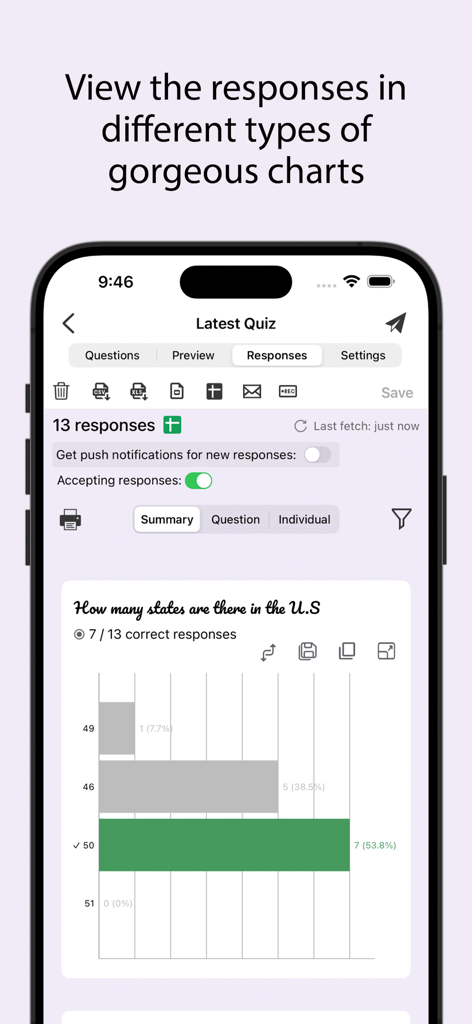
Mobile app interface showing a bar chart visualization of quiz responses
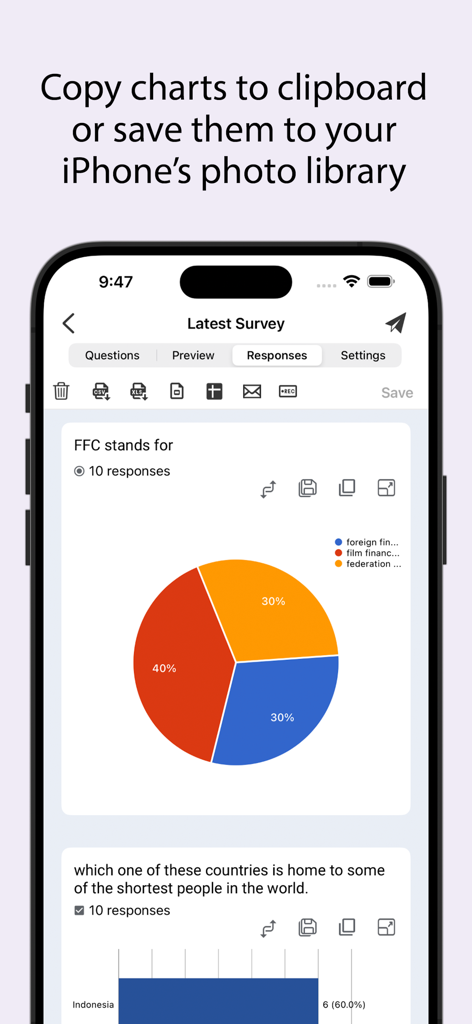
Survey response charts and data visualization in the Form for Google Forms app on iPhone
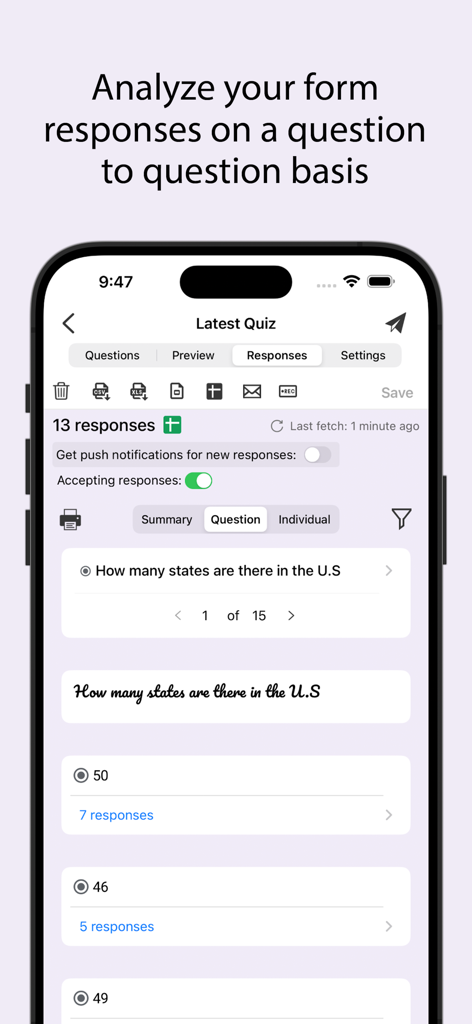
Mobile screen showing response analysis per question in the Google Forms app
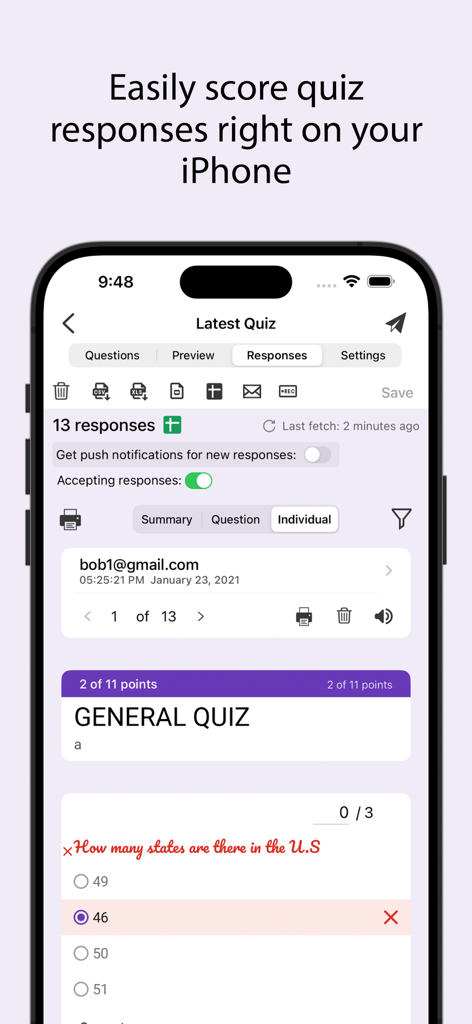
Mobile app interface for scoring Google Forms quiz responses on an iPhone
Description
Download
More Like This
Apps with similar features and user experience

Forms for Google Docs
Aurora Innovation Limited

Forms fоr Google Form
Sanpeliano LTD
Forms for Google Drive
BurningFlower Inc

Form For Google Forms & Docs
Seven Mile Apps LLC
Forms ®
SMM service, s.r.o.
Forms for Google Fоrms
LightApps OU

Forms for Google Forms App
AppTraining Limited

Forms for Google Drive ™
Mariia Tereshkova

Forms for Google Forms & Quiz
Niharika Jindal
This page is not an official page of the app or its developer, but an independent editorial publication created for informational and commentary purposes. Unless expressly stated otherwise, neither the app nor its developer is affiliated with, endorsed by, sponsored by, authorized by, or otherwise officially connected with MWM, Apple, Google Play, the app publisher, or the app's developer, and nothing on this page implies that the app was developed using MWM's services. Any trademarks, logos, screenshots, and other content remain the property of their respective owners.