
This page is not an official page of the app or its developer, but an independent editorial publication created for informational and commentary purposes. Unless expressly stated otherwise, neither the app nor its developer is affiliated with, endorsed by, sponsored by, authorized by, or otherwise officially connected with MWM, Apple, Google Play, the app publisher, or the app's developer, and nothing on this page implies that the app was developed using MWM's services. Any trademarks, logos, screenshots, and other content remain the property of their respective owners.


Forms for Google Doc
Stop wrestling with clunky form builders. This app hands you the power to sculpt data collection, precisely.
Downloads
250k+User Rating
Total Ratings
602Publisher
Category
ProductivityLocales
30Latest Version
1.3.1Size
30.8 MBFirst Released
Sep 30, 2024Key Features for Enhanced Google Workspace Form Management
'Forms for Google Doc' Software Evaluation
Form Creation & Customization
The app provides a straightforward method for creating diverse forms, including surveys, quizzes, and polls, along with robust customization and editing options to tailor content precisely.
Real-time Collaboration & Offline Access
It allows users to work on forms collaboratively in real-time and maintain productivity even without an internet connection, ensuring continuous form development.
Efficient Data Collection & Management
This tool features real-time response management, enabling immediate data gathering and analysis, which is crucial for timely decision-making.
Time-saving Templates
The app offers a selection of pre-built templates, significantly reducing the time and effort required to create new forms.
Seamless Data Export & Sharing
It enables swift data export and versatile form sharing options via email, links, and social media, facilitating broad distribution and integration with other tools.
Advanced Analytics & Alerts
The app provides robust analytical tools and instant notifications, keeping users informed about form performance and new responses as they arrive.
Frequently Asked Questions
Everything you need to know about Forms for Google Doc
What is Forms for Google Docs?
Forms for Google Docs simplifies form creation, enabling users to create surveys, quizzes, and polls. It allows customization, real-time response management, offline work, and collaboration for efficient data collection.
Can Forms for Google Docs be used offline?
Yes, Forms for Google Docs supports an offline mode. Users can work offline to create, edit, and manage forms without an active internet connection.
Does Forms for Google Docs provide pre-built templates?
Yes, Forms for Google Docs offers built-in templates. Users can utilize these pre-built templates to expedite form creation for various purposes like event registration or feedback.
How can I share forms created with Forms for Google Docs?
Forms for Google Docs allows sharing forms via email, social media, links, or QR codes. This ensures wide distribution for data collection, event invitations, or feedback surveys.
What data export options are available in Forms for Google Docs?
Forms for Google Docs supports exporting responses to Google Sheets, XLS, and CSV formats. This facilitates quick data analysis and integration with other tools.
Does Forms for Google Docs provide response analytics?
Yes, Forms for Google Docs includes robust analytics. Users can analyze responses instantly with visual charts and graphs to understand collected data patterns.
How do I cancel my Forms for Google Docs subscription?
Users can cancel their Forms for Google Docs subscription or free trial through their iTunes account settings. Cancellation must occur at least 24 hours before the renewal date to avoid charges.
Will a free trial automatically convert to a paid subscription for Forms for Google Docs?
Yes, a subscription with a free trial period for Forms for Google Docs automatically renews to a paid subscription. Users must cancel 24 hours prior to avoid charges.
Does Forms for Google Docs notify users about new responses?
Yes, Forms for Google Docs provides response notifications. Users receive alerts for new form submissions, ensuring they stay informed about data collection in real-time.
The following screenshots and description are sourced directly from the app's official store listing and are the property of the app developer.
App Store
Screenshots
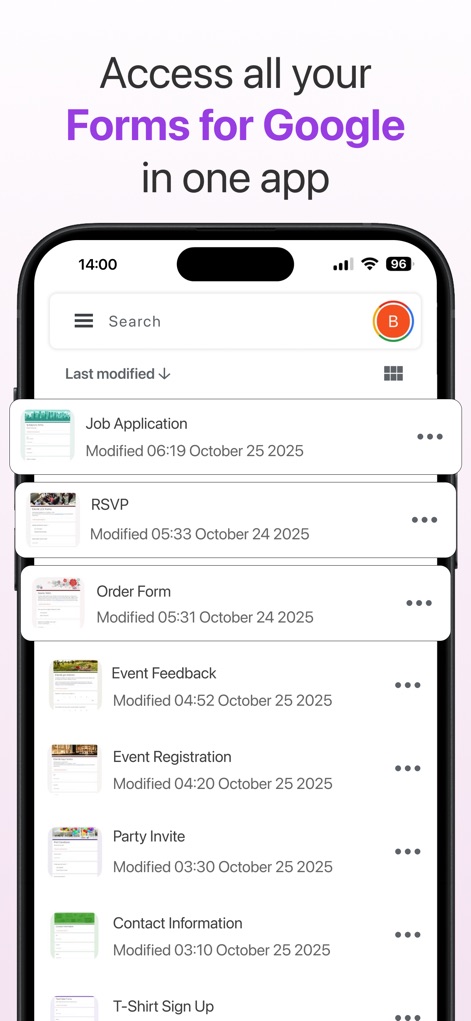
Users can efficiently manage all their forms through the intuitive search bar and review modification dates for quick access.
Centralized Form Management
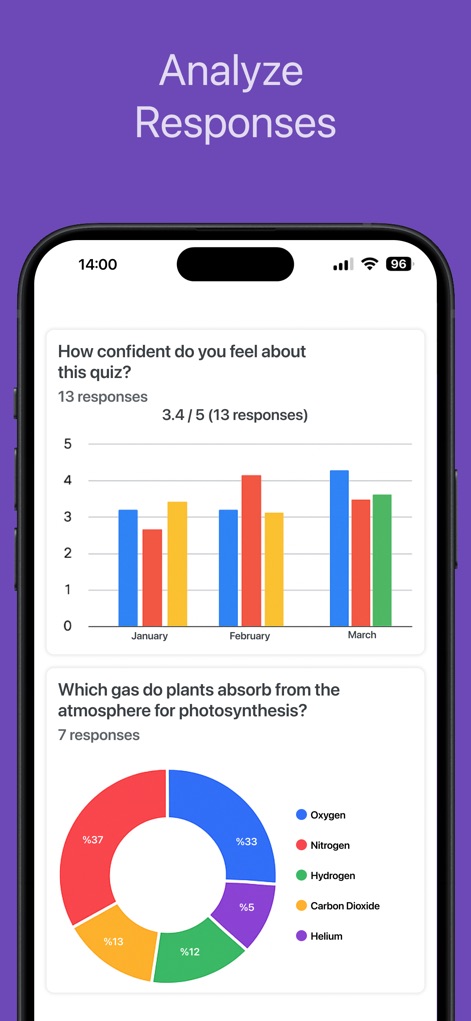
The app provides robust analytics, visualizing responses with clear bar charts for trends and detailed donut charts for categorical breakdowns.
Insightful Response Analytics
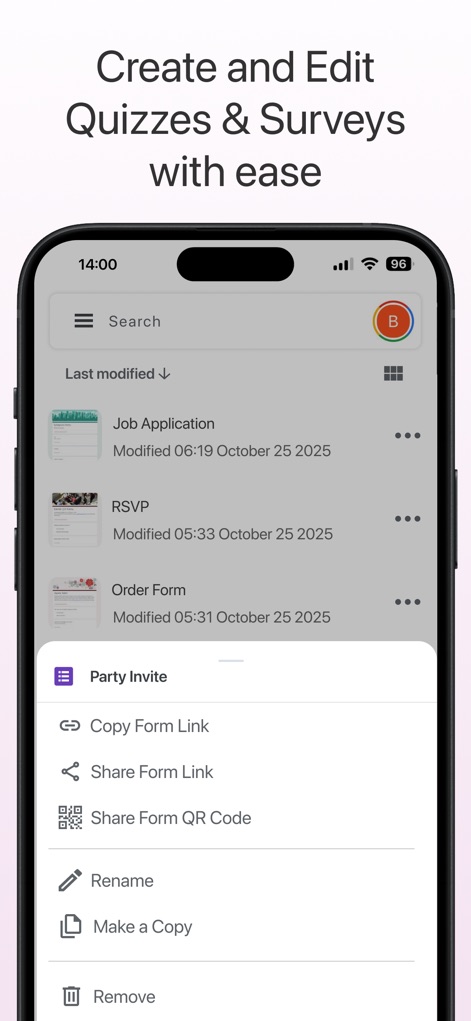
This tool simplifies form management, allowing users to navigate a comprehensive list of forms and access quick editing and sharing options via a context menu.
Effortless Form Editing
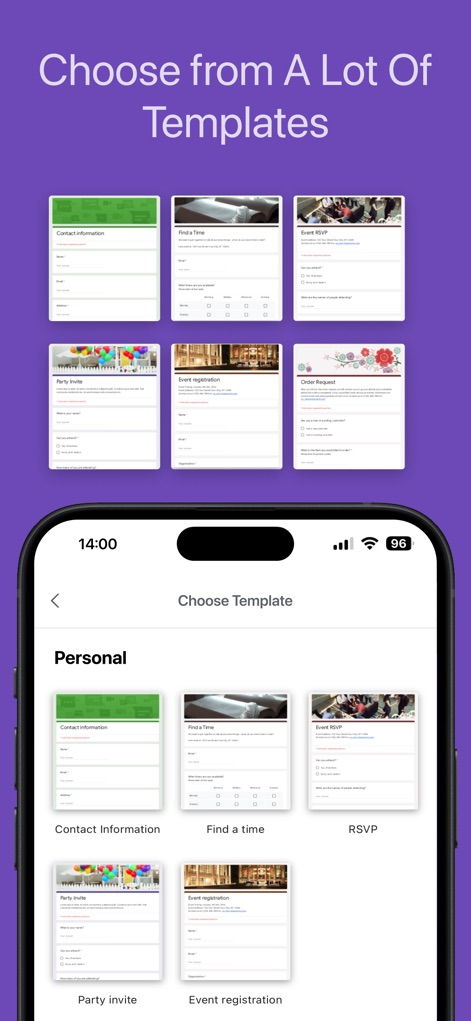
Accelerate form creation by choosing from a vast library of diverse pre-built templates, conveniently organized by categories like 'Personal' for quick selection.
Instant Form Templates
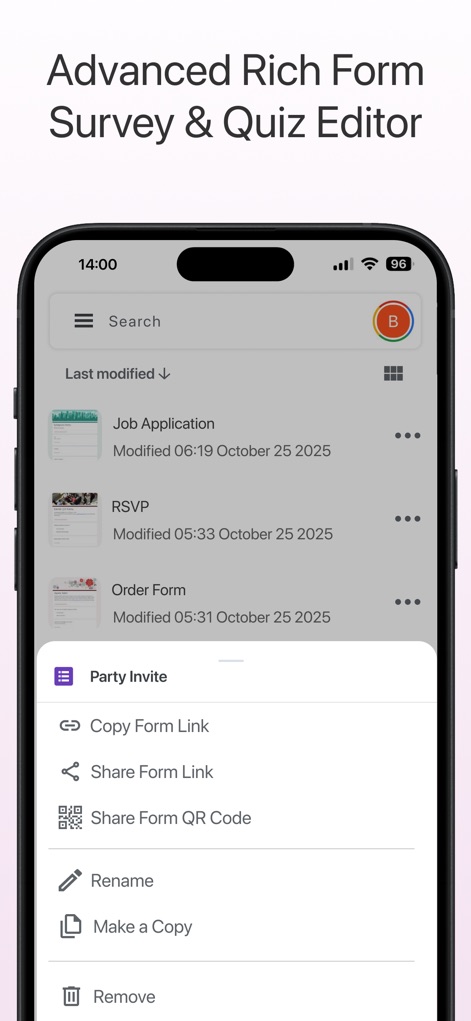
Users can leverage the comprehensive form editor, accessing quick actions like 'Copy Form Link' and 'Make a Copy' directly from their organized list of forms.
Comprehensive Form Editor
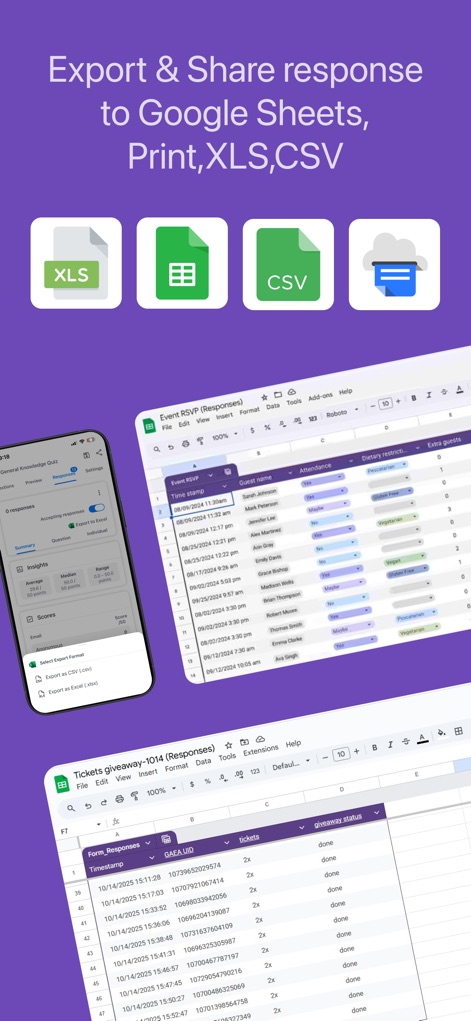
Export your collected data with flexibility, choosing from formats like Google Sheets, CSV, or XLS, and review detailed response data in a familiar spreadsheet interface.
Flexible Data Export
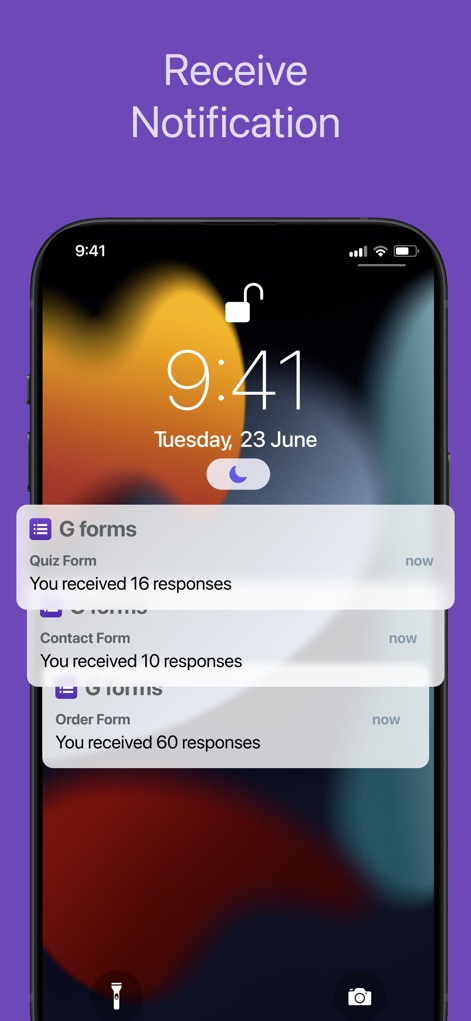
Stay informed with real-time push notifications, instantly showing the summary of new responses received for each of your forms.
Real-time Response Alerts
Description
Download
More Like This
Apps with similar features and user experience






This page is not an official page of the app or its developer, but an independent editorial publication created for informational and commentary purposes. Unless expressly stated otherwise, neither the app nor its developer is affiliated with, endorsed by, sponsored by, authorized by, or otherwise officially connected with MWM, Apple, Google Play, the app publisher, or the app's developer, and nothing on this page implies that the app was developed using MWM's services. Any trademarks, logos, screenshots, and other content remain the property of their respective owners.