
This page is not an official page of the app or its developer, but an independent editorial publication created for informational and commentary purposes. Unless expressly stated otherwise, neither the app nor its developer is affiliated with, endorsed by, sponsored by, authorized by, or otherwise officially connected with MWM, Apple, Google Play, the app publisher, or the app's developer, and nothing on this page implies that the app was developed using MWM's services. Any trademarks, logos, screenshots, and other content remain the property of their respective owners.

Fotor - AI Photo Editor
Tired of endless taps? The app liberates creators, letting an AI agent convert simple instructions into immediate, multi-layered visual perfection.
Downloads
12.5M+User Rating
Total Ratings
237.7KPublisher
Category
Photo & VideoLocales
16Latest Version
11.1.10Size
296.5 MBFirst Released
Jul 24, 2011Fotor - AI Photo Editor: Key Features Analysis
An evaluation of core AI-driven and creative functionalities for a broad user base.
AI Agent for Conversational Editing
The app provides an AI Agent that enables users to execute multiple photo edits simultaneously through natural language commands (voice or text), significantly enhancing editing speed and accessibility.
AI-Powered Photo Enhancement
This tool features an AI Photo Enhancer designed to instantly clarify and restore the quality of blurry, grainy, pixelated, or low-resolution images with remarkable precision.
Magic Object Removal
It allows users to quickly and seamlessly remove unwanted elements, such as objects, photobombers, or watermarks, from their pictures while maintaining background integrity.
One-Click Background Removal
The app offers a Bg Remover that extracts subjects from images with a single click, providing the flexibility to replace backgrounds for highly personalized and professional compositions.
AI Retouch for Flawless Skin
This tool features AI Retouch capabilities for achieving a refined appearance through natural skin smoothing and blemish removal, effortlessly enhancing portraits.
Text-to-Image AI Art Creation
It enables users to generate stunning, unique images from simple text descriptions, transforming creative ideas into visual art instantly.
AI Headshot and Avatar Creation
The app provides AI tools for generating professional headshots and unique avatars, suitable for LinkedIn and other social media platforms, from selfies.
Comprehensive Collage & Template Designer
This tool features a versatile Collage Maker for combining moments into vibrant collages and offers design templates for creating professional social media posts, flyers, and posters.
AI Hairstyle and Color Changer
It allows users to instantly experiment with various hairstyles and colors using AI Hairstyle, helping them visualize and discover their ideal look.
Extensive Manual Photo Adjustments
The app includes a comprehensive suite of manual photo editing tools, allowing users to fine-tune aspects like brightness, contrast, saturation, and apply artistic filters.
Frequently Asked Questions
Everything you need to know about Fotor - AI Photo Editor
What is the Fotor AI Agent and how does it work?
The Fotor AI Agent is an all-in-one AI photo editing toolbox that understands verbal or typed commands. Users upload a photo and describe desired edits, and the AI Agent applies multiple changes automatically.
Can Fotor's Magic Eraser remove unwanted objects from photos?
Yes, Fotor's Magic Eraser tool quickly removes unwanted elements like bystanders, watermarks, or buildings from photos. It seamlessly blends the edited area with the original background.
Does Fotor offer an AI Headshot feature for professional profiles?
Yes, Fotor offers an AI Headshot feature to create professional PFPs and avatars. These are suitable for platforms like LinkedIn and other social media.
How does Fotor enhance blurry or low-quality photos?
Fotor enhances photos using its AI Photo Enhancer to instantly clarify blurry images. It fixes grainy, pixelated, and low-resolution images with one tap.
Can Fotor generate images from text descriptions?
Yes, Fotor can generate stunning images from text. Users type a description, choose a style, and the app transforms ideas into reality in seconds.
How do I remove or change the background of an image in Fotor?
Fotor's Bg Remover extracts the subject from images with one click. Users can then replace the background to create highly personalized photos or use AI Backgrounds for product photos.
What are the subscription options for Fotor Pro?
Fotor Pro offers monthly or yearly subscription plans. The subscription automatically renews unless turned off at least 24 hours before the current period expires.
Does Fotor provide AI tools for skin retouching and blemish removal?
Yes, Fotor offers AI Retouch to achieve flawless skin. It provides natural and delicate skin smoothing and blemish removal for a refined appearance.
Can I change outfits or hairstyles in Fotor using AI?
Yes, Fotor's AI Replace tool allows instant changes to outfits, hairstyles, and colors. This feature helps users find their best style.
Can Fotor transform selfies into cartoon or anime styles?
Yes, Fotor includes trendy 3D Cartoon and Anime AI art effects. Users can easily transform their selfies into vibrant cartoon comics.
The following screenshots and description are sourced directly from the app's official store listing and are the property of the app developer.
App Store
Screenshots

Professional Portrait Power
The app empowers users to achieve stunning studio-quality portraits and showcases its wide adoption as an 800M+ users' choice recognition.
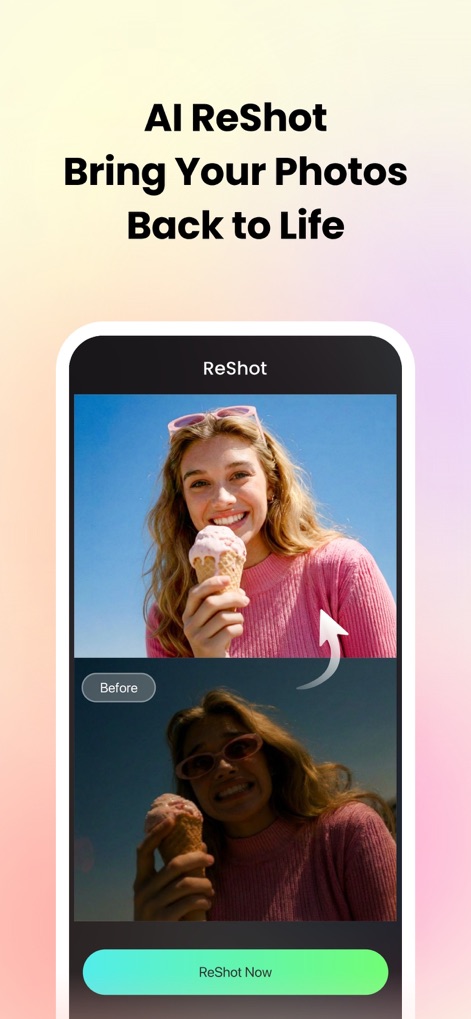
AI Image Restoration
This tool visually demonstrates the AI ReShot feature by presenting a clear before/after comparison that brings photos back to life.
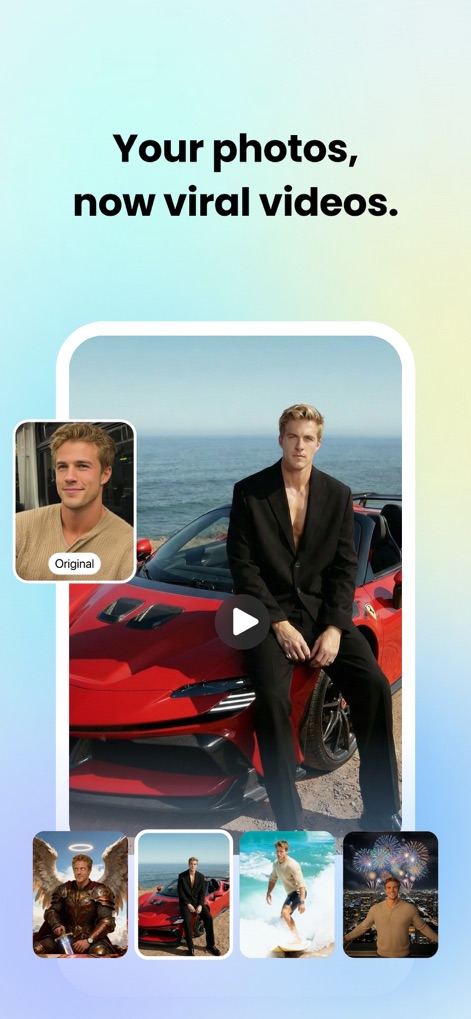
Photo to Video Magic
Users can transform static photos into dynamic viral videos, with the app showcasing an original image and a selection of generated video styles.
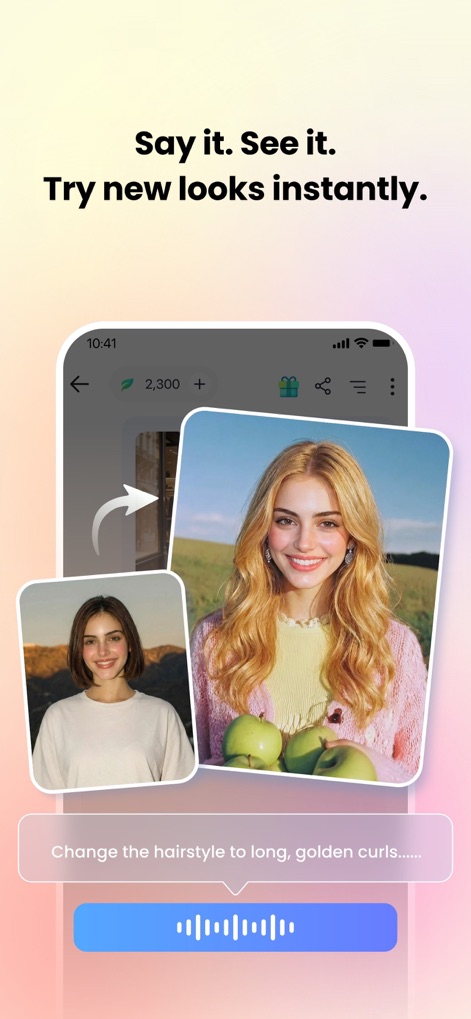
Instant Style Transformation
The app allows users to try new looks instantly, featuring an AI hairstyle change and an intuitive voice command interface for easy edits.
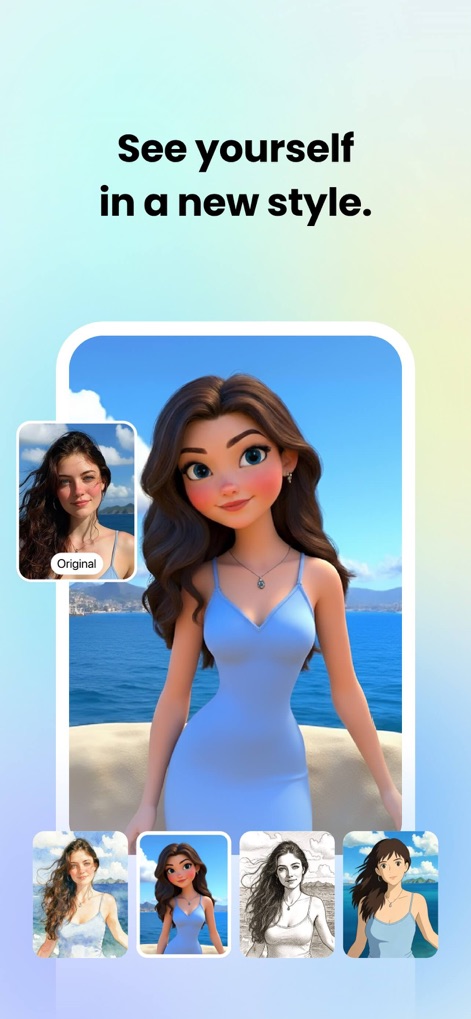
Artistic Style AI
This tool enables users to envision themselves in a new artistic style, from a realistic original to a charming 3D cartoon and other varied artistic renderings.
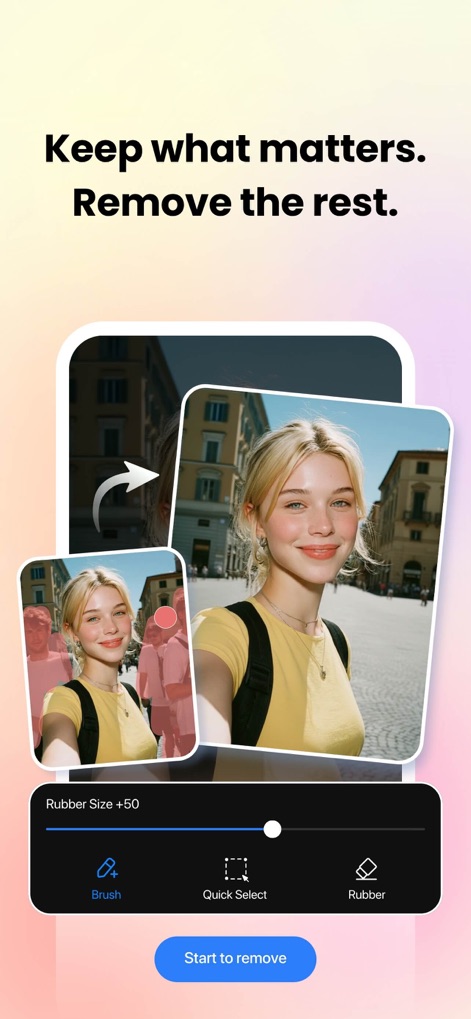
Precision Object Removal
The app helps users keep what matters by removing unwanted elements, demonstrated with successful background object removal and adjustable rubber size for precision.
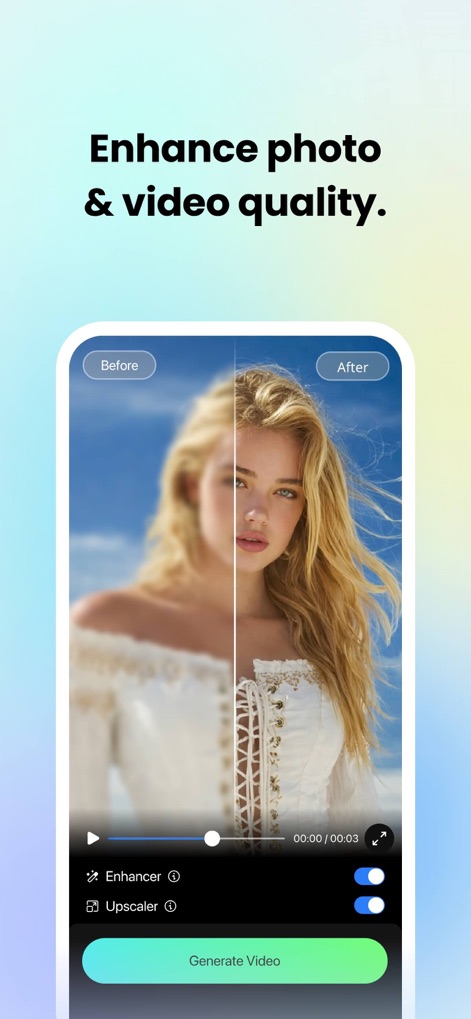
Quality Enhancement Control
Users can dramatically enhance photo and video quality, as illustrated by a clear before/after comparison and intuitive Enhancer and Upscaler toggles.
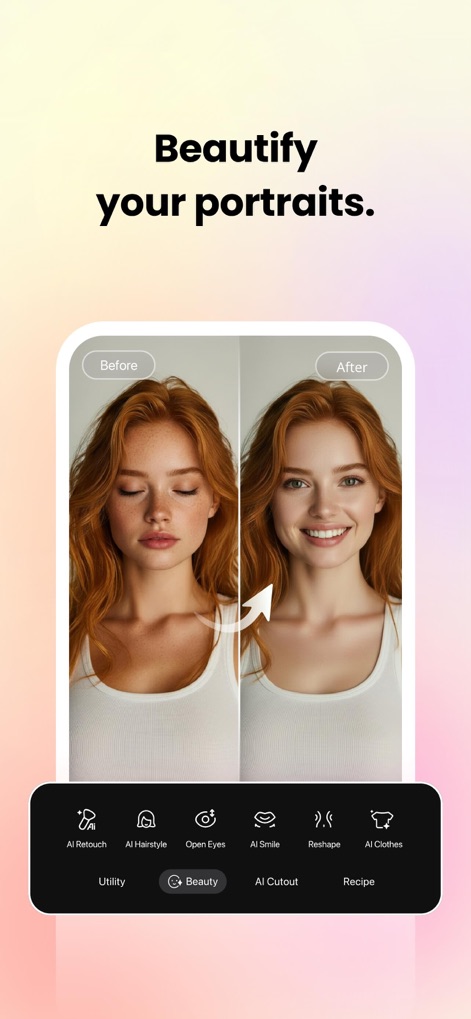
Effortless Portrait Retouch
This tool allows users to beautify their portraits with ease, showcasing a refined before/after transformation and specific AI Retouch and AI Smile capabilities.
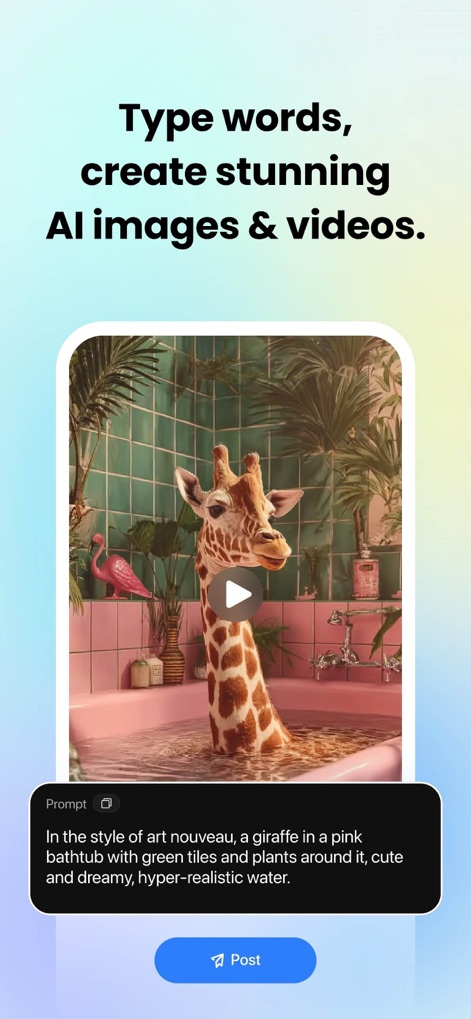
Text to Image Creativity
The app transforms words into stunning AI images and videos, exemplified by a generated art nouveau giraffe image and the detailed text prompt used.
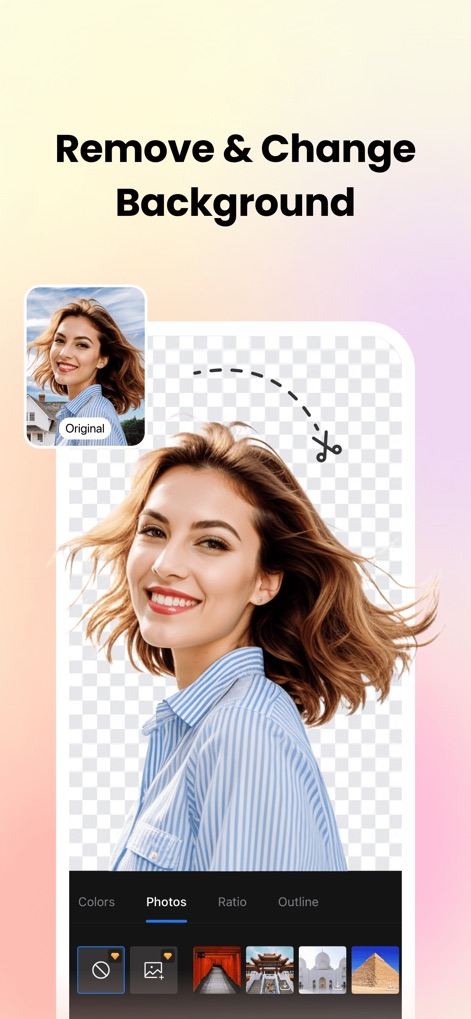
Seamless Background Edit
Users can seamlessly remove and change backgrounds, as shown by a clear cut-out with a transparent background and various options for new backgrounds.
Description
Download
More Like This
Apps with similar features and user experience

ElevenLabs: AI Voice Generator
Eleven Labs Inc.

Viggle AI: Meme Maker
WarpEngine Canada Inc.

可灵AI - AI图片&视频创作工具
Beijing Kwai Technology Co., Ltd.

Leonardo.Ai - Image Generator
Leonardo Interactive Pty Ltd

Reface: Face Swap AI Photo App
NEOCORTEXT, INC.

Shedevrum
DIRECT CURSUS COMPUTER SYSTEMS TRADING LLC

Remove Objects
TAPUNIVERSE LLC

Zaps Collages
Turnip Media Private Limited

Carat - Create Anything
Paradot Corp.
This page is not an official page of the app or its developer, but an independent editorial publication created for informational and commentary purposes. Unless expressly stated otherwise, neither the app nor its developer is affiliated with, endorsed by, sponsored by, authorized by, or otherwise officially connected with MWM, Apple, Google Play, the app publisher, or the app's developer, and nothing on this page implies that the app was developed using MWM's services. Any trademarks, logos, screenshots, and other content remain the property of their respective owners.