
This page is not an official page of the app or its developer, but an independent editorial publication created for informational and commentary purposes. Unless expressly stated otherwise, neither the app nor its developer is affiliated with, endorsed by, sponsored by, authorized by, or otherwise officially connected with MWM, Apple, Google Play, the app publisher, or the app's developer, and nothing on this page implies that the app was developed using MWM's services. Any trademarks, logos, screenshots, and other content remain the property of their respective owners.


Freepik AI: Video Generator
Turn text into cinematic videos and stunning images in seconds. Access world-class AI models like Flux and Kling alongside millions of premium assets to create, edit, and publish professional content right from your pocket.
Downloads
847K+User Rating
Total Ratings
4K+Publisher
Category
Graphics & DesignLocales
2Latest Version
5.26Size
144.2 MBFirst Released
Dec 15, 2023Create Without Limits
From stunning social media posts to cinematic product videos, get everything you need to build your brand in one powerful app.
Turn Ideas Into Images
Generate photorealistic visuals or whimsical illustrations in seconds using industry-leading AI models like Flux and Ideogram.
Cinematic AI Video
Animate your photos or create video from text to produce viral-ready content for Instagram, TikTok, and YouTube.
Frequently Asked Questions
Everything you need to know about Freepik AI: Video Generator
What is Freepik AI: Video Generator?
Freepik AI: Video Generator is an all-in-one AI creative suite for iPhone, iPad, and Mac. It helps users generate, edit, and publish visuals and videos directly from their devices.
Can Freepik AI create images from text prompts?
Yes, Freepik AI can quickly turn any idea into images using its AI Image Generator. It supports various models like Imagen 3 and 4, Flux, and Ideogram.
Does Freepik AI include an AI video generator?
Yes, Freepik AI includes an AI video generator. It transforms text prompts or photos into cinematic, animated, or realistic videos using models like Veo 3 and Runway Gen 4.
Can I remove backgrounds from images using Freepik AI?
Yes, Freepik AI includes a Background Remover tool. This feature allows users to replace the background of their visuals and place products or characters anywhere instantly.
What AI models does Freepik AI use for image generation?
Freepik AI's Image Generator uses models such as Imagen 3, Imagen 4, Flux, Classic, Ideogram, Mystic, and Seedream to create visuals from ideas.
Does Freepik AI offer an upscaling feature for images?
Yes, Freepik AI offers an Upscaler feature to enhance images. It makes visuals campaign-ready with a crisp, professional finish by increasing resolution and clarity.
Can I edit images with AI in the Freepik AI app?
Yes, the Freepik AI app provides an AI photo Editor. Users can enter a prompt to quickly adjust any detail within their visuals, optimizing them for campaigns.
What kind of pre-made content is available in Freepik AI?
Freepik AI provides access to millions of ready-to-use content assets. This includes photos, vectors, icons, PSDs, templates, mockups, and videos for starting projects quickly.
Who is the Freepik AI app designed for?
The Freepik AI app is designed for small businesses, entrepreneurs, content creators, creative professionals, design beginners, and mobile-first users. It offers easy-to-follow workflows.
Does Freepik AI provide a video editor?
Yes, Freepik AI includes a Video Editor. This tool allows users to create complete video projects by trimming and adjusting clips with mobile-friendly tools.
Can I control the style of AI-generated images in Freepik AI?
Yes, Freepik AI allows users to maintain image consistency with various styles. It offers a wide variety of options, from photorealistic visuals to whimsical illustrations, for creations.
Where can I find the terms of use for Freepik AI?
The terms of use for Freepik AI are available through the Apple Terms of Use at apple.com/legal/internet-services/itunes/dev/stdeula and Freepik Company's Terms of Use at freepikcompany.com/legal.
Does Freepik AI offer control over image generation parameters like lighting and character?
Yes, Freepik AI offers total control over creations. Users can adjust color, framing, and lighting effects, and also control and create new characters for their visuals.
The following screenshots and description are sourced directly from the app's official store listing and are the property of the app developer.
App Store
Screenshots
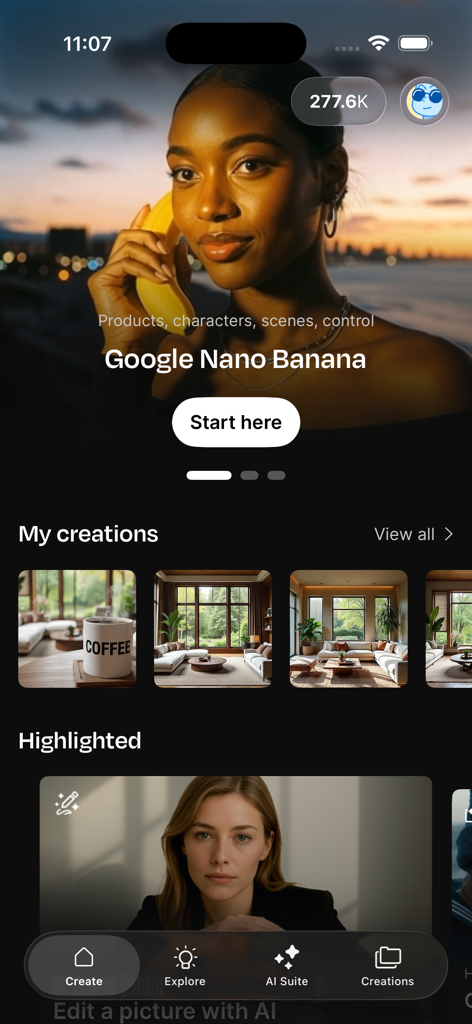
Home screen of the Freepik AI app showing AI-generated visuals and creation tools
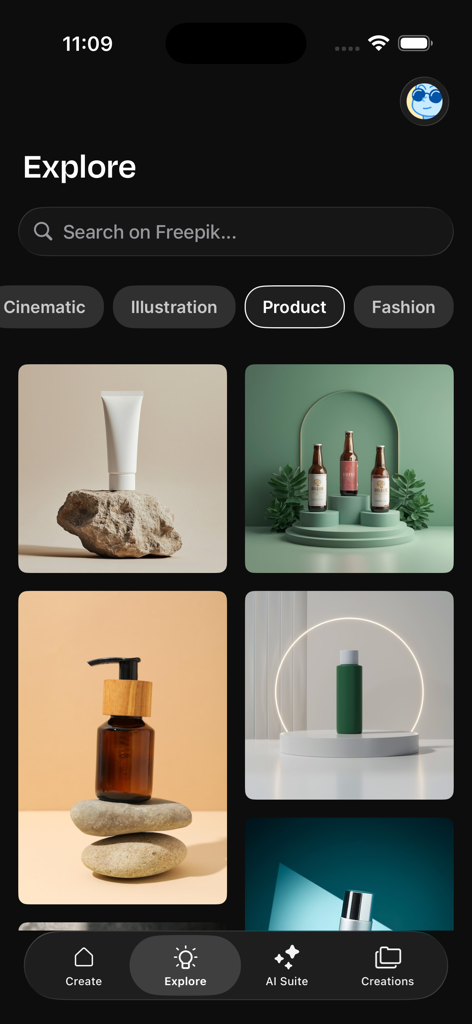
Freepik AI app explore screen showing professional product photography examples for skincare and cosmetics
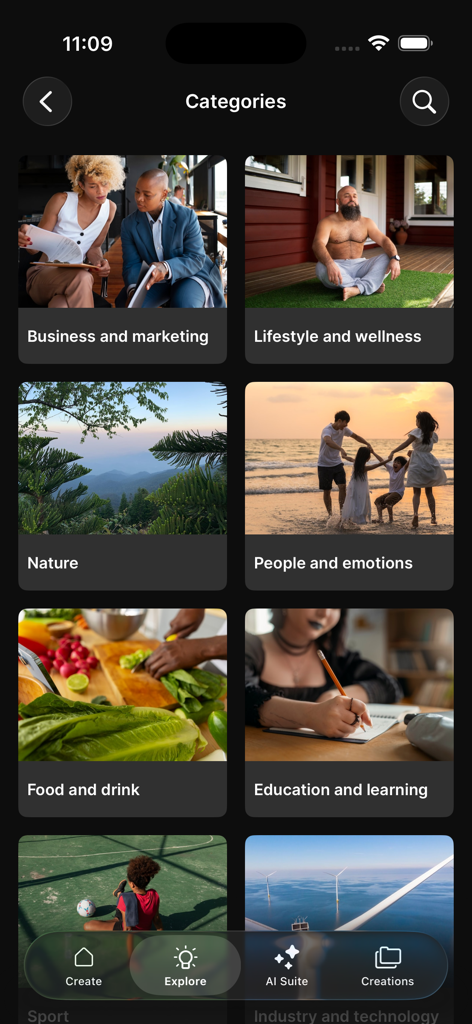
Freepik AI mobile app screen displaying a grid of creative categories including business lifestyle and nature
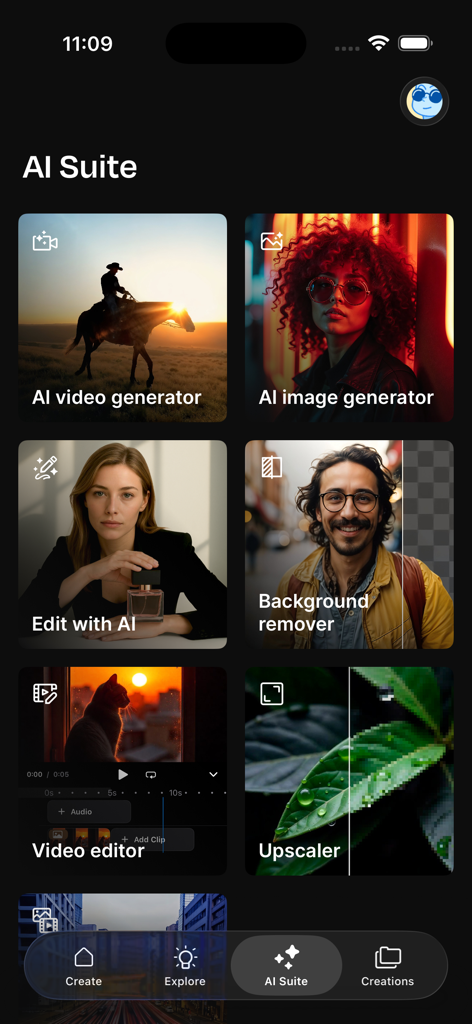
Interface of Freepik AI Suite featuring video and image generator tools
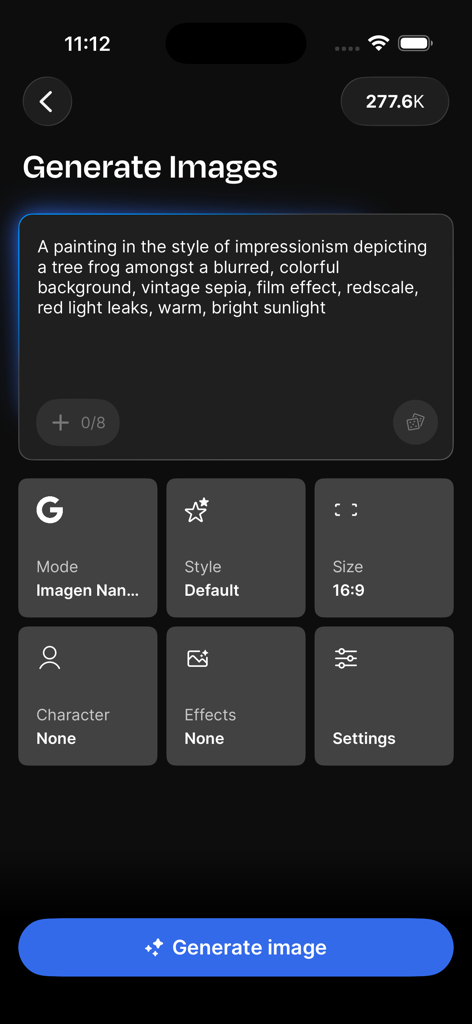
Freepik AI mobile interface for generating images from text prompts with customizable settings
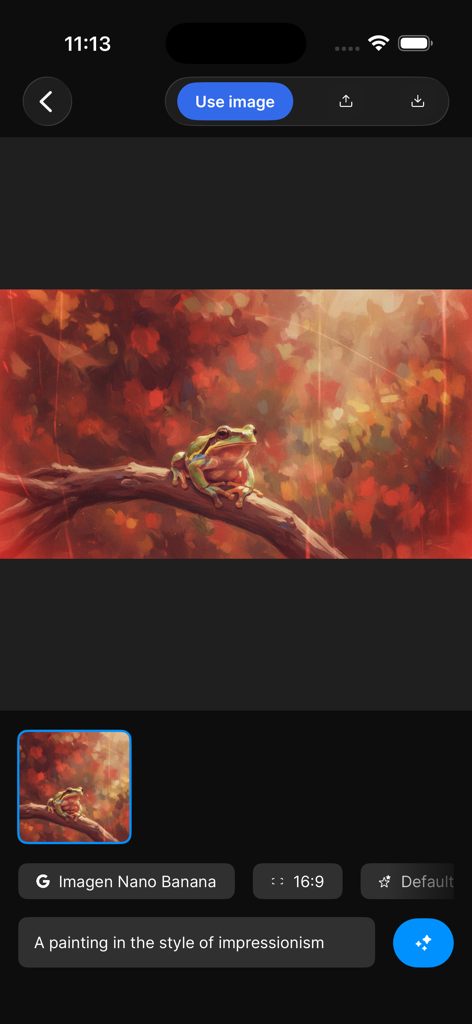
Freepik AI app interface showing an AI-generated impressionist painting of a frog on a branch
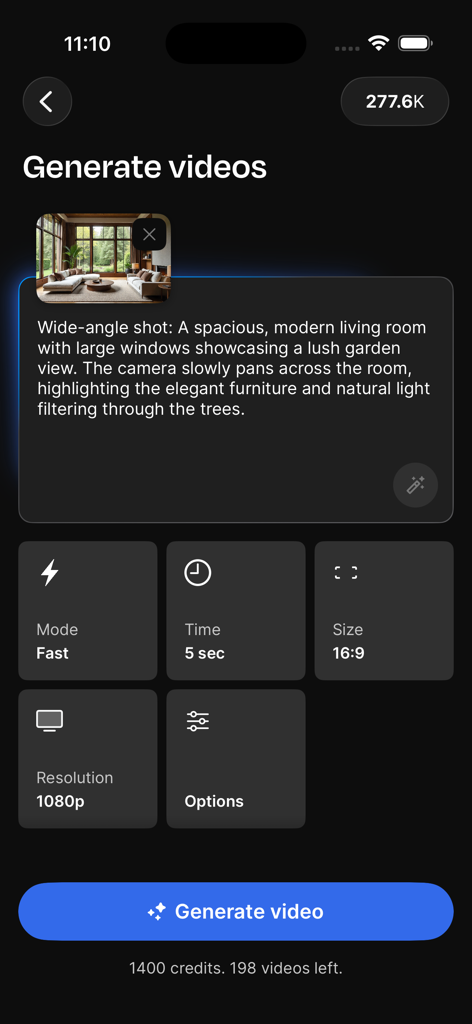
Freepik AI mobile app screen for generating videos with text prompts and customizable settings
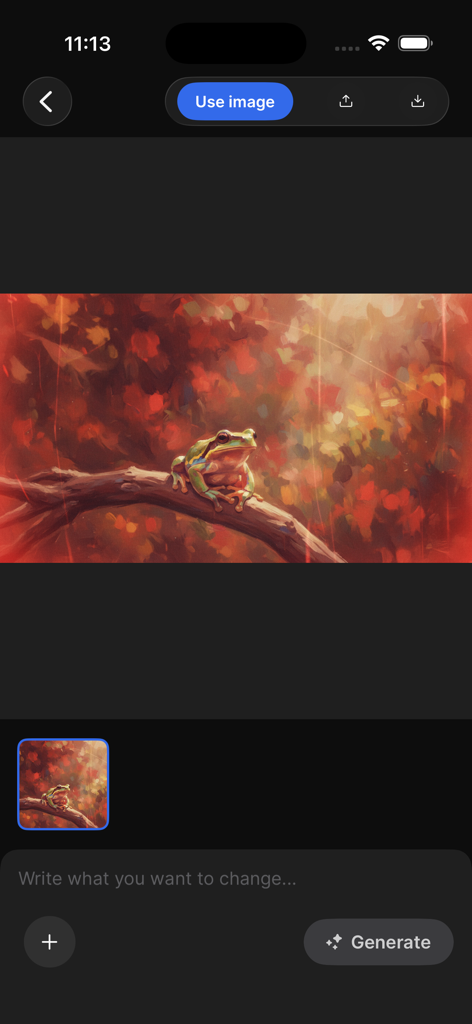
Freepik AI app interface showing an AI generated image of a frog on a branch with an image editing prompt box
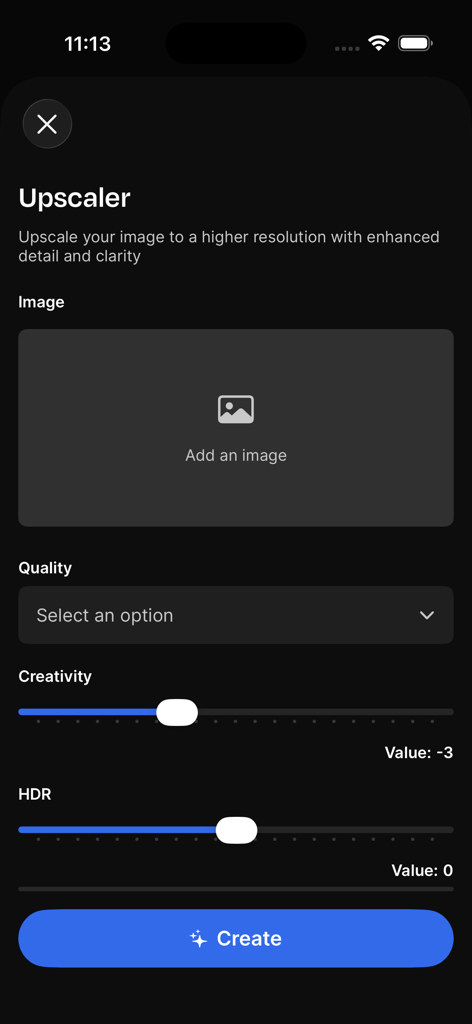
Interface of the Freepik AI app showing the image upscaler tool with settings for quality creativity and HDR
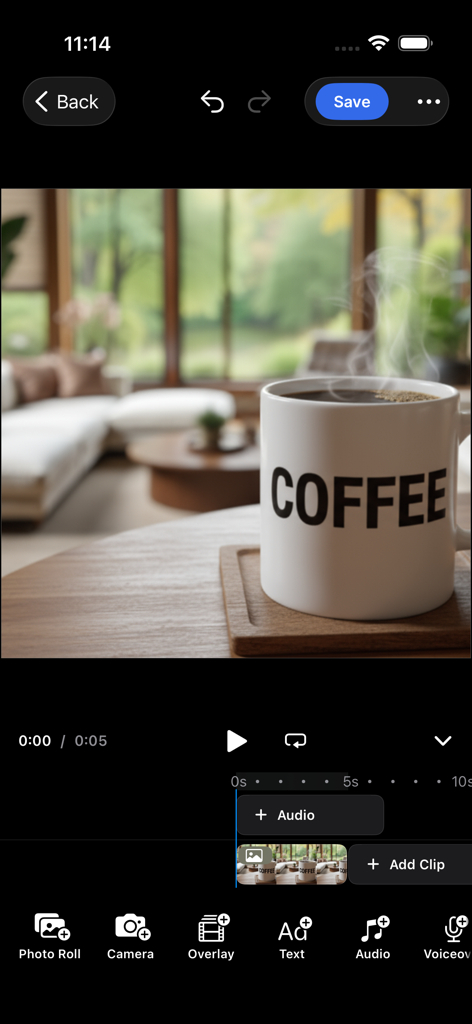
Mobile video editing interface in Freepik AI app showing a cinematic video of a steaming coffee mug on a wooden table
Description
Download
More Like This
Apps with similar features and user experience

Sora by OpenAI
OpenAI OpCo, LLC

DreamFace: AI Video Generator
New Port LLC
AI Video Generator - Viddo AI
li lin
MiniMax AI - Video Generator
Noam Barzik

WOMBO Dream - AI Art Generator
Wombo Studios, Inc.

AI Canvas - AI Image Generator
Engcraft, LLC

Cat Language Keyboard DIY
HUYNH DUONG VAN
AI Art Generator Image
琴慧 冯

Loopsie: AI Image Effects
KRNL SRL
This page is not an official page of the app or its developer, but an independent editorial publication created for informational and commentary purposes. Unless expressly stated otherwise, neither the app nor its developer is affiliated with, endorsed by, sponsored by, authorized by, or otherwise officially connected with MWM, Apple, Google Play, the app publisher, or the app's developer, and nothing on this page implies that the app was developed using MWM's services. Any trademarks, logos, screenshots, and other content remain the property of their respective owners.