
FreeTéléc - Télécommande

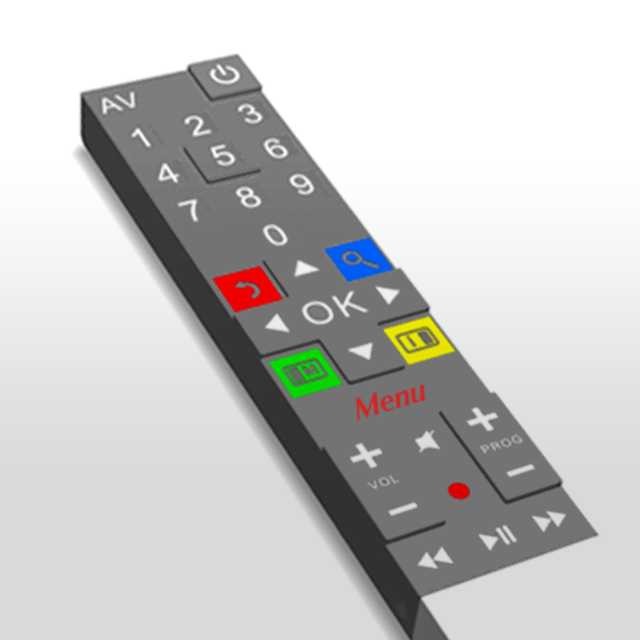
Stop searching for your lost remote. Use your iPhone’s keyboard and touchpad to navigate, search, and control your Freebox Pop, Delta, or Révolution with total ease.
Publisher
Category
UtilitiesDownloads
3M+User Rating
Total Ratings
366K+Locales
1Discover the interface used by 3M+ users.
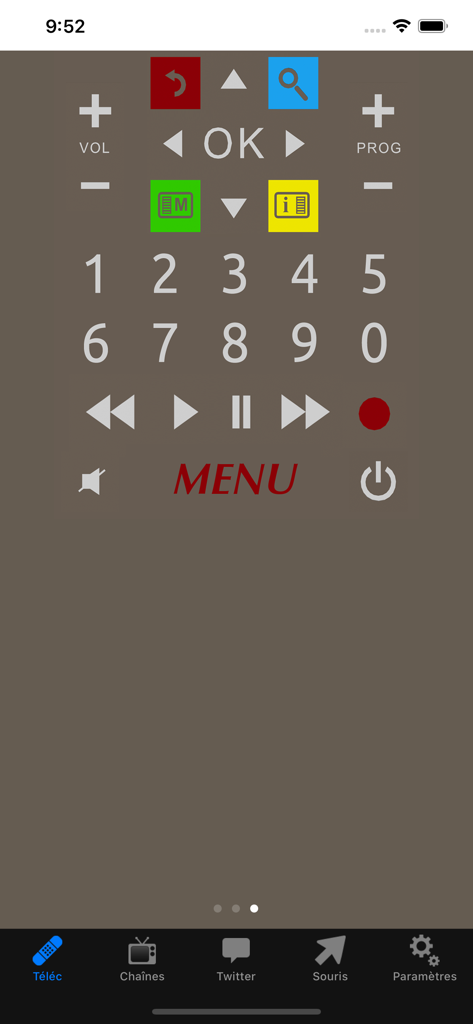
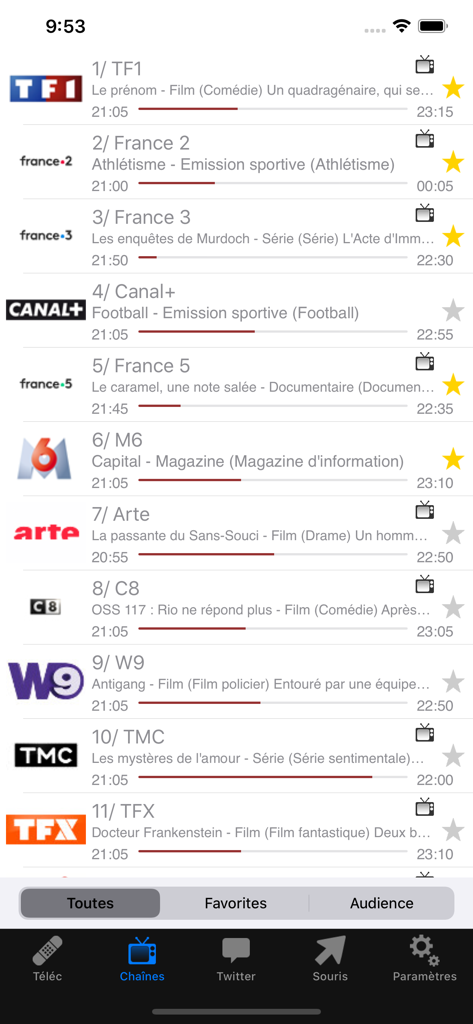
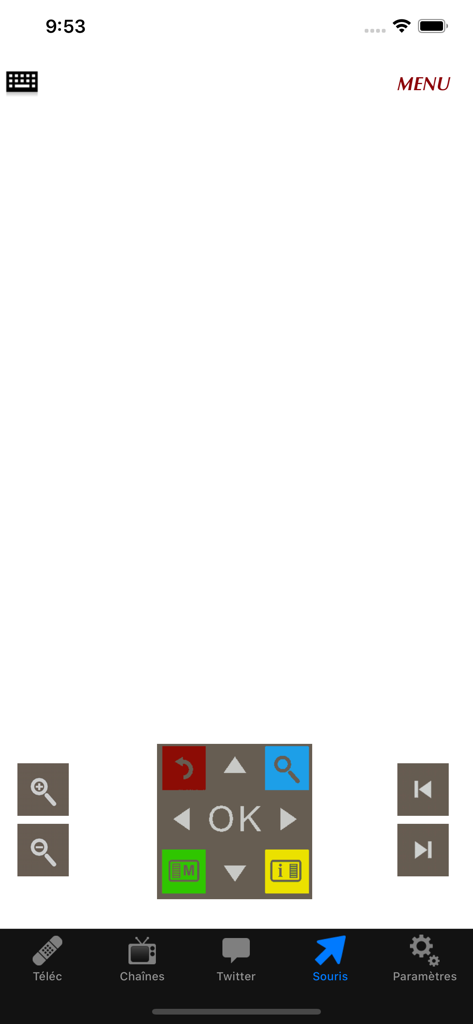
The tools that make this app stand out, trusted by 3M+ users.
Skip the tedious on-screen alphabet. Use your iPhone's virtual keyboard to type movie titles, search queries, and passwords in an instant.
Transform your phone screen into a responsive mouse for the Freebox Player, making web browsing and menu navigation smoother than ever.
Automatically detect every Freebox on your network. Switch between Pop, Revolution, and Mini 4K units without any complex configuration.
Everything you need to know about FreeTéléc - Télécommande.
Description
Latest Version
4.5.0
Size
24.7 MB
First Released
May 8, 2010
Join 3 million users and simplify your French TV experience with the fastest virtual keyboard and mouse control. Download FreeTéléc for free today.
Everything you need to know about FreeTéléc - Télécommande
FreeTéléc - Télécommande is compatible with Freebox Pop, Freebox Révolution (V6), Freebox Delta (v7), and Freebox Mini 4K models.
Yes, FreeTéléc - Télécommande allows users to utilize the iPhone's virtual keyboard to input text on the Freebox Player.
Yes, FreeTéléc - Télécommande provides a virtual mouse function, allowing the iPhone's touchscreen to replace the Freebox Player's mouse. The "Souris" tab activates this feature.
To connect, ensure Freebox boxes are updated, connect your iPhone to the Freebox Wi-Fi network, then select the Freebox Player to control upon launching the app.
Yes, for Freebox Pop and Freebox Mini 4K, users must enter a code displayed on the TV screen upon the first launch after selecting the Freebox Player.
Yes, FreeTéléc - Télécommande allows users to view current programs on Freebox TV channels at a glance. Screenshot #2 confirms this functionality.
FreeTéléc - Télécommande enables users to manage their list of favorite channels. The application interface, as seen in Screenshot #2, includes a dedicated "Favorites" tab for this purpose.
Yes, FreeTéléc - Télécommande is compatible with multiple TV boxes, as stated in its features list.
For Freebox Révolution/Delta, activate the mouse by navigating to the "Souris" tab. To enable the keyboard, click on the keyboard icon within the "Souris" interface.
Apps with similar features and user experience

Glimpse LLC.

Red Paket sp. z o.o.

nadi digital indonesia, pt

Aleh Piashkou

Thorley Industries LLC

Electro Cirkel Retail BV

Pol Nadal Serra

Jonathan Reed

YONGXING JIN
App information, icons, screenshots, and descriptions displayed on this page are sourced from the Apple App Store and are the property of their respective developers. Download estimates and rankings are based on MWM's proprietary models and may not reflect actual figures. This page is provided for informational and analytical purposes only.
Believe this page infringes your intellectual property? File a dispute