
This page is not an official page of the app or its developer, but an independent editorial publication created for informational and commentary purposes. Unless expressly stated otherwise, neither the app nor its developer is affiliated with, endorsed by, sponsored by, authorized by, or otherwise officially connected with MWM, Apple, Google Play, the app publisher, or the app's developer, and nothing on this page implies that the app was developed using MWM's services. Any trademarks, logos, screenshots, and other content remain the property of their respective owners.

Remote Control for TV Stick
Stop hunting for lost remotes and struggling with clunky on-screen typing. Transform your iPhone into a precision touchpad with a full-size keyboard to master your entertainment instantly.
Downloads
80K+User Rating
Total Ratings
1K+Publisher
Category
UtilitiesLocales
6Latest Version
1.2.6Size
81.1 MBFirst Released
Jun 12, 2024The Smarter Way to Stream
Stop hunting for lost remotes or dealing with dead batteries. Turn your iPhone into a powerful, intuitive controller designed for the modern entertainment setup.
Effortless Keyboard Search
Skip the frustrating hunt-and-peck on-screen typing. Use your phone’s keyboard to find movies and shows in seconds.
Precision Touchpad
Navigate menus with smooth, responsive swipe gestures that feel as natural as using your favorite apps.
Frequently Asked Questions
Everything you need to know about Remote Control for TV Stick
How does the Remote Control for TV Stick app connect to my streaming device?
The Remote Control for TV Stick app connects to your TV Stick and other streaming devices when both are on the same Wi-Fi network as your phone.
Can I use a keyboard for text input with Remote Control for TV Stick?
Yes, Remote Control for TV Stick includes an integrated keyboard for simplified text input. This allows for fast and straightforward searching without cumbersome on-screen typing.
Does Remote Control for TV Stick offer a free trial?
Yes, Remote Control for TV Stick offers free trials. Users must cancel at least 24 hours before the trial ends to avoid charges. Any unused trial period is forfeited upon subscription.
Is Remote Control for TV Stick associated with Amazon?
No, Remote Control for TV Stick is a standalone product. It is not affiliated with or endorsed by Amazon, as stated in the application's disclaimer.
How do I navigate content using Remote Control for TV Stick?
Remote Control for TV Stick features a spacious touchpad for accurate control. You navigate menus by swiping and select items by tapping, providing easy command over your content.
What are the subscription options for Remote Control for TV Stick?
Remote Control for TV Stick offers auto-renewable subscriptions with weekly or annual plans. Regional pricing variations apply, and charges go to your iTunes account.
The following screenshots and description are sourced directly from the app's official store listing and are the property of the app developer.
App Store
Screenshots
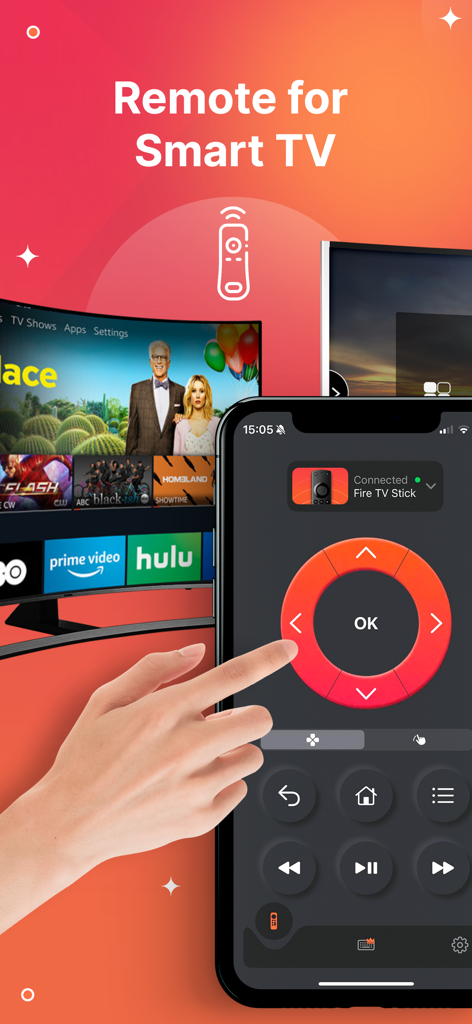
Hand using the Remote Control for TV Stick app on an iPhone to control a smart TV.
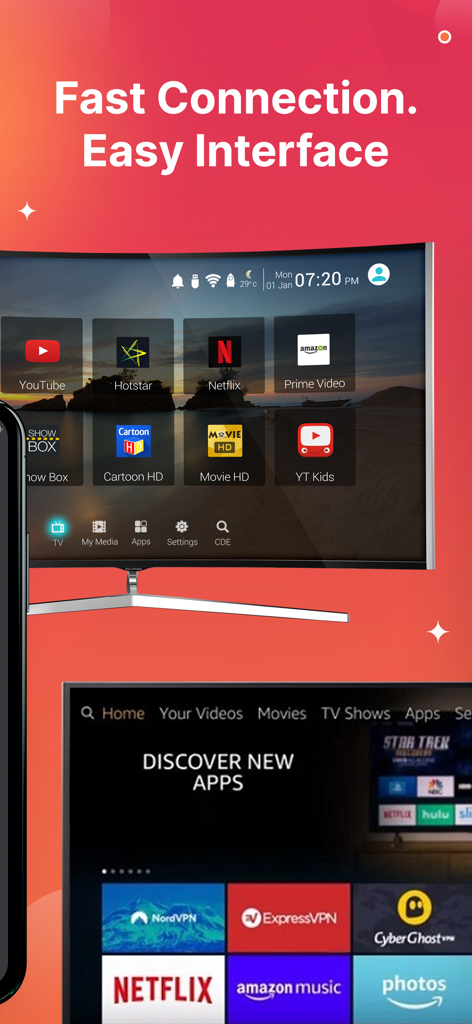
User interface of the Remote Control for TV Stick app showing fast connection and streaming app shortcuts
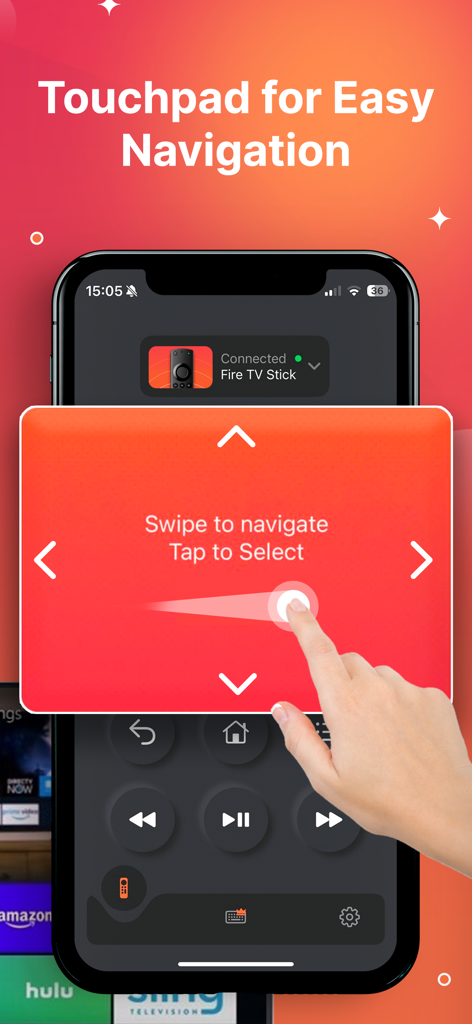
A hand using the swipe-based touchpad on an iPhone for TV stick navigation.
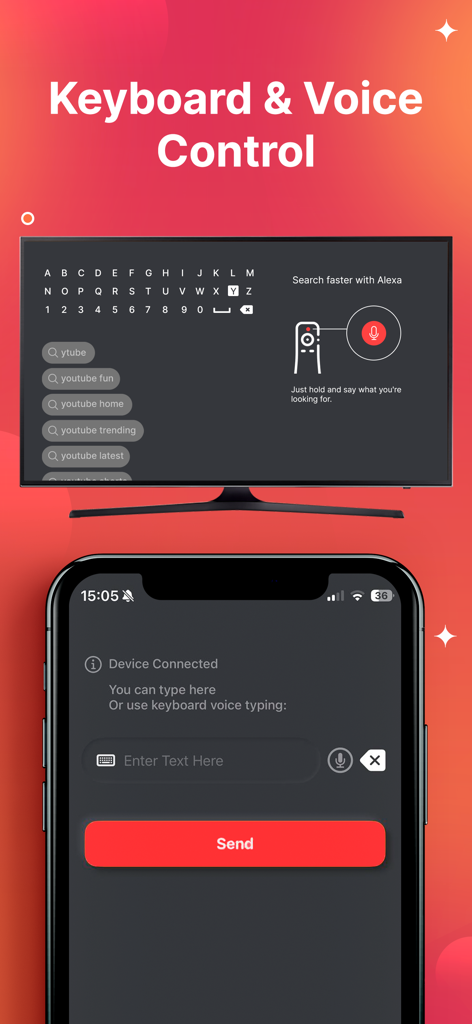
iPhone app interface showing keyboard and voice search input for controlling a TV stick
Description
Download
More Like This
Apps with similar features and user experience

Skylight App
Glimpse LLC.

Remote Control for Samsung TV・
Red Paket sp. z o.o.

BARDI Smart Home
nadi digital indonesia, pt

LG TV Remote Control Smart TVs
Aleh Piashkou

UPPAbaby Home
Thorley Industries LLC

Calex Smart
Electro Cirkel Retail BV

Firestick・Fire TV Remote Stick
Jonathan Reed

Bravia Controller - Sony TV
YONGXING JIN
RoByte: Remote for Roku TV App
Tinybyte Apps LLC
This page is not an official page of the app or its developer, but an independent editorial publication created for informational and commentary purposes. Unless expressly stated otherwise, neither the app nor its developer is affiliated with, endorsed by, sponsored by, authorized by, or otherwise officially connected with MWM, Apple, Google Play, the app publisher, or the app's developer, and nothing on this page implies that the app was developed using MWM's services. Any trademarks, logos, screenshots, and other content remain the property of their respective owners.