
This page is not an official page of the app or its developer, but an independent editorial publication created for informational and commentary purposes. Unless expressly stated otherwise, neither the app nor its developer is affiliated with, endorsed by, sponsored by, authorized by, or otherwise officially connected with MWM, Apple, Google Play, the app publisher, or the app's developer, and nothing on this page implies that the app was developed using MWM's services. Any trademarks, logos, screenshots, and other content remain the property of their respective owners.


Skylight App
Reduce the mental load by syncing every calendar, chore, and meal plan in one place, while instantly sharing precious memories with the loved ones who matter most.
Downloads
6M+User Rating
Total Ratings
44K+Publisher
Category
Photo & VideoLocales
1Latest Version
1.95.2Size
84.7 MBFirst Released
Oct 15, 2018Your Family’s All-In-One Command Center
Streamline your household management and stay connected with loved ones through a single, intuitive platform designed to organize your calendars, routines, and memories.
Sync Every Schedule
Bring Google, Outlook, and Apple calendars together in one unified view. Eliminate scheduling chaos and ensure no soccer practice or doctor appointment is ever missed.
Master the Mental Load
Set recurring chores, share grocery lists, and manage daily routines. Use the rewards system to motivate kids and take the stress out of household management.
Frequently Asked Questions
Everything you need to know about Skylight App
What is the Skylight App?
The Skylight App functions as a family operating system, consolidating calendars, lists, routines, and memories. It also activates and manages both your Skylight Calendar and Skylight Frame.
What features does the Skylight Calendar offer within the Skylight App?
The Skylight Calendar allows syncing of unlimited calendars, event creation, setting recurring chores, sharing lists, and auto-importing events, PDFs, and recipes. PLUS features include rewards, a family recipe book, and photo/video screensavers.
How does the Skylight App manage photos and videos for the Skylight Frame?
Yes, the Skylight App allows users to easily add photos and videos to the Skylight Frame anytime, anywhere, via the app or email. It supports creating unlimited albums with captions.
Can I manage family chores with the Skylight App?
Yes, the Skylight App provides tools for managing family chores and routines. Users can set recurring tasks and keep everyone aligned, as depicted in the app interface.
Does the Skylight App offer reward features for completed tasks?
Yes, the Skylight App includes a PLUS feature where family members can earn stars and unlock rewards for completing tasks, as indicated in the app's features.
What is required to set up the Skylight Frame?
The Skylight Frame requires an easy setup by connecting it to WiFi. Once connected, users can manage its content, including adding photos and videos, via the Skylight App.
Does the Skylight App support meal planning and recipes?
Yes, the Skylight App allows users to build a family recipe book and create meal plans as a PLUS feature. This consolidates family culinary information within the app.
How does the Skylight App handle calendar syncing for family schedules?
The Skylight App facilitates syncing unlimited calendars or creating events directly within the app. It also supports auto-importing events for comprehensive family scheduling.
What primary functions are integrated into the Skylight App's main interface?
The Skylight App combines multiple family management tools including calendars, chores, rewards, lists, photos, a 'Sidekick' assistant, meal planning, and profiles, all within a single interface.
Where can I find the Terms of Service for the Skylight App?
You can find the Terms of Service for the Skylight App on their official website. The specific link is https://myskylight.com/tos/, as provided in the app description.
The following screenshots and description are sourced directly from the app's official store listing and are the property of the app developer.
App Store
Screenshots
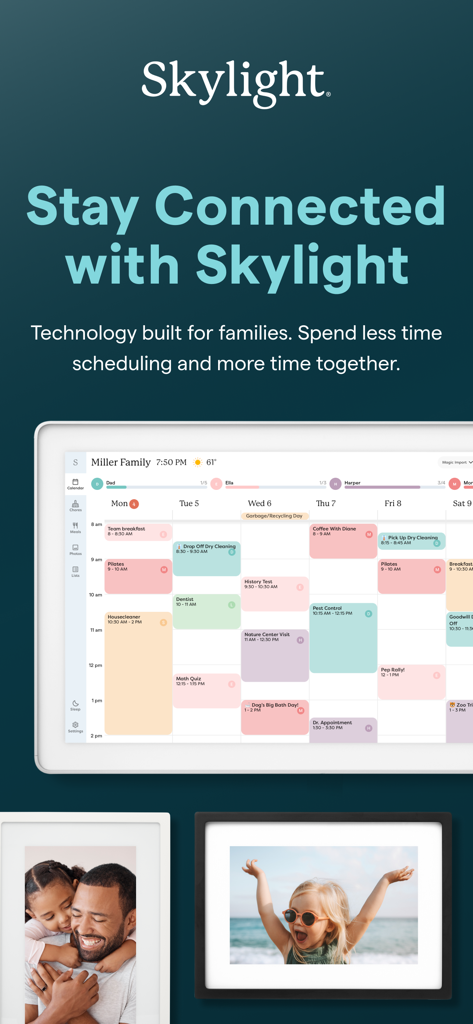
The Skylight App interface showing a shared family calendar and digital photo frames displaying family memories.
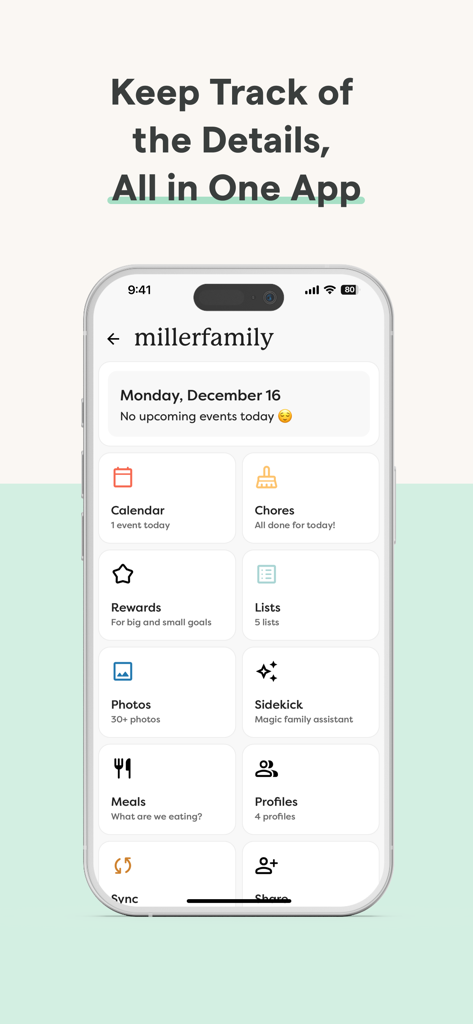
A smartphone showing the Skylight App family dashboard with tiles for calendar chores rewards and meal planning
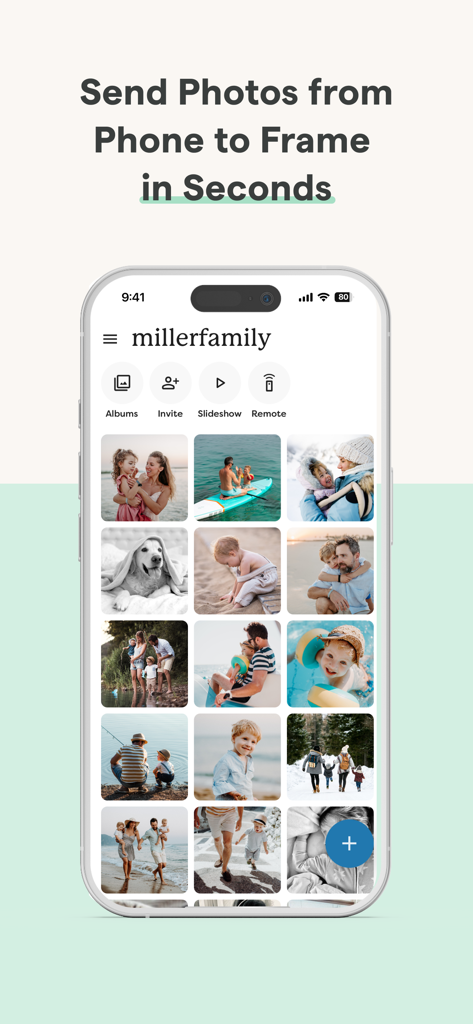
Skylight App interface showing a family photo gallery and sharing features
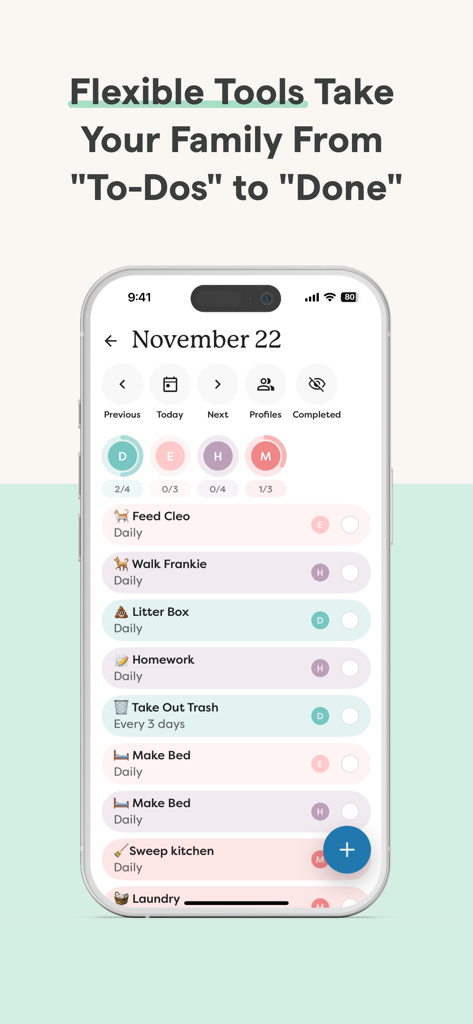
Skylight App interface showing a family chore list with daily household tasks and member assignments.
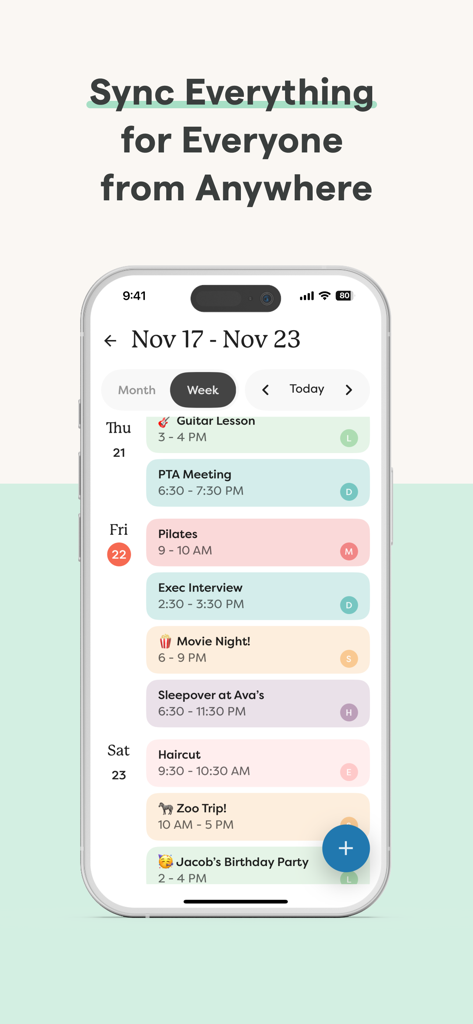
Weekly calendar view in the Skylight app showing synced family events
Description
Download
More Like This
Apps with similar features and user experience

Remote Control for Samsung TV・
Red Paket sp. z o.o.

BARDI Smart Home
nadi digital indonesia, pt

LG TV Remote Control Smart TVs
Aleh Piashkou

UPPAbaby Home
Thorley Industries LLC

Calex Smart
Electro Cirkel Retail BV

Remote Control for TV Stick
Pol Nadal Serra

Firestick・Fire TV Remote Stick
Jonathan Reed

Bravia Controller - Sony TV
YONGXING JIN
RoByte: Remote for Roku TV App
Tinybyte Apps LLC
This page is not an official page of the app or its developer, but an independent editorial publication created for informational and commentary purposes. Unless expressly stated otherwise, neither the app nor its developer is affiliated with, endorsed by, sponsored by, authorized by, or otherwise officially connected with MWM, Apple, Google Play, the app publisher, or the app's developer, and nothing on this page implies that the app was developed using MWM's services. Any trademarks, logos, screenshots, and other content remain the property of their respective owners.