
This page is not an official page of the app or its developer, but an independent editorial publication created for informational and commentary purposes. Unless expressly stated otherwise, neither the app nor its developer is affiliated with, endorsed by, sponsored by, authorized by, or otherwise officially connected with MWM, Apple, Google Play, the app publisher, or the app's developer, and nothing on this page implies that the app was developed using MWM's services. Any trademarks, logos, screenshots, and other content remain the property of their respective owners.


Frequency Generator (Sound)
Master your acoustics with studio-grade sound waves from 1Hz to 22kHz. Whether you are testing high-end gear or tuning instruments, get the decimal precision and low-latency performance you demand.
Downloads
2K+User Rating
Total Ratings
0Publisher
Category
MusicLocales
1Latest Version
1.0.18Size
27.7 MBFirst Released
Oct 23, 2024Precision Audio Engineering in Your Pocket
From studio calibration to scientific experiments, generate laboratory-grade sound waves from 1Hz to 22,000Hz with professional-level control.
Multi-Oscillator Layering
Simultaneously generate up to three distinct frequencies to analyze interference patterns or create complex, professional soundscapes.
Scientific Accuracy
Experience ultimate precision with decimal-point adjustments and switchable linear or logarithmic scales designed for technical experts.
Frequently Asked Questions
Everything you need to know about Frequency Generator (Sound)
What is Frequency Generator (Sound) used for?
Frequency Generator (Sound) is an application that generates sound waves for testing speakers, tuning instruments, or general sound generation. It supports various wave types and a wide frequency range from 1Hz to 22000Hz.
What types of sound waves can Frequency Generator (Sound) generate?
Frequency Generator (Sound) produces sine, square, sawtooth, and triangle sound waves. Users can select their desired wave type from the main menu by tapping the sound wave icon.
What is the frequency range of Frequency Generator (Sound)?
Frequency Generator (Sound) generates sound waves with frequencies between 1Hz and 22000Hz (hertz). Users adjust the frequency using a slider, with additional precision offered by '+' and '-' buttons.
Does Frequency Generator (Sound) support multiple sound generation at once?
Yes, Frequency Generator (Sound) features a Multi Oscillator Mode. This mode allows users to generate up to three sounds simultaneously, each with independent frequencies, wave types, and volumes.
How do I adjust volume and balance in Frequency Generator (Sound)?
Users change volume and balance in Frequency Generator (Sound) by tapping the R-L icon. This action opens a dedicated interface to control master volume and adjust the left-right channel balance.
Can I customize the appearance of Frequency Generator (Sound)?
Yes, Frequency Generator (Sound) offers customizable themes. Users can change the application's color scheme, with options like Indigo, Deep purple, Teal, and Lime available to personalize the interface.
Can Frequency Generator (Sound) run in the background?
Yes, Frequency Generator (Sound) includes a "run in background" option in its settings. Enabling this allows the application to continue generating sound even when it is not actively displayed.
What frequency slider scales are available in Frequency Generator (Sound)?
Frequency Generator (Sound) provides settings to choose between linear or logarithmic slider scales for frequency adjustment. This allows users to select the scale that offers better precision for their needs.
Does Frequency Generator (Sound) have a low latency mode?
Yes, Frequency Generator (Sound) features a low latency setting. This optimizes performance for highly responsive slider interaction and reduces audio lag, though it may affect high frequency accuracy on some devices.
Does Frequency Generator (Sound) support decimal precision for frequency settings?
Yes, Frequency Generator (Sound) allows enabling or disabling decimal precision up to two decimals. This setting ensures more precise sound generation, especially for fine-tuning frequencies.
The following screenshots and description are sourced directly from the app's official store listing and are the property of the app developer.
App Store
Screenshots
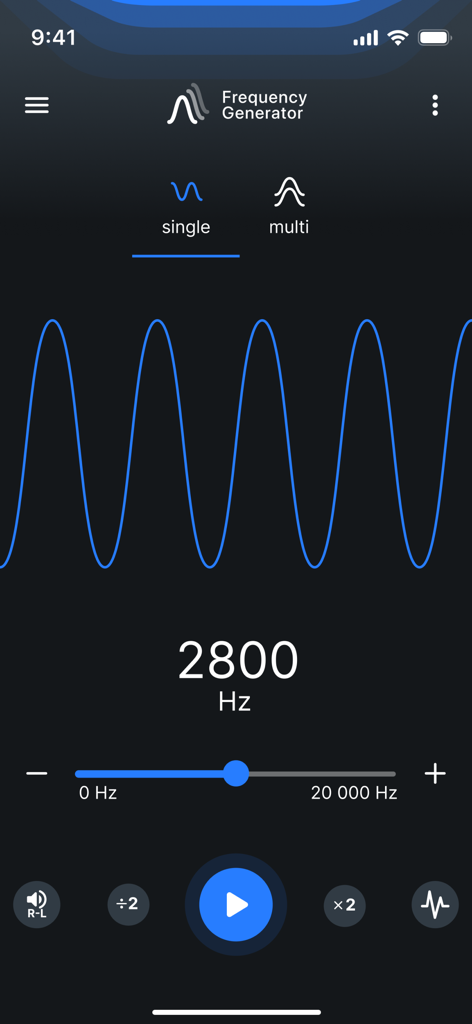
Mobile application interface for Frequency Generator showing a 2800 Hz sine wave with controls and slider
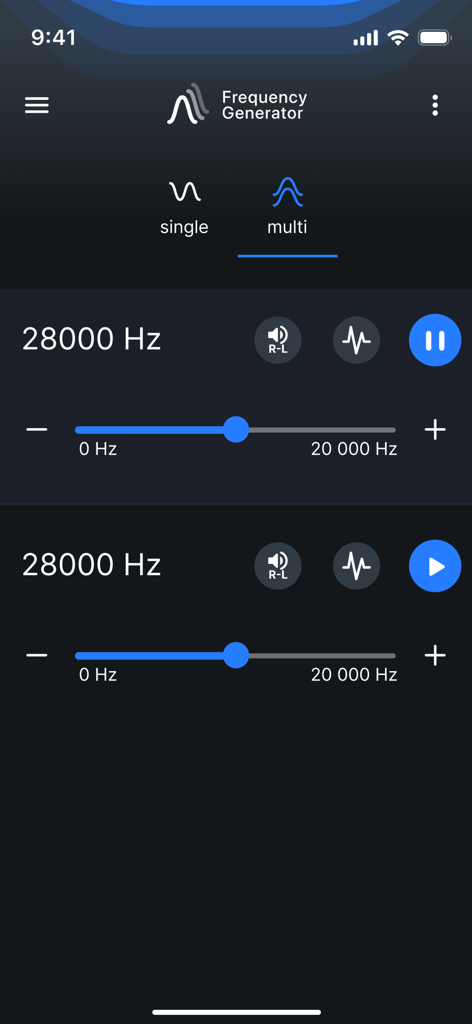
The multi oscillator mode interface of the Frequency Generator app showing two adjustable sound frequency settings
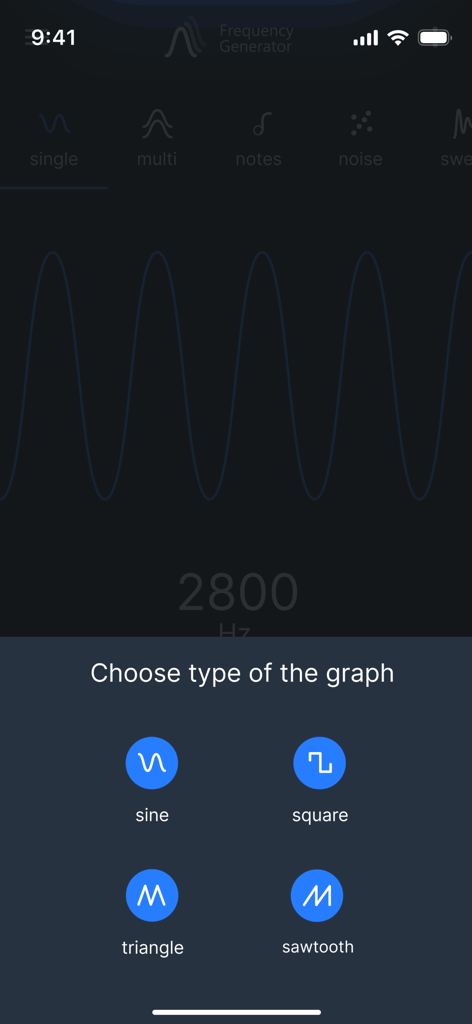
Selection menu for sine square triangle and sawtooth sound waves in the Frequency Generator app interface
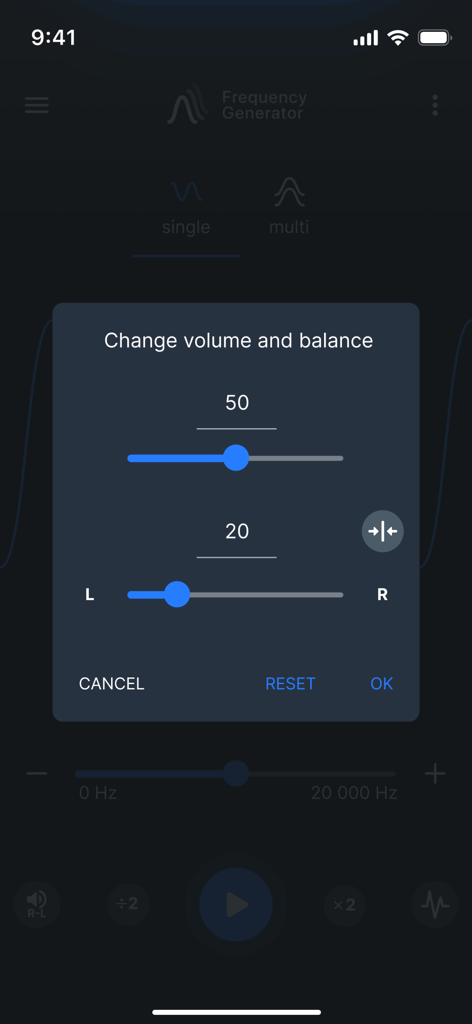
Volume and balance adjustment menu in the Frequency Generator app
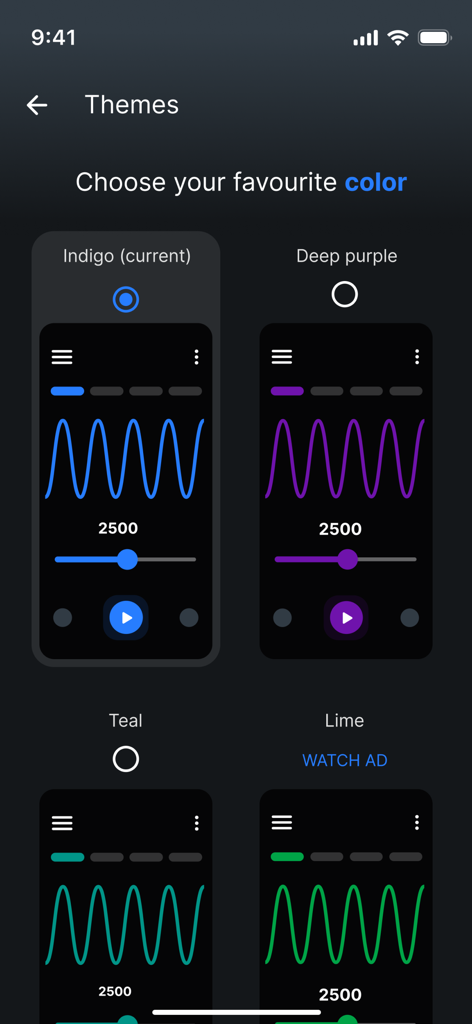
Color theme selection menu in the Frequency Generator app interface
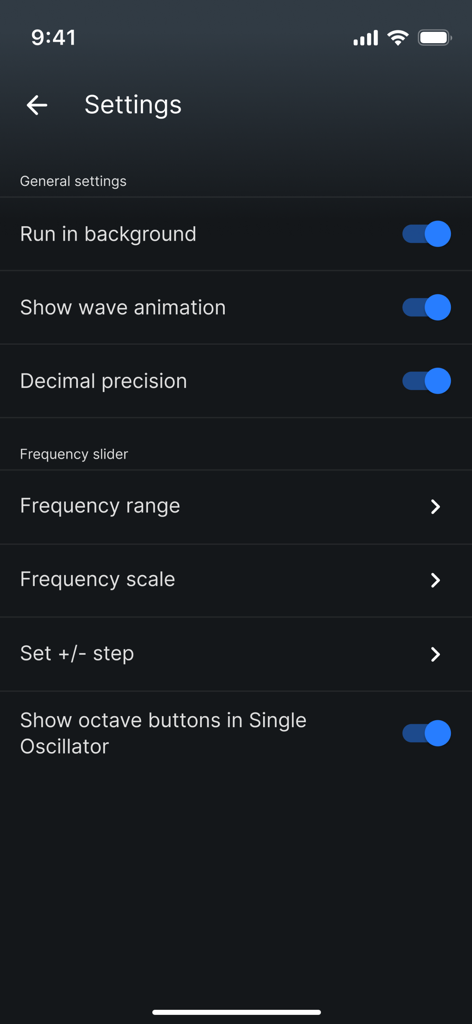
The settings menu of the Frequency Generator app displaying general and frequency slider options.
Frequency Generator mobile app launch screen with blue logo and text
Description
Download
More Like This
Top-ranked apps in the same category

Spotify: Music and Podcasts
Spotify

YouTube Music
Google LLC

Shazam: Find Music & Concerts
Apple Inc.

SoundCloud: The Music You Love
SoundCloud Global Limited & Co KG

Suno - AI Songs & Music
Suno Inc.

QQ音乐 - 听我想听
Tencent Technology (Shenzhen) Company Limited

Audiomack - Play Music Offline
Audiomack, Inc.

BandLab – Music Maker & Beats
BandLab Singapore Pte Ltd

GuitarTuna: Tune & Play Guitar
Yousician Ltd
This page is not an official page of the app or its developer, but an independent editorial publication created for informational and commentary purposes. Unless expressly stated otherwise, neither the app nor its developer is affiliated with, endorsed by, sponsored by, authorized by, or otherwise officially connected with MWM, Apple, Google Play, the app publisher, or the app's developer, and nothing on this page implies that the app was developed using MWM's services. Any trademarks, logos, screenshots, and other content remain the property of their respective owners.