Fresh KDS | #1 Kitchen Display
Download on App Store

This page is not an official page of the app or its developer, but an independent editorial publication created for informational and commentary purposes. Unless expressly stated otherwise, neither the app nor its developer is affiliated with, endorsed by, sponsored by, authorized by, or otherwise officially connected with MWM, Apple, Google Play, the app publisher, or the app's developer, and nothing on this page implies that the app was developed using MWM's services. Any trademarks, logos, screenshots, and other content remain the property of their respective owners.


Logo of Fresh KDS | #1 Kitchen Display
Download on App Store

Fresh KDS | #1 Kitchen Display

Eliminate the chaos of paper tickets. Reduce errors, boost kitchen speed, and gain actionable performance analytics with the most trusted digital order system for tech-forward kitchens.

Key Figures

Downloads

17K+

User Rating

3.0/5

Total Ratings

100

Publisher

Fresh Technology, Inc

Category

Business

Locales

1

Latest Version

3.63.1

Size

62.4 MB

First Released

Jul 29, 2018
Features

Revolutionize Your Kitchen Operations

Replace paper chaos with a high-performance digital system designed to increase speed, eliminate errors, and maximize your restaurant's profitability.

Zero-Error Order Flow

Eliminate lost tickets and illegible handwriting. Keep your staff synchronized with real-time, color-coded updates that ensure every order is served accurately.

Actionable Performance Data

Stop guessing and start optimizing. Detailed analytics reveal prep times and peak performance trends to help you manage labor costs and throughput effectively.

The following screenshots and description are sourced directly from the app's official store listing and are the property of the app developer.

App Store

Screenshots
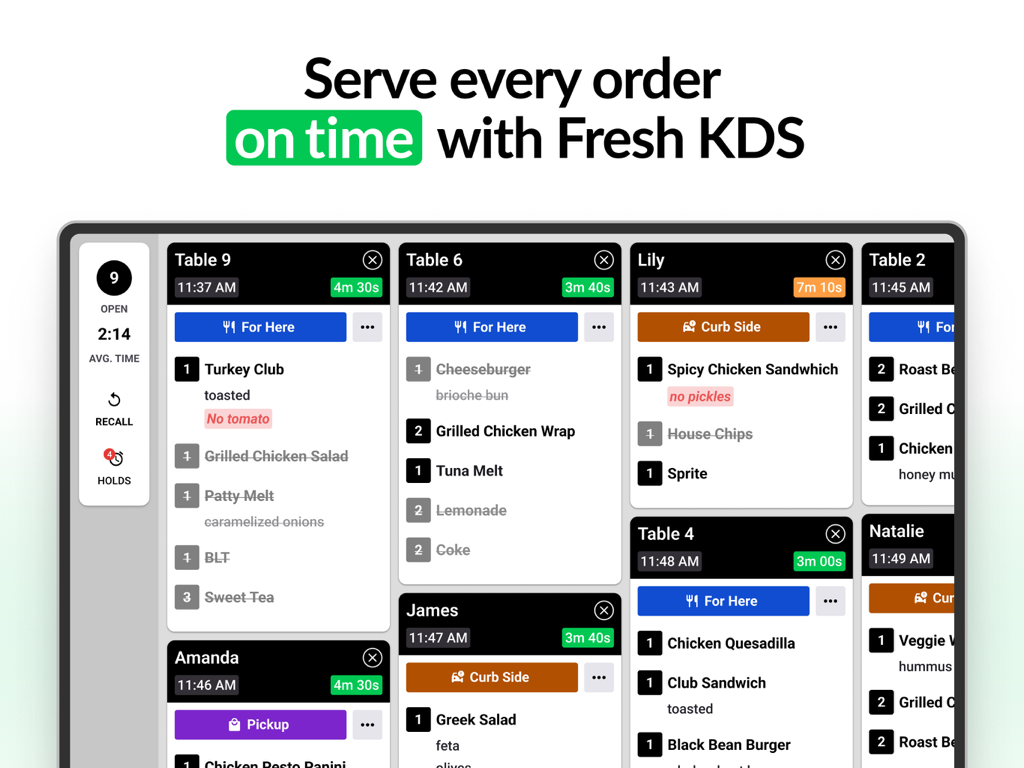
Fresh KDS | #1 Kitchen Display - Fresh KDS tablet screen showing organized restaurant order tickets with status timers
Fresh KDS tablet screen showing organized restaurant order tickets with status timers

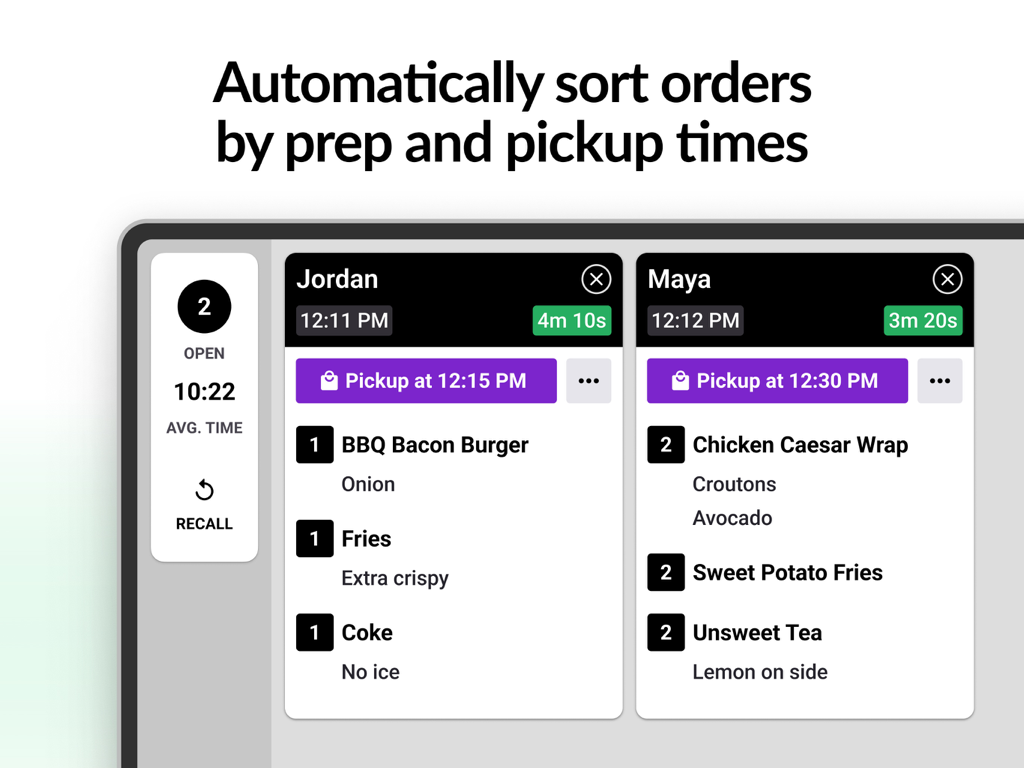
Fresh KDS | #1 Kitchen Display - Digital kitchen display system showing restaurant orders sorted by prep and pickup times
Digital kitchen display system showing restaurant orders sorted by prep and pickup times

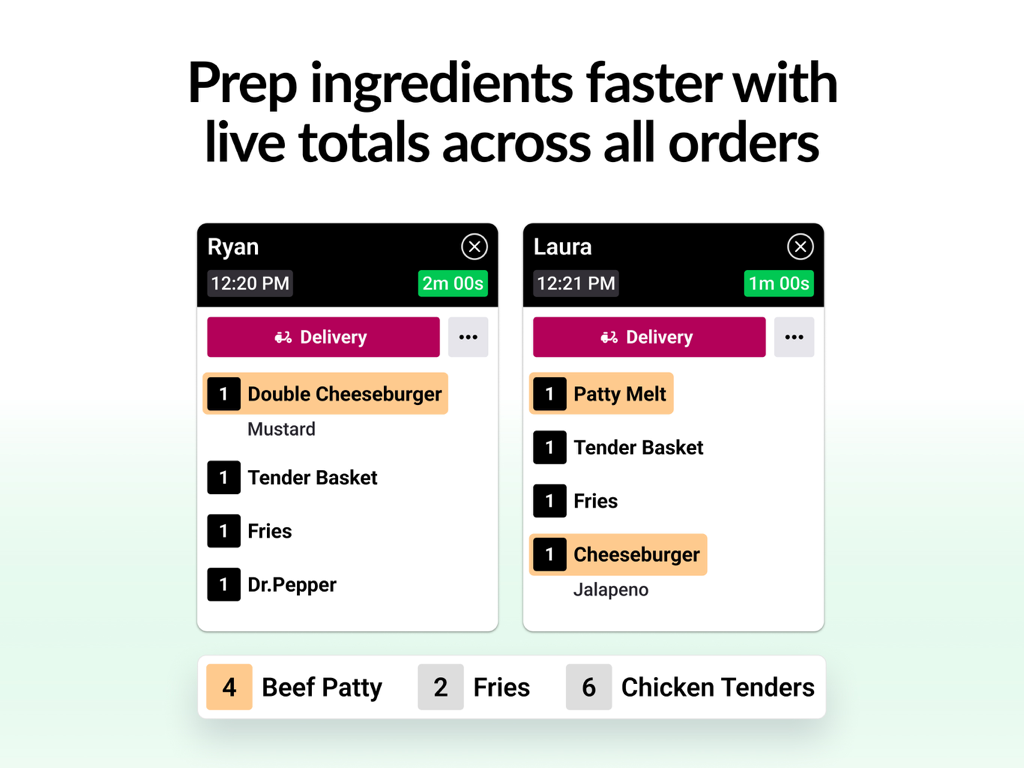
Fresh KDS | #1 Kitchen Display - Fresh KDS tablet interface showing digital order tickets and live prep totals for kitchen staff
Fresh KDS tablet interface showing digital order tickets and live prep totals for kitchen staff

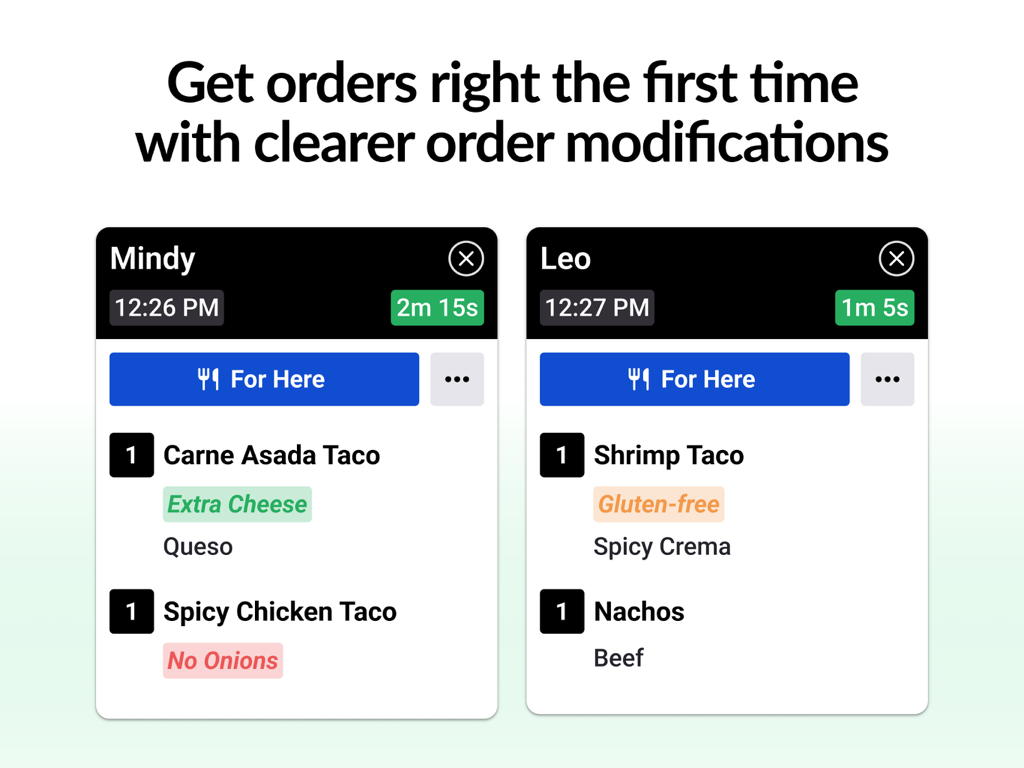
Fresh KDS | #1 Kitchen Display - A digital kitchen display screen showing two restaurant tickets with clearly highlighted order modifications like gluten free and extra cheese.
A digital kitchen display screen showing two restaurant tickets with clearly highlighted order modifications like gluten free and extra cheese.

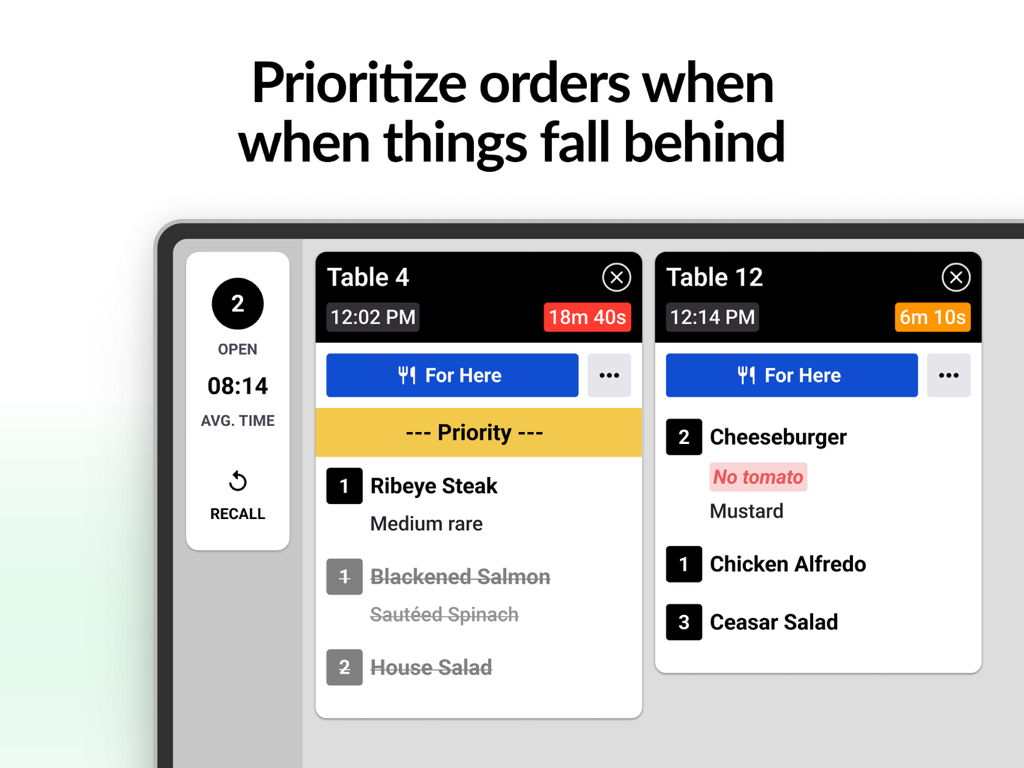
Fresh KDS | #1 Kitchen Display - Fresh KDS interface showing prioritized kitchen orders and wait times on a tablet display.
Fresh KDS interface showing prioritized kitchen orders and wait times on a tablet display.

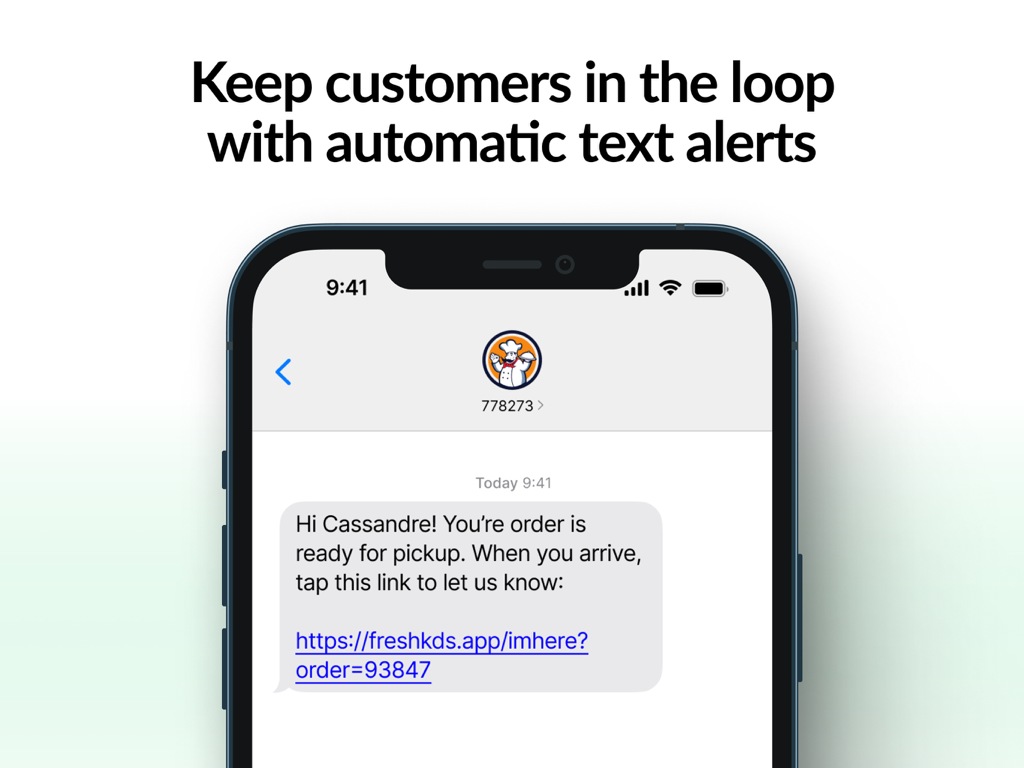
Fresh KDS | #1 Kitchen Display - A smartphone screen showing an automatic SMS notification from Fresh KDS informing a customer that their order is ready for pickup.
A smartphone screen showing an automatic SMS notification from Fresh KDS informing a customer that their order is ready for pickup.

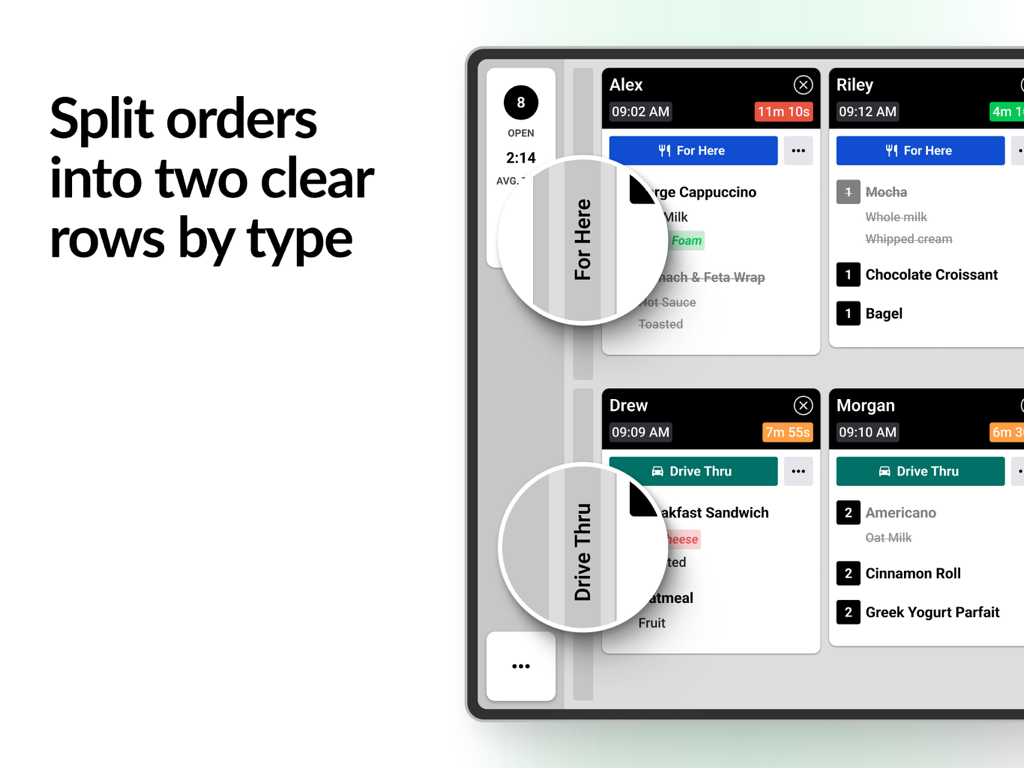
Fresh KDS | #1 Kitchen Display - Fresh KDS interface showing restaurant orders split into two rows by service type such as For Here and Drive Thru
Fresh KDS interface showing restaurant orders split into two rows by service type such as For Here and Drive Thru

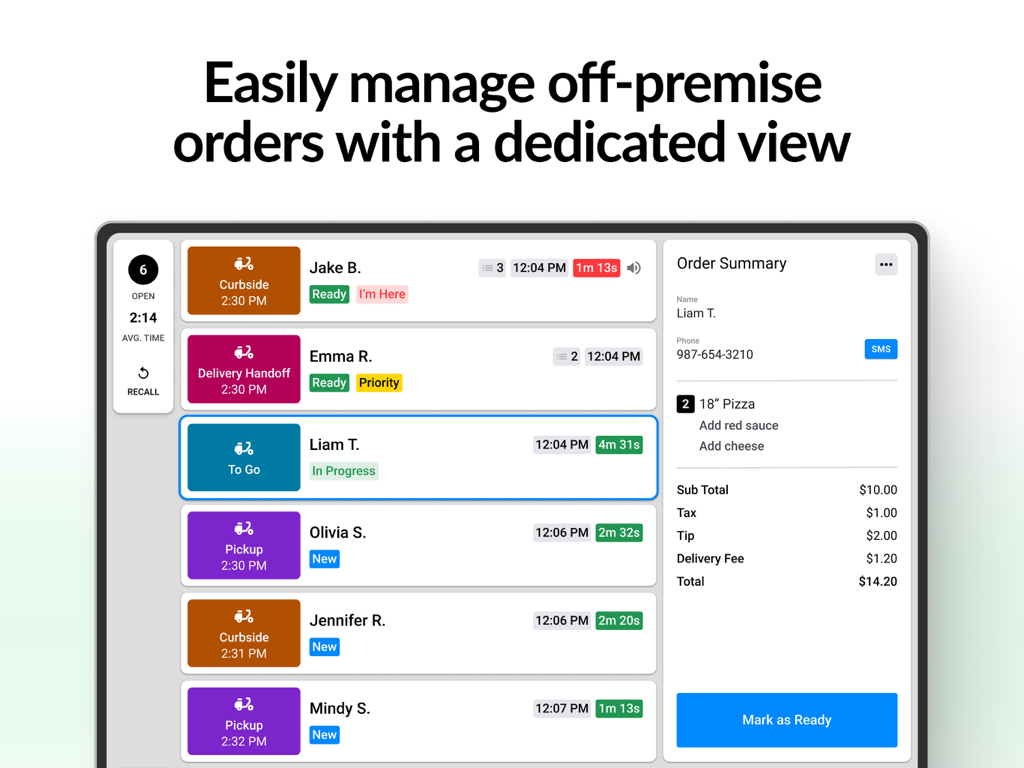
Fresh KDS | #1 Kitchen Display - Fresh KDS tablet interface showing off-premise orders and kitchen status
Fresh KDS tablet interface showing off-premise orders and kitchen status

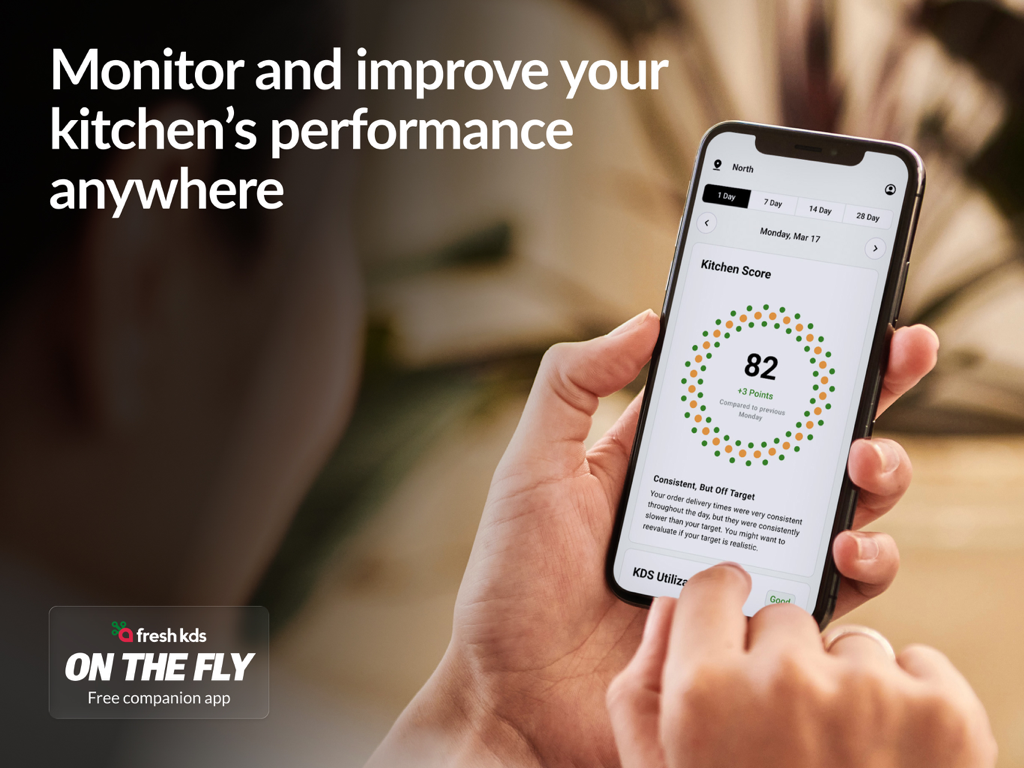
Fresh KDS | #1 Kitchen Display - A person holding a smartphone showing kitchen performance analytics and scores in the Fresh KDS app.
A person holding a smartphone showing kitchen performance analytics and scores in the Fresh KDS app.

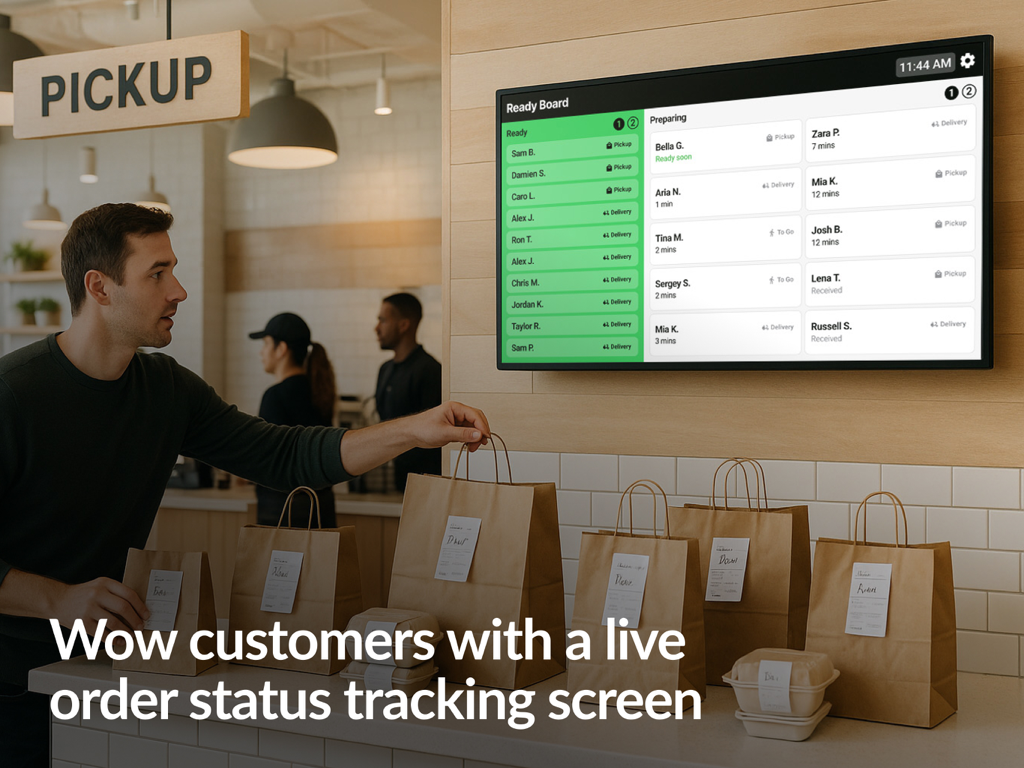
Fresh KDS | #1 Kitchen Display - A digital order status display board in a restaurant showing orders in ready and preparing stages for customer pickup

A digital order status display board in a restaurant showing orders in ready and preparing stages for customer pickup

Description

Manage your restaurant's customer orders efficiently with Fresh KDS — the #1 tablet-based Kitchen Display System (KDS) trusted by the best in hospitality. JOIN THOUSANDS OF RESTAURANT KITCHENS USING FRESH KDS TO: • Eliminate errors and reduce waste by digitizing their restaurant’s kitchen / • Prepare food & beverage orders accurately & in the correct order / • Enhance communication between front & back of house / • Analyze detailed kitchen performance analytics / • Display orders on up to 10 digital screens / • Improve kitchen efficiency / • Minimize mistakes / • Decrease costs / ▶ DIGITIZE YOUR KITCHEN TO ELIMINATE ERRORS ◀ With Fresh KDS, all of your menu items, modifiers, and order types are shown on one screen so your kitchen can get orders out, accurately. No more errors caused by handwritten paper tickets, frustrated staff or guests, and lost money. ▶ IMPROVE GUEST EXPERIENCE ◀ Send orders to specific screens, print labels, hold or prioritize tickets and even send your guests custom SMS text messages - all from within the Fresh KDS app. ▶ DECREASE COSTS AT EVERY LOCATION ◀ Fresh KDS enables restaurant operators to optimize their kitchen production, facilitate in-store and e-commerce hand-offs, and introduce communication to all areas of the restaurant. ▶ GET DETAILED ANALYTICS WITH ACTIONABLE RESULTS ◀ Create operational reports to help your restaurant improve its efficiency. You can see information like the time it takes to prepare specific dishes and whether performance suffers on certain days or other time periods. ▶ EFFORTLESSLY INTEGRATE WITH A POS ◀ Fresh KDS integrates with some of the best point-of-sale systems in the industry. Set up your Fresh KDS tablet as a printer in your POS or directly from the cloud via the internet with Square, Clover, and more. Or connect your Fresh KDS tablet to the internet to get orders with Crowd Engage, Invu, and plenty of others. ▶ EXTEND KDS FUNCTIONALITY ◀ Connect to any other system with multiple ways to get your data in or out or extend the system's functionality to meet your operational requirements. The only limitation is your imagination. [ API ] Access the Fresh KDS API to build a cloud-based integration and send orders to Fresh KDS from any other open system. [ SDK ] Build a network integration and send orders to Fresh KDS from a device on the local network. [ WEBHOOKS ] Automate the information you send to another system based on a specific action - such as clearing orders from the screen. ▶ HOW FRESH KDS WORKS ◀ Fresh KDS provides a single source of information for everyone to access real-time updates on what needs to be prepared, allowing cooks and other staff to see what orders need to be filled. 1. Open the app on your iPad and wirelessly connect to your POS. 2. Orders appear on the screen as the sale is completed. 3. Orders change color from green to red based on time. 4. Simply tap an order, and *poof* it’s gone. ▶ AFFORDABLE PRICING PLANS ◀ The flexible, easy-to-use platform is exactly what you need to grow your restaurant, bar, cafe, kiosk, or food truck, with premium plans starting at just USD $19/mo. ▶ GET STARTED IN 5 MINUTES ◀ You can begin using Fresh KDS with our risk-free trial. There are no installation costs. It takes less than 5 minutes to get started by completing these simple steps: [ INSTALL APP ] Fresh KDS has you covered! [ SIGN UP ] Create a Fresh account in a few easy steps. It's free to try - any restaurant, any size. Cancel anytime. [ CONNECT POS ] Follow a few easy setup steps, and start seeing orders! ------------ Download Fresh KDS to upgrade your restaurant’s kitchen today. Questions or feedback? Get responsive support at https://www.fresh.technology/support.

Download

Download on App Store

This page is not an official page of the app or its developer, but an independent editorial publication created for informational and commentary purposes. Unless expressly stated otherwise, neither the app nor its developer is affiliated with, endorsed by, sponsored by, authorized by, or otherwise officially connected with MWM, Apple, Google Play, the app publisher, or the app's developer, and nothing on this page implies that the app was developed using MWM's services. Any trademarks, logos, screenshots, and other content remain the property of their respective owners.








