
This page is not an official page of the app or its developer, but an independent editorial publication created for informational and commentary purposes. Unless expressly stated otherwise, neither the app nor its developer is affiliated with, endorsed by, sponsored by, authorized by, or otherwise officially connected with MWM, Apple, Google Play, the app publisher, or the app's developer, and nothing on this page implies that the app was developed using MWM's services. Any trademarks, logos, screenshots, and other content remain the property of their respective owners.


Fuel Forward
Fuel prices are a scam. This app gives drivers the power to fight back.
Downloads
1M+User Rating
Total Ratings
61.0KPublisher
Category
TravelLocales
1Latest Version
7.10.1Size
78.4 MBFirst Released
Oct 8, 2014An evaluation of key functionalities driving user value for value-conscious drivers.
Fuel Forward App: Core Features Analysis
Fuel Savings & Exclusive Promotions
The app provides users with access to special promotions and discounts, enabling significant savings on fuel purchases.
Integrated Loyalty Program Tracking
It allows users to earn and effortlessly track KickBack® loyalty program points, maximizing long-term savings at participating locations.
Convenient Mobile Payments
This tool features a seamless mobile payment system, allowing drivers to pay for fuel directly from their vehicle, enhancing convenience and speed.
Secure & Safe Transactions
The app ensures secure and safe transactions for both at-pump and in-store purchases, protecting user payment information through its mobile wallet.
Real-time Fuel Price & Amenity Lookup
It enables users to discover current fuel prices and view station amenities nearby, facilitating informed decisions for optimal fueling stops.
Station Finder & Directions
The app provides an intuitive station locator with navigation, helping users easily find Phillips 66®, Conoco®, and 76® stations.
The following screenshots and description are sourced directly from the app's official store listing and are the property of the app developer.
App Store
Screenshots
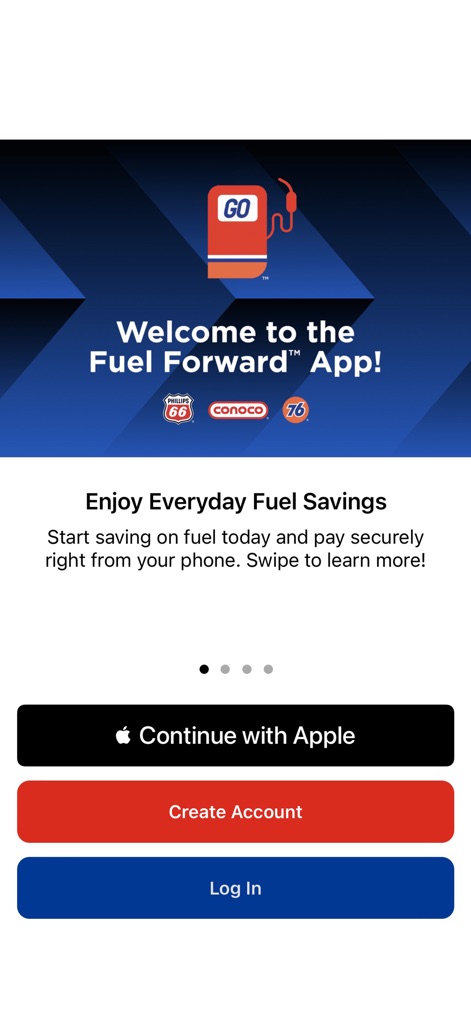
This initial view introduces the app's secure payment options and highlights the prominent branding of Phillips 66, Conoco, and 76 stations.
App Onboarding Tour
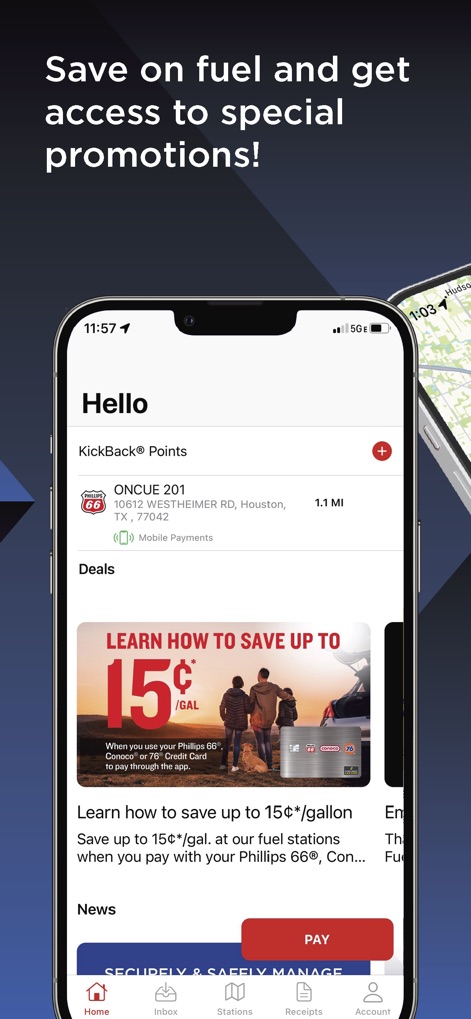
Users can easily track their KickBack® loyalty points and explore exclusive fuel-saving promotions, such as the featured "up to 15¢/GAL" discount.
Loyalty & Savings
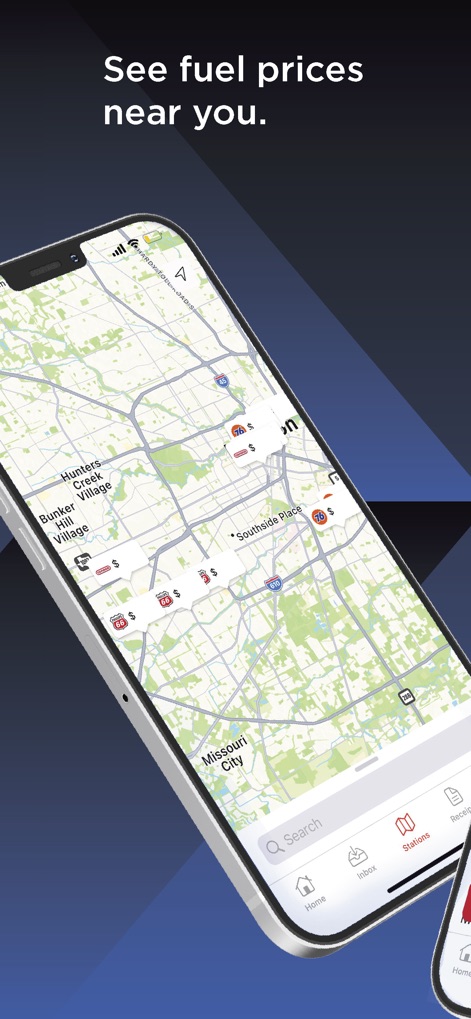
The app's integrated map allows drivers to discover nearby Phillips 66, Conoco, and 76 stations and instantly view current fuel prices at each location.
Station Locator

This screen illustrates the streamlined process for selecting fuel grades and initiating a secure, contactless payment directly from the driver's phone.
Contactless Payment Flow
Description
Download
More Like This
Apps with similar features and user experience
Shell: Fuel, Charge & More
Shell Information Technology International B.V.

earnify
BP Products North America Inc

ORLEN VITAY
Polski Koncern Naftowy ORLEN S.A.
Chevron
Chevron U.S.A. Inc.
Exxon Mobil Rewards+
Exxon Mobil Corporation
Murphy Drive Rewards
Murphy USA Inc
Marathon ARCO Rewards
Stuzo, LLC
Copec
Compania de Petroleos de Chile COPEC S.A.
SmartRewards by EG America
Cumberland Farms, Inc
This page is not an official page of the app or its developer, but an independent editorial publication created for informational and commentary purposes. Unless expressly stated otherwise, neither the app nor its developer is affiliated with, endorsed by, sponsored by, authorized by, or otherwise officially connected with MWM, Apple, Google Play, the app publisher, or the app's developer, and nothing on this page implies that the app was developed using MWM's services. Any trademarks, logos, screenshots, and other content remain the property of their respective owners.