
This page is not an official page of the app or its developer, but an independent editorial publication created for informational and commentary purposes. Unless expressly stated otherwise, neither the app nor its developer is affiliated with, endorsed by, sponsored by, authorized by, or otherwise officially connected with MWM, Apple, Google Play, the app publisher, or the app's developer, and nothing on this page implies that the app was developed using MWM's services. Any trademarks, logos, screenshots, and other content remain the property of their respective owners.

Gboard – the Google Keyboard
Your chats move fast. This app delivers Google's search power directly to your fingertips, eliminating the constant app-switching routine.
Downloads
25M+User Rating
Total Ratings
224.6KPublisher
Category
UtilitiesLocales
78Latest Version
2.3.19Size
82.8 MBFirst Released
May 12, 2016Gboard: A Comprehensive Evaluation for iOS Users
An in-depth analysis of key features and their impact on efficiency, expressiveness, and integration for iPhone and iPad users.
Integrated Google Search
The app provides seamless access to Google's powerful search capabilities directly from the keyboard, eliminating the need to switch between apps for quick information retrieval and sharing.
Enhanced Privacy Safeguards
The app is designed to protect user privacy, ensuring that personal typed content (excluding explicit searches and voice inputs) remains private and is not sent to Google's servers.
GIF Search
This tool features an extensive GIF search function, enabling users to find and share the perfect animated reactions to express themselves effortlessly.
Emoji Search
The app offers an intelligent emoji search, allowing users to quickly locate and insert the ideal emoji to convey their message or emotion.
Glide Typing
It allows users to type more quickly and efficiently by sliding their finger across letters, enhancing productivity and ease of use.
Sticker Support
It enables users to express their personality and messages with a variety of stickers, including the option to create or share custom ones.
Frequently Asked Questions
Everything you need to know about Gboard – the Google Keyboard
What is Gboard?
Gboard is Google's keyboard for iPhone and iPad, offering features like GIFs, emoji search, Glide Typing, and integrated Google Search directly from the keyboard.
Does Gboard have integrated search functionality?
Yes, Gboard features built-in Google Search. Users can search for nearby places, videos, images, weather, news, sports scores, and more, then send results without leaving the app.
Can I search for emojis in Gboard?
Yes, Gboard includes an emoji search feature. This allows users to quickly find the perfect emoji by typing keywords directly into the search bar.
Does Gboard support stickers?
Yes, Gboard supports stickers. Users can create or share stickers to express themselves, with access to a sticker gallery.
What is Glide Typing in Gboard?
Glide Typing in Gboard allows users to type faster by sliding their finger from letter to letter on the keyboard. This feature streamlines the typing process.
Does Gboard collect personal information?
Gboard sends searches, usage statistics, and voice input for transcription to Google. It does not send other typed content like passwords or chats.
Can Gboard access my contacts?
Yes, if enabled in Gboard search settings, it can search contacts on your device for sharing. However, Gboard does not send these contact queries to Google.
What languages does Gboard support?
Gboard supports numerous languages including English, Spanish, French, German, Japanese, Korean, Simplified Chinese, and many more for iPhone and iPad. The description lists over 50 languages.
Can I customize Gboard's appearance?
Yes, Gboard offers customizable themes. Users can change the keyboard's visual appearance to personalize their typing experience.
Does Gboard offer voice typing?
Yes, Gboard includes a voice typing feature. Users can speak to input text, and Gboard sends this voice input to Google for transcription.
The following screenshots and description are sourced directly from the app's official store listing and are the property of the app developer.
App Store
Screenshots
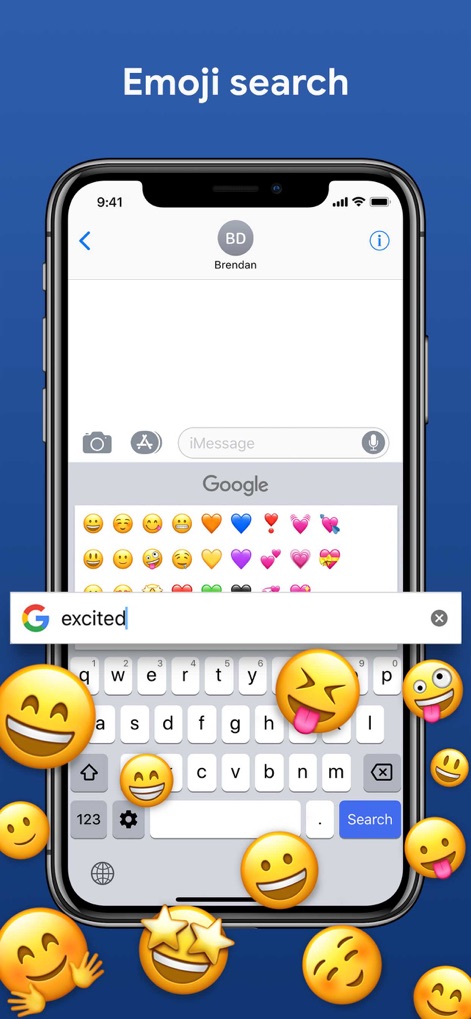
Efficient Emoji Discovery
See how the app streamlines communication with an intuitive emoji search bar and a clearly displayed emoji grid for quick selection.
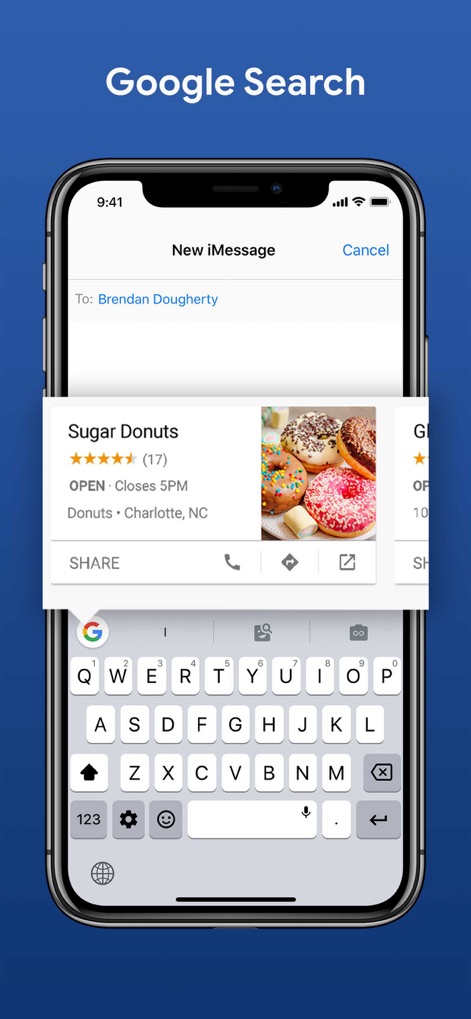
Integrated Google Power
Users can access the robust Google search bar directly within the keyboard, displaying detailed search result cards for quick information sharing.
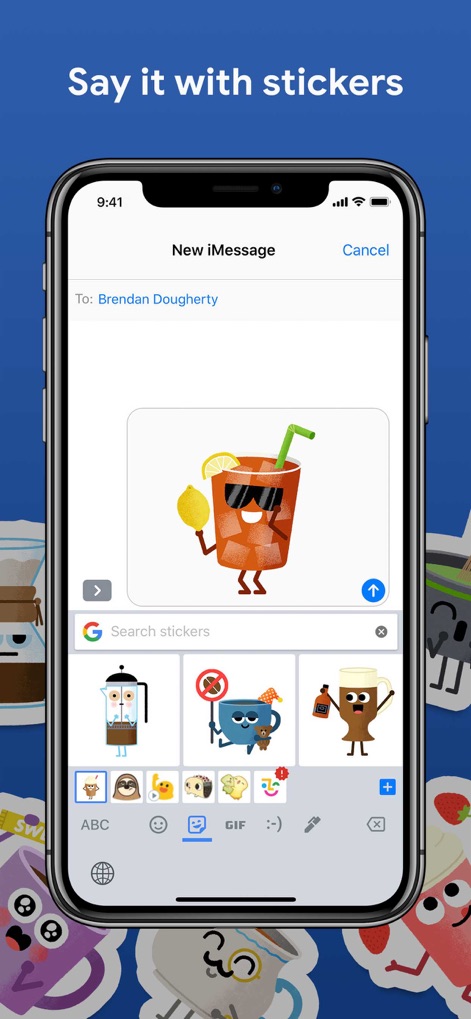
Expressive Sticker Selection
This tool enhances expression by showcasing a vibrant sticker preview of an iced tea character and providing a clear sticker browsing interface.
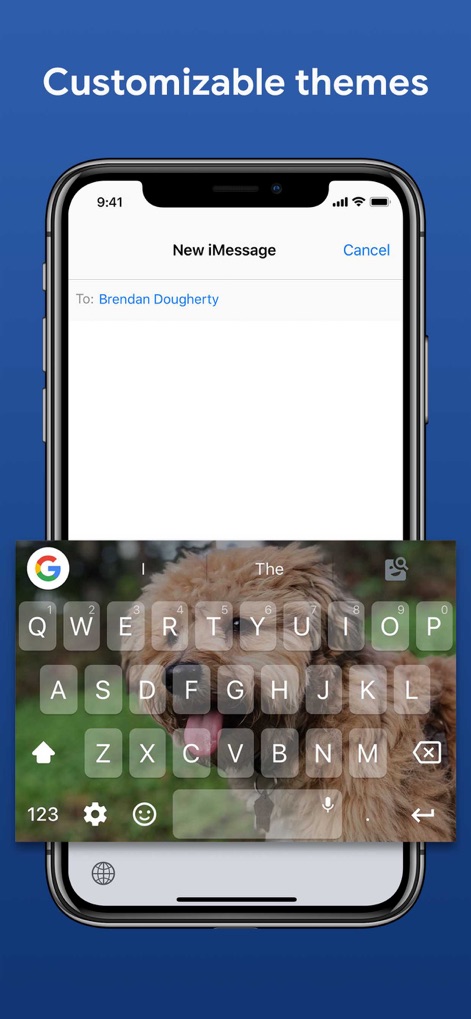
Personalized Keyboard Themes
The app allows for deep personalization, enabling users to set a custom background image, such as a dog, behind the familiar QWERTY layout.
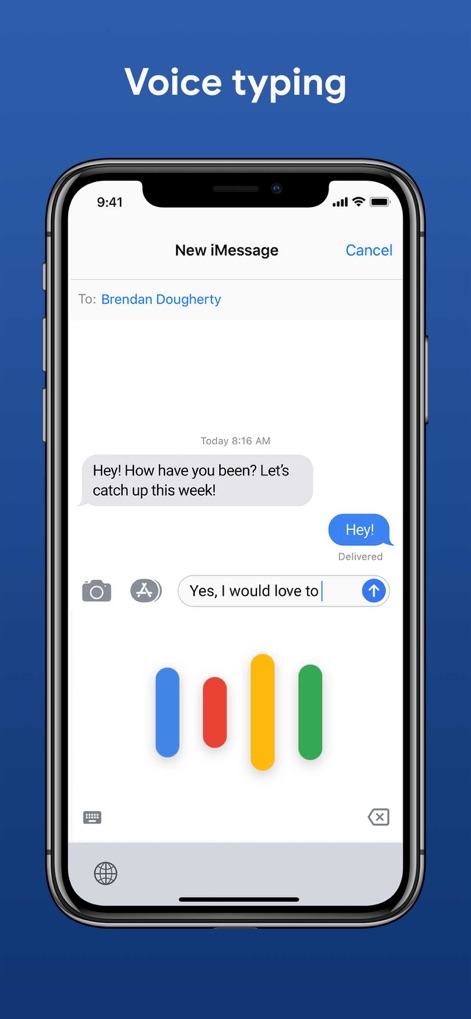
Effortless Voice Input
Experience hands-free communication with the dynamic voice input visualizer and the accurate transcription of spoken words into typed messages.
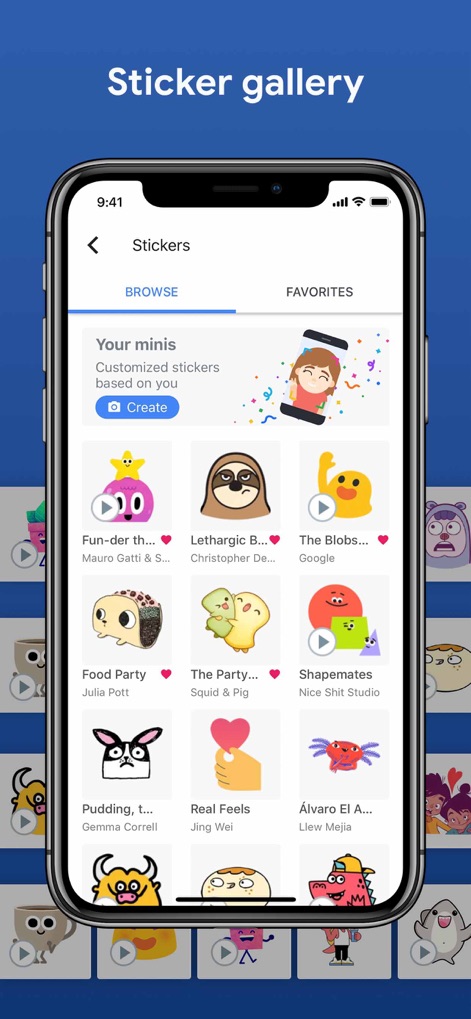
Extensive Sticker Library
Explore a rich collection of stickers through convenient browse/favorites tabs and discover curated sticker categories like 'Your minis'.
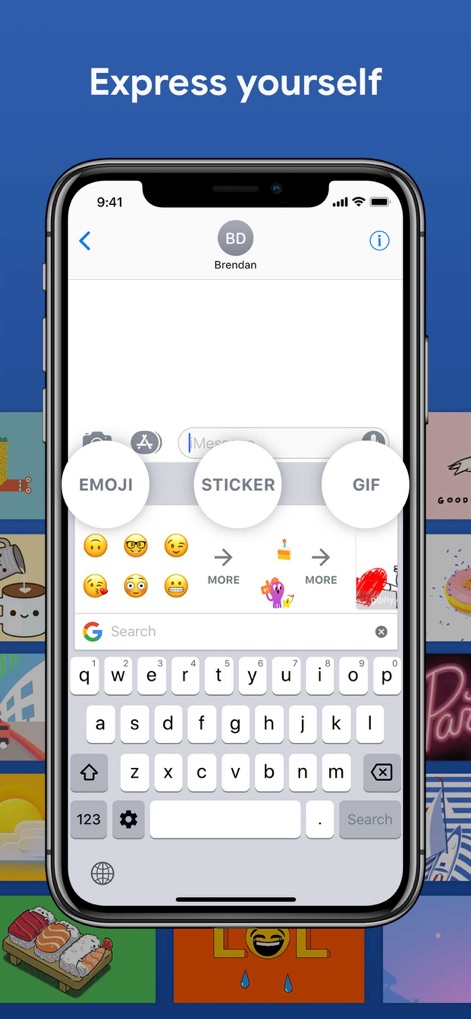
Quick Expression Options
This tool provides quick access buttons for Emoji, Sticker, and GIF content, along with a prominent search icon for instant content retrieval.
Description
Download
More Like This
Apps with similar features and user experience
This page is not an official page of the app or its developer, but an independent editorial publication created for informational and commentary purposes. Unless expressly stated otherwise, neither the app nor its developer is affiliated with, endorsed by, sponsored by, authorized by, or otherwise officially connected with MWM, Apple, Google Play, the app publisher, or the app's developer, and nothing on this page implies that the app was developed using MWM's services. Any trademarks, logos, screenshots, and other content remain the property of their respective owners.