
This page is not an official page of the app or its developer, but an independent editorial publication created for informational and commentary purposes. Unless expressly stated otherwise, neither the app nor its developer is affiliated with, endorsed by, sponsored by, authorized by, or otherwise officially connected with MWM, Apple, Google Play, the app publisher, or the app's developer, and nothing on this page implies that the app was developed using MWM's services. Any trademarks, logos, screenshots, and other content remain the property of their respective owners.

Microsoft SwiftKey AI Keyboard
Your fingers fly. This app learns your every nuance, delivering unparalleled speed and uncanny accuracy.
Downloads
12.5M+User Rating
Total Ratings
433.3KPublisher
Category
UtilitiesLocales
6Latest Version
4.2.9Size
172.7 MBFirst Released
Sep 17, 2014Key Features of Microsoft SwiftKey AI Keyboard
An analytical overview of functionalities enhancing mobile communication efficiency and personalization.
AI-Powered Personalized Typing
The app intelligently learns a user's unique writing style, including slang, nicknames, and emoji usage, to provide highly accurate predictions and autocorrection tailored to individual communication habits.
Predictive Text & Smart Autocorrect
It provides relevant next-word predictions and context-aware autocorrection, significantly reducing typing errors and allowing users to articulate their thoughts quickly and accurately.
Intuitive Glide Typing
This tool features a smooth swipe-to-type functionality, enabling users to input words by gliding their finger across letters, which can enhance typing speed and ease, especially for one-handed use.
Rich Media & Emoji Integration
The app provides seamless access to a vast library of emojis, GIFs, and stickers, and even learns a user's favorite emojis, facilitating more expressive and engaging conversations.
Quick Access Toolbar
This tool features an expandable toolbar that offers quick shortcuts to various functions, improving efficiency by making frequently used tools readily accessible.
Extensive Customization Themes
It allows users to personalize their keyboard's appearance from dozens of themes, enabling them to match their style and preferences.
Frequently Asked Questions
Everything you need to know about Microsoft SwiftKey AI Keyboard
How does Microsoft SwiftKey AI Keyboard improve typing speed?
Microsoft SwiftKey AI Keyboard learns your writing style, including slang and emojis, and offers helpful predictions and accurate autocorrect. It also features swipe-to-type functionality to enhance typing speed.
Does Microsoft SwiftKey AI Keyboard offer predictive text?
Yes, Microsoft SwiftKey AI Keyboard provides helpful predictions that adapt to your unique typing style. This includes word choice, slang, nicknames, and emoji usage, making communication faster.
Can users customize the appearance of the Microsoft SwiftKey keyboard?
Yes, users can customize the Microsoft SwiftKey keyboard with dozens of themes. This allows matching the keyboard's style to personal preferences, offering a personalized typing experience.
Does the Microsoft SwiftKey AI Keyboard support swipe typing?
Yes, Microsoft SwiftKey AI Keyboard supports swipe typing. This feature allows users to type words by gliding their finger across the keyboard, enhancing both speed and efficiency.
What is the Copilot feature in Microsoft SwiftKey?
Copilot in SwiftKey integrates AI capabilities directly into the keyboard. It allows users to interact with AI for various tasks, such as asking for jokes or generating conversational responses.
Does Microsoft SwiftKey offer emoji predictions?
Yes, Microsoft SwiftKey offers emoji predictions. It learns your favorite emojis and suggests relevant emojis based on your typing context, streamlining emoji usage.
Can Microsoft SwiftKey AI Keyboard correct typing errors?
Yes, Microsoft SwiftKey AI Keyboard provides effective autocorrect functionality. This feature helps to correct typing errors in real-time and ensures accurate communication.
What is the toolbar feature in Microsoft SwiftKey?
The toolbar in Microsoft SwiftKey is an expandable menu located on the keyboard. It is filled with quick shortcuts, providing convenient access to various keyboard features and functions.
The following screenshots and description are sourced directly from the app's official store listing and are the property of the app developer.
App Store
Screenshots

AI Assistant Integration
Explore the integrated Copilot AI, featuring interactive chat bubbles and smart suggested responses for engaging conversations.
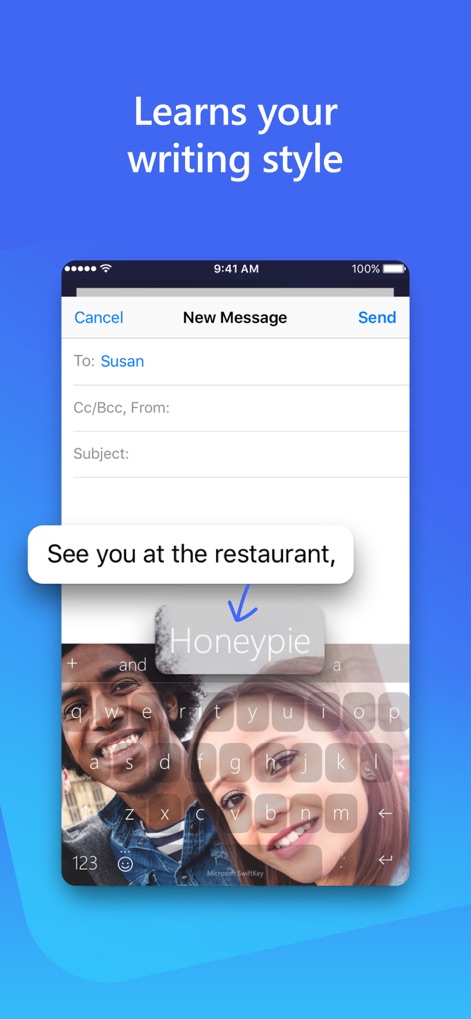
Personalized Predictions
Witness how the app learns personal writing style, providing smart word predictions like "Honeypie" and offering customizable keyboard backgrounds for a unique experience.
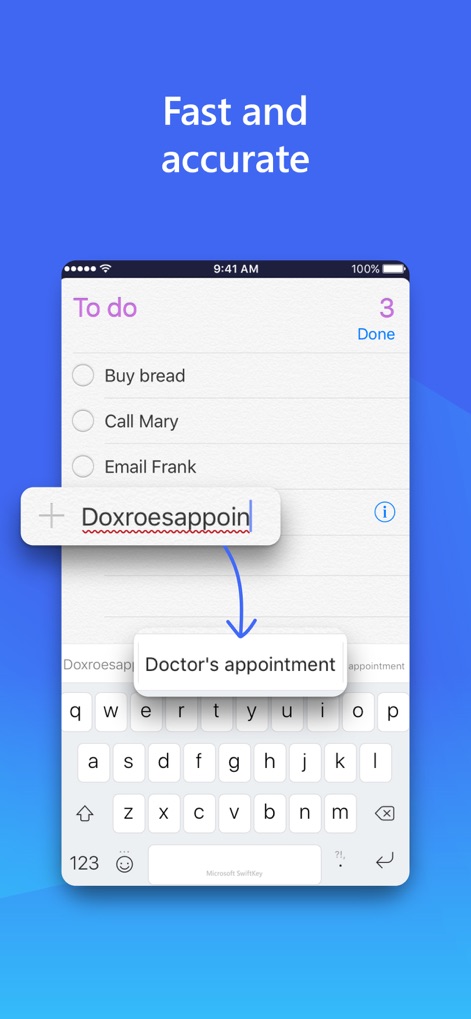
Accurate Autocorrection
Observe the app's precision with autocorrection, instantly transforming misspelled words into accurate phrases like "Doctor's appointment" within a practical to-do list context.
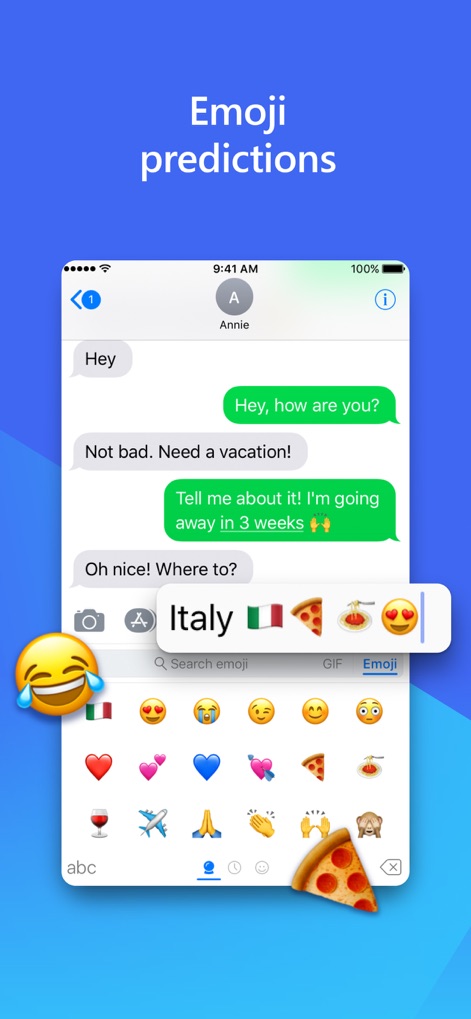
Smart Emoji Suggestions
Discover intelligent emoji predictions that offer relevant icons like country flags and food based on typed words such as "Italy," alongside a comprehensive emoji browsing interface.

Seamless Multilingual Input
Experience the fluid transition between multiple languages, clearly indicated by the "ES EN" language tag, and convenient language-specific chat bubbles for effortless communication.
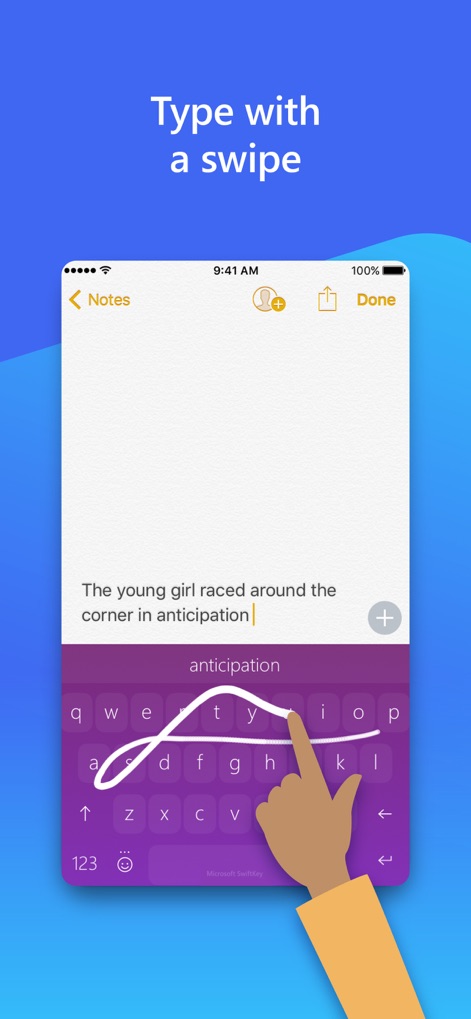
Intuitive Swipe Typing
See how users can type effortlessly using the intuitive swipe-to-type gesture, enhancing speed and displaying accurate word predictions in the suggestion bar.
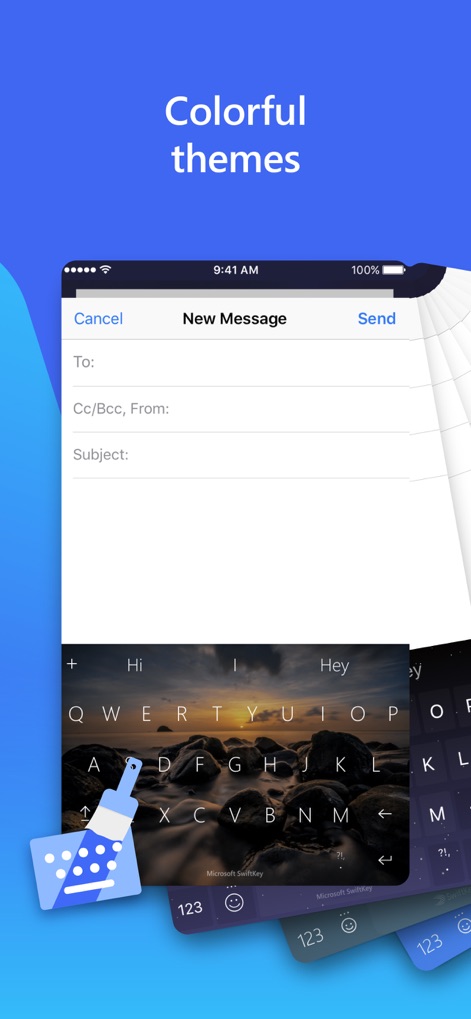
Custom Keyboard Themes
Explore the extensive options for keyboard theme customization, showcasing different background designs and the intuitive paintbrush icon for easy selection.
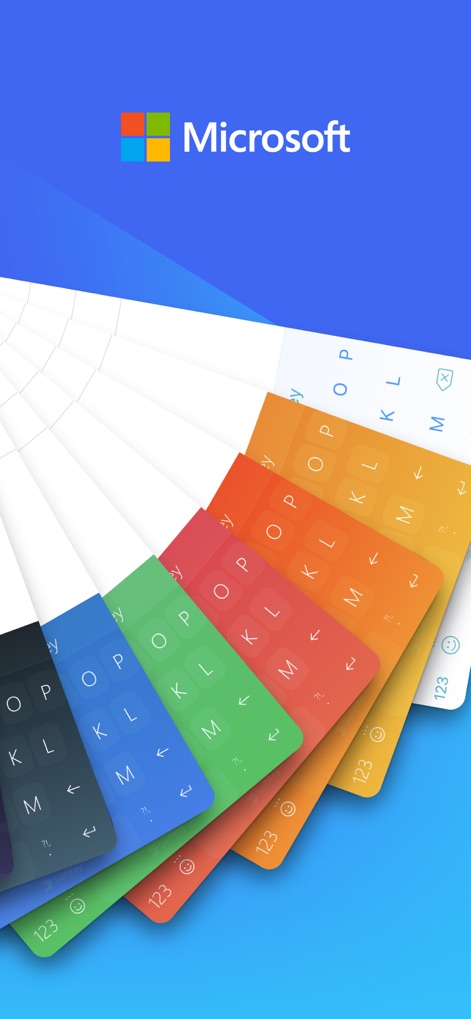
Vibrant Theme Gallery
View the vibrant array of colorful keyboard themes available for personalization, all presented within the trusted Microsoft brand environment.
Description
Download
More Like This
Apps with similar features and user experience
This page is not an official page of the app or its developer, but an independent editorial publication created for informational and commentary purposes. Unless expressly stated otherwise, neither the app nor its developer is affiliated with, endorsed by, sponsored by, authorized by, or otherwise officially connected with MWM, Apple, Google Play, the app publisher, or the app's developer, and nothing on this page implies that the app was developed using MWM's services. Any trademarks, logos, screenshots, and other content remain the property of their respective owners.