
This page is not an official page of the app or its developer, but an independent editorial publication created for informational and commentary purposes. Unless expressly stated otherwise, neither the app nor its developer is affiliated with, endorsed by, sponsored by, authorized by, or otherwise officially connected with MWM, Apple, Google Play, the app publisher, or the app's developer, and nothing on this page implies that the app was developed using MWM's services. Any trademarks, logos, screenshots, and other content remain the property of their respective owners.

Geko
Experience the magic of AI-powered transformations. Convert your portraits and landscapes into high-quality 2D art with just one tap—perfect for custom social media avatars and aesthetic memories.
Downloads
75K+User Rating
Total Ratings
200Publisher
Category
EntertainmentLocales
1Latest Version
1.1.0Size
26.3 MBFirst Released
Aug 17, 2025Step Into Your Anime Universe
Experience the ultimate fusion of AI and art. Geko transforms your everyday photos into breathtaking 2D masterpieces with professional-grade precision.
Instant AI Alchemy
Convert portraits or scenery into high-quality anime art in seconds. No drawing skills needed—just your imagination.
Iconic Art Styles
From dreamy Shoujo watercolors to retro 90s vibes, explore a library of filters designed for every fandom.
Frequently Asked Questions
Everything you need to know about Geko
What is the Geko app?
Geko is an AI-powered app that transforms real-life photos into stunning anime-style masterpieces with a single tap, enabling users to create unique anime avatars and artistic transformations.
How does Geko convert photos to anime art?
Geko utilizes a state-of-the-art AI algorithm trained to capture authentic anime aesthetics, including vibrant colors, delicate linework, expressive facial features, and dynamic compositions, for photo transformation.
What kind of anime styles and filters does Geko offer?
Geko offers a rich library of diverse artistic filters, including soft watercolor, bold manga strokes, romantic shoujo aesthetics, retro anime vibes, modern digital art, and fantasy-themed styles, with new filters added regularly.
Is the Geko app easy to use for anime photo transformations?
Yes, Geko is simple and intuitive. Users upload a photo, select a filter, and the app transforms it in seconds. No professional editing skills are required to use its features.
Can I save and share the anime art created with Geko?
Yes, Geko allows users to save high-quality anime art directly to their device. Users can also effortlessly share their creations across social media platforms and messaging apps.
Does Geko support text-to-image generation for anime characters?
Yes, Geko supports creating anime art from text prompts. Users can input words describing their desired image and then transform the description into an anime style.
The following screenshots and description are sourced directly from the app's official store listing and are the property of the app developer.
App Store
Screenshots
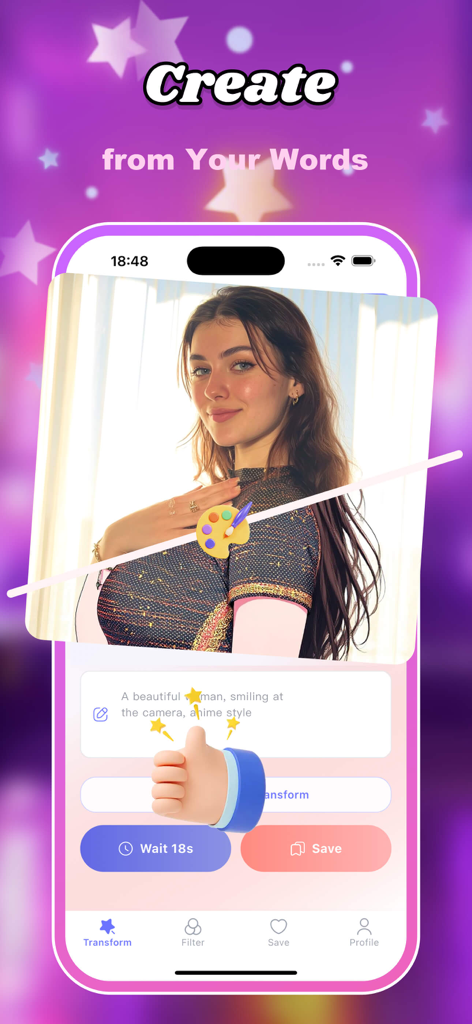
Geko app interface showing an AI text-to-anime transformation of a portrait photo using a custom prompt.
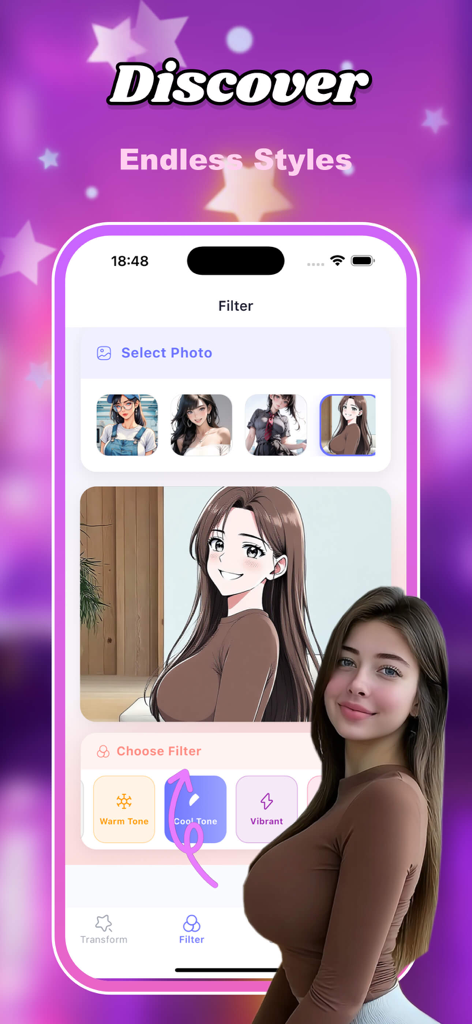
Geko mobile app screen displaying a real photo converted into anime art with different filters.
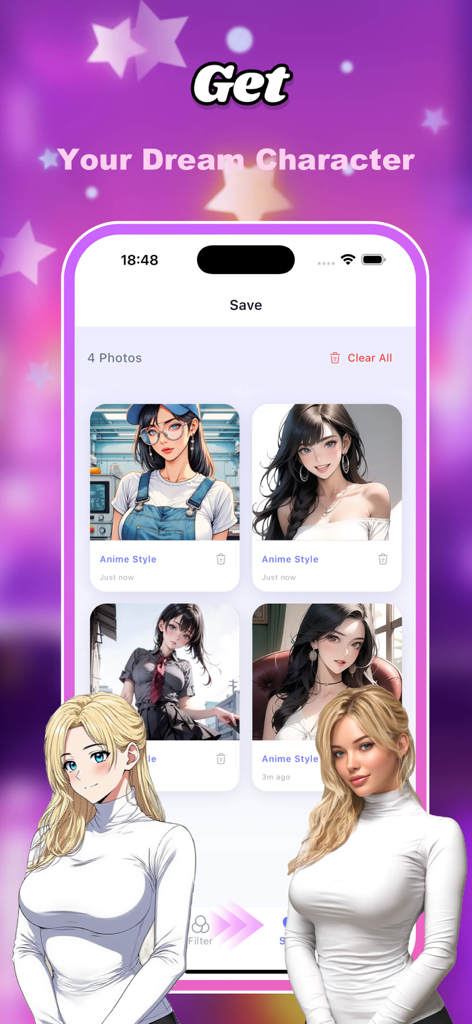
Mobile app interface showing a real-to-anime photo transformation with the Geko AI filter
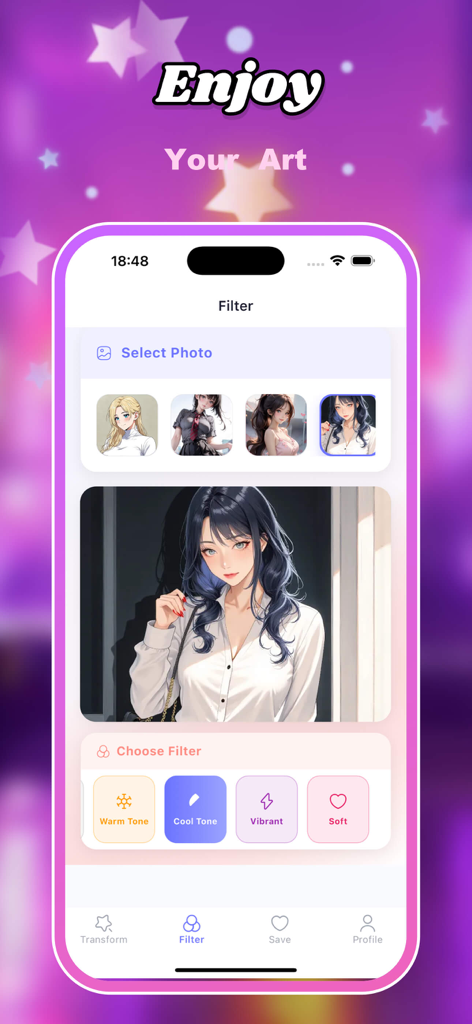
Interface of Geko app showing an AI anime portrait with filter options like Warm Tone and Vibrant
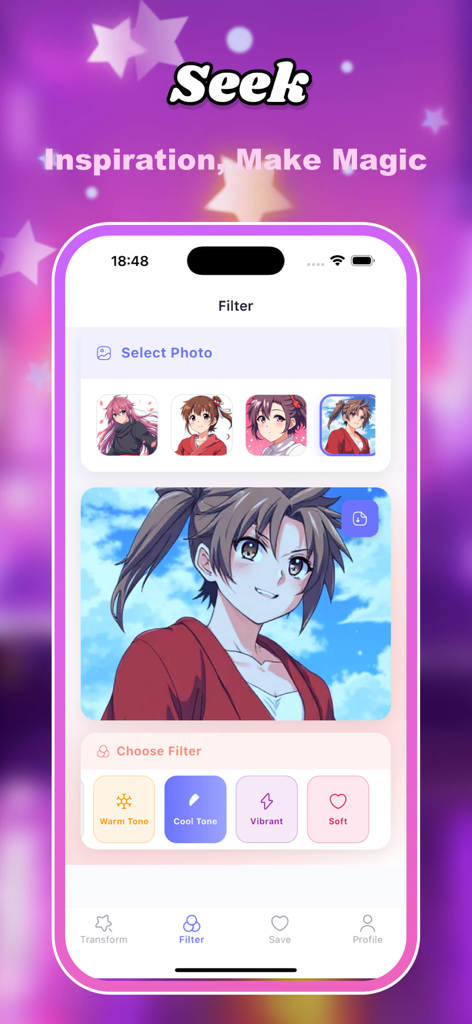
Geko app interface showing an anime character transformation with filter selection options like Warm Tone and Cool Tone.
Description
Download
More Like This
Apps with similar features and user experience
Cartoon Photo Editor: Photo AI
CREATIVE MOBILE YAZILIM BILISIM DANISMANLIK HIZMETLERI TICARET ANONIM SIRKETI
Neko AI - Anime Art Generator
NotMagic Limited

漫秀 - 情绪写真&潮玩特效
Nanjing Wanxing Culture Technology Co., Ltd.

Avatarro - AI Art Avatar Maker
KALLOSSOFT.COM S.R.L.

百变特效 - 情绪写真·次元漫画·照片特效
景光 劳

Anime AI: AI Image Generator
MixerBox Inc.
AI Fans - AI Generator
KIM THU BEAUTY COMPANY LIMITED

AniFlow - AI Anime Video Maker
Make Your Wish LLC
PicsHub-AI Art & Photo Edit
Onekitty International Limited
This page is not an official page of the app or its developer, but an independent editorial publication created for informational and commentary purposes. Unless expressly stated otherwise, neither the app nor its developer is affiliated with, endorsed by, sponsored by, authorized by, or otherwise officially connected with MWM, Apple, Google Play, the app publisher, or the app's developer, and nothing on this page implies that the app was developed using MWM's services. Any trademarks, logos, screenshots, and other content remain the property of their respective owners.