
This page is not an official page of the app or its developer, but an independent editorial publication created for informational and commentary purposes. Unless expressly stated otherwise, neither the app nor its developer is affiliated with, endorsed by, sponsored by, authorized by, or otherwise officially connected with MWM, Apple, Google Play, the app publisher, or the app's developer, and nothing on this page implies that the app was developed using MWM's services. Any trademarks, logos, screenshots, and other content remain the property of their respective owners.


GIF Keyboard
Text alone stifles true expression. This app arms users with the instant power to visually articulate any sentiment, transforming flat messages into dynamic reactions.
Downloads
12.5M+User Rating
Total Ratings
1.6MPublisher
Category
UtilitiesLocales
23Latest Version
4.23Size
239.9 MBFirst Released
Sep 23, 2014Key Features of GIF Keyboard by Tenor
An analytical overview of functionalities supporting expressive digital communication.
Seamless Integration & Sharing
It allows users to effortlessly copy and paste GIFs or videos directly into various messaging and social media platforms for instant inline playback, streamlining communication.
Extensive GIF & Video Search
The app provides access to millions of GIFs and short videos, featuring advanced search capabilities including text queries and emoji-based searches to find the perfect visual expression.
Custom GIF Creation
This tool features the ability to create unique GIFs using the device's camera, with options to personalize them with text, handwritten notes, or drawings for truly original content.
Categorized Browsing & Trends
It allows users to browse an organized library of GIFs by categories such as reactions, trending topics, and more, offering inspiration and quick discovery of popular content.
Personalized Favorites & Packs
The app provides functionalities to favorite frequently used GIFs and to create custom packs of stickers and GIFs, ensuring easy access to preferred content.
GIF to Sticker Conversion
This tool features the ability to transform any GIF into a draggable sticker for use within iMessage conversations, adding another layer of interactive expression.
Web GIF Import
It allows users to save GIFs directly from web browsers using a share extension, seamlessly integrating external content into their personalized GIF library.
Cross-Platform Content Sync
The app ensures that all personalized content, including saved GIFs and created stickers, synchronizes across all linked devices, providing consistent access wherever the user communicates.
Frequently Asked Questions
Everything you need to know about GIF Keyboard
What is GIF Keyboard by Tenor?
GIF Keyboard by Tenor is an application for iPhone, iPad, and iMessage that enables users to discover, create, and share GIFs and videos directly from their keyboard to express emotions and communicate.
Does GIF Keyboard by Tenor allow users to create custom GIFs?
Yes, GIF Keyboard by Tenor allows users to create their own GIFs using their device's front or back camera. Users can personalize these GIFs with text, handwritten notes, or drawings.
Which messaging platforms support GIF Keyboard by Tenor?
Yes, the GIF Keyboard by Tenor is compatible with various messaging apps and social networks. These include iMessage, Facebook Messenger, WhatsApp, Facebook, and email for sharing content.
Does GIF Keyboard by Tenor require full access on iOS devices?
Yes, Tenor's GIF Keyboard requires 'full access' in your iPhone settings. This is necessary for the keyboard to access the internet, enabling GIF searches and keeping its library updated with content.
Does GIF Keyboard by Tenor record user keystrokes?
No, GIF Keyboard by Tenor does not log keystrokes or send them to its servers. The only exception is using key terms to search for GIFs, which is essential for its functionality.
Can I upload my own GIFs to Tenor GIF Keyboard?
Yes, users can upload their own GIFs to the Tenor GIF Keyboard platform. This feature enables users to share their creations and gain exposure within the app's community.
How do I create stickers using GIF Keyboard by Tenor?
Users can create stickers within GIF Keyboard by Tenor by pressing and holding on any GIF. These custom stickers can then be dragged and dropped into texts, images, or GIFs in iMessage conversations.
The following screenshots and description are sourced directly from the app's official store listing and are the property of the app developer.
App Store
Screenshots
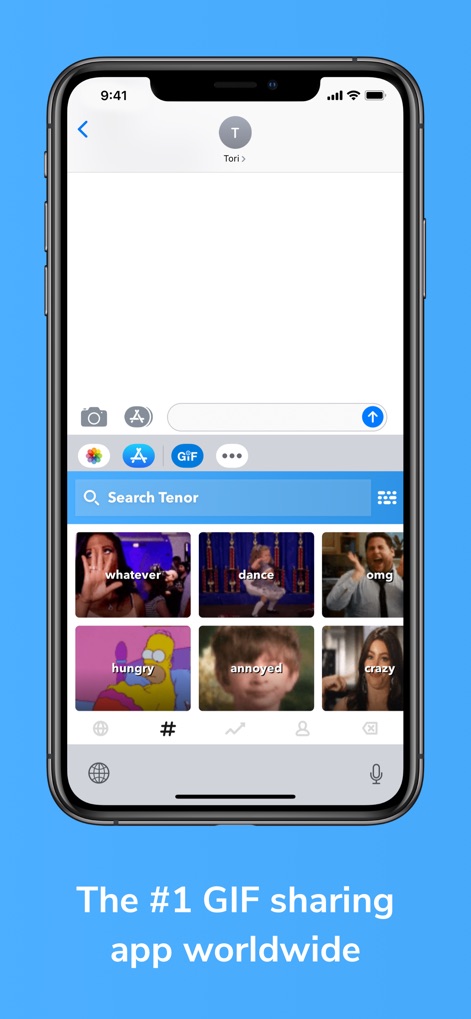
Effortless GIF Discovery
See how the app's integrated keyboard interface allows users to quickly find and share GIFs through intuitive categorized GIF browsing.
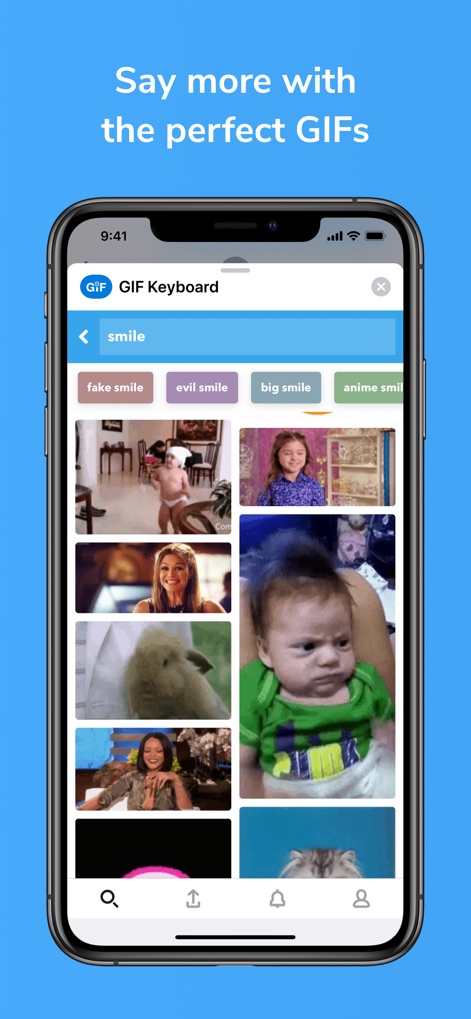
Precision GIF Search
This tool enhances communication by offering predictive search suggestions and a diverse GIF results grid to perfectly match any expression.
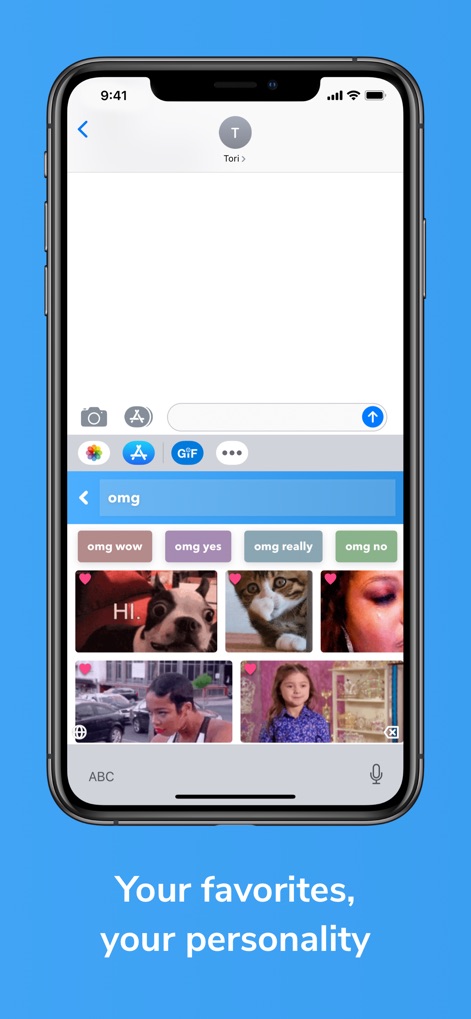
Curated GIF Collections
Users can personalize their experience through favorite GIF selection and enjoy quick access to personalized content for unique expression.
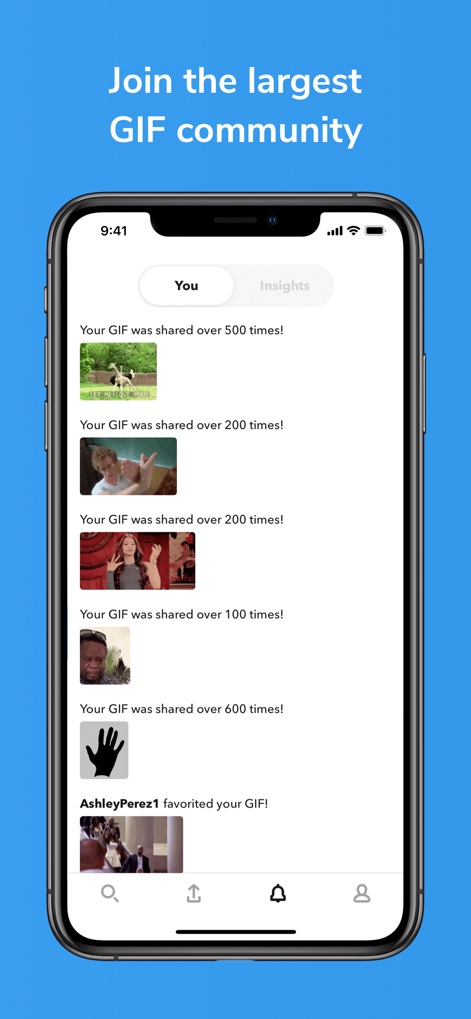
Community Engagement Hub
Discover the app's community features, showcasing GIF performance insights and real-time user interaction notifications.
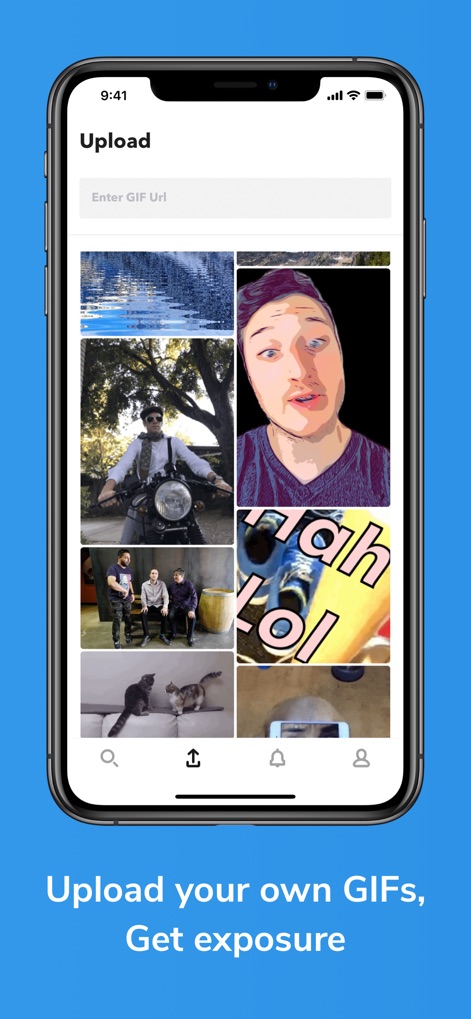
Create & Share
The app empowers users with custom GIF upload options and seamless media integration to share original content.
Description
Download
More Like This
Apps with similar features and user experience

KK键盘-语音变声字体美化表情包输入法
Beijing iShion Tech Co., Ltd.

GIPHY: The GIF Search Engine
Giphy, Inc.
Facemoji AI Emoji Keyboard
NEXILEAP PRIVATE LIMITED

Fonts Art: Keyboard for iPhone
AIBY Incorporated
Kika Keyboard: Custom Themes
Beijing Xinmeihutong Technology Co., Ltd.

Litstick - Best Stickers App
Sociaaal LLC

Keyboard Fonts++ | Kibik
Cosmic Taps SL

Fonts for iPhones
Inner Grow Limited

Font Keyboard - Auto Paste
Pro App Company Limited
This page is not an official page of the app or its developer, but an independent editorial publication created for informational and commentary purposes. Unless expressly stated otherwise, neither the app nor its developer is affiliated with, endorsed by, sponsored by, authorized by, or otherwise officially connected with MWM, Apple, Google Play, the app publisher, or the app's developer, and nothing on this page implies that the app was developed using MWM's services. Any trademarks, logos, screenshots, and other content remain the property of their respective owners.