
This page is not an official page of the app or its developer, but an independent editorial publication created for informational and commentary purposes. Unless expressly stated otherwise, neither the app nor its developer is affiliated with, endorsed by, sponsored by, authorized by, or otherwise officially connected with MWM, Apple, Google Play, the app publisher, or the app's developer, and nothing on this page implies that the app was developed using MWM's services. Any trademarks, logos, screenshots, and other content remain the property of their respective owners.


GlowCam: AI Photo Editor
Fix low-light selfies, remove distractions, and create studio-quality portraits instantly. The ultimate AI toolkit to master your aesthetic and stand out on social media.
Downloads
1M+User Rating
Total Ratings
11K+Publisher
Category
Photo & VideoLocales
1Latest Version
1.16.1Size
112.1 MBFirst Released
Dec 13, 2024Elevate Every Post with AI Magic
Stop worrying about bad lighting or photobombers. GlowCam brings studio-level editing to your fingertips so you always look your best on every feed.
Rescue Your Night-Out Shots
Instantly brighten dark, grainy photos with AI Flash. Get that perfect golden hour glow even in the dimmest club or cafe lighting.
Instant Background Magic
Remove photobombers with one tap or use AI Expand to naturally grow your background to fit a perfect 9:16 Instagram Story layout.
Frequently Asked Questions
Everything you need to know about GlowCam: AI Photo Editor
What is GlowCam: AI Photo Editor?
GlowCam is an all-in-one AI photo editing app designed to capture, enhance, and transform photos effortlessly. It provides powerful AI features like AI Flash, AI Expand, and Retouch.
Does GlowCam offer a free trial for its AI features?
Yes, GlowCam offers a 3-day free trial. This trial unlocks all AI tools and premium features. Users can cancel their subscription anytime before the trial period ends.
How do I manage my GlowCam subscription?
Users manage their GlowCam subscription directly through their App Store account settings. Subscriptions auto-renew monthly or yearly, depending on the selected plan.
Can GlowCam create scrolling screenshots of conversations?
Yes, GlowCam includes a 'Scrolling Screenshot' feature. This tool allows users to easily capture and save long conversations, feeds, or web pages.
How does GlowCam's AI Flash improve dark photos?
GlowCam uses its 'AI Flash' feature to brighten and fix dark or underexposed photos instantly with one tap. It enhances lighting and boosts colors for improved image quality.
Can GlowCam remove photo backgrounds for clean cutouts?
Yes, GlowCam provides a 'Remove Background' tool. It creates clean cutouts of subjects, perfect for portraits, products, or profile photos, by isolating them from their backgrounds.
Does GlowCam enhance photo quality and resolution?
Yes, GlowCam features an 'Upscale' tool. It enhances photo quality and resolution using professional-grade AI, making images clearer and more detailed.
How does GlowCam's Retouch feature work?
GlowCam's 'Retouch' feature instantly removes unwanted people or background distractions from photos. This tool helps users clean up compositions effectively.
Does GlowCam expand image backgrounds using AI?
GlowCam utilizes its 'AI Expand' feature to naturally extend image backgrounds. This AI magic seamlessly fills out the canvas beyond the original photo's edges.
What templates are available in GlowCam's AI Studio?
GlowCam's 'AI Studio' offers a creative world of ready-to-use templates. These templates are suitable for various purposes, including graduation photos, ID shots, and fun Q-style avatars.
What types of photos is GlowCam best suited for editing?
GlowCam is ideal for enhancing selfies and portraits in any lighting, optimizing indoor and nighttime photography, cleaning and restoring old photos, and creating social media content.
Is GlowCam easy for beginners to use?
Yes, GlowCam features a user-friendly interface designed for simplicity and speed. It enables users to create polished, professional photos without requiring specific design skills.
The following screenshots and description are sourced directly from the app's official store listing and are the property of the app developer.
App Store
Screenshots
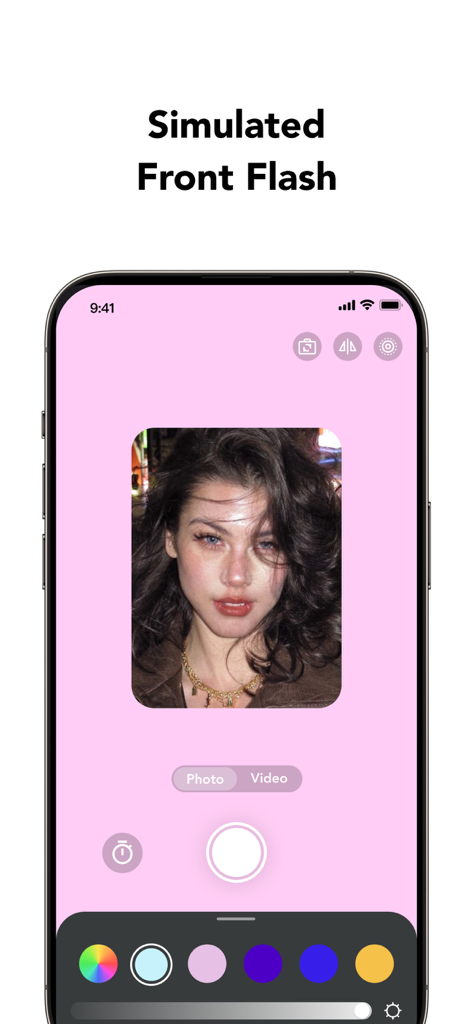
GlowCam app interface showing the simulated front flash feature with a pink light effect for selfies
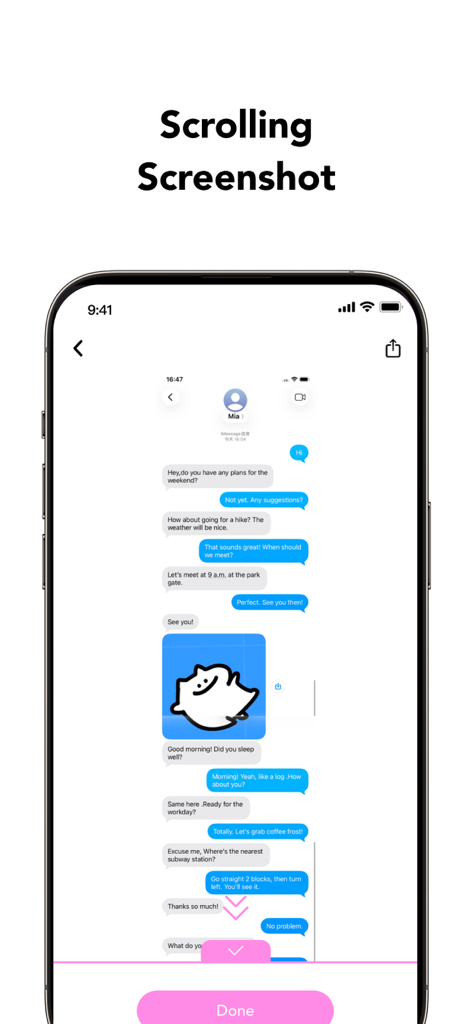
A smartphone displaying the scrolling screenshot feature in GlowCam for capturing long chat threads.
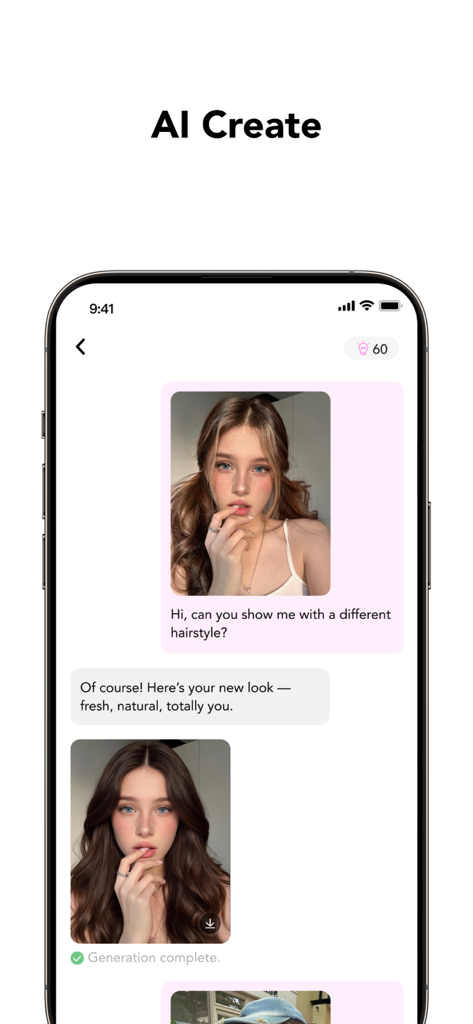
GlowCam app interface showing the AI Create feature where a user changes their hairstyle via chat interaction
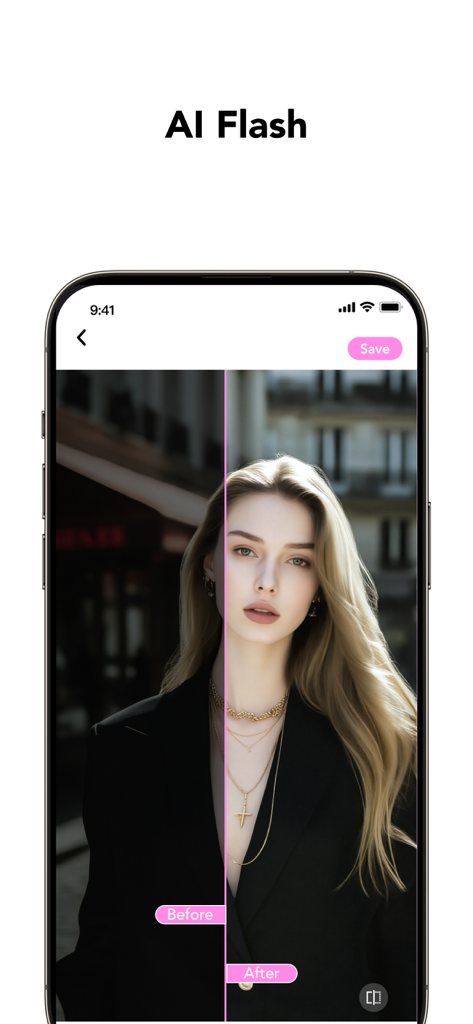
Before and after comparison of a portrait brightened using GlowCam AI Flash feature
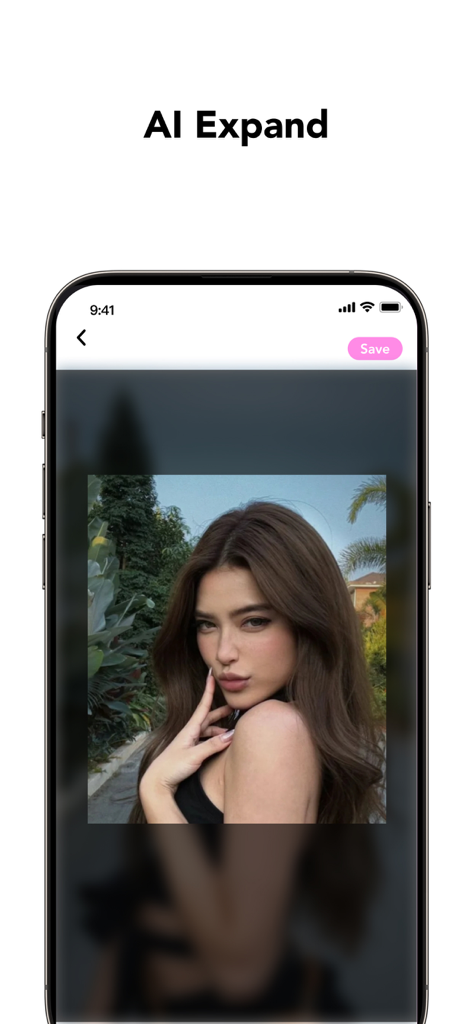
Interface of GlowCam app showing the AI Expand feature to naturally extend the background of a portrait photo
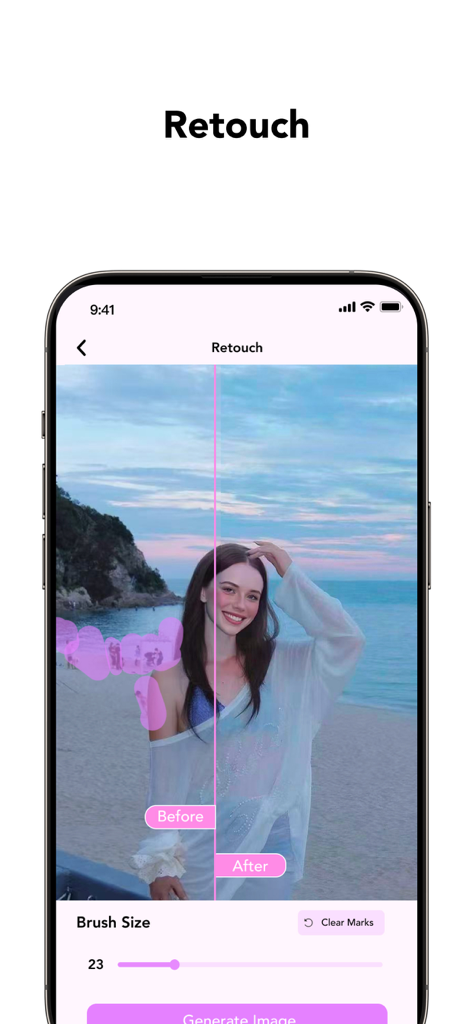
GlowCam app showing AI retouch feature to remove unwanted people from a beach photo
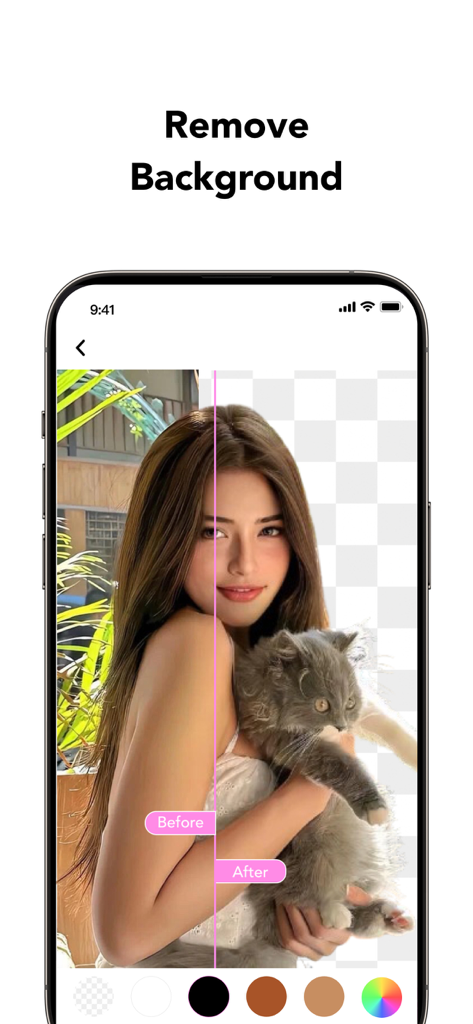
A before and after comparison of the GlowCam AI background removal feature showing a woman holding a cat with the background replaced by a transparent grid.
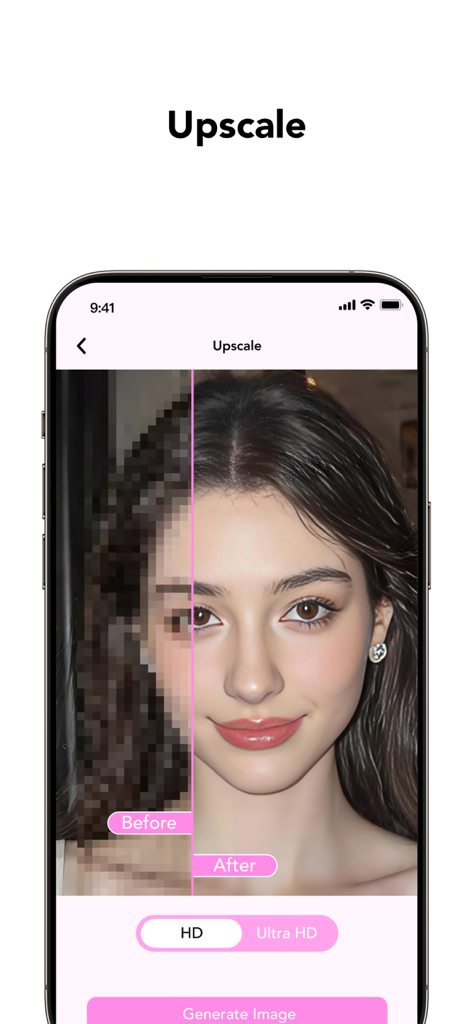
GlowCam app showing AI upscale feature with a before and after comparison of a pixelated portrait turned into a sharp high definition image
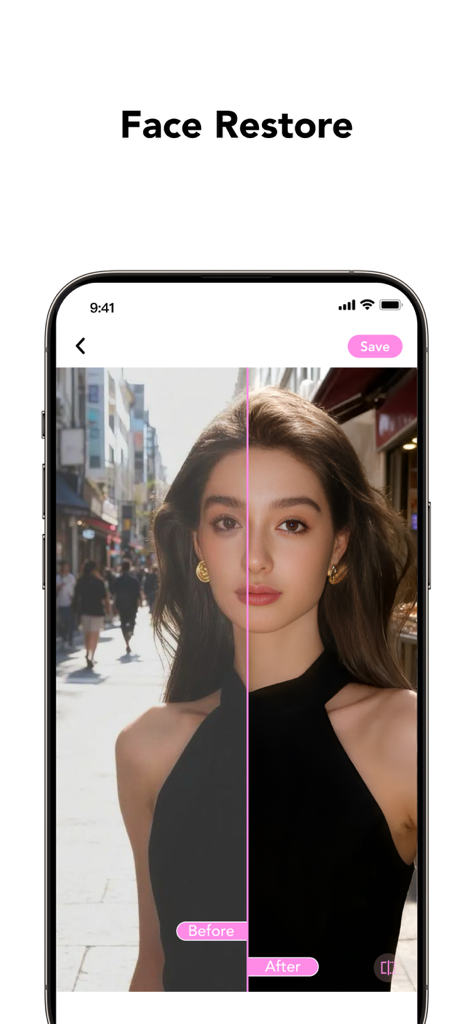
Before and after split screen showing AI face restore and portrait enhancement in GlowCam app
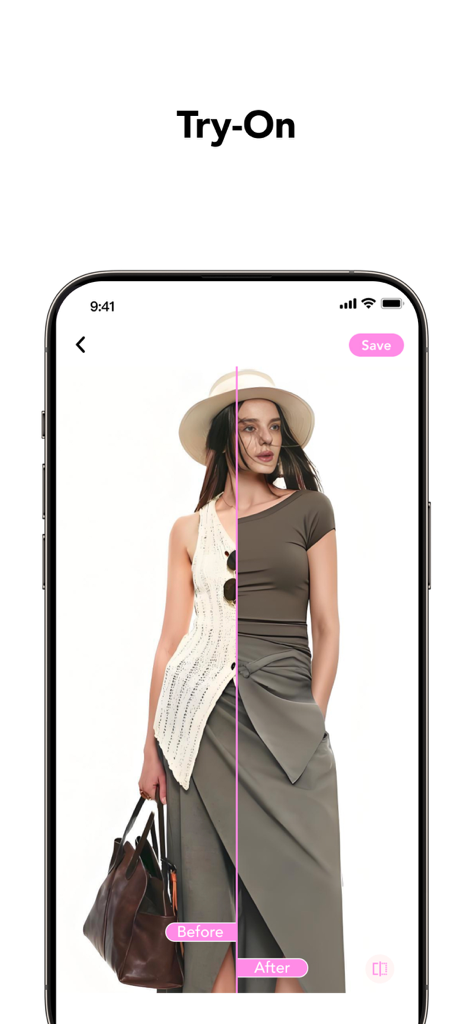
A before and after comparison of the AI try-on feature in the GlowCam app showing a woman changing outfits
Description
Download
More Like This
Apps with similar features and user experience

LightCam - Selfie Glow Camera
淑环 关

GlowCam Light - SelfieCam
Victor Douglas Fernandes

Dlive-Light Up Your Selfies
群锋 陈

GlowCamera Selfie Light Camera
陈 彭

Kischat
瀚民 黄

LittyVibe: AI Creative Hub
Shenzhen Chuangyuan Huaqi technology Co., LTD

GlowCam Light:Selfie Camera
Changsha Tayue Cultural Communication Co., Ltd

Chiccy
淑敏 李
This page is not an official page of the app or its developer, but an independent editorial publication created for informational and commentary purposes. Unless expressly stated otherwise, neither the app nor its developer is affiliated with, endorsed by, sponsored by, authorized by, or otherwise officially connected with MWM, Apple, Google Play, the app publisher, or the app's developer, and nothing on this page implies that the app was developed using MWM's services. Any trademarks, logos, screenshots, and other content remain the property of their respective owners.