Glucomate: Glucose Tracker
Download on App Store

This page is not an official page of the app or its developer, but an independent editorial publication created for informational and commentary purposes. Unless expressly stated otherwise, neither the app nor its developer is affiliated with, endorsed by, sponsored by, authorized by, or otherwise officially connected with MWM, Apple, Google Play, the app publisher, or the app's developer, and nothing on this page implies that the app was developed using MWM's services. Any trademarks, logos, screenshots, and other content remain the property of their respective owners.

Logo of Glucomate: Glucose Tracker
Download on App Store

Glucomate: Glucose Tracker

Transform your blood sugar data into actionable insights. Seamlessly sync with HealthKit, analyze trends alongside sleep and workouts, and take control of your metabolic health with beautiful, on-device visualizations.

Key Figures

Downloads

18K+

User Rating

4.3/5

Total Ratings

900

Publisher

Harbour City Software Pty Ltd

Category

Health & Fitness

Locales

21

Latest Version

1.8.5

Size

29.3 MB

First Released

Apr 15, 2023
Features

Master Your Metabolic Health

Turn your raw glucose data into a clear roadmap for wellness with elegant visualizations and deep Apple Health integration.

Actionable Trend Analysis

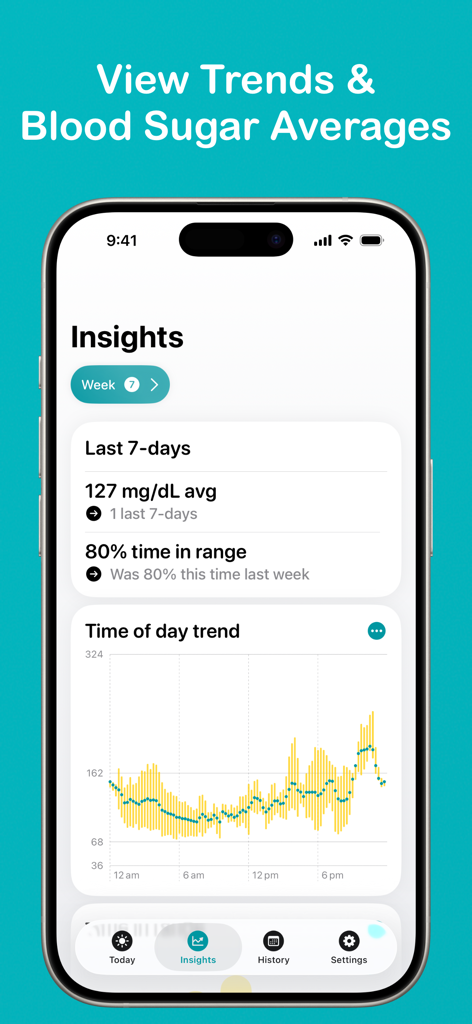
Visualize your journey with elegant charts and summaries. Track Time in Range and glucose trends over 7 to 365 days to see your long-term progress.

Workout & Sleep Correlation

Understand the 'Why' behind the numbers. Automatically compare your glucose readings with your activity and rest to optimize your daily performance.

The following screenshots and description are sourced directly from the app's official store listing and are the property of the app developer.

App Store

Screenshots
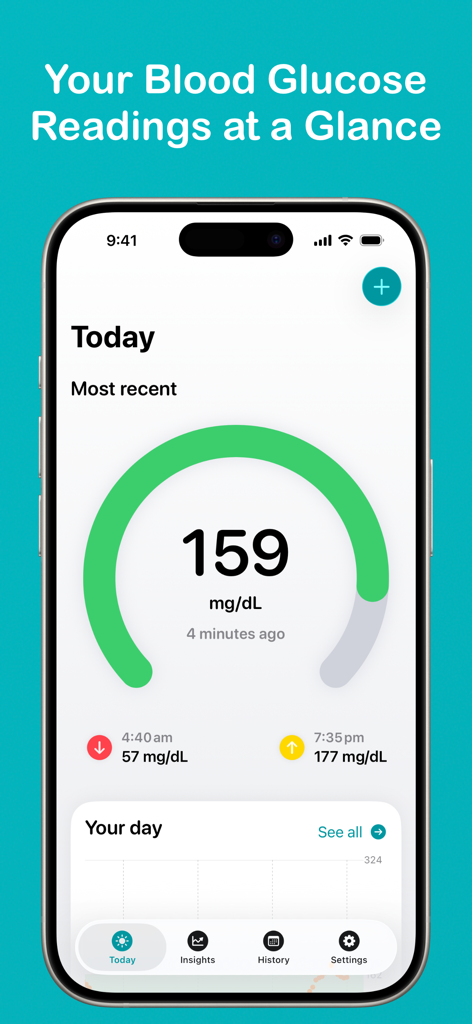
Glucomate: Glucose Tracker - Glucomate app dashboard showing blood glucose readings and daily summary
Glucomate app dashboard showing blood glucose readings and daily summary

Glucomate: Glucose Tracker - Glucomate app insights screen showing blood sugar averages and trend charts.
Glucomate app insights screen showing blood sugar averages and trend charts.

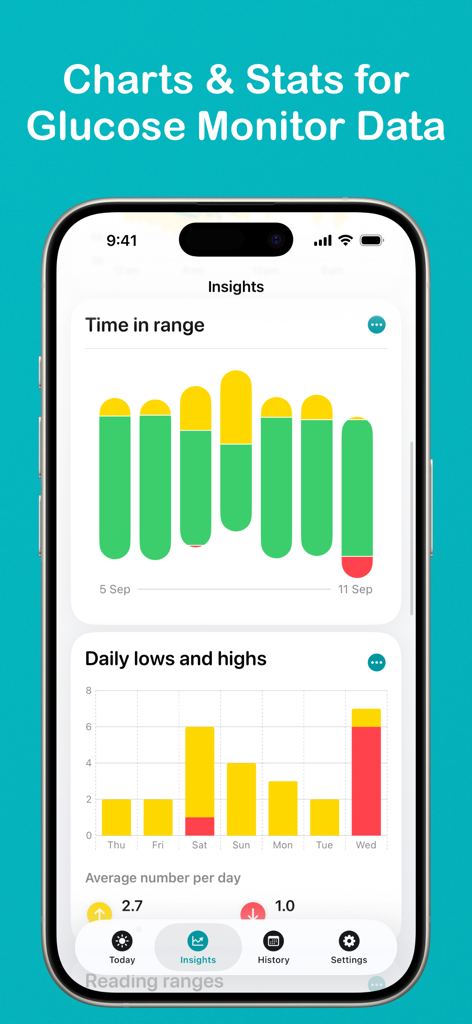
Glucomate: Glucose Tracker - Glucomate app insights screen showing time in range and daily highs and lows glucose charts on an iPhone.
Glucomate app insights screen showing time in range and daily highs and lows glucose charts on an iPhone.

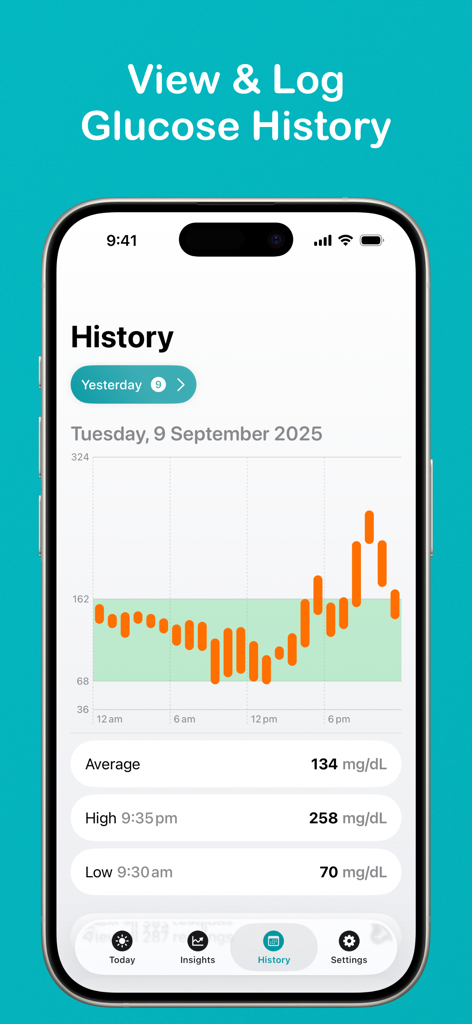
Glucomate: Glucose Tracker - iPhone screen showing the Glucomate app history view with a blood glucose level chart and daily summary statistics.
iPhone screen showing the Glucomate app history view with a blood glucose level chart and daily summary statistics.

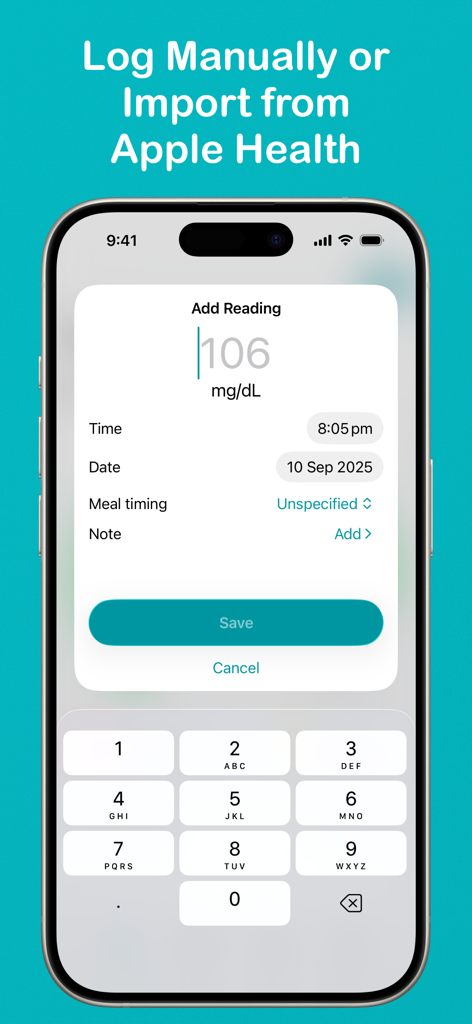
Glucomate: Glucose Tracker - iPhone screen showing manual blood glucose entry interface in the Glucomate app
iPhone screen showing manual blood glucose entry interface in the Glucomate app

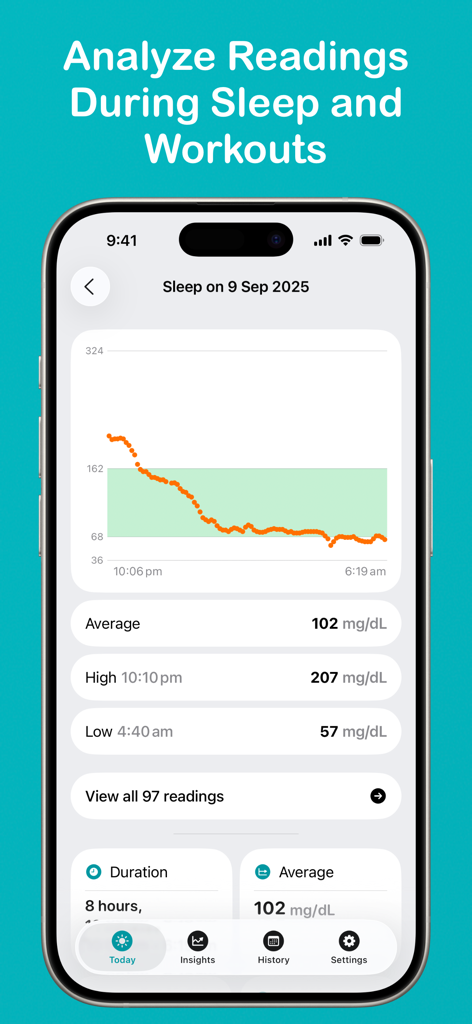
Glucomate: Glucose Tracker - Glucomate app screen displaying a blood glucose chart and data summary during sleep
Glucomate app screen displaying a blood glucose chart and data summary during sleep

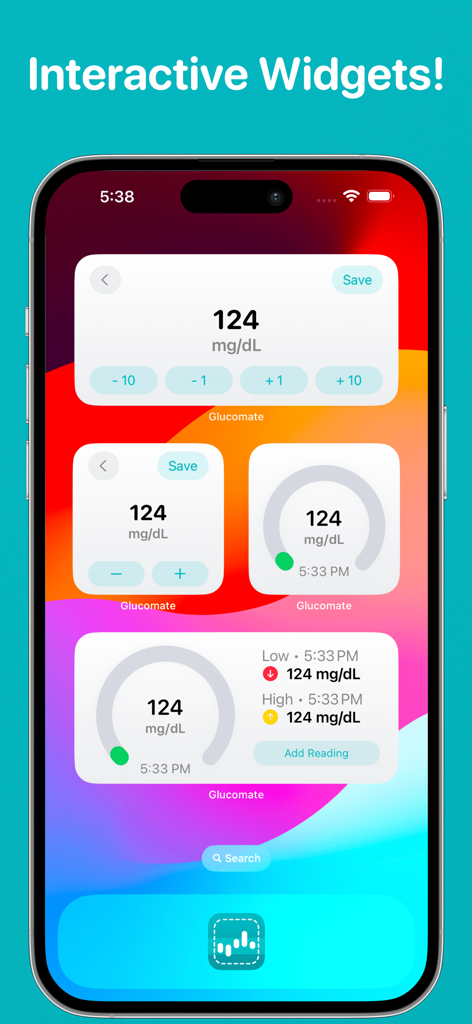
Glucomate: Glucose Tracker - iPhone home screen showing Glucomate interactive widgets for blood glucose tracking and quick data entry

iPhone home screen showing Glucomate interactive widgets for blood glucose tracking and quick data entry

Description

Glucomate presents your blood glucose data in an elegant way with glanceable summaries and more detailed charts and lists of data. It can be used to record your blood sugar if you check manually – like a logbook – or it can read your glucose readings from HealthKit. Glucomate helps you review history and trends later on with beautiful summaries and charts, a detailed history view, along with sleep and workout comparisons. Glucomate is your go-to companion for staying on top of your blood glucose, and it works seamlessly with HealthKit on your device, and can access data from a CGM or other glucose monitoring device as long as it exists in HealthKit. Since any readings entered into Glucomate are stored in HealthKit, these readings become available to other apps that use the data. Glucomate offers a completely free, fully-featured Demo Mode. It lets you get a feel for the app before subscribing, or allows you to try out the app even if you don't record your own blood glucose to HealthKit. Main features: • Quick entry of blood glucose data into HealthKit on iPhone, iPad, and Apple Watch • An interactive widget for an even quicker way of entering a new blood glucose reading • Complications on Apple Watch, widgets on iOS (may require your device to be unlocked for updates to come through) • A summary of the current day, highlighting the most recent glucose reading, along with information about highs and lows, time in range • Look at glucose readings during workouts or your sleep, and compare your waking glucose across days • Detailed insights and analysis with information and trends from the last 7, 14, 30, 90, 180, or 365-days • History view with averages, high/low information, time in range, and ability to view all readings for a given day, along with readings during any sleep or workout from that day • Customisable charts with the ability to show/hide and reorder to create a custom app experience • A full-featured Demo Mode allowing you to get a feel for the app without having real blood glucose readings in HealthKit • Support for mmol/L and mg/dL units. Glucomate tries to be the perfect companion for people who monitor their blood glucose. Is something missing? Got an idea? We're always looking for feedback or new ideas. Feel free to get in touch via the "Contact" button in the app. We'd love to chat! --- Glucomate contains an optional yearly subscription and/or lifetime in-app purchase unlock. A taste of some features is available for free, and some features can be trialled through a Demo Mode. Payment is charged to your Apple ID account. Subscriptions and trials renew automatically unless cancelled at least 24 hours prior to expiry of the current period. To turn off auto-renew, and/or to manage your subscription, visit your iTunes/App Store account settings. Privacy policy: https://glucomate.app/privacy Terms: https://glucomate.app/terms --- Glucomate respects your privacy. There's no third-party code, and potentially sensitive information such as data read from or written to HealthKit doesn't leave your device.

Download

Download on App Store

This page is not an official page of the app or its developer, but an independent editorial publication created for informational and commentary purposes. Unless expressly stated otherwise, neither the app nor its developer is affiliated with, endorsed by, sponsored by, authorized by, or otherwise officially connected with MWM, Apple, Google Play, the app publisher, or the app's developer, and nothing on this page implies that the app was developed using MWM's services. Any trademarks, logos, screenshots, and other content remain the property of their respective owners.








