
Glucose Monitor - Diabetes App

Join thousands of proactive health managers using our intuitive tracker and Glycemic Index tools to stay in their target range, boost energy levels, and lead a healthier life.
Publisher
Category
MedicalDownloads
605K+User Rating
Total Ratings
1K+Locales
1Discover the interface used by 605K+ users.
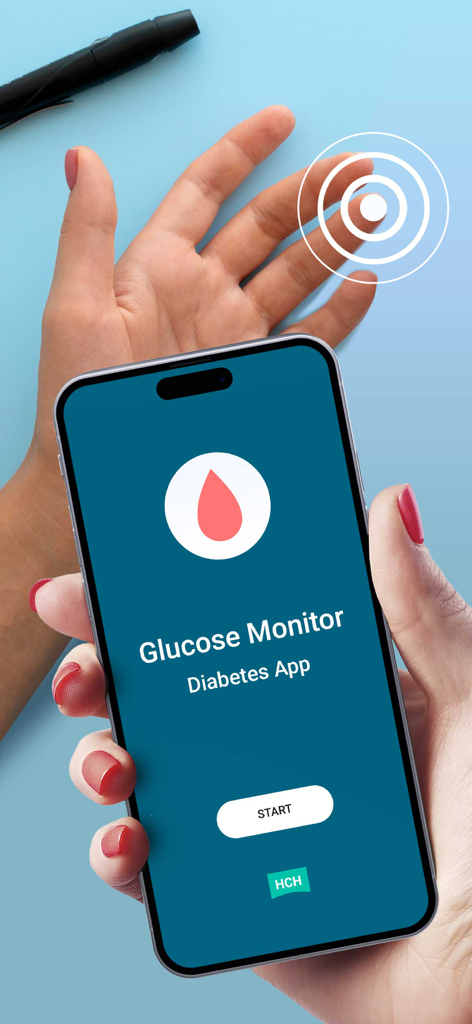
The tools that make this app stand out, trusted by 605K+ users.
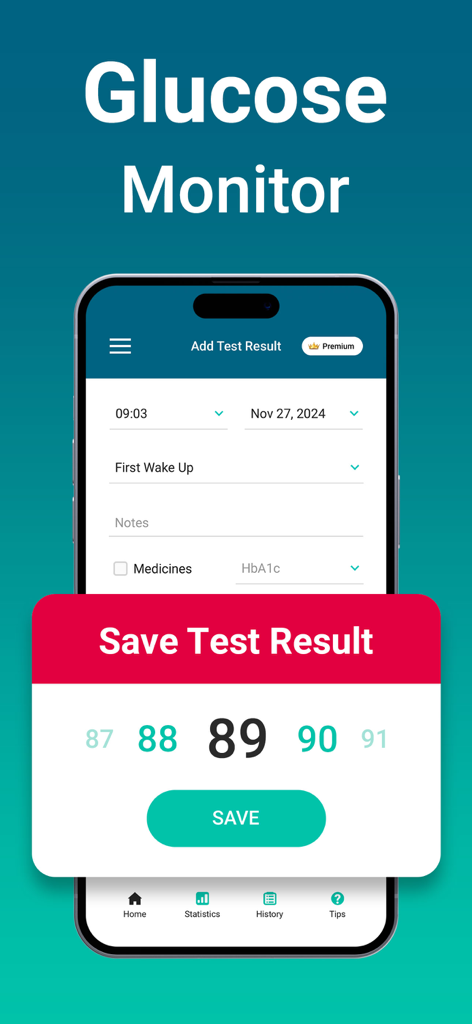
Effortlessly track your levels at critical moments—waking, pre-meal, and bedtime—to build a comprehensive health history for you and your doctor.
Eliminate dietary guesswork with our integrated food table, helping you choose ingredients that prevent spikes and keep your energy stable.
Gain peace of mind with clear visual indicators that show when you are in your healthy target range, helping you avoid long-term health risks.
Everything you need to know about Glucose Monitor - Diabetes App.
Description
Latest Version
1.6.1
Size
38.2 MB
First Released
Jul 18, 2022
Join over 600,000 proactive users tracking blood sugar, improving energy, and making smarter food choices with the Glucose Monitor app. Download now for iOS.
Everything you need to know about Glucose Monitor - Diabetes App
The Glucose Monitor - Diabetes App helps users track and manage their blood sugar levels. Its primary function is to maintain a target range, prevent health problems, and improve energy and mood.
The Glucose Monitor app facilitates tracking blood sugar at specific times. Users can record readings when waking up, before meals, two hours after meals, and at bedtime.
The Glucose Monitor - Diabetes App recommends typical blood sugar targets of 80 to 130 mg/dL before a meal and less than 180 mg/dL two hours after a meal.
Yes, the Glucose Monitor app includes a glycemic index table. This feature helps users avoid specific foods that could negatively impact their blood sugar levels.
No, the Glucose Monitor - Diabetes App states that targets vary by individual factors like age and health. Users must consult their healthcare team to determine personalized blood sugar targets.
Yes, Glucose Monitor - Diabetes App may contain Amazon affiliate links for product recommendations. These recommendations are for informational purposes and not medical advice.
The terms of use for the Glucose Monitor app are accessible via the provided URL: https://www.apple.com/legal/internet-services/itunes/dev/stdeula.
Yes, the Glucose Monitor - Diabetes App allows users to record HbA1c values. The "Add Test Result" screen provides a dedicated field for inputting these measurements.
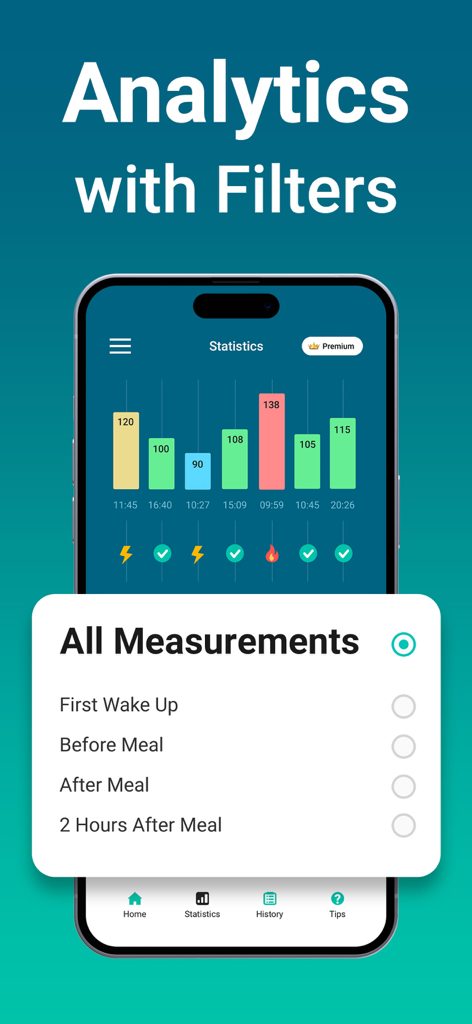
Yes, the Glucose Monitor app provides detailed "Analytics with Filters" for blood sugar readings. Users can view statistical charts and filter results by various measurement types.
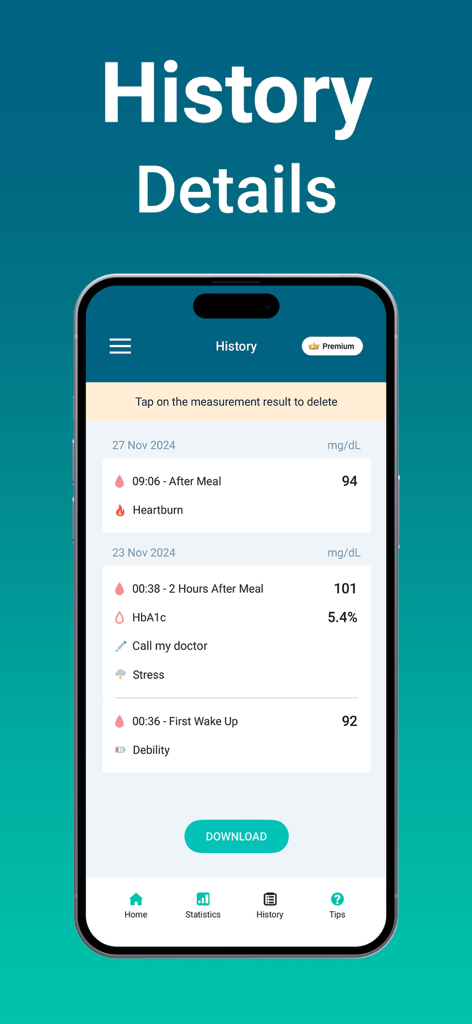
Users can review past blood sugar measurements in the Glucose Monitor app's "History Details" section. This feature displays a chronological list of all recorded readings.
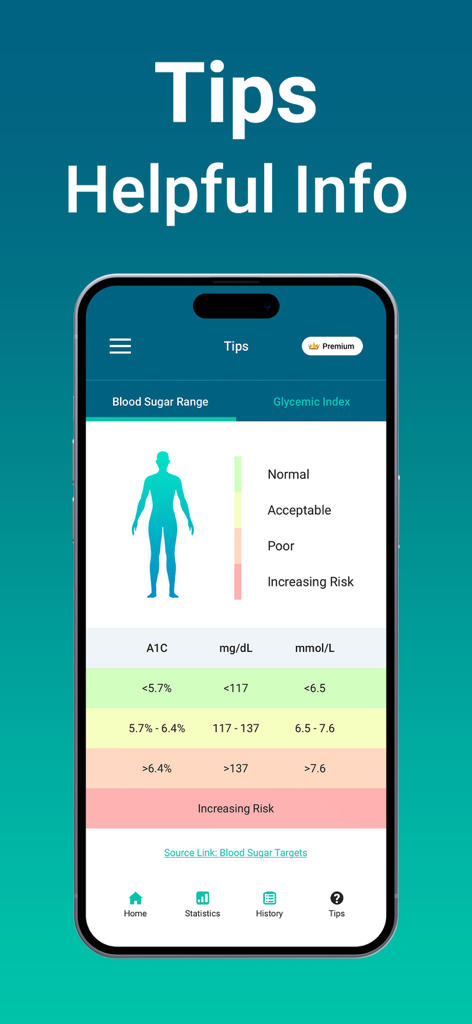
Yes, Glucose Monitor - Diabetes App offers comprehensive information on blood sugar ranges within its "Tips" section. It details normal, acceptable, poor, and increasing risk categories with corresponding values.
Yes, it is possible to export data from the Glucose Monitor app. The "History Details" section includes a "DOWNLOAD" button for users to save their historical blood sugar measurements.
No, not all features in the Glucose Monitor - Diabetes App are free. Several screenshots indicate a "Premium" badge, suggesting some functionalities require a paid subscription.
Apps with similar features and user experience
LifeScan, Inc.

Abbott Diabetes Care Inc
mySugr GmbH
Coco positivo SL
DexCom, Inc.
App Sub 1 LLC

Glooko, Inc.
Azumio Inc.
H2 Inc.
App information, icons, screenshots, and descriptions displayed on this page are sourced from the Apple App Store and are the property of their respective developers. Download estimates and rankings are based on MWM's proprietary models and may not reflect actual figures. This page is provided for informational and analytical purposes only.
Believe this page infringes your intellectual property? File a dispute