
This page is not an official page of the app or its developer, but an independent editorial publication created for informational and commentary purposes. Unless expressly stated otherwise, neither the app nor its developer is affiliated with, endorsed by, sponsored by, authorized by, or otherwise officially connected with MWM, Apple, Google Play, the app publisher, or the app's developer, and nothing on this page implies that the app was developed using MWM's services. Any trademarks, logos, screenshots, and other content remain the property of their respective owners.

Google Gemini
Users gain instant mastery over their digital environment. The app projects AI's raw potential directly into daily tasks, from concept to execution.
Downloads
100M+User Rating
Total Ratings
9.0MPublisher
Category
ProductivityLocales
71Latest Version
1.2026.1270000Size
222.2 MBFirst Released
Nov 13, 2024Google Gemini: A Comprehensive AI Assistant Evaluation
Analyzing key functionalities and their impact on diverse user segments
Seamless Google Ecosystem Integration
This tool features deep integration with Google's suite of applications (Search, YouTube, Gmail, etc.), leveraging personal context to deliver highly tailored and proactive assistance across various personal and professional tasks.
Real-time Multi-modal Interaction
The app provides real-time interaction capabilities, allowing users to share their camera or screen to discuss and get insights on visual content, which is highly beneficial for brainstorming and contextual understanding.
Intelligent Information Synthesis
It offers capabilities for summarizing complex information, conducting deep dives into topics, and providing source links, thereby streamlining research and aiding in rapid understanding and idea generation.
Diverse Content Creation & Prototyping
It allows users to generate a wide array of content, from visual designs like mockups and posters to digital prototypes such as apps, games, and web pages, fostering creativity and rapid development.
Advanced AI Model Access & Performance
The app provides access to powerful AI models like Gemini 3 Flash, Pro, and Ultra, offering enhanced capabilities for complex tasks, faster prompting, deep research, and even video generation, catering to advanced user needs.
Personalized Learning & Study Aids
The app provides comprehensive learning tools, including quiz and flashcard creation, interactive visuals, and the ability to convert files into podcasts, which significantly aids students and professionals in studying and knowledge acquisition.
Frequently Asked Questions
Everything you need to know about Google Gemini
What is the Google Gemini app?
The Google Gemini app is a personal, proactive, and powerful AI Assistant. It offers unlimited prompting and is powered by Gemini 3 Flash.
What AI models does Google Gemini use?
Google Gemini utilizes Gemini 3 Flash for fast, unlimited prompting. Upgraded plans like Google AI Pro and Ultra access more capable models such as Gemini 3 Pro and Gemini 3 Deep Think.
Can Google Gemini generate and edit images?
Yes, Google Gemini generates and edits stunning images from just a few words. It also creates mockups, designs posters with sharp text, and builds diagrams with Nano Banana.
How does Google Gemini assist with studying?
Google Gemini helps users study smarter by creating quizzes and flashcards, providing interactive visuals, and offering real-world examples to explore any topic.
Which Google apps does Gemini connect with?
Google Gemini connects with various Google apps, including Search, YouTube, Google Maps, and Gmail. This integration enhances its utility by leveraging existing Google services.
Does the Google Gemini app support device actions on iOS?
No, the Google Gemini app does not yet support device actions on iOS, such as setting an alarm or sending a text message. It can handle weather checks and directions.
What features does the Google AI Pro plan unlock for Gemini?
The Google AI Pro plan provides higher access to Gemini's most capable model, 3 Pro. It includes Deep Research on 3 Pro and video generation capabilities with Veo 3.1 Fast.
What benefits does the Google AI Ultra plan offer for Gemini?
The Google AI Ultra plan provides the highest access to Google's most powerful models like 3 Pro, Veo 3.1 for video generation, Deep Research on 3 Pro, and Gemini 3 Deep Think. It also grants early access to new AI innovations like Agent Mode.
Can Google Gemini assist with writing?
Yes, Google Gemini helps with writing tasks by brainstorming new ideas, improving existing ones, and generating creative text like event invitations.
Can Google Gemini convert files into podcasts?
Yes, Google Gemini can turn any file into a podcast. Users listen to these podcasts anytime, anywhere, enhancing accessibility to content.
Can users talk to Gemini about what they see using the camera?
Yes, users can go Live with Gemini to discuss anything they see by sharing their camera or screen. This feature allows for visual context-aware conversations.
Is Google Gemini available for Google Workspace business and education plans?
Yes, the Google Gemini app, as part of Google AI Pro, is available to qualifying Google Workspace business and education plans. Google AI Ultra for Business is an add-on for Workspace customers.
The following screenshots and description are sourced directly from the app's official store listing and are the property of the app developer.
App Store
Screenshots
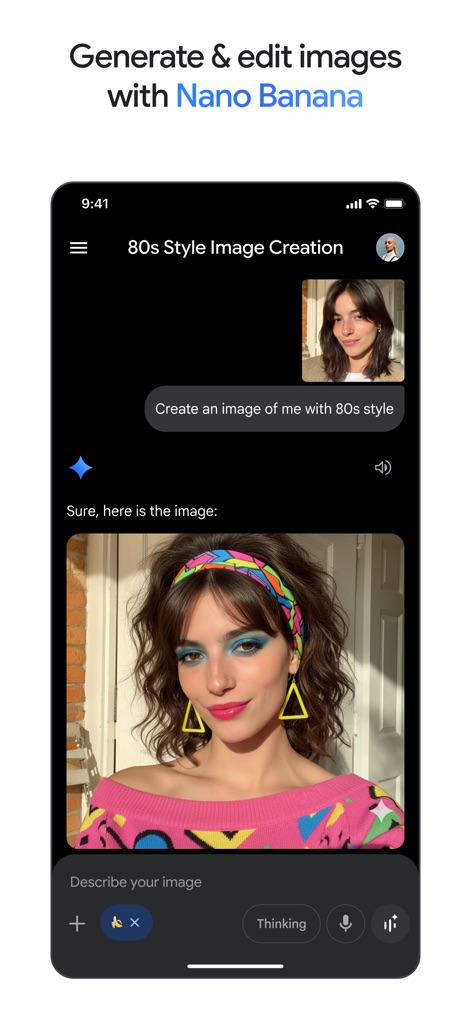
Creative Image Synthesis
Users can effortlessly transform prompts into visual masterpieces, as seen with the user's request for an '80s style image' and the detailed visual generated within the chat.
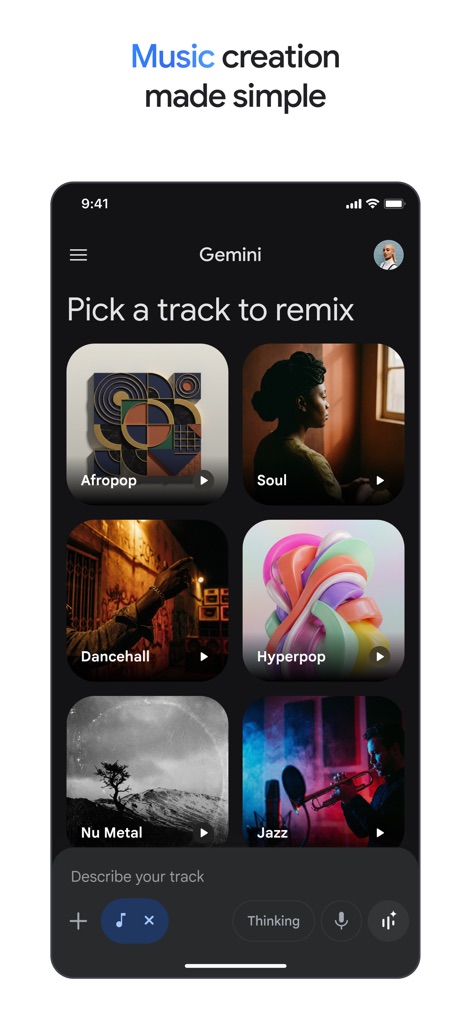
Musical Remix Lab
This tool provides a streamlined music creation interface, allowing users to select diverse genres from a grid of album art thumbnails and initiate track remixes.
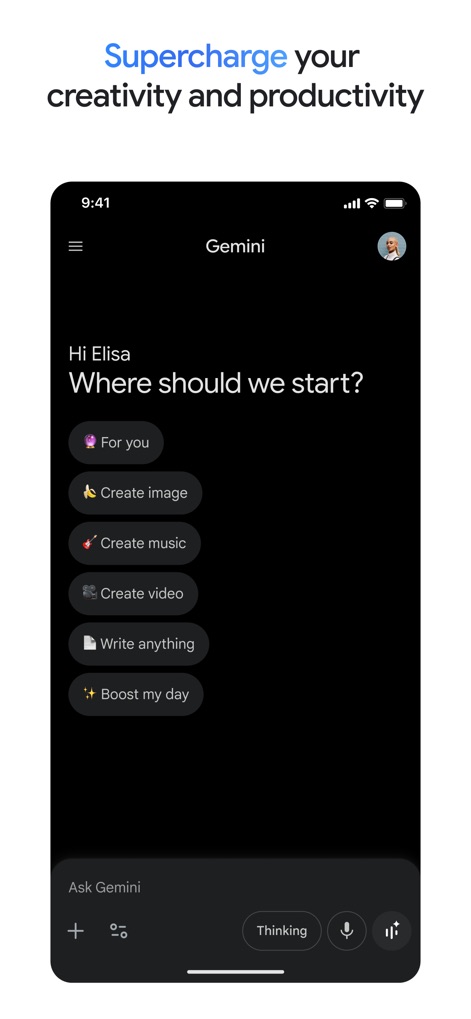
Productivity Hub
The app's intuitive starting screen presents personalized suggestions and direct action buttons, enabling users to quickly 'Create image' or 'Write anything' to kickstart various tasks.

Contextual Live Interaction
Gemini offers real-time visual analysis, demonstrated by its ability to identify objects within a live camera feed and engage in a dialogue based on the displayed content.
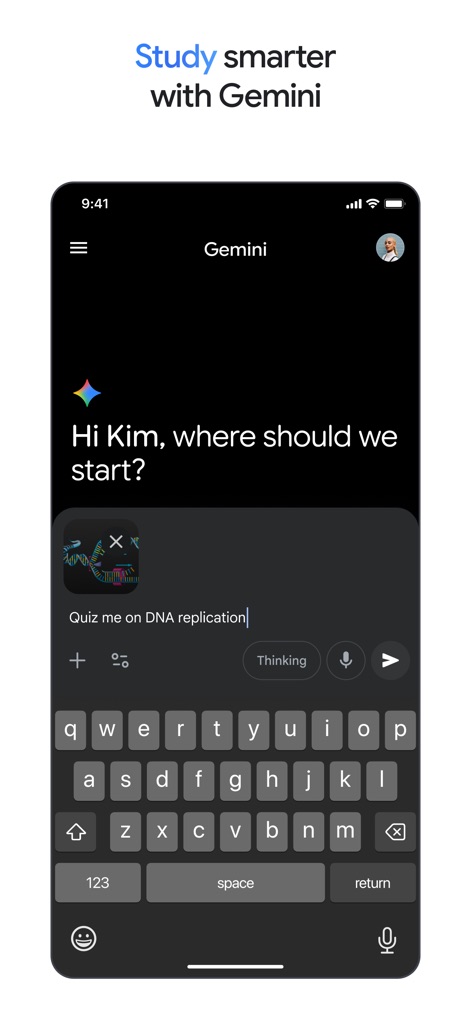
Academic Assistant
The app aids learning by transforming study requests into interactive sessions, like generating a quiz on 'DNA replication' right within the chat interface.
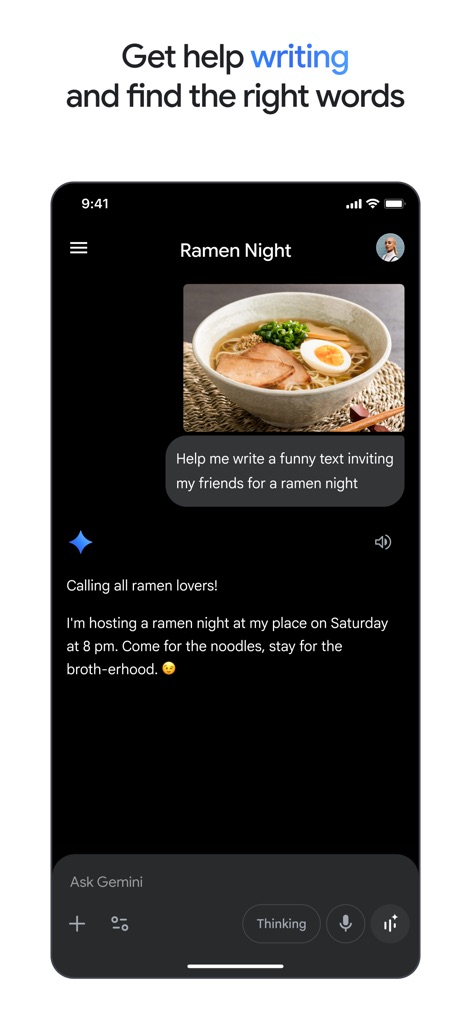
Writing Aid
Users benefit from the app's sophisticated writing assistance, which crafts engaging messages like the ramen night invitation, complete with relevant emojis and creative phrasing.
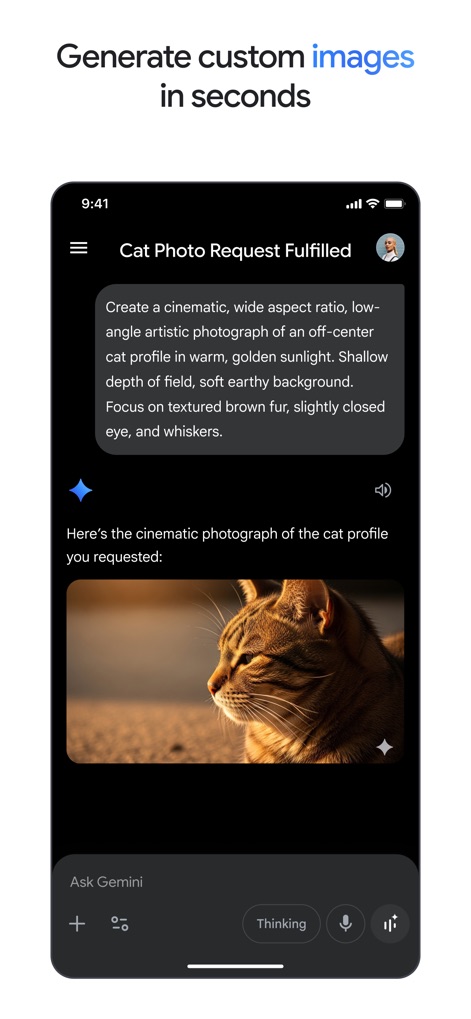
Instant Image Creation
This powerful AI generates specific visual content from detailed text prompts, producing a 'cinematic cat photograph' based on explicit descriptions of lighting and composition.
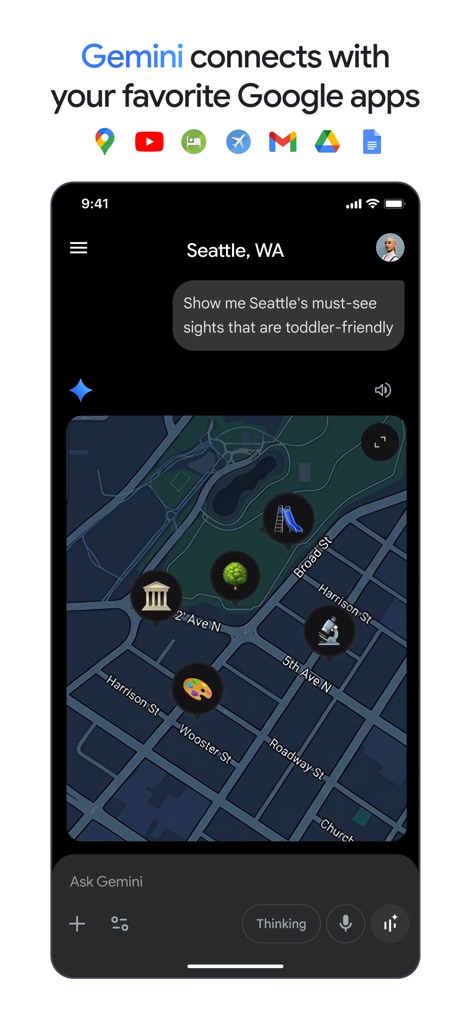
Integrated Ecosystem
The app seamlessly integrates with other Google services, as illustrated by its ability to display interactive map results and leverage diverse Google app functionalities for user queries.
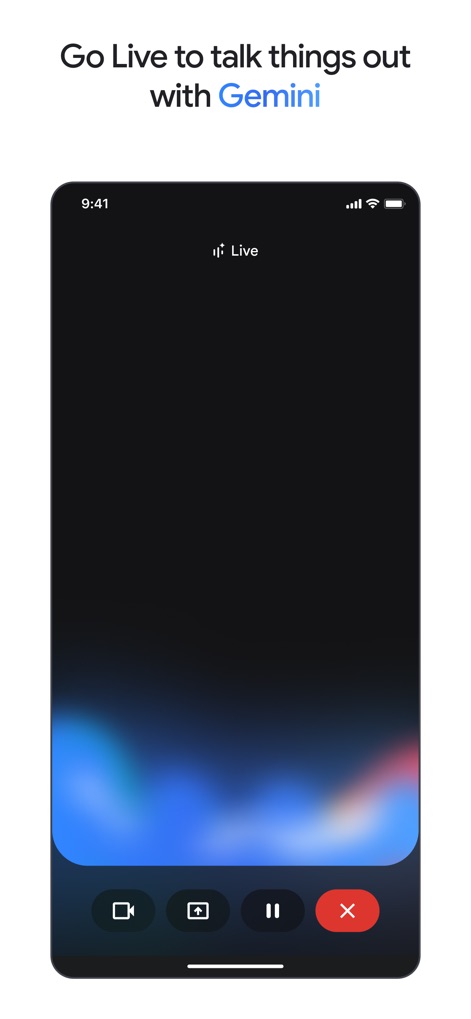
Live Session Initiation
Users can initiate interactive live sessions, indicated by the 'Live' status bar and the clear array of control buttons for camera and session management.
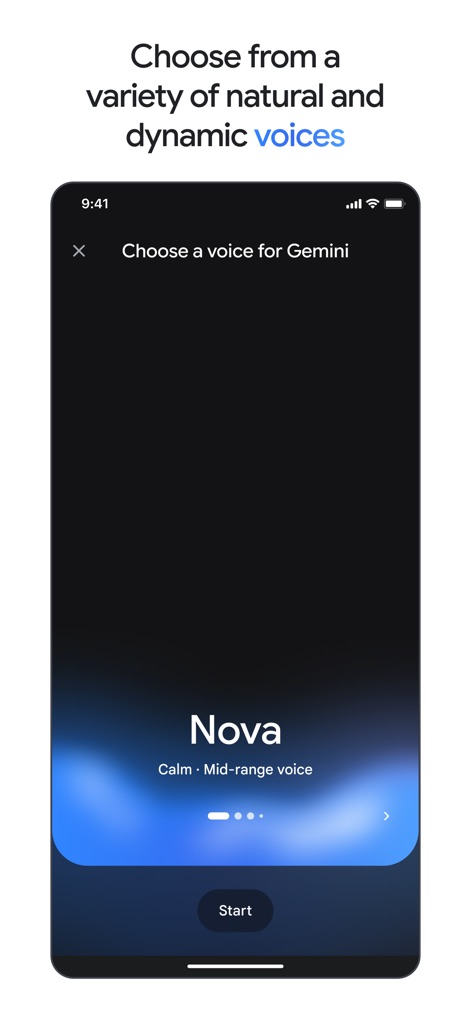
Personalized Voice Options
The tool allows for a customized user experience, offering a selection of natural and dynamic voices, with 'Nova' presented as a 'Calm Mid-range voice' option.
Description
Download
More Like This
Apps with similar features and user experience

ChatGPT
OpenAI OpCo, LLC

Grok
X.AI Corporation

Microsoft Copilot
Microsoft Corporation

Perplexity - AI Search & Chat
Perplexity AI Inc.

Alice: AI assistant
DIRECT CURSUS COMPUTER SYSTEMS TRADING LLC
Kimi - Now with K2.5
Beijing Moonshot Technology Co., Ltd
AI Chat Assistant – ChatNow
Tappz GmbH

Chat & Ask AI by Codeway
DEEP FLOW SOFTWARE SERVICES - FZCO

Luzia: Your AI Assistant
Factoria Elcano SL
This page is not an official page of the app or its developer, but an independent editorial publication created for informational and commentary purposes. Unless expressly stated otherwise, neither the app nor its developer is affiliated with, endorsed by, sponsored by, authorized by, or otherwise officially connected with MWM, Apple, Google Play, the app publisher, or the app's developer, and nothing on this page implies that the app was developed using MWM's services. Any trademarks, logos, screenshots, and other content remain the property of their respective owners.