
This page is not an official page of the app or its developer, but an independent editorial publication created for informational and commentary purposes. Unless expressly stated otherwise, neither the app nor its developer is affiliated with, endorsed by, sponsored by, authorized by, or otherwise officially connected with MWM, Apple, Google Play, the app publisher, or the app's developer, and nothing on this page implies that the app was developed using MWM's services. Any trademarks, logos, screenshots, and other content remain the property of their respective owners.


Google Voice
The modern phone number often falls short. This app empowers users with unparalleled command over their calls, texts, and voicemail, consolidating every interaction onto a single, device-agnostic line.
Downloads
12.5M+User Rating
Total Ratings
78.5KPublisher
Category
ProductivityLocales
73Latest Version
26.12Size
180.2 MBFirst Released
Nov 16, 2010Google Voice: A Comprehensive Virtual Communication Hub
An analytical overview of key features for enhanced privacy, professional efficiency, and multi-device flexibility for US users and Google Workspace.
Virtual Phone Number & Communication Hub
The app provides a dedicated virtual phone number, enabling users to make and receive calls, send and receive text messages, and manage voicemails, consolidating communication through a single, versatile identity.
Seamless Multi-Device Experience
This tool features seamless synchronization of calls, texts, and voicemails across smartphones, computers, and other devices, ensuring continuous access and management of communications regardless of location.
Intelligent Voicemail Transcription
It allows users to receive automated transcriptions of voicemails, which can be read directly within the app or delivered via email, significantly improving message comprehension and efficiency.
Robust Spam Protection & Call Screening
The app automatically filters unwanted spam calls and messages, and it allows users to block specific numbers, enhancing privacy and reducing interruptions from telemarketers or unwanted contacts.
Searchable Communication History
This tool features automatic storage and backup of all calls, text messages, and voicemails, making the entire communication history easily searchable for quick reference and compliance.
Customizable Call & Message Routing
It allows users to customize settings for call forwarding, text message handling, and voicemail preferences, providing granular control over how and when communications are received and managed.
Frequently Asked Questions
Everything you need to know about Google Voice
What is Google Voice?
Google Voice provides a phone number for calling, text messaging, and voicemail. It works on smartphones and computers, syncing across devices for use in various locations.
Can Google Voice be used for international calls?
Yes, Google Voice supports international calls at competitive rates, eliminating extra international minutes from your mobile carrier plan.
Does Google Voice transcribe voicemails?
Yes, Google Voice provides advanced voicemail transcriptions. Users can read these in the app or receive them via email, as shown in Screenshot #4.
In which countries is Google Voice available?
Google Voice is available for personal Google Accounts in the US. Google Workspace users can access it in select markets; check with your administrator.
How does Google Voice manage spam calls?
Google Voice automatically filters spam calls and allows users to block unwanted numbers. Personalized settings help manage call forwarding and messages effectively.
Can I sync Google Voice messages across my devices?
Yes, Google Voice syncs across devices, enabling users to send and receive individual and group SMS messages from smartphones and computers.
Does Google Voice back up call and message history?
Yes, Google Voice stores and backs up all calls, text messages, and voicemails. This history is fully searchable within the application.
How can I customize my alerts and availability in Google Voice?
Google Voice allows personalized settings for forwarding calls, text messages, and voicemail. Options include 'Do not disturb' and managing voicemail greetings, visible in Screenshot #6.
The following screenshots and description are sourced directly from the app's official store listing and are the property of the app developer.
App Store
Screenshots
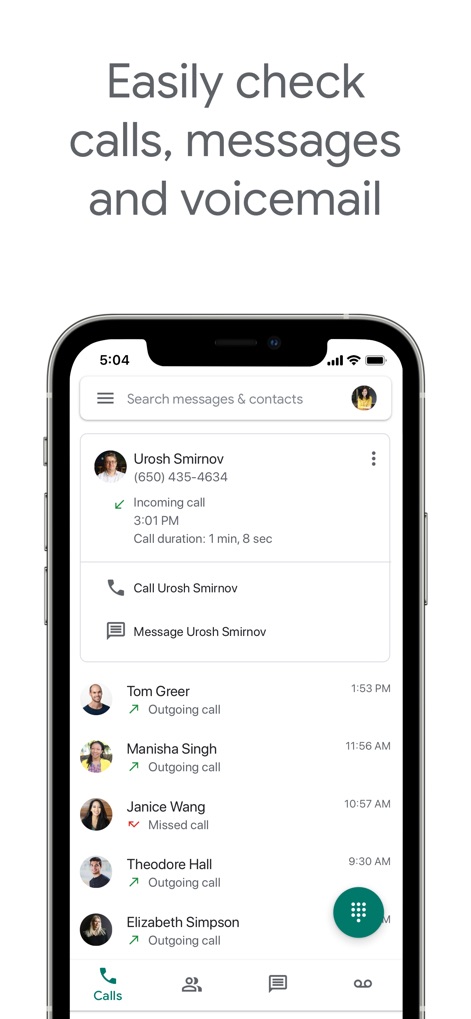
Unified Communication Hub
Users can effortlessly review call history, messages, and voicemails, all accessible through a clear bottom navigation bar and detailed individual contact logs.
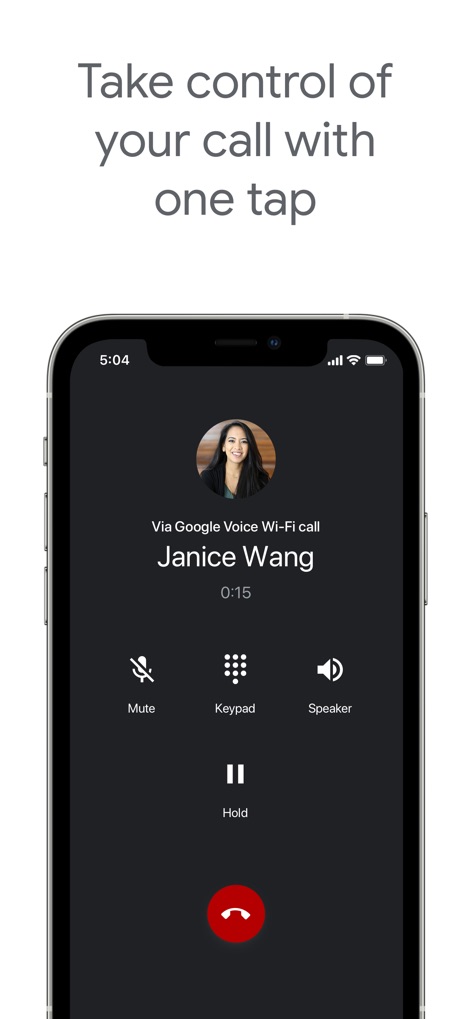
In-Call Controls
Gain instant command over active calls with easily accessible options like mute and speaker, alongside clear caller identification for every conversation.
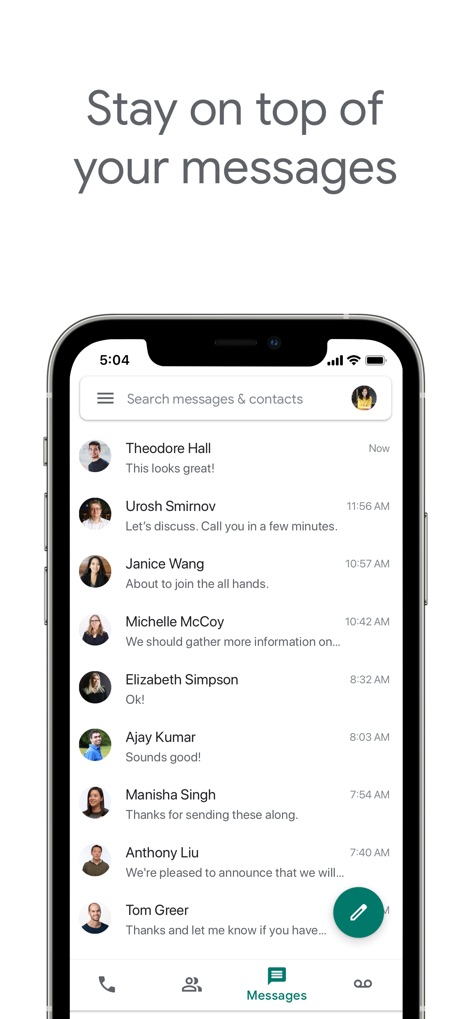
Streamlined Messaging
Stay connected with an organized view of all message threads, displaying contact names and the latest interactions, and a convenient floating action button for composing new messages.
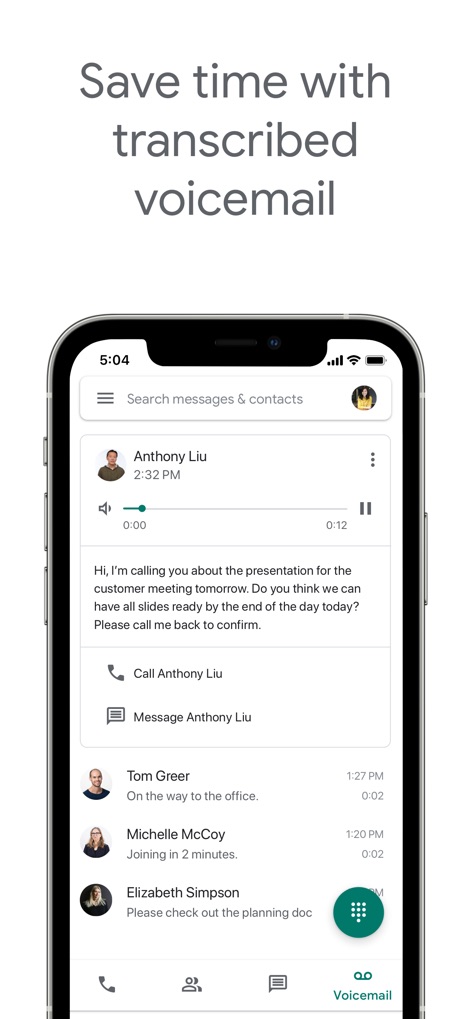
Intelligent Voicemail
Access and review voicemails efficiently through advanced text transcriptions, accompanied by integrated playback controls and direct call-back options.
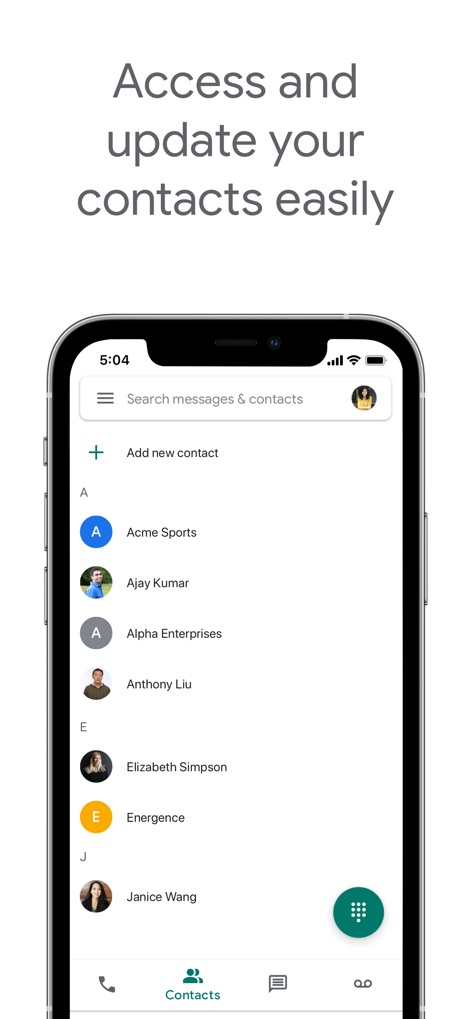
Contacts & Connections
Easily manage your professional and personal network with an alphabetized contact list, featuring a quick 'Add new contact' option and an integrated search bar.
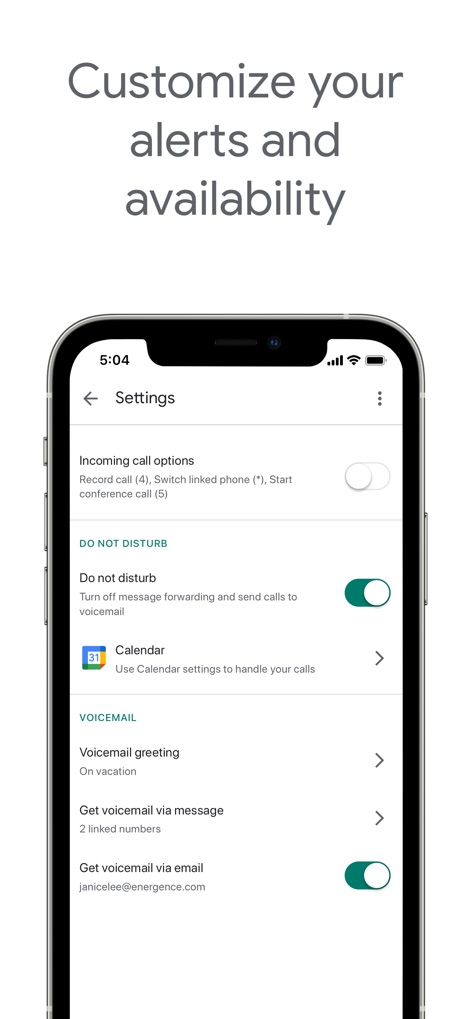
Personalized Settings
Customize the app's experience with granular control over features, including 'Do not disturb' toggles and options for managing 'Voicemail greeting' and delivery preferences.
Description
Download
More Like This
Apps with similar features and user experience

TextNow: Call + Text Unlimited
TextNow, Inc.

Text Free: Second Phone Number
Pinger, Inc.

Text Me - Phone Call + Texting
TextMe, Inc.

Talkatone: WiFi Text & Calls
TALKATONE, INC.

TalkU: Unlimited Calls + Texts
Newtone Communications Inc

Dingtone: Phone Calls + Texts
Sixapps Limited

Pinger: Call Plus Texting App
Pinger, Inc.

WiFi : Phone Calls & Text Sms
Essential Apps LLC

TXT App Phone Now
KARTAVYA MANAGEMENT CONSULTANCY SERVICES LLP
This page is not an official page of the app or its developer, but an independent editorial publication created for informational and commentary purposes. Unless expressly stated otherwise, neither the app nor its developer is affiliated with, endorsed by, sponsored by, authorized by, or otherwise officially connected with MWM, Apple, Google Play, the app publisher, or the app's developer, and nothing on this page implies that the app was developed using MWM's services. Any trademarks, logos, screenshots, and other content remain the property of their respective owners.