
This page is not an official page of the app or its developer, but an independent editorial publication created for informational and commentary purposes. Unless expressly stated otherwise, neither the app nor its developer is affiliated with, endorsed by, sponsored by, authorized by, or otherwise officially connected with MWM, Apple, Google Play, the app publisher, or the app's developer, and nothing on this page implies that the app was developed using MWM's services. Any trademarks, logos, screenshots, and other content remain the property of their respective owners.


GPS Camera 55. Field Survey
Streamline your field inspections with high-precision UTM/MGRS coordinate stamps, instant photo annotations, and automated PDF reports designed for engineers and surveyors.
Downloads
1M+User Rating
Total Ratings
9K+Publisher
Category
NavigationLocales
7Latest Version
4.9Size
70.4 MBFirst Released
Dec 6, 2018Streamline Your Professional Field Surveys
Capture every detail with precision. GPS Camera 55 turns your device into a powerful documentation tool designed for engineers, surveyors, and site managers.
Precision Location Overlays
Stamp photos with high-accuracy coordinates in UTM, MGRS, or decimal formats, including compass heading, altitude, and verified timestamps.
Instant Professional Reports
Save hours of office work by generating comprehensive PDF reports with maps, notes, and images to share with clients or project managers immediately.
Frequently Asked Questions
Everything you need to know about GPS Camera 55. Field Survey
What is GPS Camera 55 and what are its main functions?
GPS Camera 55 captures photos with precise location, date, address, and custom notes stamped directly onto the image. It also supports hand-drawn annotations and organizes shots into folders for reporting.
Can I add custom annotations and notes to photos in GPS Camera 55?
Yes, GPS Camera 55 allows users to add hand-drawn annotations using a finger or Apple Pencil. It also supports text notes, titles, tags, and addresses, which can be edited later.
What location data formats does GPS Camera 55 support?
Yes, GPS Camera 55 captures precise location data. It supports various coordinate formats including decimal, DM, DMS, UTM, and MGRS, along with true or magnetic heading and altitude.
Can I import existing photos into GPS Camera 55 and restore their location data?
Yes, GPS Camera 55 can import photos from your device's library. The app attempts to restore location, direction, and notes automatically by parsing TIFF/EXIF/GPS/IPTC data from the imported images.
Does GPS Camera 55 offer PDF report generation for photos?
Yes, GPS Camera 55 generates PDF reports for selected photos or entire collections. Users can customize the number of images per page and include photo descriptions in the reports.
What features are included in the GPS Camera 55 Pro Pack upgrade?
The Pro Pack upgrade for GPS Camera 55 enables creating additional collections, sharing more than 5 points/images, KMZ export/import, saving annotations, advanced photo editing, and biometric security.
Can I protect my data in GPS Camera 55 with a PIN code or biometrics?
Yes, the GPS Camera 55 Pro Pack upgrade includes extra protection for your work and privacy with PIN code or biometric-based access options, such as Face ID.
How can I share photos and data from GPS Camera 55 with others?
Yes, GPS Camera 55 allows sharing multiple points or entire collections. Images can be shared with or without location/notes text and overlays, and exported as KMZ files for complete point and image transfer.
Does GPS Camera 55 allow organizing and searching photos by collections or tags?
Yes, GPS Camera 55 organizes images into collections or folders. Users can search by notes, address, or tags, filter by creation month, and sort by proximity or date.
Can I use custom watermarks with my photos in GPS Camera 55?
Yes, GPS Camera 55 supports custom watermarks. The Pro Pack upgrade removes the basic watermark and allows users to set up a custom watermark with their own image, text, and colors.
The following screenshots and description are sourced directly from the app's official store listing and are the property of the app developer.
App Store
Screenshots
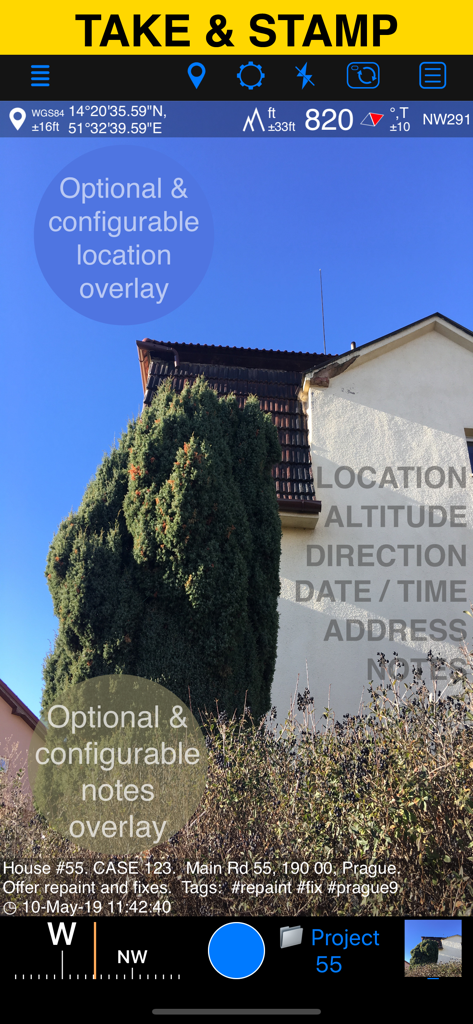
GPS Camera 55 app interface displaying a field photo with location altitude and custom notes overlays
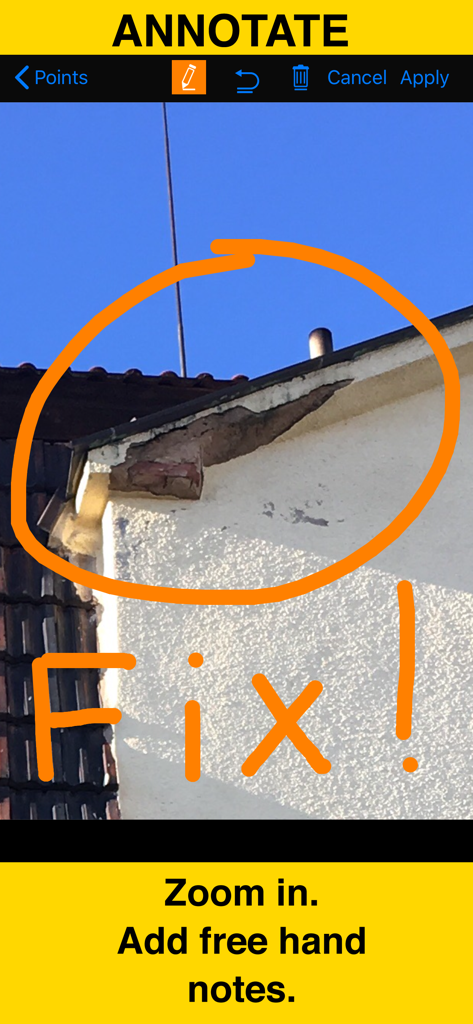
A close up photo of building damage with hand drawn orange circle and fix note using the gps camera annotation tool
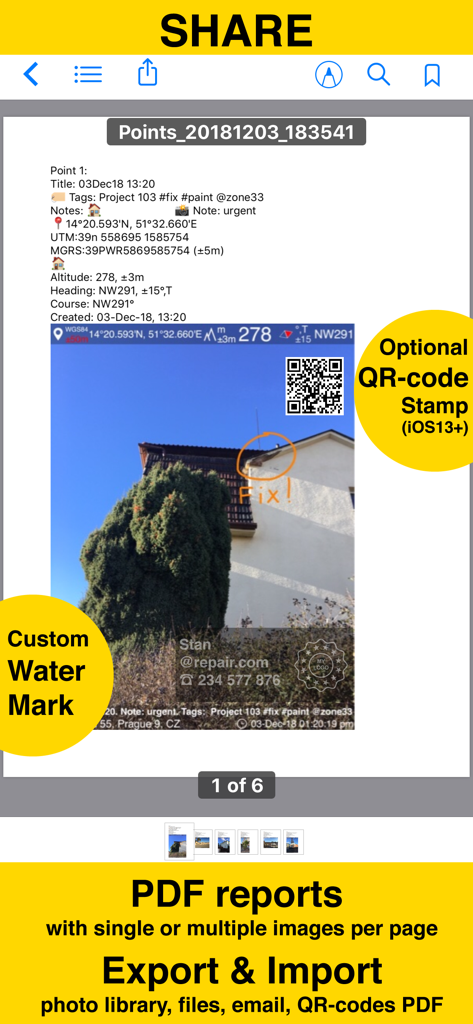
Screenshot of a PDF report generated by the GPS Camera 55 app showing a photo with location stamps, annotations, and custom watermarks.
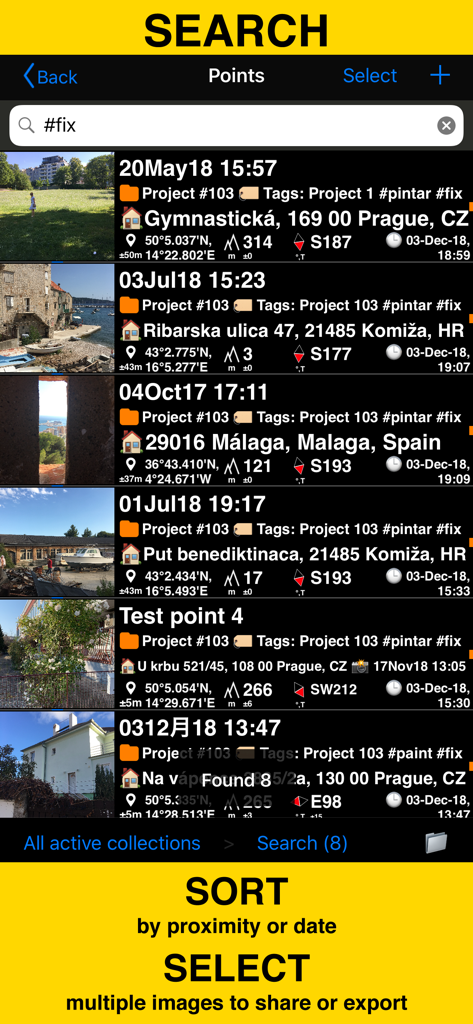
Search and sort field survey photos by tags and coordinates in the GPS Camera 55 app
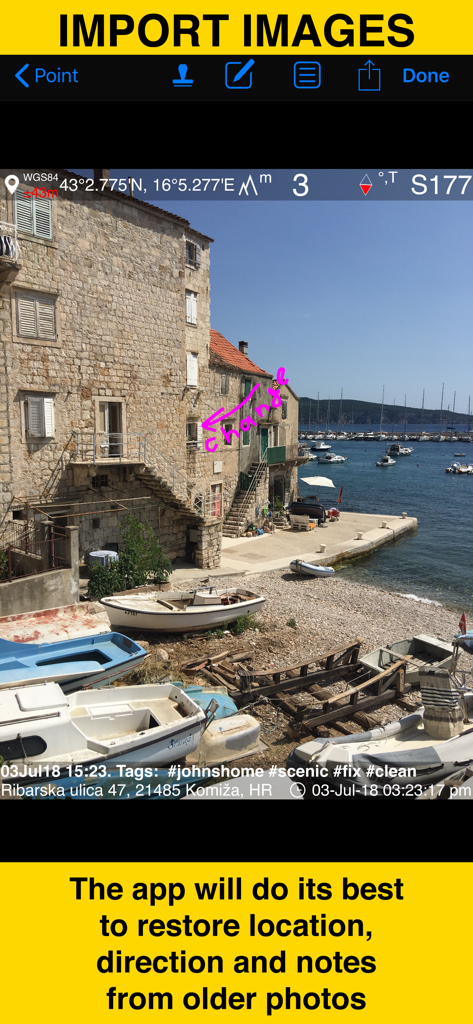
Screenshot demonstrating the restoration of location and notes from older photos imported into the GPS Camera 55 app
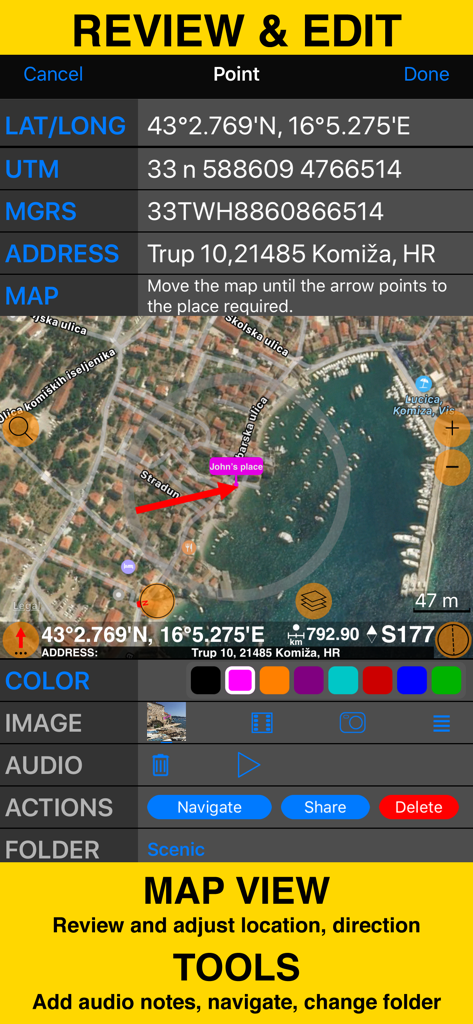
Review and edit screen with coordinates map view and field survey tools
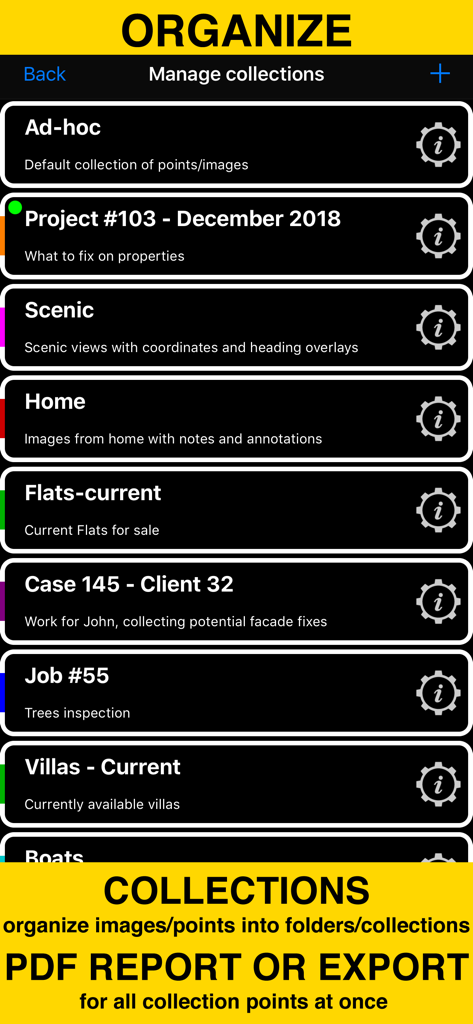
Screen showing folders and collections to organize field survey photos and generate PDF reports
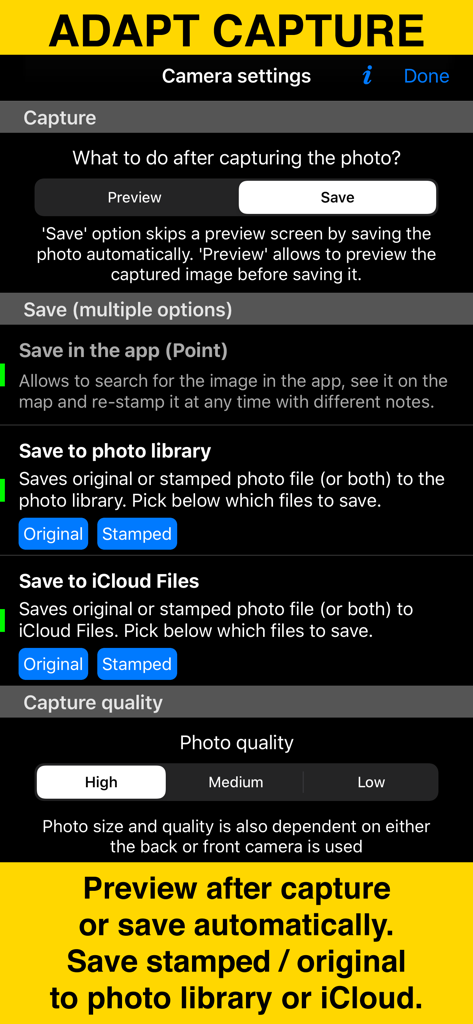
Camera settings screen of the GPS Camera 55 app showing photo capture and storage options.
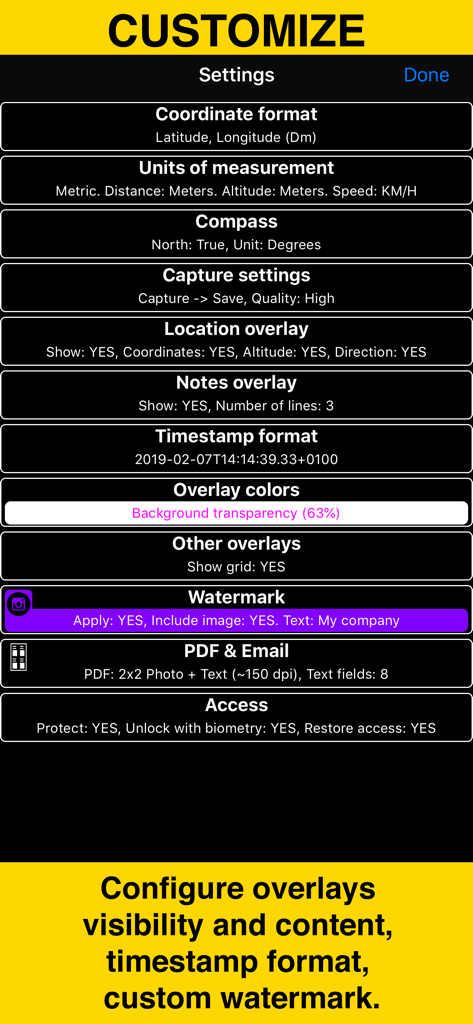
Settings menu of GPS Camera 55 showing options to customize coordinates units overlays and watermarks
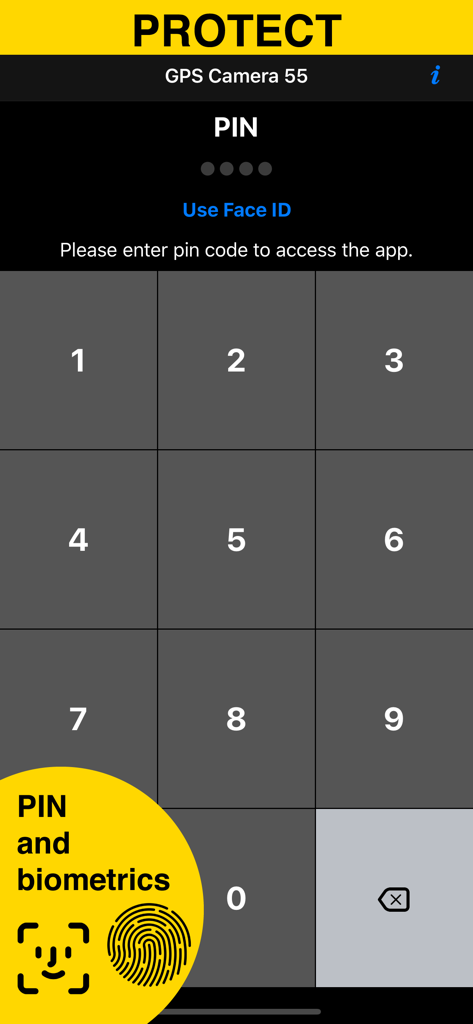
Security screen with PIN and biometrics for GPS Camera 55 app
Description
Download
More Like This
Apps with similar features and user experience

今日水印相机-时间地点经纬度打卡拍照
Keep Curiosity, Inc.

Timemark: Photo Proof
OCEAN GALAXY PTE. LTD.

自定义水印相机
Beidou Hanglu Technology Co.,Ltd.

CompanyCam
CompanyCam, Inc
今日水印专业版-官方无广告版,真实时间今日水印相机拍照
Keep Curiosity, Inc.

经纬度相机&水印相机-记录时间地点天气
Shuzhuo Network Technology Guangzhou Co., Ltd.

水印相机-时间地点工作打卡拍照视频
Chengdu Chongbianli Science and Technology Ltd.

经纬相机:水印相机拍照水印记录时间地点
佳铭 游

TimeStamp Camera+MAP
源泽 高
This page is not an official page of the app or its developer, but an independent editorial publication created for informational and commentary purposes. Unless expressly stated otherwise, neither the app nor its developer is affiliated with, endorsed by, sponsored by, authorized by, or otherwise officially connected with MWM, Apple, Google Play, the app publisher, or the app's developer, and nothing on this page implies that the app was developed using MWM's services. Any trademarks, logos, screenshots, and other content remain the property of their respective owners.