
This page is not an official page of the app or its developer, but an independent editorial publication created for informational and commentary purposes. Unless expressly stated otherwise, neither the app nor its developer is affiliated with, endorsed by, sponsored by, authorized by, or otherwise officially connected with MWM, Apple, Google Play, the app publisher, or the app's developer, and nothing on this page implies that the app was developed using MWM's services. Any trademarks, logos, screenshots, and other content remain the property of their respective owners.


Timemark: #1 Job Photo App
It arms users with undeniable visual proof. Every photo becomes ironclad evidence.
Downloads
2.5M+User Rating
Total Ratings
308.6KPublisher
Category
Photo & VideoLocales
21Latest Version
10.0.80Size
101.3 MBFirst Released
Mar 9, 2023An analytical overview of core functionalities driving verifiable field documentation and team efficiency.
Key Features of Timemark: #1 Job Photo App
Verified Photo Documentation
The app provides network-verified timestamps, precise GPS coordinates, unique verification codes, and custom watermarks to ensure every photo is irrefutably authentic and protected against tampering.
Robust Offline Capability
It allows users to capture photos with full metadata even in areas without internet connectivity, with automatic synchronization once back online.
Centralized Team Photo Management
This tool automatically syncs every team member's photos to a central workspace, facilitating organization by project or client with role-based permissions.
Customizable Reporting & Sharing
The app offers one-click generation of professional reports in multiple formats (PDF, Excel, ZIP, KMZ), including before & after layouts and shareable live links for clients.
Intuitive Field Interface
Designed as a lightweight application that requires no extensive training, allowing field crews to start using it effectively within minutes.
Branded Photo Watermarking
It enables users to add custom watermarks with company logos, project names, and job details directly onto photos for branding and context.
Frequently Asked Questions
Everything you need to know about Timemark: #1 Job Photo App
What is Timemark: Photo Proof?
Timemark: Photo Proof is an application designed to help users take and organize job-related photos and videos. It facilitates daily reports, team communication, and serves as proof of work.
How does Timemark: Photo Proof ensure photo trustworthiness?
Timemark: Photo Proof ensures trustworthiness by embedding accurate date, time, and GPS location into every photo and video. It also uses anti-tamper time and location features to prevent alterations.
Can I add custom information to photos taken with Timemark?
Yes, Timemark allows users to add custom information to photos. This includes maps, GPS coordinates, weather data, notes, company logos, job tags, and altitude details.
Does Timemark support team collaboration and photo organization?
Yes, Timemark features Teamspace, which automatically collects team photos into designated project folders. Users can review these photos in map, gallery, or sheet view for organized collaboration.
What kind of reports can Timemark: Photo Proof generate?
Timemark: Photo Proof generates various reports from collected photos and videos. Users can create reports in PDF, Excel, or KMZ formats for different operational needs.
Is Timemark: Photo Proof suitable for construction project tracking?
Yes, Timemark: Photo Proof is specifically tailored for construction, allowing users to track project progress using templates and cloud sync. It is designed for various field service applications.
How does subscription renewal work for Timemark: Photo Proof?
Subscriptions for Timemark: Photo Proof automatically renew unless auto-renew is turned off at least 24 hours before the current period ends. The account is charged for renewal within 24 hours prior.
Can I manage or cancel my Timemark: Photo Proof subscription?
Yes, users can manage their Timemark: Photo Proof subscriptions and turn off auto-renewal through their device's settings after purchase. Cancellation is not permitted during an active subscription period.
Does Timemark: Photo Proof offer time tracking features?
Yes, Timemark: Photo Proof includes simple time tracking features. Users can clock in/out, log breaks, and view their total work hours directly within the app.
Is Timemark: Photo Proof certified for data security?
Yes, Timemark: Photo Proof is certified for data security. It has achieved CASA Tier 2 certification, indicating compliance with industry-recognized security standards.
Can Timemark display both latitude/longitude and altitude on photos?
Yes, Timemark: Photo Proof allows users to display both latitude/longitude coordinates and altitude directly on their photos. These options are customizable within the app's template settings.
The following screenshots and description are sourced directly from the app's official store listing and are the property of the app developer.
App Store
Screenshots
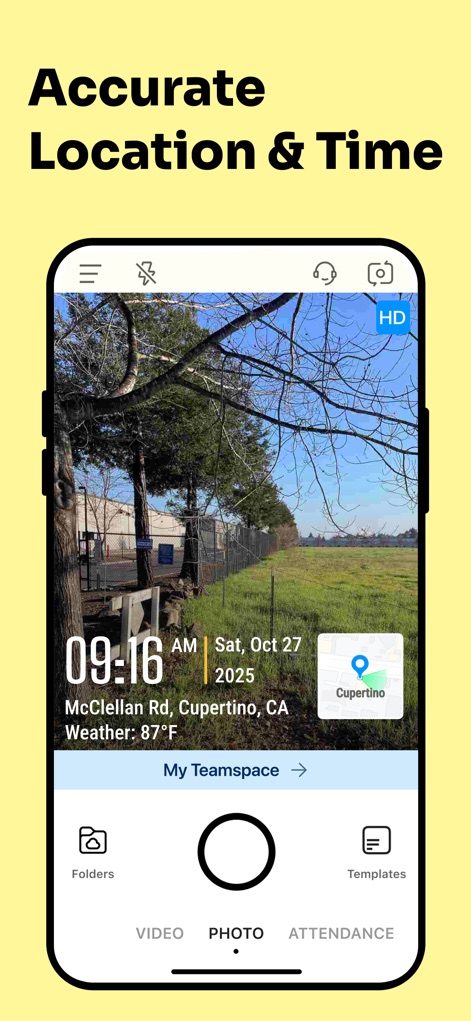
See how the app precisely stamps each image with a network-verified timestamp overlay and a clear GPS map location, providing undeniable proof for every job.
Verified Photo Evidence
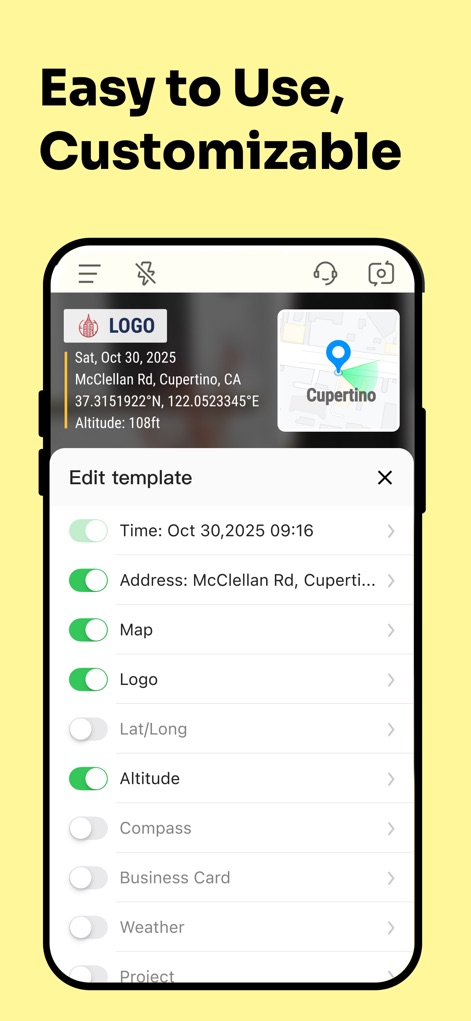
Users can effortlessly customize photo overlays with options like dynamic data toggles and integrated company logos, ensuring every image meets specific project needs.
Tailored Data Overlays
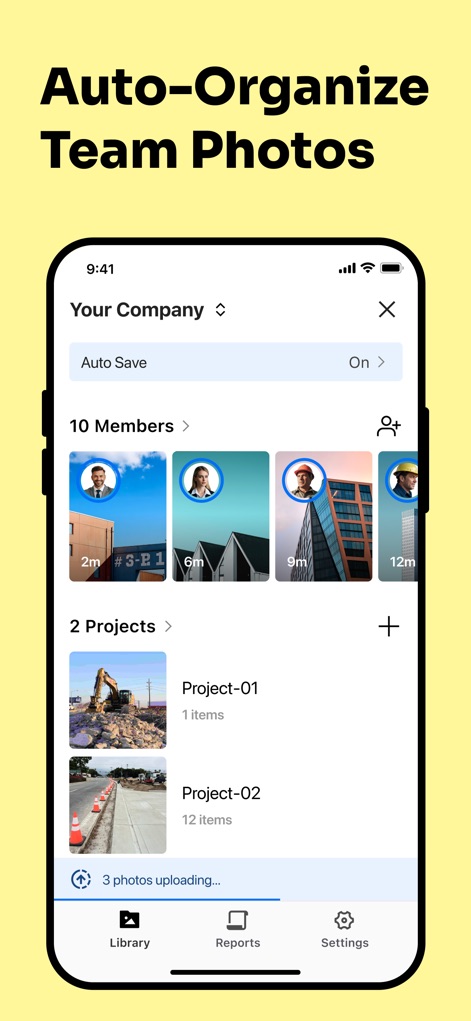
The app streamlines workflows by automatically syncing every team member's photos into a centralized workspace, organized effortlessly by projects with auto-save functionality.
Seamless Team Collaboration
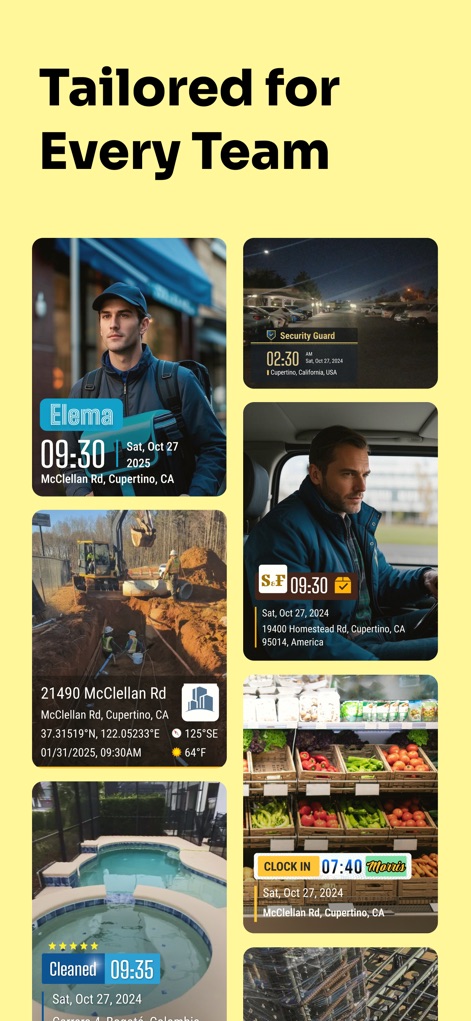
This tool adapts to diverse professional needs, showcasing varied photo overlays with industry-specific branding and tailored data points for different team operations.
Industry-Specific Solutions
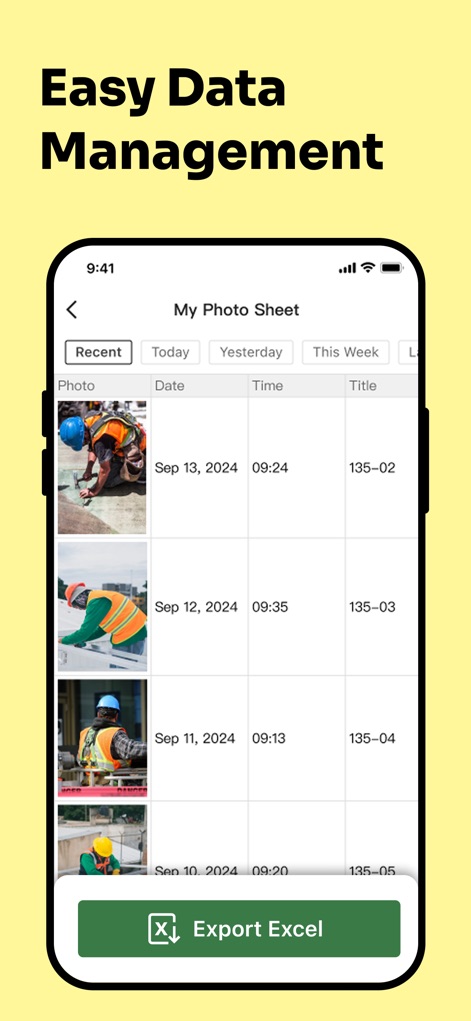
The app provides a clear photo sheet with crucial metadata like date and time, enabling users to easily export comprehensive data via a convenient Excel export button.
Efficient Data Export
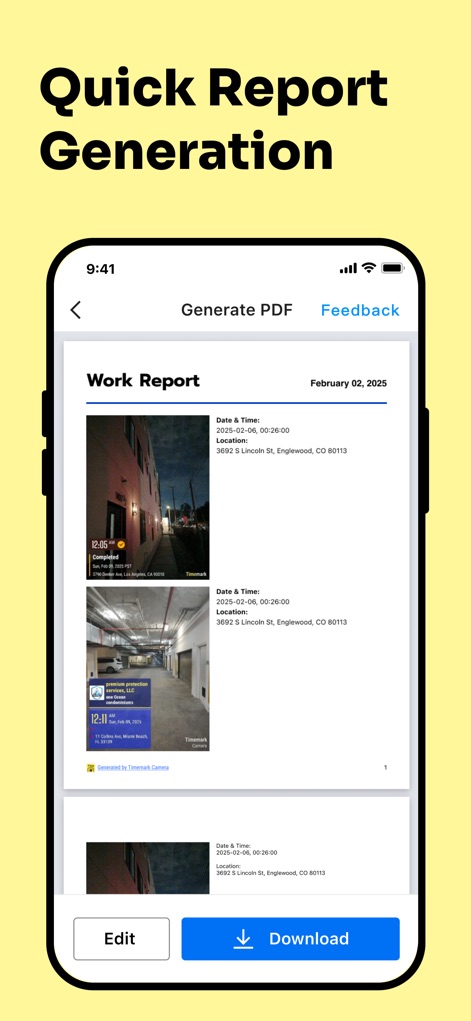
Users can swiftly generate professional work reports in PDF format, complete with embedded job photos and essential details, offering immediate download and editing capabilities.
Instant Report Creation
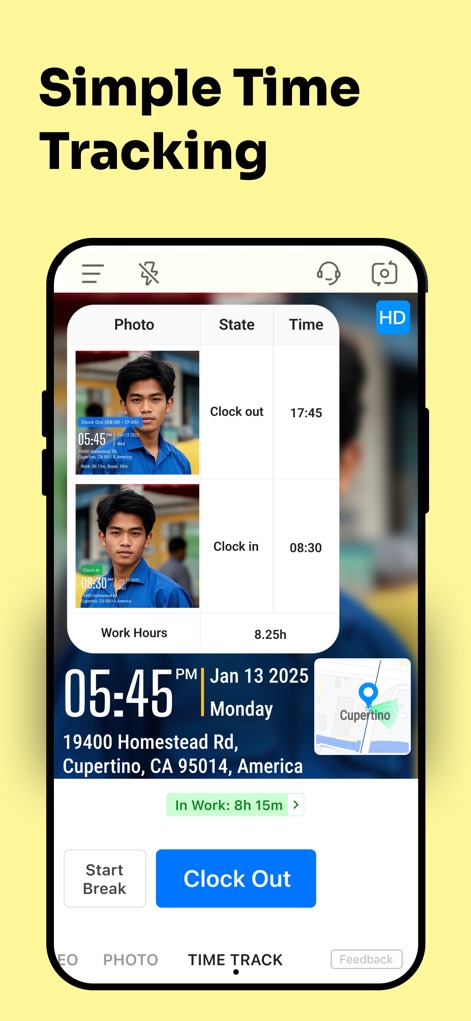
The tool offers an intuitive time-tracking interface, allowing users to easily clock in and out while precisely monitoring their work hours in real time.
Precise Work Tracking
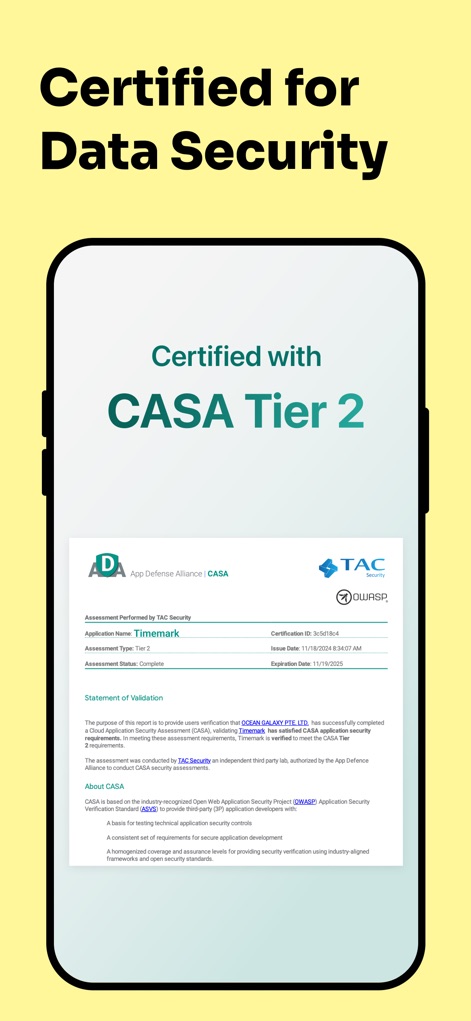
The app demonstrates its commitment to security through an official CASA Tier 2 certification document, validating its robust anti-tamper protection and data integrity measures.
Assured Data Integrity
Description
Download
More Like This
Apps with similar features and user experience

今日水印相机-时间地点经纬度打卡拍照
Keep Curiosity, Inc.

自定义水印相机
Beidou Hanglu Technology Co.,Ltd.

CompanyCam
CompanyCam, Inc
今日水印专业版-官方无广告版,真实时间今日水印相机拍照
Keep Curiosity, Inc.

经纬度相机&水印相机-记录时间地点天气
Shuzhuo Network Technology Guangzhou Co., Ltd.

水印相机-时间地点工作打卡拍照视频
Chengdu Chongbianli Science and Technology Ltd.

经纬相机:水印相机拍照水印记录时间地点
佳铭 游

TimeStamp Camera+MAP
源泽 高

工作打卡水印相机-时间地点天气工作打卡拍照
则建 高
This page is not an official page of the app or its developer, but an independent editorial publication created for informational and commentary purposes. Unless expressly stated otherwise, neither the app nor its developer is affiliated with, endorsed by, sponsored by, authorized by, or otherwise officially connected with MWM, Apple, Google Play, the app publisher, or the app's developer, and nothing on this page implies that the app was developed using MWM's services. Any trademarks, logos, screenshots, and other content remain the property of their respective owners.