
This page is not an official page of the app or its developer, but an independent editorial publication created for informational and commentary purposes. Unless expressly stated otherwise, neither the app nor its developer is affiliated with, endorsed by, sponsored by, authorized by, or otherwise officially connected with MWM, Apple, Google Play, the app publisher, or the app's developer, and nothing on this page implies that the app was developed using MWM's services. Any trademarks, logos, screenshots, and other content remain the property of their respective owners.


GPX Splice
The ultimate mobile tool for Strava power users. Fix messy GPS logs, merge split activities, and trim your tracks with interactive charts and maps—all processed securely on your phone.
Downloads
4K+User Rating
Total Ratings
0Publisher
Category
Health & FitnessLocales
1Latest Version
1.0.9Size
24.2 MBFirst Released
Jan 19, 2024Perfect Your Digital Training Logs
The professional utility for athletes to split, merge, and refine GPX files and Strava activities without ever leaving their phone.
Stitch Fragmented Tracks
Turn multiple recordings into one continuous achievement. Perfect for fixing mid-ride device failures or merging multi-part adventures.
Precision Splitting & Cropping
Easily remove the 'drive home' or divide long trips. Keep your Strava stats clean and your PRs accurate with pinpoint mobile editing.
Frequently Asked Questions
Everything you need to know about GPX Splice
What is GPX Splice?
GPX Splice is an application that allows users to easily split and combine GPX files and Strava activities directly from their phone.
Can GPX Splice split Strava activities?
Yes, GPX Splice can split Strava activities. Users can load activities directly from Strava to perform the splitting operation.
Can I combine multiple GPX files using GPX Splice?
Yes, GPX Splice combines multiple GPX files into a single file. This feature is available directly from the app's main options.
Does GPX Splice offer mapping visualization?
Yes, GPX Splice provides full mapping visualization. It also displays interactive stats charts, including elevation, speed, and heart rate data.
Does GPX Splice process data on the device or in the cloud?
GPX Splice processes all user data directly on the phone. No data leaves the device for processing, ensuring user privacy.
What units of measurement does GPX Splice support?
GPX Splice supports both metric and imperial units. Users can configure their preferred measurement system within the app's settings.
Can I upload split activities directly to Strava from GPX Splice?
Yes, GPX Splice allows direct upload of processed activities to Strava. After splitting an activity, an "Upload" option is available.
What information does GPX Splice access from my Strava account?
GPX Splice accesses your public profile, private activities, and has permission to upload activities from the app to Strava. This is required for its functionality.
How do I split a GPX file in GPX Splice?
To split a GPX file in GPX Splice, select the "Split" option, then choose to load from Strava or select local files. You can define split points on the map.
The following screenshots and description are sourced directly from the app's official store listing and are the property of the app developer.
App Store
Screenshots
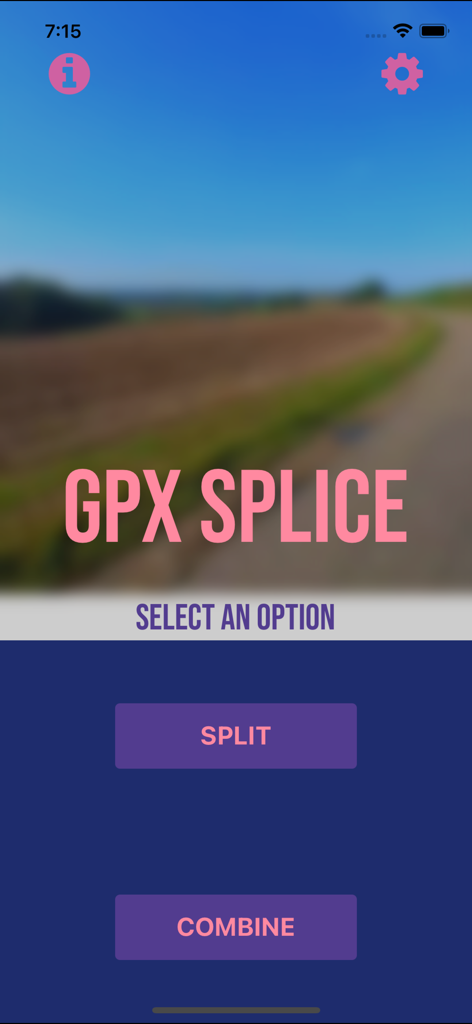
GPX Splice app home screen with split and combine options
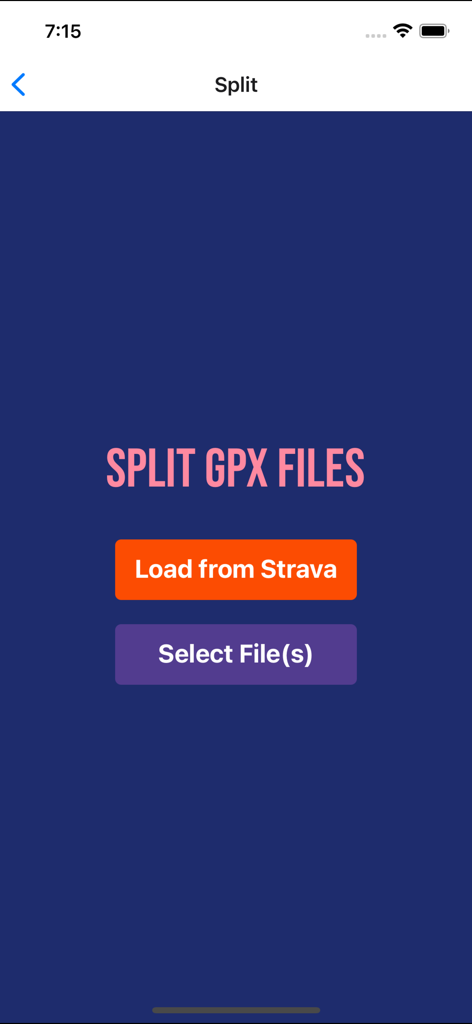
GPX Splice app interface showing options to split GPX files by loading from Strava or selecting local files
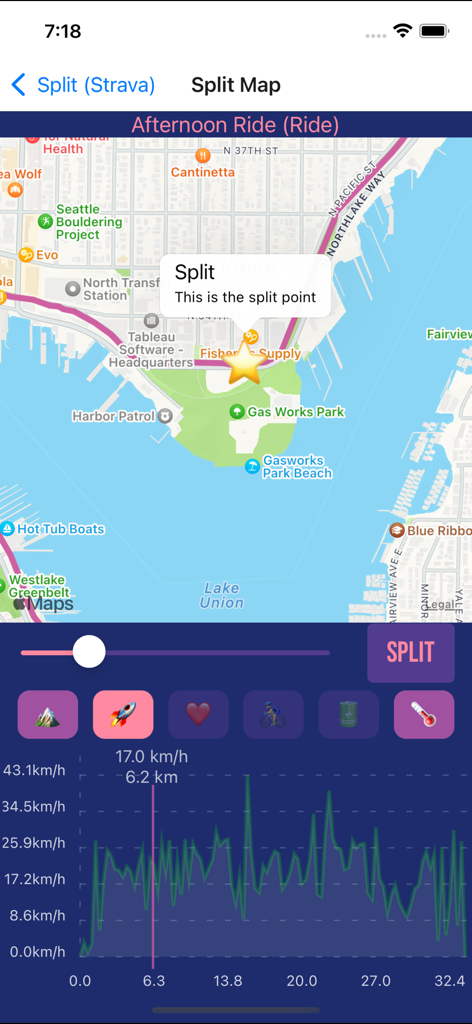
GPX Splice interface showing a map and speed chart used to split a recorded cycling activity
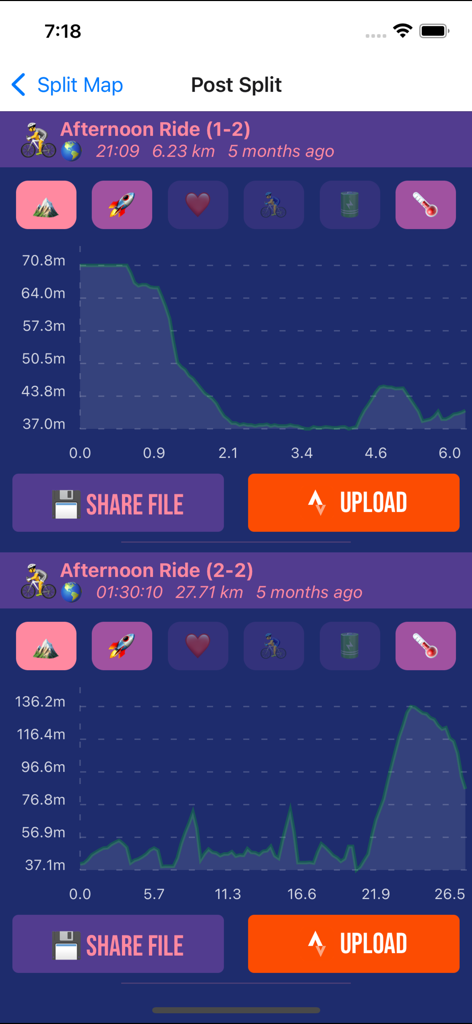
Interface of GPX Splice app showing a workout split into two separate activities with elevation graphs.
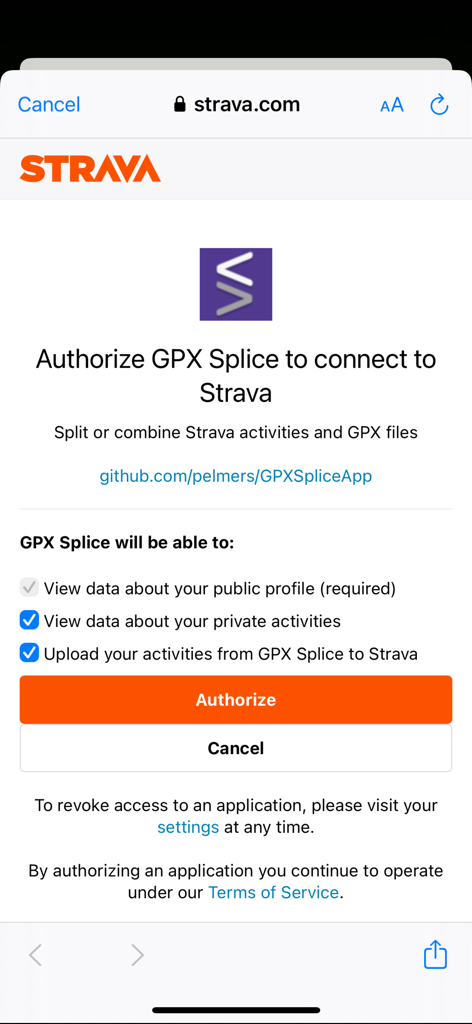
Strava authorization screen for connecting the GPX Splice app
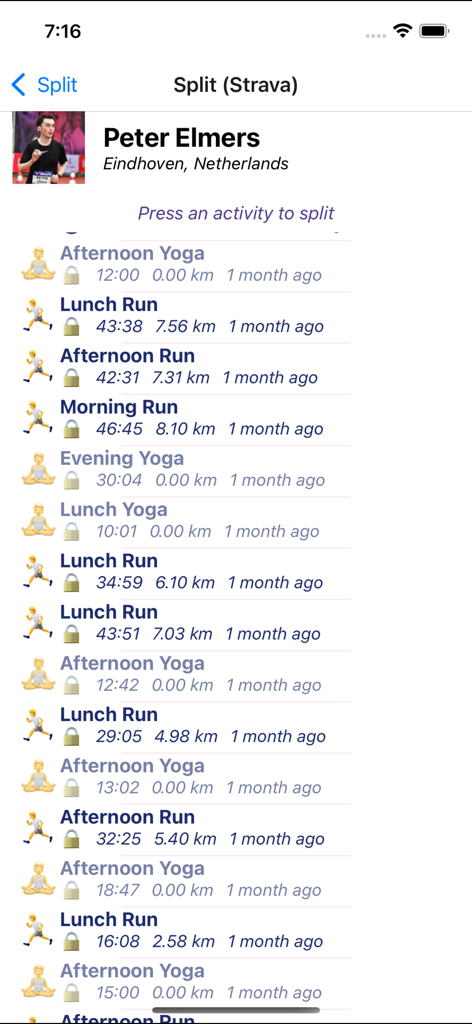
A list of Strava activities within the GPX Splice app ready to be selected for splitting
Description
Download
More Like This
Top-ranked apps in the same category

Strava: Run, Bike, Walk
Strava Inc.

Flo Cycle & Period Tracker
FLO HEALTH UK LIMITED

AI Calorie Tracker by Yazio
YAZIO GmbH

MyFitnessPal: Calorie Counter
MyFitnessPal, Inc.

Mi Fitness (Xiaomi Wear Lite)
Beijing Xiaomi Co., Ltd

美柚 - 经期·备孕·怀孕·育儿&亲友版
Xiamen Meet You Co., Ltd.

Cal AI - Calorie Tracker
Viral Development LLC

Yuka - Food & Cosmetic Scanner
Yuca

BitePal: Food Tracker Pet
REFACE LITHUANIA UAB
This page is not an official page of the app or its developer, but an independent editorial publication created for informational and commentary purposes. Unless expressly stated otherwise, neither the app nor its developer is affiliated with, endorsed by, sponsored by, authorized by, or otherwise officially connected with MWM, Apple, Google Play, the app publisher, or the app's developer, and nothing on this page implies that the app was developed using MWM's services. Any trademarks, logos, screenshots, and other content remain the property of their respective owners.