Graphghan Pattern Creator
Download on App Store

This page is not an official page of the app or its developer, but an independent editorial publication created for informational and commentary purposes. Unless expressly stated otherwise, neither the app nor its developer is affiliated with, endorsed by, sponsored by, authorized by, or otherwise officially connected with MWM, Apple, Google Play, the app publisher, or the app's developer, and nothing on this page implies that the app was developed using MWM's services. Any trademarks, logos, screenshots, and other content remain the property of their respective owners.

Logo of Graphghan Pattern Creator
Download on App Store

Graphghan Pattern Creator

The all-in-one design tool for makers. Automatically generate written instructions, calculate yarn requirements, and transform your favorite images into personalized heirloom blankets with ease.

Key Figures

Downloads

0

User Rating

1.1/5

Total Ratings

0

Publisher

Sand Castle Designs, Inc

Category

Graphics & Design

Locales

1

Latest Version

11

Size

10.8 MB

First Released

May 3, 2023
Features

Craft Your Own Custom Crochet Masterpieces

From photo conversion to step-by-step written instructions, our intuitive tool handles the technical details so you can focus on every stitch of your heirloom project.

Turn Photos into Patterns

Instantly convert any image from your device into a detailed crochet graph for truly personalized blankets, pet portraits, and unique gifts.

Auto-Generated Instructions

Skip the manual math. Receive row-by-row written directions and precise yarn requirements so you never run out of supplies mid-project.

The following screenshots and description are sourced directly from the app's official store listing and are the property of the app developer.

App Store

Screenshots
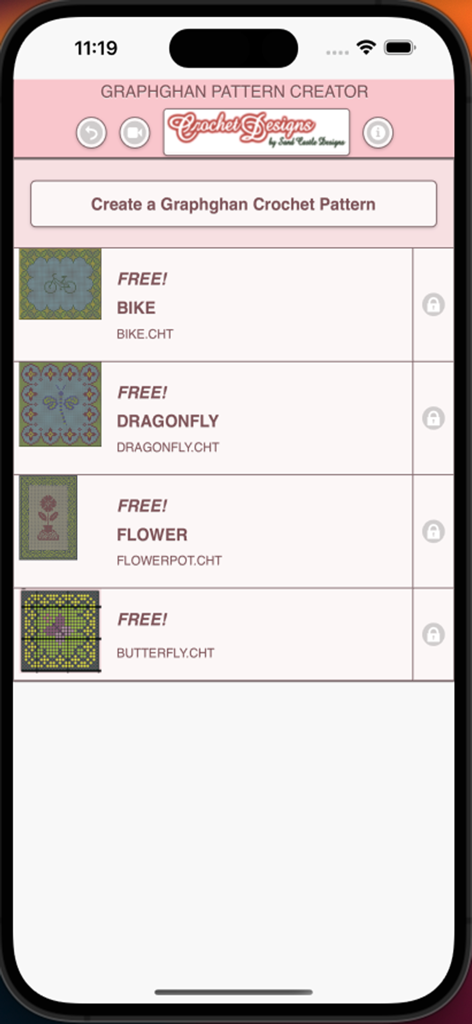
Graphghan Pattern Creator - Main screen of Graphghan Pattern Creator showing a list of free patterns including bike dragonfly flower and butterfly
Main screen of Graphghan Pattern Creator showing a list of free patterns including bike dragonfly flower and butterfly

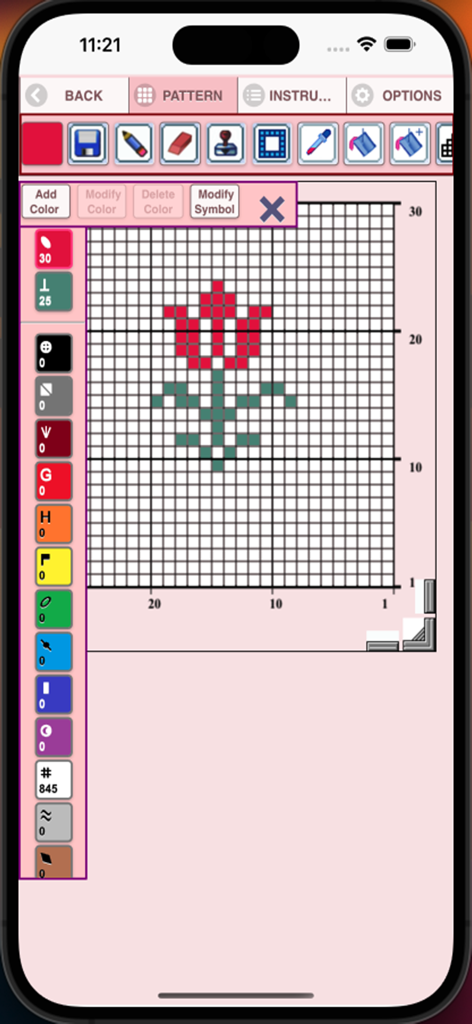
Graphghan Pattern Creator - Interface of the Graphghan Pattern Creator app showing a red flower design on a crochet grid with editing tools
Interface of the Graphghan Pattern Creator app showing a red flower design on a crochet grid with editing tools

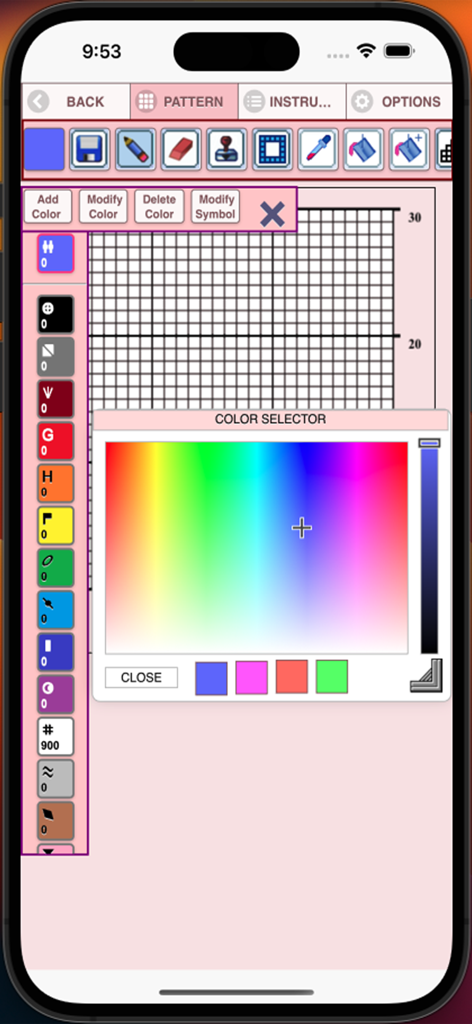
Graphghan Pattern Creator - Graphghan Pattern Creator color picker interface over a crochet grid
Graphghan Pattern Creator color picker interface over a crochet grid

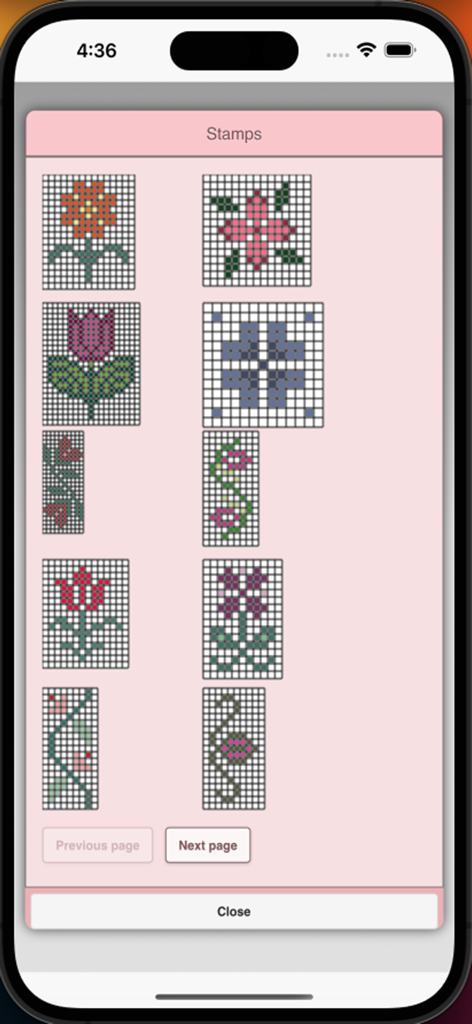
Graphghan Pattern Creator - Stamps selection menu in Graphghan Pattern Creator showing various floral and geometric crochet grid patterns.
Stamps selection menu in Graphghan Pattern Creator showing various floral and geometric crochet grid patterns.

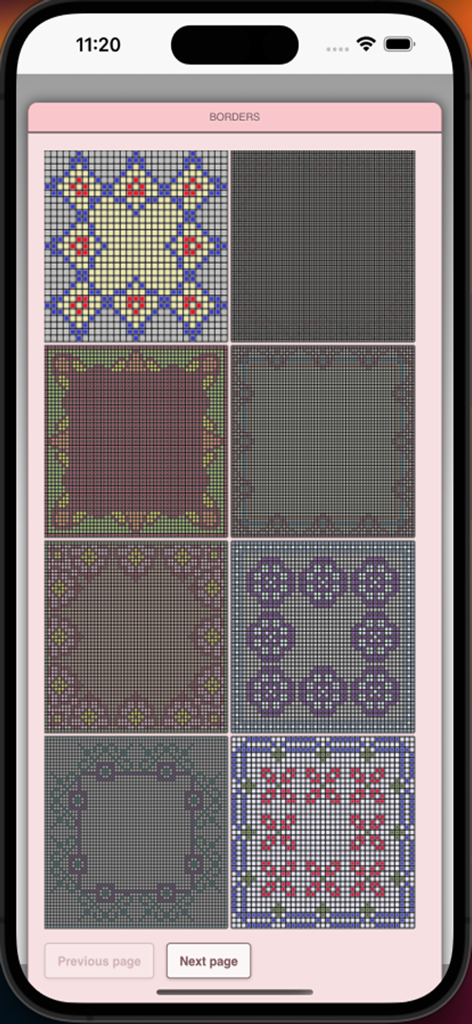
Graphghan Pattern Creator - A selection menu showing eight different decorative crochet border designs for blankets.
A selection menu showing eight different decorative crochet border designs for blankets.

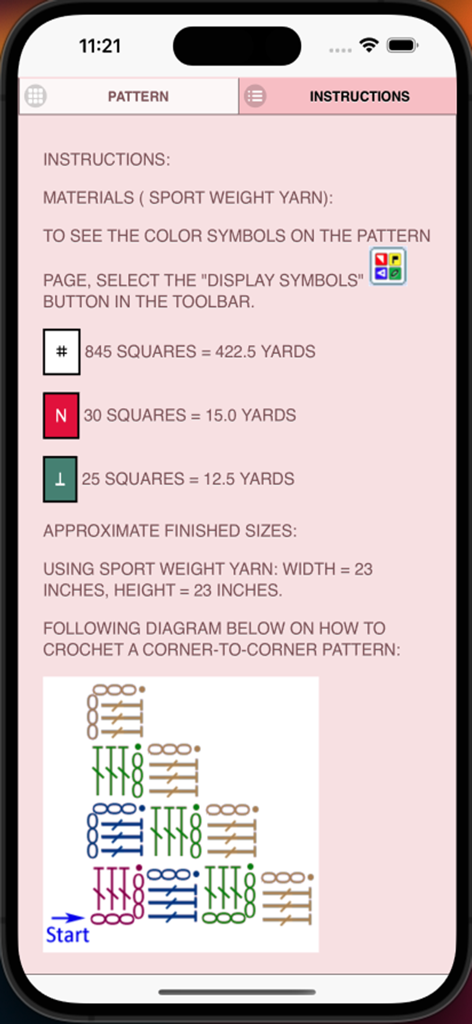
Graphghan Pattern Creator - Mobile screen showing crochet instructions including yarn requirements and a corner-to-corner pattern diagram
Mobile screen showing crochet instructions including yarn requirements and a corner-to-corner pattern diagram

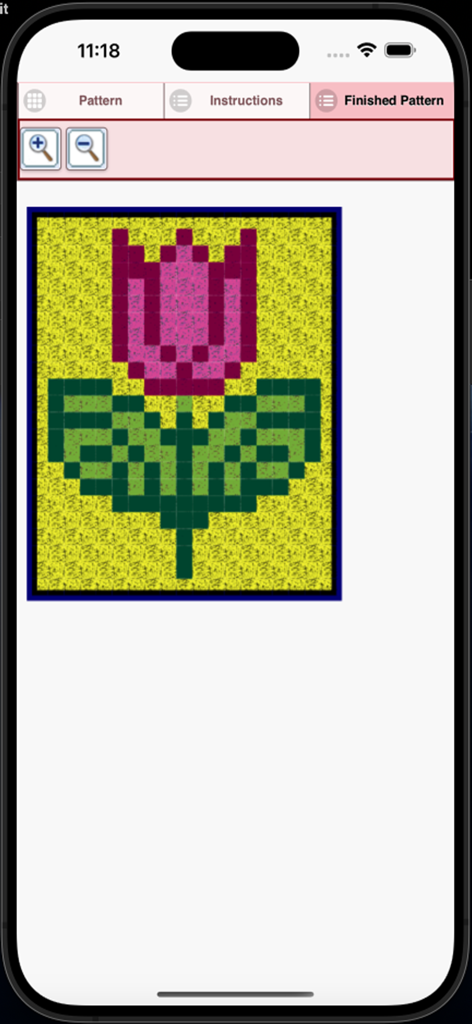
Graphghan Pattern Creator - A finished pixelated tulip crochet pattern in the Graphghan Pattern Creator app
A finished pixelated tulip crochet pattern in the Graphghan Pattern Creator app

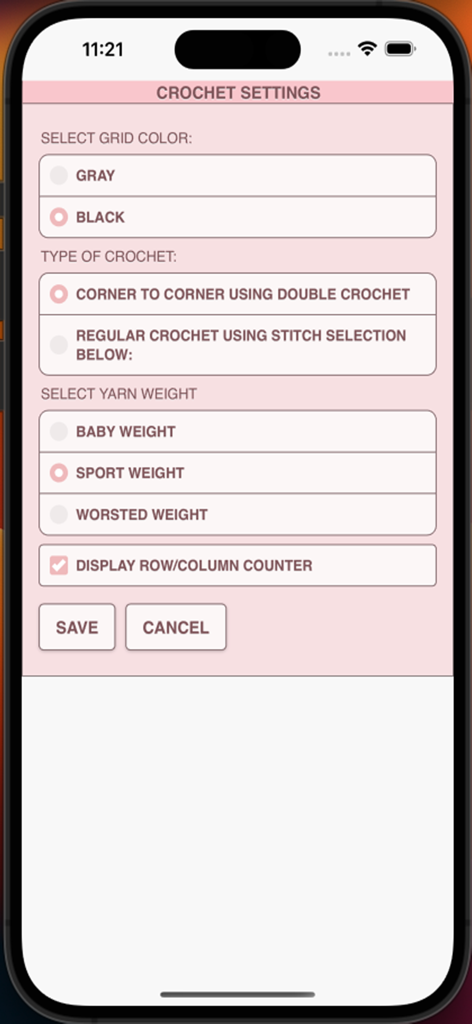
Graphghan Pattern Creator - Crochet settings menu in the app showing options for grid color crochet type and yarn weight
Crochet settings menu in the app showing options for grid color crochet type and yarn weight

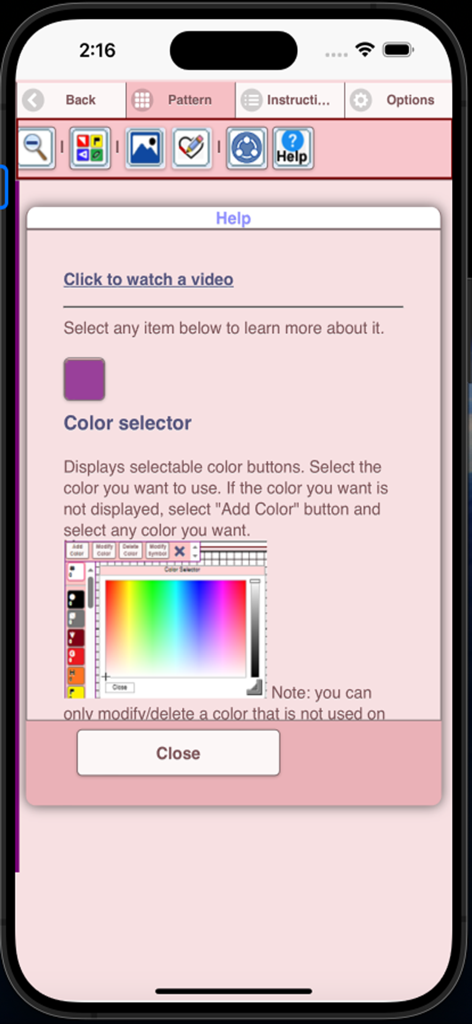
Graphghan Pattern Creator - Help screen for the color selector tool in the Graphghan Pattern Creator app

Help screen for the color selector tool in the Graphghan Pattern Creator app

Description

Crochet Graphghan Pattern Creator for your mobile device. Comes with 4 free Crochet Graphghan patterns. Download is free. A one time create activation is $2.99 Create Crochet Graphghan patterns on your mobile device. Written Graphghan crochet instructions are automatically generated for your Graphghan crochet patterns. Included are the amount of thread/yarn needed and approximate finished sizes for your graphghan crochet pattern. To create a Graphghan crochet pattern, select Create a Crochet Graphghan pattern button. The Graphghan crochet pattern editor will appear. Fill in the squares with any Graphghan color you want. You also can select from over 400 stamps, inserts and borders to apply to your Graphghan crochet pattern. Buttons left to right in the Button Bar. 1. Select color button - select any color to draw with 2. Save button- save your Graphghan crochet pattern 3. Pencil button- fill in square on your Graphghan crochet pattern using your selected color 4. Eraser button- erase filled in squares 5. Trim button- remove squares from your pattern 6. Stamps button- selectable display of small stamp patterns to add to your Graphghan crochet pattern 7. Borders button- selectable display of borders to add to your Graphghan crochet pattern. . Borders automatically wrap around your pattern. 8. Dropper button- lets you extract a color from your pattern and add more of that color to your pattern 9. Bucket button- use to fill selected area with your selected current color 10. Bucket+ button- use to change all filled squares of one color to another color. 11. Undo button- undo each last change you made to the pattern 12. Redo button- redo each change you undid 13. Selection button- select the area of the Graphghan crochet pattern you want to cut/copy and paste. 14. Cut button- clear the filled squares under the selected area (see option 13) 15. Copy button- copy the squares under the selected area (see option 13) 16. Past button- paste cut or copied squares to the Graphghan crochet pattern 17. Rotate button- rotate whole pattern or selected area of pattern (see option 13) 18. Flip Horizontally button - flip horizontally whole pattern or selected area of pattern (see option 13) 19. Flip Vertically button - flip vertically whole pattern or selected area of pattern (see option 13) 20. Zoom in button- magnify the Graphghan crochet pattern 21. Zoom out button- minify the Graphghan crochet pattern 22. Symbols button- display a unique symbol for each different color in your pattern. 23. Picture button- select a picture from your device and convert it to a pattern 24. Trace button- select a picture from your device to trace. 25. Print button - print your pattern to a printer. 26. Social media button- share your pattern using email, chat etc. 27. Help button- learn how to use the feature of this app. 28. Resize bars - resize bars are display at the bottom right corner of your pattern. Drag them to resize your pattern Happy Crocheting. From all of us at CrochetDesigns.com to all of you who love to crochet.

Download

Download on App Store

This page is not an official page of the app or its developer, but an independent editorial publication created for informational and commentary purposes. Unless expressly stated otherwise, neither the app nor its developer is affiliated with, endorsed by, sponsored by, authorized by, or otherwise officially connected with MWM, Apple, Google Play, the app publisher, or the app's developer, and nothing on this page implies that the app was developed using MWM's services. Any trademarks, logos, screenshots, and other content remain the property of their respective owners.