Grid Music Midi Player
Download on App Store

This page is not an official page of the app or its developer, but an independent editorial publication created for informational and commentary purposes. Unless expressly stated otherwise, neither the app nor its developer is affiliated with, endorsed by, sponsored by, authorized by, or otherwise officially connected with MWM, Apple, Google Play, the app publisher, or the app's developer, and nothing on this page implies that the app was developed using MWM's services. Any trademarks, logos, screenshots, and other content remain the property of their respective owners.

Logo of Grid Music Midi Player
Download on App Store

Grid Music Midi Player

Transform your device into a professional MIDI controller. Seamlessly sync with Ableton, play 36+ premium instruments, and master every melody with the integrated Scale Finder.

Key Figures

Downloads

0

User Rating

1.0/5

Total Ratings

0

Publisher

Mohit Khanna

Category

Music

Locales

1

Latest Version

1.3.20

Size

55.4 MB

First Released

Jul 19, 2024
Features

Unleash Your Studio Anywhere

Transform your mobile device into a professional-grade 64-pad MIDI controller and versatile instrument, specifically designed for the modern producer.

Scale-Locked Performance

Eliminate wrong notes with the built-in Scale Finder. Lock your 64-pad grid to specific keys and scales to ensure every melody sounds perfect.

Seamless DAW Control

Ditch the expensive hardware. Connect wirelessly to Ableton Live or your favorite DAW to trigger loops, toggle controls, and map MIDI commands in seconds.

The following screenshots and description are sourced directly from the app's official store listing and are the property of the app developer.

App Store

Screenshots
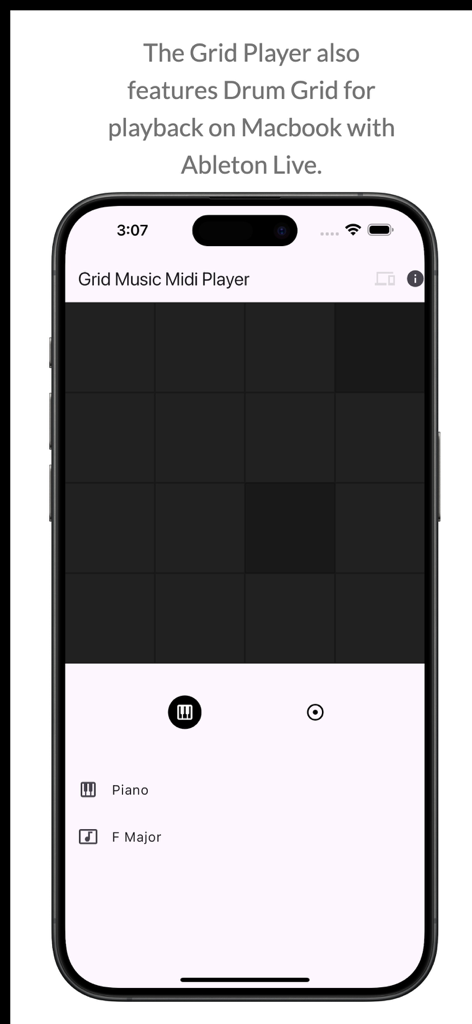
Grid Music Midi Player - Grid Music Midi Player app interface featuring a drum grid for Ableton Live playback
Grid Music Midi Player app interface featuring a drum grid for Ableton Live playback

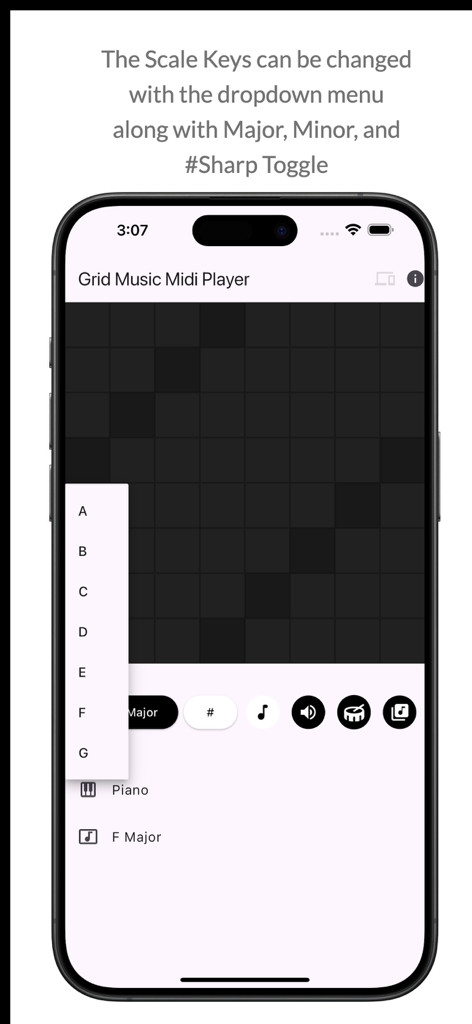
Grid Music Midi Player - Grid Music Midi Player app interface showing the scale key selection dropdown menu
Grid Music Midi Player app interface showing the scale key selection dropdown menu

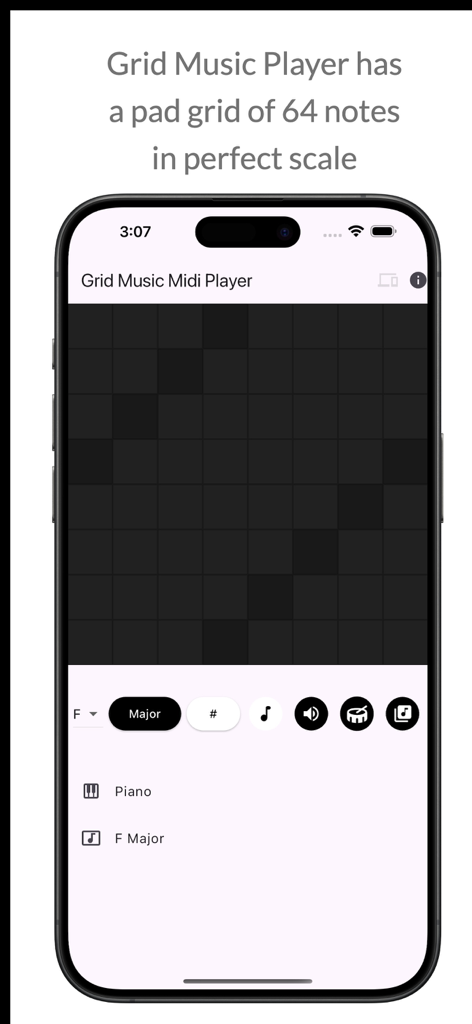
Grid Music Midi Player - Grid Music Midi Player app interface showing a 64-pad grid layout on an iPhone for music production.
Grid Music Midi Player app interface showing a 64-pad grid layout on an iPhone for music production.

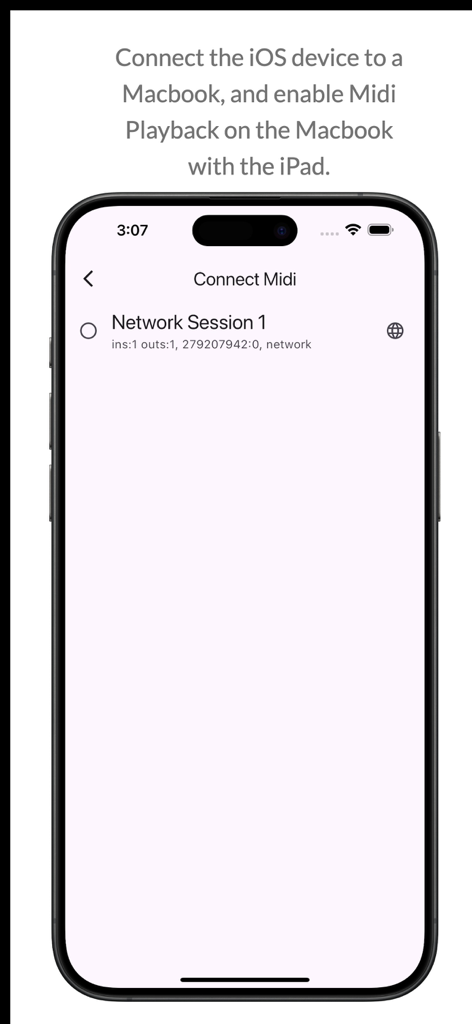
Grid Music Midi Player - Interface for connecting the MIDI player to a Macbook showing network session options
Interface for connecting the MIDI player to a Macbook showing network session options

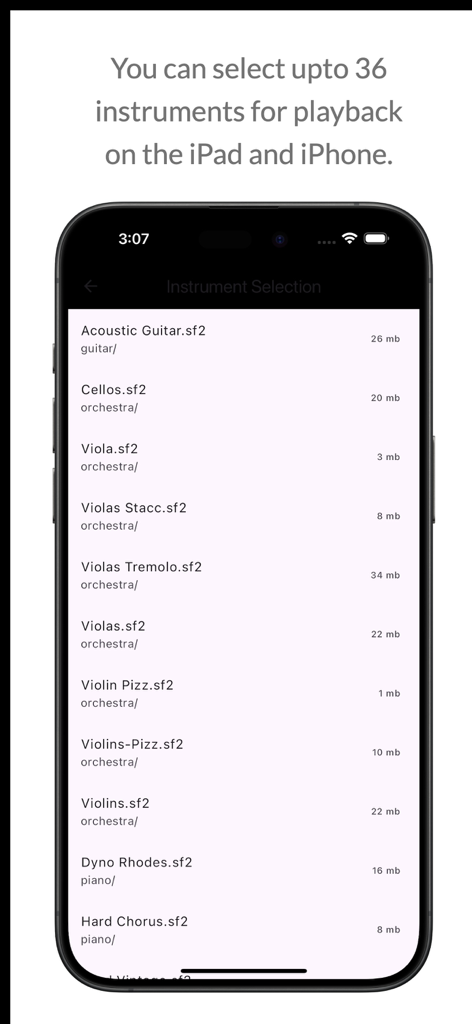
Grid Music Midi Player - Instrument selection screen in the Grid Music Midi Player app showing a list of soundfont instruments for playback.

Instrument selection screen in the Grid Music Midi Player app showing a list of soundfont instruments for playback.

Description

Grid Music Midi Player is an instrument playing app for mobile devices. This app allows users to pick an instrument from a list, and play the instrument on 64 pads grid layout. The app also allows users to select Scale, Key Notes, Sharps (#) and an option to display the Note pressed on the device screen. Grid Midi Controller is a midi controller that triggers or toggles midi controls that you map with your DAW. This controller has been tested with Ableton Live, and is useful for controller midi mapped triggers on your DAW. You can save a controller, set default controllers, and even import and export previously saved controllers. In the edit mode, you can increase rows and columns of the midi control pads, change column colours, and set pad to toggle/trigger. The save feature is available only when you are in edit mode. Scale Finder is an app to find scales with the toggled keys. Features: Grid Music Midi Player * Play Piano as the default instrument * Play from a list of 36+ instruments (internet required) * Select Scale to play * Select between Major / Minor Key Patterns * Toggle Sharp for the Scale * Toggle display for Note being played * Connect to laptop with DAW and play any DAW instrument * LongPress the Speaker icon to stop sound playback * Toggle midi or SoundFont playback with Speaker icon Midi Controler: * Create multiple controllers * Toggle/Trigger midi controls * Export/Import/Edit saved Controllers * LongPress to set controller to Default in the Saved Controller List * LongPress Default to set the default controller to factory default * Change columns colours by clicking on column button in Edit Mode * Add/Remove Rows and Columns in Edit mode * Set a pad to Toggle/Trigger by pressing on the pad and the on the toggle/trigger in edit mode Scale Finder: * Press more than 1 key to list all the scales with that key * Toggle keys on or off New Features (Added 2025) * Midi Controller App * Save, delete sliding options on Instrument Loading Screen * Set to Default option by Long Pressing in Instrument List or Controller List * LongPress Speaker icon to stop audio playback * Toggle speaker icon for midi and soundfont playback New Features (added 2024) * Connect the player to your DAW (tested with Ableton) * Play Midi Notes on your DAW * Turn on/off Player volume for DAW playback * Separate Grid (4x4 ) for Drum Playback. * Changeable 2x and 4x Drum Playback. * How to use: Click on the Devices icon on the App bar and connect your DAW. Then start playing while you're connected to your DAW. * Ableton Setup Tutorial: https://help.ableton.com/hc/en-us/articles/209071169-Setting-up-a-virtual-MIDI-network Update: * By default, the ads will not be clickable. You'll have to click on the "INFO" icon on the top right to enable ads. Long Press the Icon to enable the Advertisements. * The Key note pads can be enabled/disabled by the Key Icon on the info panel that displays the Key of the note being played.

Download

Download on App Store

This page is not an official page of the app or its developer, but an independent editorial publication created for informational and commentary purposes. Unless expressly stated otherwise, neither the app nor its developer is affiliated with, endorsed by, sponsored by, authorized by, or otherwise officially connected with MWM, Apple, Google Play, the app publisher, or the app's developer, and nothing on this page implies that the app was developed using MWM's services. Any trademarks, logos, screenshots, and other content remain the property of their respective owners.