
This page is not an official page of the app or its developer, but an independent editorial publication created for informational and commentary purposes. Unless expressly stated otherwise, neither the app nor its developer is affiliated with, endorsed by, sponsored by, authorized by, or otherwise officially connected with MWM, Apple, Google Play, the app publisher, or the app's developer, and nothing on this page implies that the app was developed using MWM's services. Any trademarks, logos, screenshots, and other content remain the property of their respective owners.

Handy Recorder PRO
Turn your iPhone into a high-fidelity studio. Capture crystal-clear sound, apply legendary ZOOM effects, and enhance your video soundtracks with advanced post-production tools.
Downloads
131K+User Rating
Total Ratings
0Publisher
Category
MusicLocales
6Latest Version
5.8.0Size
25.3 MBFirst Released
Dec 10, 2020Studio Power, Mobile Freedom
Handy Recorder PRO brings professional audio engineering to your pocket, giving you the precision of hardware with the speed of an app.
Precision Recording
Capture high-fidelity audio with linear PCM or AAC formats, optimized for seamless integration with Zoom iQ series external microphones.
Instant Professional Mastering
Skip the desktop with built-in 6-band EQ, reverb, and 'Ultra Maximize' effects that make your audio radio-ready in seconds.
Frequently Asked Questions
Everything you need to know about Handy Recorder PRO
What is Handy Recorder PRO?
Handy Recorder PRO is an audio recording app for iOS devices. It offers advanced features like a "MOVIE" function to extract and enhance audio from videos, various effects, and expanded integration with cloud services and other apps.
What audio formats does Handy Recorder PRO support for recording?
Handy Recorder PRO supports recording in high-quality linear PCM (WAV) format and AAC format. AAC recordings can be configured with bit rates of 64, 128, or 160 kbps.
Can Handy Recorder PRO automatically start and stop recording?
Yes, Handy Recorder PRO includes an AUTO REC function. This feature enables the app to automatically begin and cease recording in response to changes in the input signal level.
What audio effects are available in Handy Recorder PRO?
Handy Recorder PRO offers several audio effects: 6 BAND EQ, Reverb (Room, Jazz Club, Concert Hall, Arena, Stadium), and Mastering (Maximize, Ultra Maximize, Clear & Power, Wide, Mono). Users can also normalize audio.
How does Handy Recorder PRO integrate with cloud services?
Handy Recorder PRO integrates with iCloud and SoundCloud. Users can manually upload files to iCloud or utilize the "Auto Sync" function for automatic uploads to iCloud Drive immediately after recording completion.
Does Handy Recorder PRO support sharing recorded audio files?
Yes, Handy Recorder PRO supports iOS standard sharing. Users can share recordings directly from the app to various destinations including AirDrop, Mail, Notes, Gmail, and can also save them to the device's files.
Can I update the firmware of my ZOOM iQ series mic using Handy Recorder PRO?
Yes, Handy Recorder PRO supports firmware updates for connected devices. The app notifies users when a new firmware version, such as V2.04, is available and provides an option to initiate the update process.
What is the "MOVIE" function in Handy Recorder PRO?
The "MOVIE" function in Handy Recorder PRO extracts an audio track from a video. It then allows users to apply various effects, such as EQ and reverb, and subsequently merges the enhanced audio back into the original video.
Does Handy Recorder PRO offer file editing capabilities?
Handy Recorder PRO provides file editing capabilities. Users can delete recorded files and use the divide function to precisely split audio files at any desired point within the recording.
How can I prevent radio wave noise during recording with Handy Recorder PRO?
Handy Recorder PRO recommends activating "Flight mode" in iOS settings during recording to suppress noise caused by radio waves. This ensures a cleaner audio recording free from electromagnetic interference.
The following screenshots and description are sourced directly from the app's official store listing and are the property of the app developer.
App Store
Screenshots
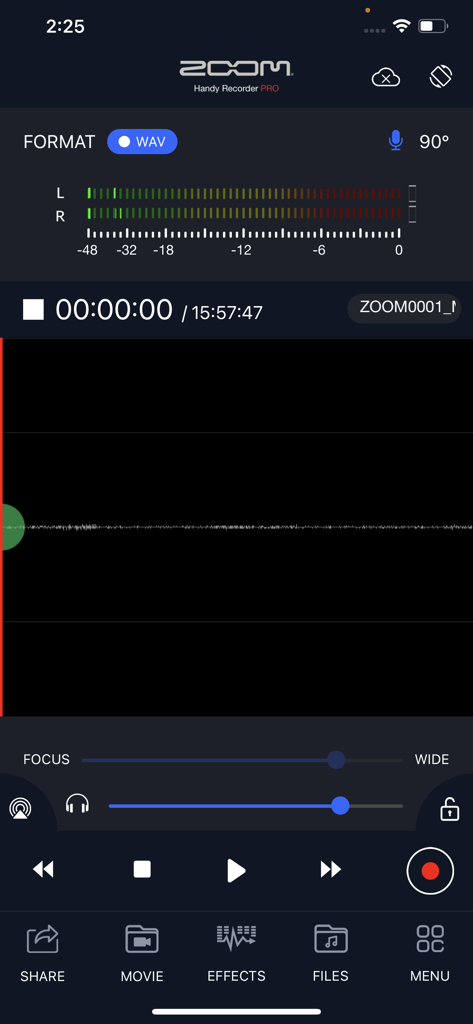
The main recording interface of the Handy Recorder PRO app showing audio levels and professional playback controls
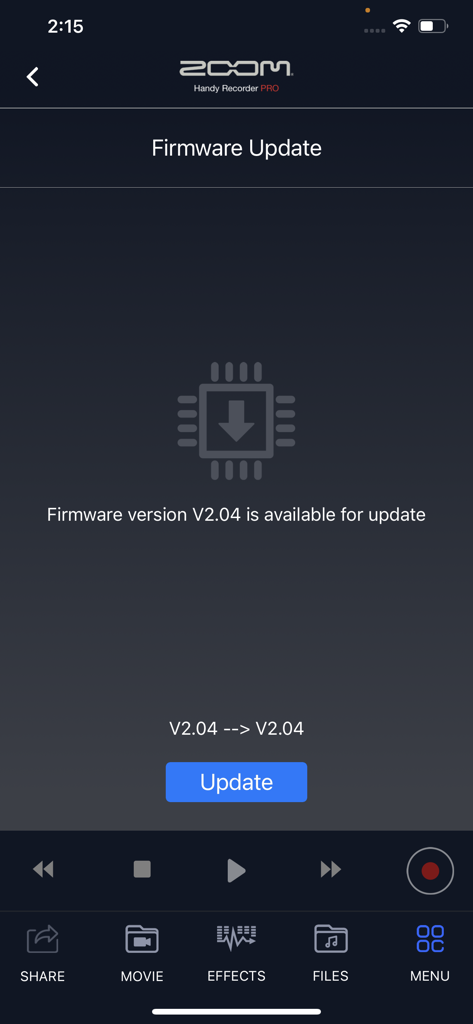
Firmware update interface in the Handy Recorder PRO app showing version 2.04 available for Zoom hardware
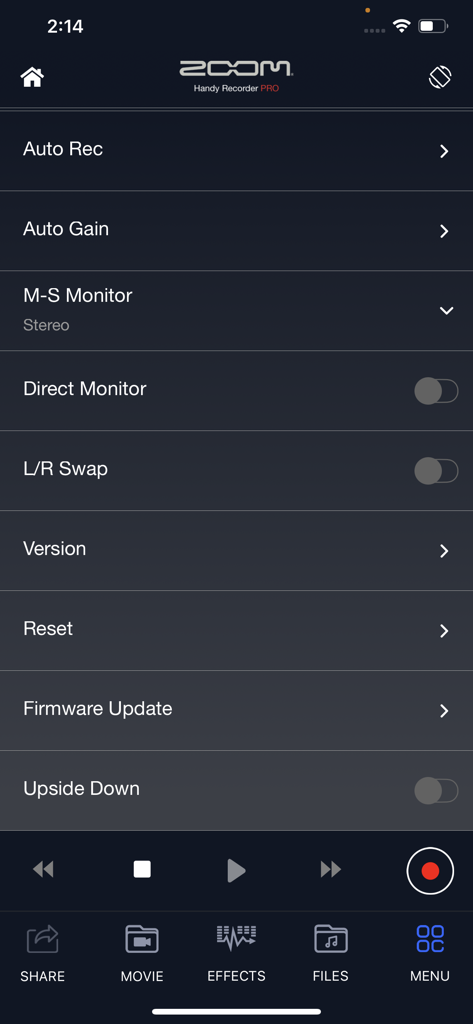
The settings menu of the Handy Recorder PRO app displaying audio recording and monitoring options
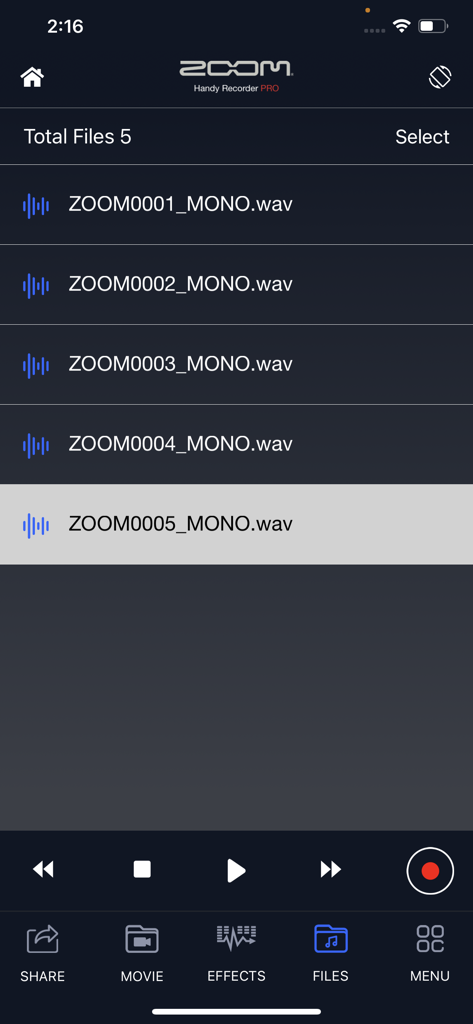
The file library screen in Handy Recorder PRO displaying a list of recorded mono WAV audio files.
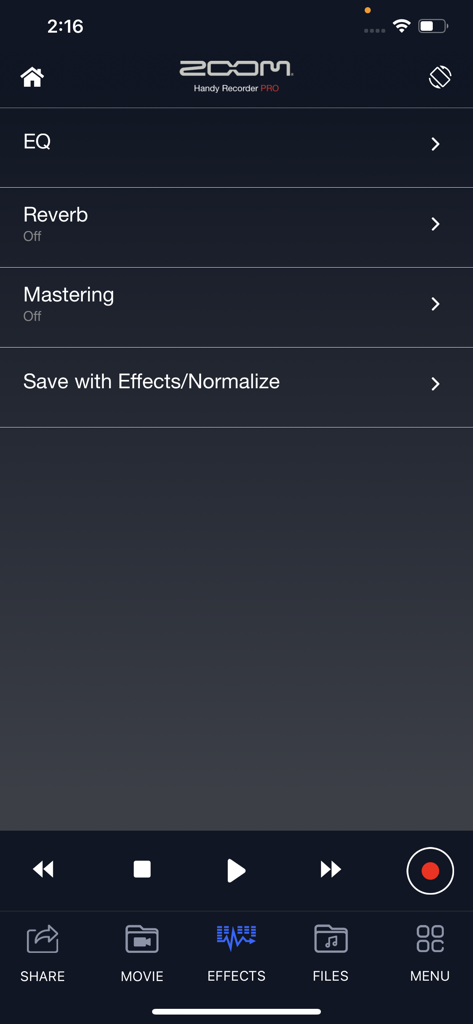
Zoom Handy Recorder PRO app effects menu with EQ Reverb and Mastering options
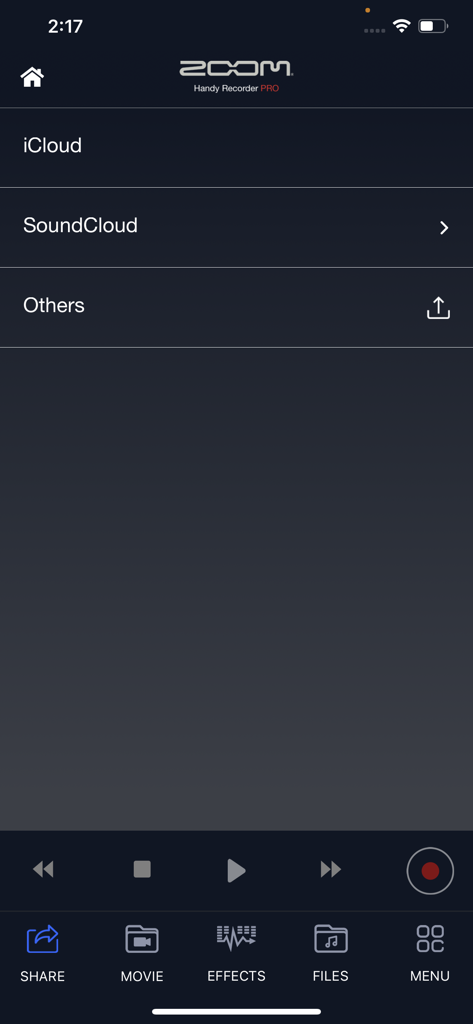
Sharing menu in Handy Recorder PRO app showing options for iCloud and SoundCloud
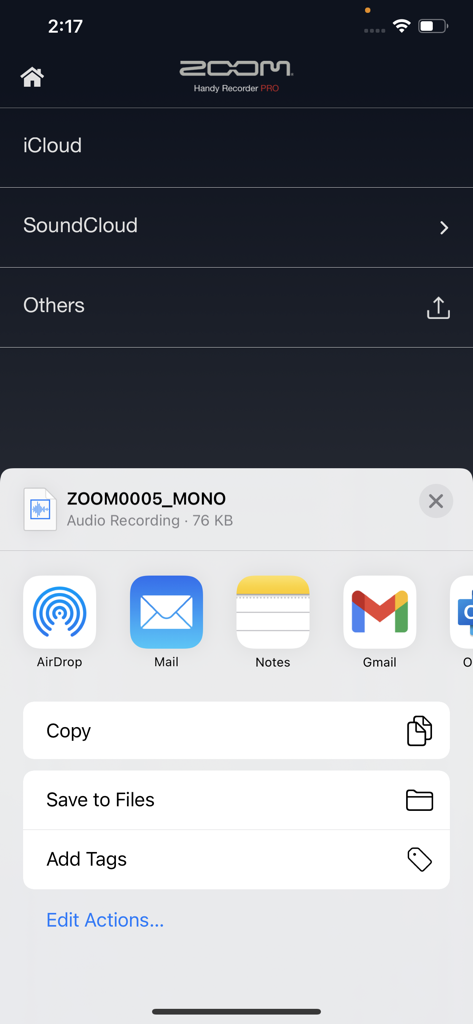
Handy Recorder PRO app showing file export and sharing options to iCloud SoundCloud and iOS apps
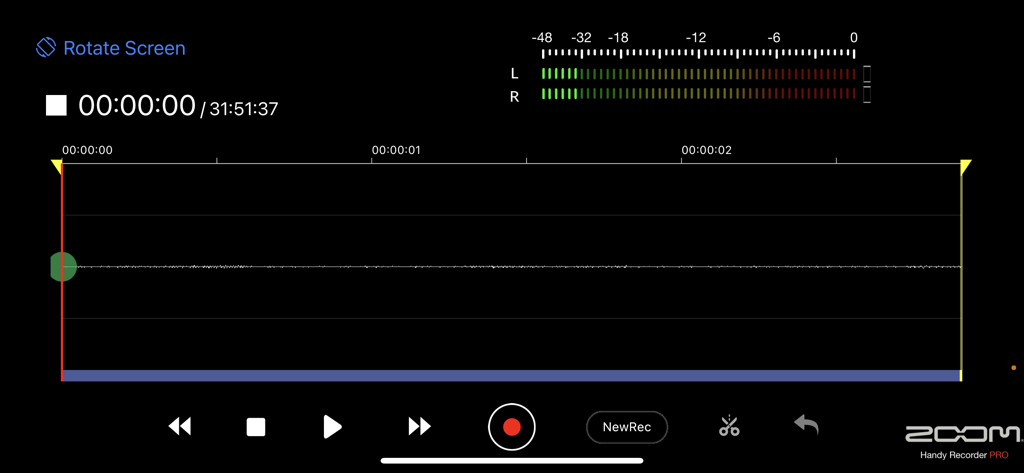
Handy Recorder PRO landscape view showing audio waveform and recording controls
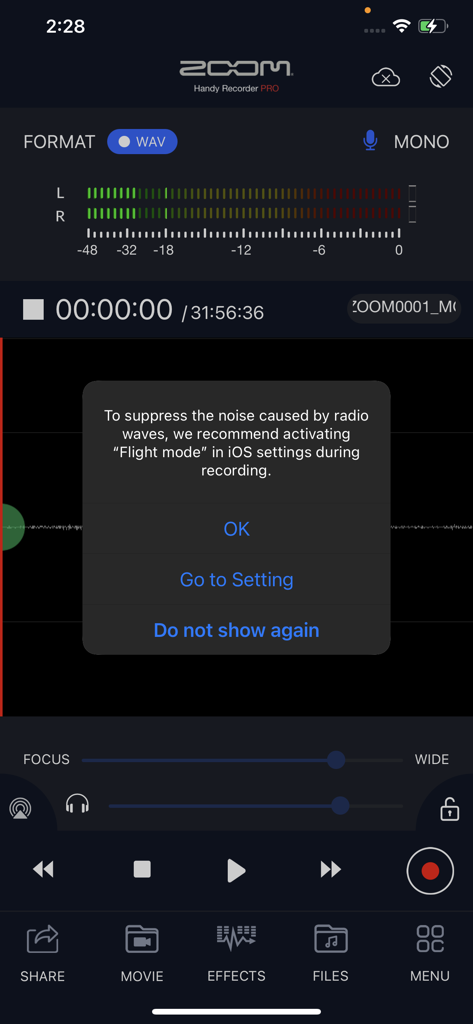
Handy Recorder PRO app displaying a pop-up recommendation to activate flight mode for noise-free audio recording
Description
Download
More Like This
Top-ranked apps in the same category

Spotify: Music and Podcasts
Spotify

YouTube Music
Google LLC

Shazam: Find Music & Concerts
Apple Inc.

SoundCloud: The Music You Love
SoundCloud Global Limited & Co KG

Suno - AI Songs & Music
Suno Inc.

QQ音乐 - 听我想听
Tencent Technology (Shenzhen) Company Limited

Audiomack - Play Music Offline
Audiomack, Inc.

GuitarTuna: Tune & Play Guitar
Yousician Ltd

BandLab – Music Maker & Beats
BandLab Singapore Pte Ltd
This page is not an official page of the app or its developer, but an independent editorial publication created for informational and commentary purposes. Unless expressly stated otherwise, neither the app nor its developer is affiliated with, endorsed by, sponsored by, authorized by, or otherwise officially connected with MWM, Apple, Google Play, the app publisher, or the app's developer, and nothing on this page implies that the app was developed using MWM's services. Any trademarks, logos, screenshots, and other content remain the property of their respective owners.