HashPhotos
HashPhotos
Download on App Store

This page is not an official page of the app or its developer, but an independent editorial publication created for informational and commentary purposes. Unless expressly stated otherwise, neither the app nor its developer is affiliated with, endorsed by, sponsored by, authorized by, or otherwise officially connected with MWM, Apple, Google Play, the app publisher, or the app's developer, and nothing on this page implies that the app was developed using MWM's services. Any trademarks, logos, screenshots, and other content remain the property of their respective owners.


Logo of HashPhotos
Download on App Store

HashPhotos

Take total control of your digital library with professional-grade organization, advanced metadata editing, and high-speed cleanup tools designed for the tech-savvy archivist.

Key Figures

Downloads

854K+

User Rating

4.8/5

Total Ratings

12K+

Publisher

kobaltlab Inc.

Category

Photo & Video

Locales

11

Latest Version

6.0.8

Size

81.1 MB

First Released

Dec 16, 2013
Features

The Professional Command Center for Your Memories

Go beyond the basics of the native Photos app. HashPhotos empowers you with advanced organization, professional metadata control, and high-efficiency batch tools designed for power users.

Precision Search & Tags

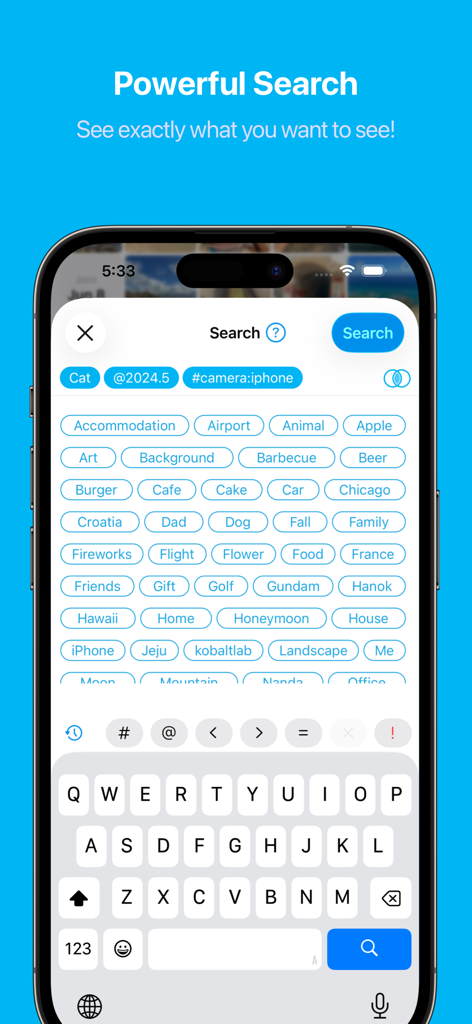
Find any asset instantly using custom keywords and granular filters like file size, dimensions, or specific EXIF metadata.

Encrypted Local Vault

Protect sensitive photos in a private Local Library. Secure your data with Face ID and fake passcodes that never touch a cloud server.

The following screenshots and description are sourced directly from the app's official store listing and are the property of the app developer.

App Store

Screenshots
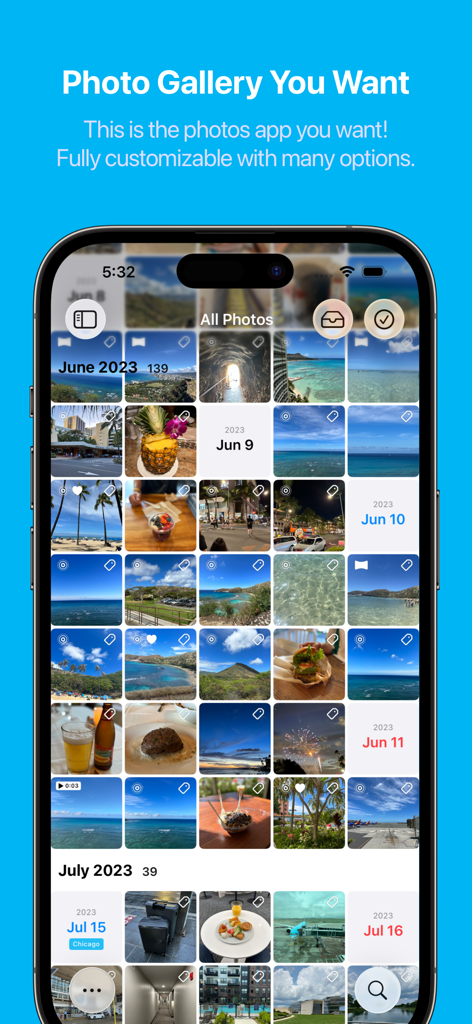
HashPhotos - HashPhotos app interface showing an organized and customizable photo gallery grid.
HashPhotos app interface showing an organized and customizable photo gallery grid.

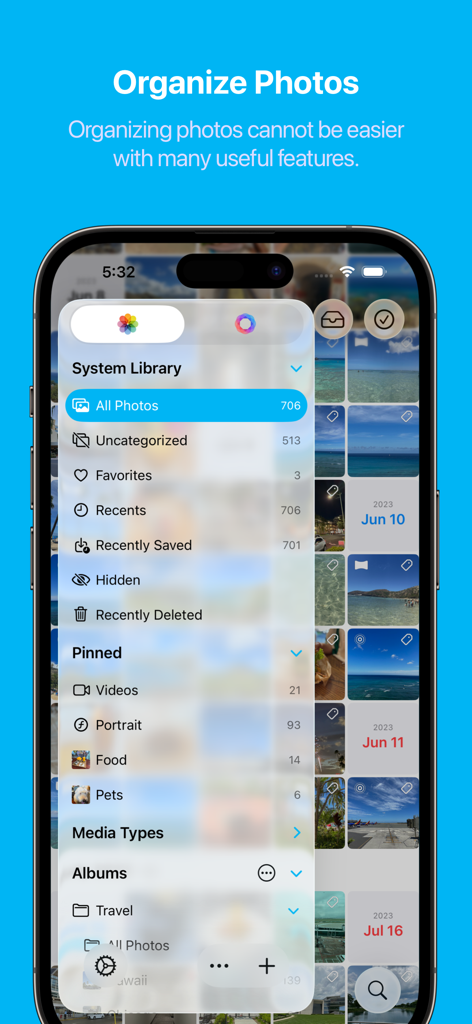
HashPhotos - HashPhotos app interface showing system library menu and pinned photo categories for better organization
HashPhotos app interface showing system library menu and pinned photo categories for better organization

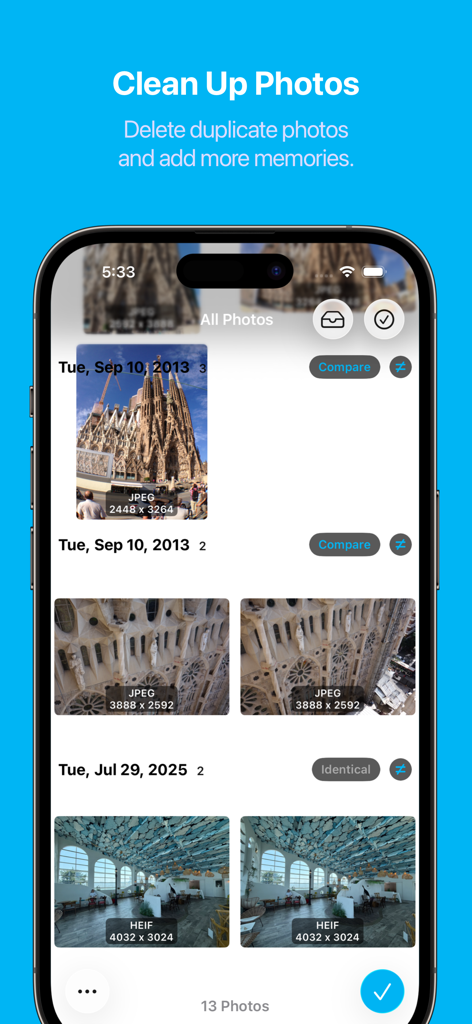
HashPhotos - HashPhotos app screen for cleaning up and comparing duplicate photos
HashPhotos app screen for cleaning up and comparing duplicate photos

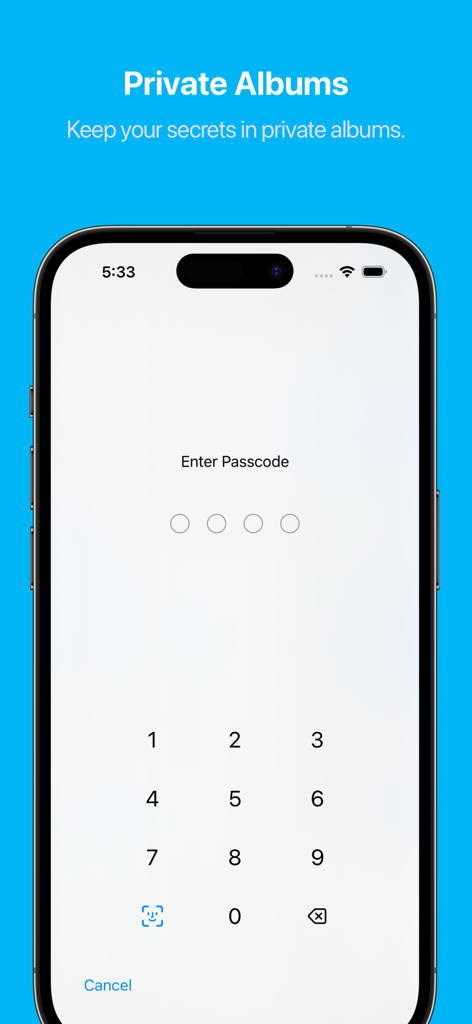
HashPhotos - HashPhotos app private albums screen showing a numeric passcode lock for secure photo storage.
HashPhotos app private albums screen showing a numeric passcode lock for secure photo storage.

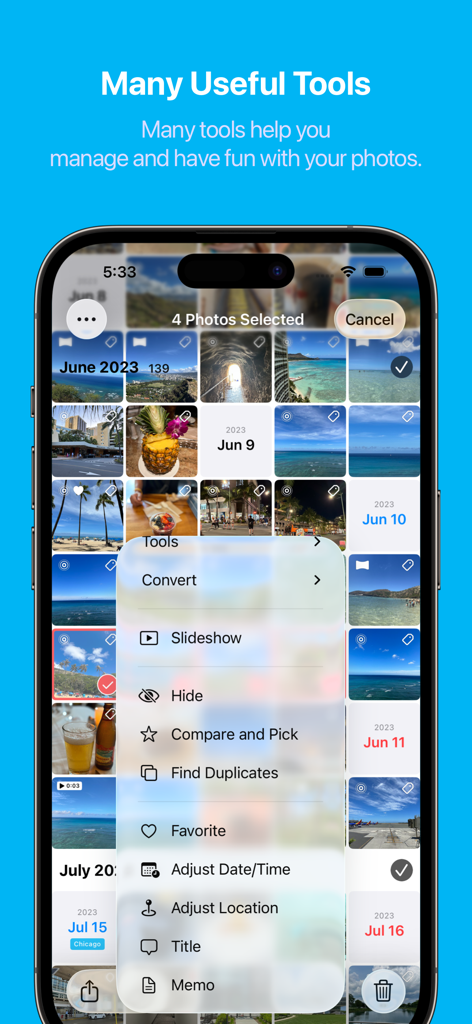
HashPhotos - Screenshot of the HashPhotos app showing a menu with various photo management tools such as Find Duplicates, Compare and Pick, and Edit Metadata.
Screenshot of the HashPhotos app showing a menu with various photo management tools such as Find Duplicates, Compare and Pick, and Edit Metadata.

HashPhotos - HashPhotos mobile app search screen with advanced tags and filter categories
HashPhotos mobile app search screen with advanced tags and filter categories

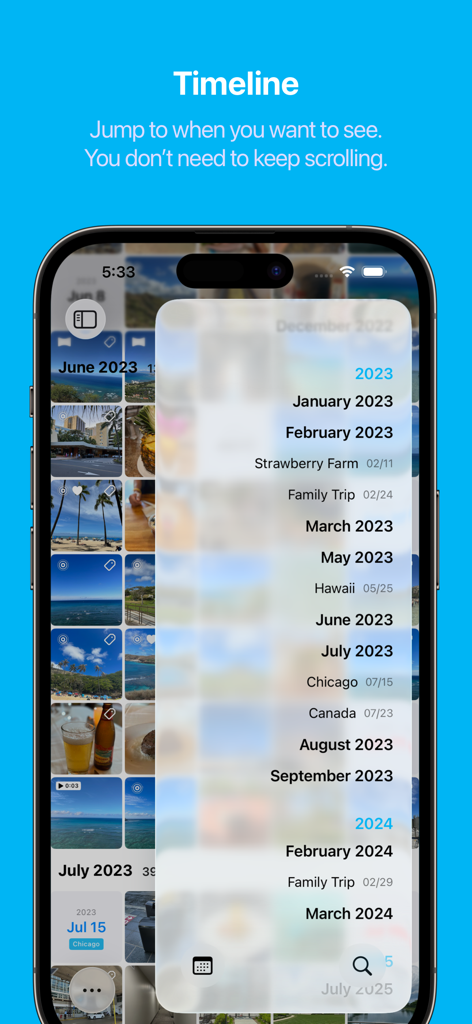
HashPhotos - HashPhotos app timeline interface for quick navigation through photos by date and event
HashPhotos app timeline interface for quick navigation through photos by date and event

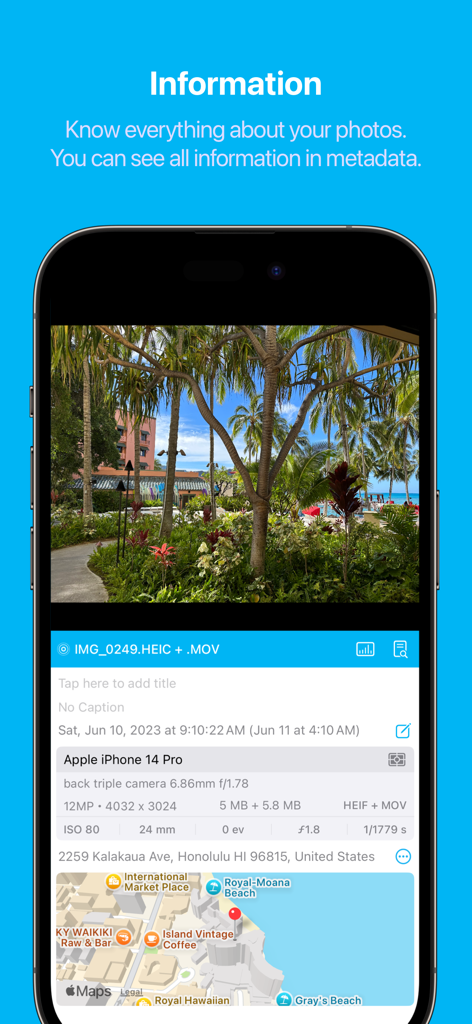
HashPhotos - HashPhotos app displaying detailed photo metadata camera settings and a location map
HashPhotos app displaying detailed photo metadata camera settings and a location map

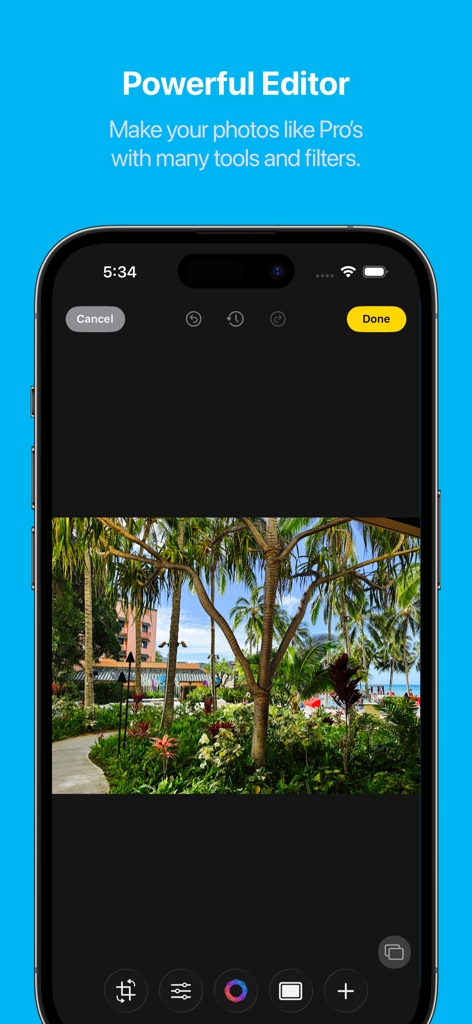
HashPhotos - HashPhotos app screenshot showing the powerful photo editor interface with professional tools and a tropical landscape photo
HashPhotos app screenshot showing the powerful photo editor interface with professional tools and a tropical landscape photo

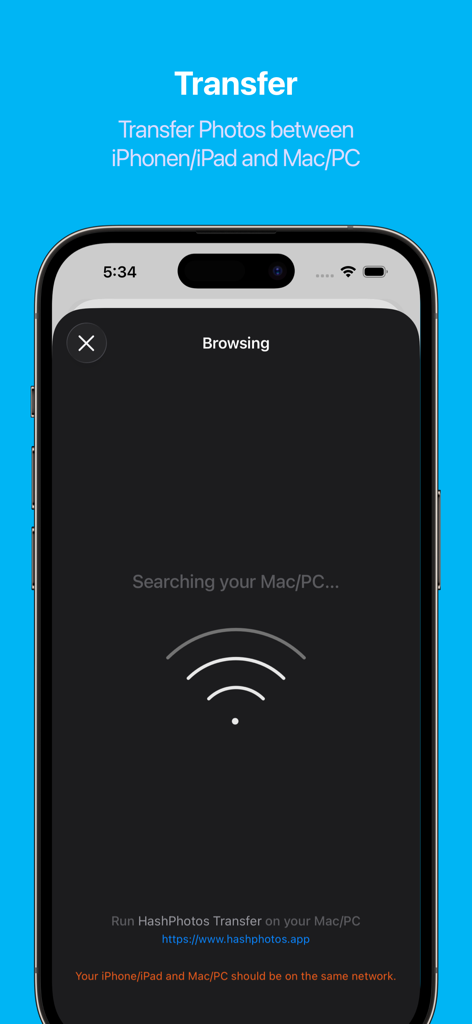
HashPhotos - HashPhotos app screen showing wireless photo transfer between iPhone and computer

HashPhotos app screen showing wireless photo transfer between iPhone and computer

Description

HashPhotos is the ultimate alternative to the Photos app. HashPhotos is the essential photo app for your iPhone/iPad, designed to revolutionize the way you manage, edit, and bring your memories to life. Whether you're snapping everyday moments or a dedicated photographer, HashPhotos is your indispensable companion. HashPhotos seamlessly integrates with the iOS photo library and also offers its own library(Local Library) for private management of your photos. The app combines an intuitive interface with powerful tools for organizing albums, searching for photos, and cleaning up your library. With its embedded photo editor, you can enhance images with a variety of filters and editing tools. It's easy to use and full of features for all your photo needs. Don't let your precious memories just sit idle on your device. With HashPhotos, make them vibrant and enjoy reliving your best moments with ease and fun. ※ HashPhotos does not transmit any photo data or personal information to external servers. HashPhotos takes your privacy and data very seriously. ### Features ### [Organize Photos] - Keywords (tags), searchable in Apple Photos as well. - Unsorted Album - Smart Album - Tray - Album Bar - Add To Album - Album Picker - 5-Star Rating [Clean Up] - Find Duplicates - Compare and Pick [Navigate and Search] - Search - User Keywords - Built-in Filters: Format, Size, Title, Filename, Caption, Location and more - Various date and period search filters - Dimensions - Timeline and Event - Map View - Calendar [View] - Viewer Information - Metadata Viewer - Histogram - Animated Image (GIF, PNG, WebP, HEICS, AVIF) - Live Text and Cut-out Object - Memo [Customize] - Thumbnail - Sort (by Date, File Size, File Name or Shuffle) and Grouping - Layout: Size, Rounded Corner, Spacing, Square/Aspect Ratio - Badges - Additional Info: File Size, Format, Album Title, Dimensions, … - Viewer - Customizable Gesture Action: Swipe Up, Double Tap, Two Finger Double Tap - Album-specific custom options [Export/Import and Share] - Import Files and Folder - Export Album, All Albums or Folder - Import from Mac/PC via Wi-Fi - Export to Mac/PC via Wi-Fi - System Integrated Share [Security & Privacy] - Local Library (Local/Private Album) - Passcode and Face ID - Fake Passcode for unlocking Private Album - Lock at App Launch - Privacy Options [Photo Editor] - Crop, Rotate, Flip, Angle - Adjust: Grain, Vignette, Noise Reduction, Sharpen, Temperature/Tint, Highlights/Shadows, Hue/Saturation, Vibrance, Exposure, Brightness/Contrast, Invert Color, Curve, Auto Enhance - Filter: more than 60 filters - Image Overlay - Text Overlay - Add Drawing - Blur - Stickers - Shape Mask - Eraser (Remove Background) - Frame - Tilt Shift [Video Editor] - Trim - Flip, Rotate - Filter - Adjust: Vignette, Sharpen, Temperature/Tint, Highlights/Shadows, Hue/Saturation, Vibrance, Exposure, Brightness/Contrast [Tools] Convert - Convert Image Format - Convert Video, Live Photo to Animated Image (PNG, WebP, GIF) - Live Photo to Video - Live Photo to Still Batch Edit - Apply Filter - Resize - Rotate (Left, Right, 180) - Flip Vertical / Flip Horizontal - Invert Color Properties - Adjust Date/Time - Adjust Location - Title - Memo - Favorite, Unfavorite Organize & Clean Up - Find Duplicates - Compare and Pick - Add To Album - Hide/Unhide - Duplicate - Find Similar Photos with a photo Metadata - Remove Metadata - Edit Metadata - Import IPTC Other Tools - Combine Photos - Create AniGIF - Slideshow - Extract Video Frame - Show in Album, Show in All Photos - Show Photos Nearby (Choose Distance Option) - Save to Dropbox - Copy URL Scheme [Embedded Camera] - Save directly into the album - Take a photo with a filter See more details on the homepage https://hashphotos.app Terms of Use (EULA) https://www.apple.com/legal/internet-services/itunes/dev/stdeula/

Download

Download on App Store

This page is not an official page of the app or its developer, but an independent editorial publication created for informational and commentary purposes. Unless expressly stated otherwise, neither the app nor its developer is affiliated with, endorsed by, sponsored by, authorized by, or otherwise officially connected with MWM, Apple, Google Play, the app publisher, or the app's developer, and nothing on this page implies that the app was developed using MWM's services. Any trademarks, logos, screenshots, and other content remain the property of their respective owners.