
This page is not an official page of the app or its developer, but an independent editorial publication created for informational and commentary purposes. Unless expressly stated otherwise, neither the app nor its developer is affiliated with, endorsed by, sponsored by, authorized by, or otherwise officially connected with MWM, Apple, Google Play, the app publisher, or the app's developer, and nothing on this page implies that the app was developed using MWM's services. Any trademarks, logos, screenshots, and other content remain the property of their respective owners.


Hayaemon - Music Player
Bring your music to life with customizable sound effects, speed, and pitch. Add the perfect "seasoning" to every track and rediscover the joy of your music library with a player built for fun.
Downloads
1M+User Rating
Total Ratings
42K+Publisher
Category
MusicLocales
17Latest Version
4.70Size
71.8 MBFirst Released
Nov 8, 2013Never Get Bored of Your Favorite Songs Again
Turn every track into a unique experience. Use our 'audio seasoning' to remix, practice, and rediscover the music you love with total control over every beat.
Master the Tempo
Speed up tracks for instant Nightcore vibes or slow them down to master complex dance routines and guitar solos without losing quality.
Season Your Sound
Apply custom pitch shifts and sound effects to create your own 'Slowed + Reverb' versions, keeping your favorite tracks fresh forever.
Frequently Asked Questions
Everything you need to know about Hayaemon - Music Player
What is Hayaemon?
Hayaemon is a music player designed to prevent users from getting bored with their favorite songs. It achieves this by applying various sound effects, similar to how "Furikake" seasons rice.
Can I change the speed and pitch of music in Hayaemon?
Yes, Hayaemon allows users to change the speed and pitch of audio. This functionality is accessible through the app's control interface.
How can I add tracks to Hayaemon - Music Player?
Users can add music to Hayaemon from various sources, including their music library, videos, and Dropbox. These options are available within the app's playlist functionality.
Does Hayaemon - Music Player offer an AB loop function?
Yes, Hayaemon includes an AB loop feature. This function allows users to set specific start and end points within a song for repeated playback, useful for serious listening or practice.
Does Hayaemon have an equalizer?
Yes, Hayaemon features a 31-band equalizer. This extensive equalizer allows users to fine-tune audio frequencies to customize their sound experience.
Does Hayaemon - Music Player include a vocal cancellation feature?
Yes, Hayaemon offers a "Vocal Cancel" effect. This feature helps users practice singing by reducing or removing the vocal track from songs.
How much does the ad-free version of Hayaemon cost?
Hayaemon offers an ad-free version for a monthly payment of $1.49. This subscription also supports the app's operation and service improvements.
Is there a free version of Hayaemon - Music Player?
Yes, you can try out all of Hayaemon's features for free. The app offers a free version with ads, and an ad-free version is available via subscription.
How do I cancel my Hayaemon subscription?
To cancel a Hayaemon subscription, launch the Settings app, tap your Apple ID, select Subscriptions, tap the Hayaemon subscription, and then select "Cancel Subscription."
Is the Hayaemon subscription auto-renewing?
The Hayaemon subscription is automatically renewed monthly. Users must cancel more than 24 hours before the renewal date to avoid being charged for the next month.
The following screenshots and description are sourced directly from the app's official store listing and are the property of the app developer.
App Store
Screenshots
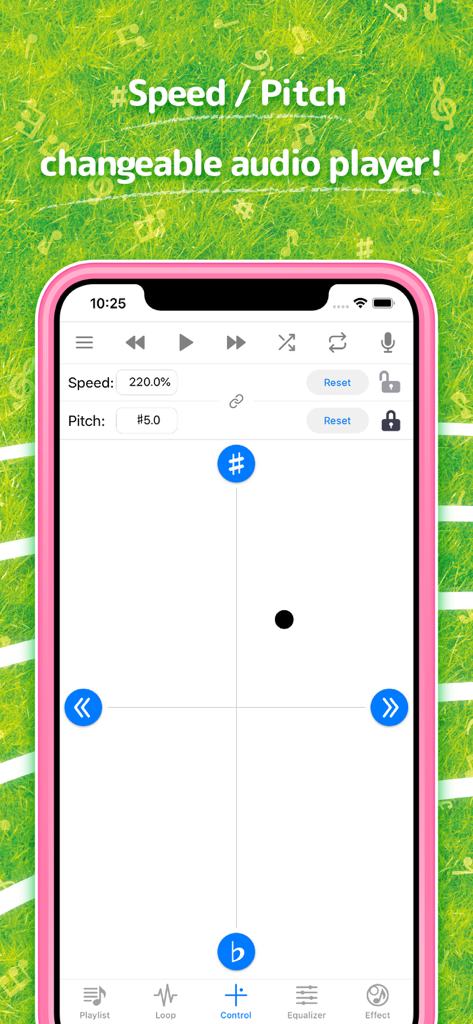
Hayaemon music player app interface showing speed and pitch adjustment controls
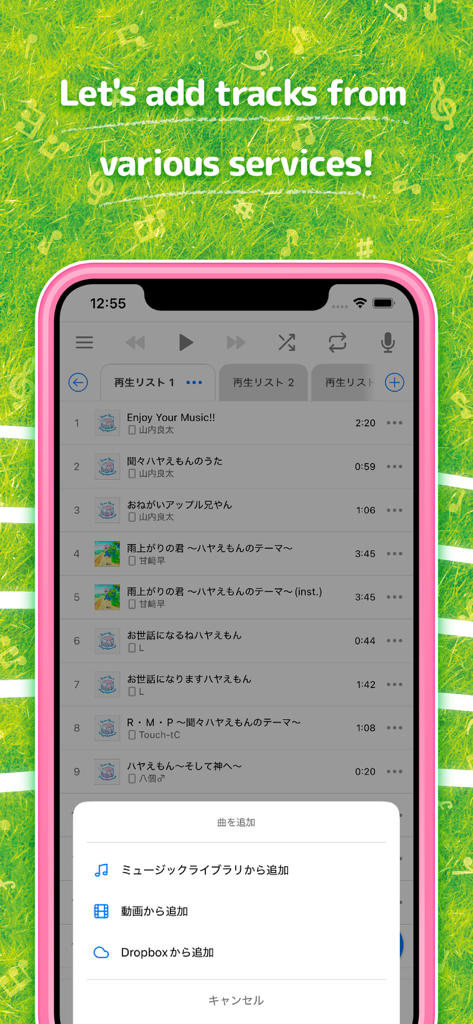
Hayaemon music player app interface showing options to add tracks from different services.
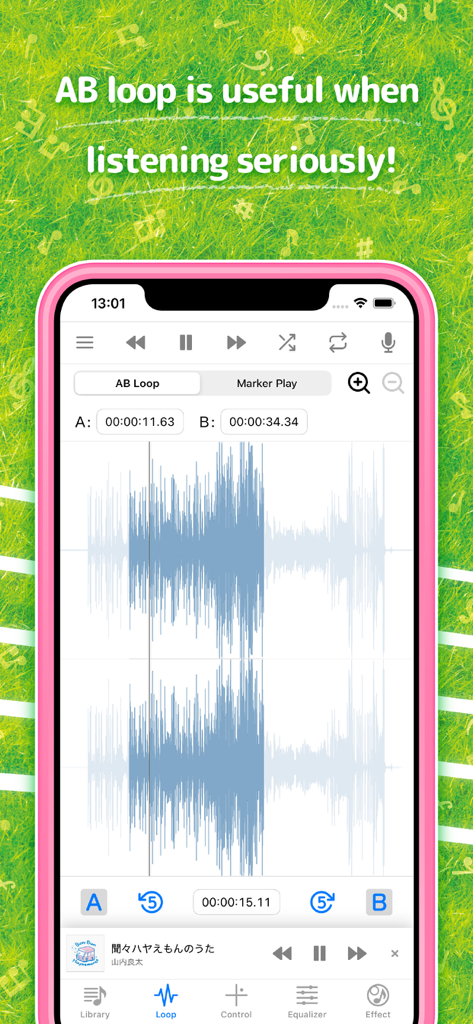
Hayaemon app interface showing the AB loop feature with a music waveform visualization
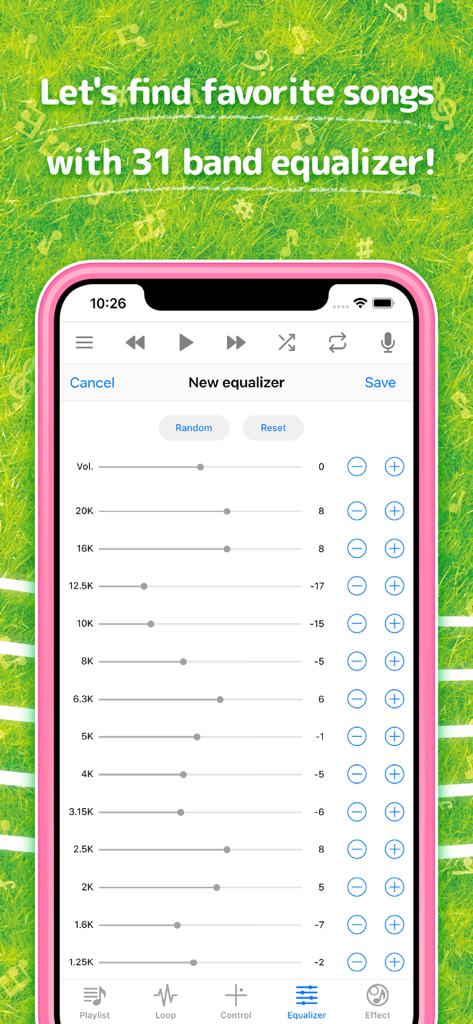
A smartphone screen displaying the 31 band equalizer settings within the Hayaemon music player app.
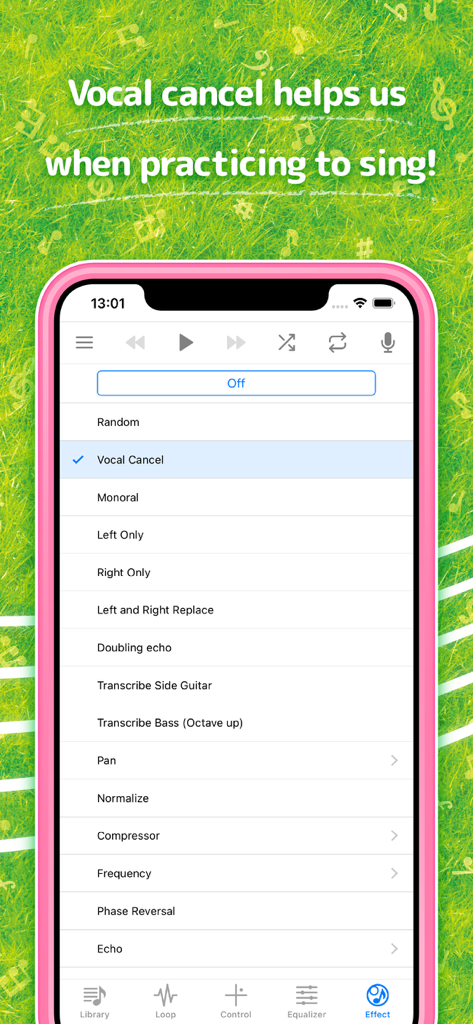
Hayaemon music player app screen showing the vocal cancel effect for singing practice
Description
Download
More Like This
Apps with similar features and user experience

Bass Booster & Music EQ: BASSY
Maryana Yurieva

Volume Booster Bass Booster
KUPERTINO BIL. YAZ. HALIL IBRAHIM KARAHAN SAFFET ARSLAN MUSTAFA AYTEN MUHAMMET YALCIN OZDEMIR K. S.

Bass Booster - Volume Booster
雨双 柯
Bass Booster, Volume Amplifier
Dorothy Clive

Bass Booster & Sound Equalizer
Zipo Apps Ltd.

Equalizer & Bass Booster FX
VDR APP DEVELOPMENT S.R.L.-D.

Volume Booster: Bass Amplifier
BELKALABS PTE. LTD.

Max Volume Booster: Super Loud
Fawad Ali

Bass Booster + Sound Equalizer
Uladzimir Luhin
This page is not an official page of the app or its developer, but an independent editorial publication created for informational and commentary purposes. Unless expressly stated otherwise, neither the app nor its developer is affiliated with, endorsed by, sponsored by, authorized by, or otherwise officially connected with MWM, Apple, Google Play, the app publisher, or the app's developer, and nothing on this page implies that the app was developed using MWM's services. Any trademarks, logos, screenshots, and other content remain the property of their respective owners.