
This page is not an official page of the app or its developer, but an independent editorial publication created for informational and commentary purposes. Unless expressly stated otherwise, neither the app nor its developer is affiliated with, endorsed by, sponsored by, authorized by, or otherwise officially connected with MWM, Apple, Google Play, the app publisher, or the app's developer, and nothing on this page implies that the app was developed using MWM's services. Any trademarks, logos, screenshots, and other content remain the property of their respective owners.
Hearing Aid - Sound Booster
Rediscover the joy of clear conversations and immersive sound. Boost speech, reduce background noise, and hear every detail in any environment with professional-grade sound enhancement designed for your daily life.
Downloads
0User Rating
Total Ratings
0Publisher
Category
MedicalLocales
4Latest Version
1.1Size
1.8 MBFirst Released
Feb 23, 2026Rediscover the Joy of Hearing
Transform your iPhone into a powerful, discreet hearing assistant. Stay connected to your family and environment with professional-grade sound amplification designed specifically for your AirPods and headphones.
Discreet & Confident
Skip the stigma of traditional hearing aids. Use your AirPods to blend in seamlessly while enjoying crystal-clear audio in restaurants, meetings, or social gatherings.
Crystal Clear Conversations
Never miss a joke at the dinner table again. Our advanced Speech Mode isolates voices and filters out background noise so you can focus on what people are saying.
The following screenshots and description are sourced directly from the app's official store listing and are the property of the app developer.
App Store
Screenshots
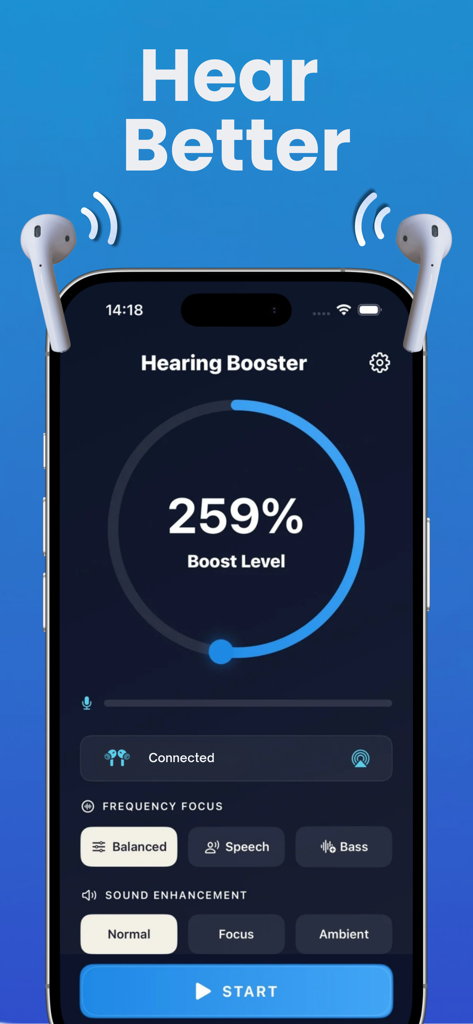
Smartphone displaying a hearing booster app with a 259 percent boost level and frequency focus settings.
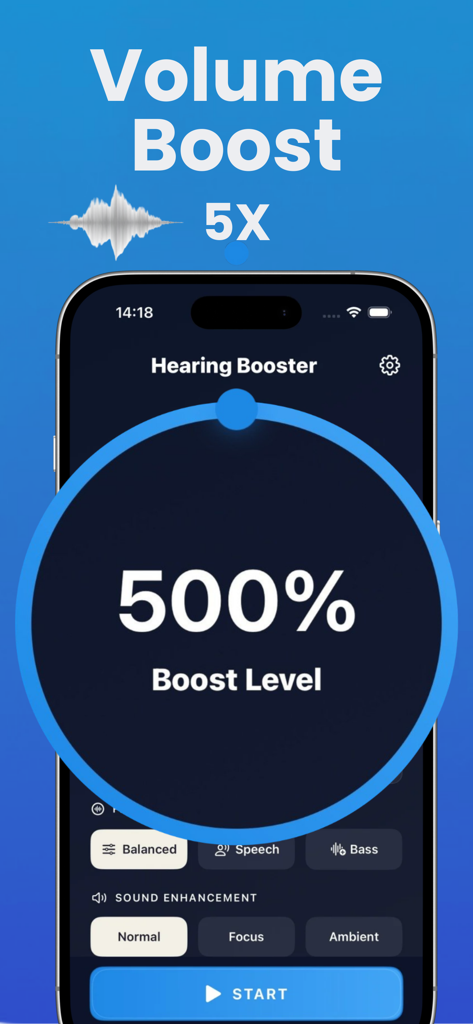
Smartphone screen showing the Hearing Aid app interface with a 500 percent volume boost level and sound enhancement modes
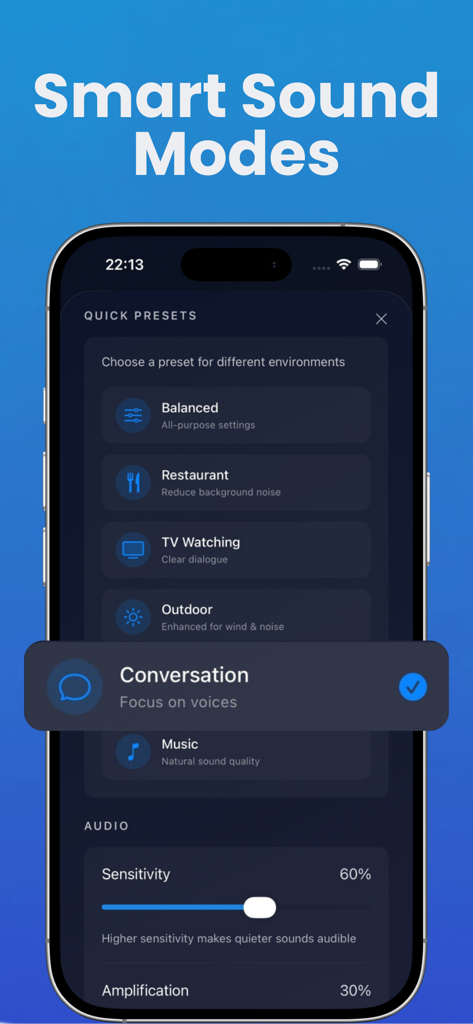
iPhone screen displaying smart sound mode presets like Restaurant and Conversation in the Hearing Aid app
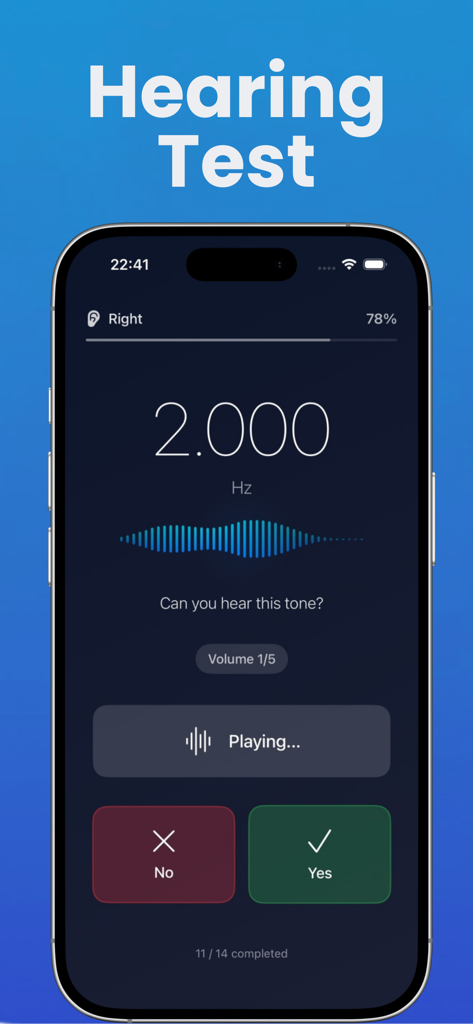
Interface of the Hearing Aid app showing an interactive hearing test with a 2000 Hz frequency tone.
Description
Download
More Like This
Top-ranked apps in the same category
MyChart
Epic Systems Corporation

国家医保服务平台
National Healthcare Security Administration

Pregnancy + | Tracker App
Philips Digital UK Limited

CVS Health
CVS Pharmacy

Doctolib - Your health partner
Doctolib

Meu SUS Digital
Servicos e Informacoes do Brasil

Mobile JKN
BPJS Kesehatan

UnitedHealthcare
UNITED HEALTHCARE SERVICES, INC.

江苏医保云
Jiangsu Healthcare Security Bureau
This page is not an official page of the app or its developer, but an independent editorial publication created for informational and commentary purposes. Unless expressly stated otherwise, neither the app nor its developer is affiliated with, endorsed by, sponsored by, authorized by, or otherwise officially connected with MWM, Apple, Google Play, the app publisher, or the app's developer, and nothing on this page implies that the app was developed using MWM's services. Any trademarks, logos, screenshots, and other content remain the property of their respective owners.