
This page is not an official page of the app or its developer, but an independent editorial publication created for informational and commentary purposes. Unless expressly stated otherwise, neither the app nor its developer is affiliated with, endorsed by, sponsored by, authorized by, or otherwise officially connected with MWM, Apple, Google Play, the app publisher, or the app's developer, and nothing on this page implies that the app was developed using MWM's services. Any trademarks, logos, screenshots, and other content remain the property of their respective owners.


HeyGen: AI Video Generator
No more excuses. This app hands you the power to conjure professional video content from thin air, bypassing studios and budgets.
Downloads
1M+User Rating
Total Ratings
33.5KPublisher
Category
Photo & VideoLocales
2Latest Version
2.5.1Size
105.7 MBFirst Released
Oct 13, 2024An AI-powered solution for rapid video content creation and global audience engagement.
Key Features of HeyGen: AI Video Generator
AI-Powered Text-to-Video Generation
The app allows users to paste a script and generate a realistic video with an AI avatar that speaks the text seamlessly, significantly reducing the need for traditional filming and editing.
Personalized AI Avatar Creation
It provides tools to create highly personalized AI avatars from a short video, existing photos, or even text prompts, allowing users to mirror their own look and expressions or design unique brand-aligned characters.
Multi-Language Video Translation
This tool features AI-powered translation for videos into over 100 languages, enabling content creators and businesses to effortlessly localize their videos and expand their reach to a global audience.
One-Click Photo-to-Talking Video Transformation
The app allows users to transform a single static face photo into a dynamic, natural-looking talking video, providing a quick and engaging way to animate existing visual assets for various platforms.
Automated Long-Form Video Summarization
It automatically converts long-form video links into engaging short clips, saving significant time and effort for marketers and content creators in repurposing content for social media and other platforms.
Voice-to-Avatar Animation
It enables users to record their own voice or leverage an extensive library of AI voices with text-to-speech (TTS) to bring their chosen avatars to life with synchronized lip-sync and expressions.
Frequently Asked Questions
Everything you need to know about HeyGen: AI Video Generator
How can users create AI avatars with HeyGen?
HeyGen allows users to create AI avatars by recording a short video, building from photos, or designing with AI text prompting. The app can also turn a single face photo into a talking video.
What is HeyGen's Video Agent feature?
HeyGen's Video Agent is a new feature that enables users to create videos faster. It turns simple text prompts and images into video content, such as a UGC ad.
Does HeyGen support video translation?
Yes, HeyGen supports video translation. It can transform videos for a global audience by translating them into over 100 languages using AI-powered technology.
Can HeyGen create videos from text?
Yes, HeyGen can create videos from text. Users can paste a script, and the app generates a realistic video avatar that speaks the provided text seamlessly.
What are the primary uses for HeyGen AI videos?
HeyGen AI videos are versatile for social media, marketing campaigns, educational content, and virtual events. The platform is user-friendly for various creators.
Is HeyGen suitable for content creators without technical skills?
Yes, HeyGen is simple and user-friendly. It allows creators to produce AI avatars and videos with just a few taps, requiring no complex tools or technical skills.
How quickly can I record an avatar in HeyGen?
Users can record an avatar in HeyGen quickly. The app highlights the ability to record your avatar in under 30 seconds.
Can HeyGen generate videos from a single photo?
Yes, HeyGen can generate videos from a single photo. Its "Avatar 4 — Photo-to-Video" model converts a single face photo into a natural, talking video.
Does HeyGen offer pre-made AI avatars?
Yes, HeyGen offers a vast avatar library. Users can choose from thousands of pre-made AI avatars to fit their specific content requirements.
What is the purpose of HeyGen's Instant Highlights feature?
HeyGen's Instant Highlights feature automatically converts long-form video links into engaging short clips. This saves time for content creators.
The following screenshots and description are sourced directly from the app's official store listing and are the property of the app developer.
App Store
Screenshots
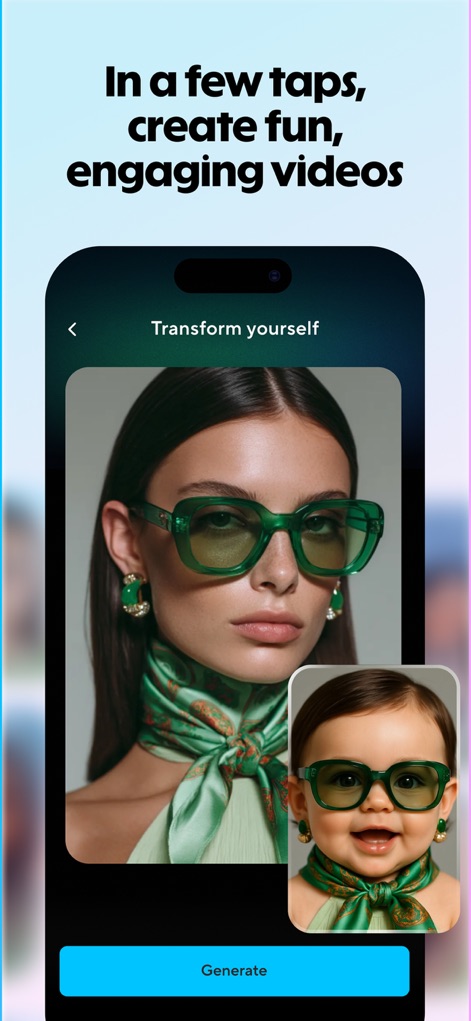
This tool allows users to transform their photos into engaging AI avatars, showcasing both the original image input and the diverse avatar generation capabilities.
Photo-to-Avatar Creation

Witness the powerful Video Agent feature, where users can combine a descriptive text prompt and multiple image assets to instantly generate unique video content.
AI Video Agent
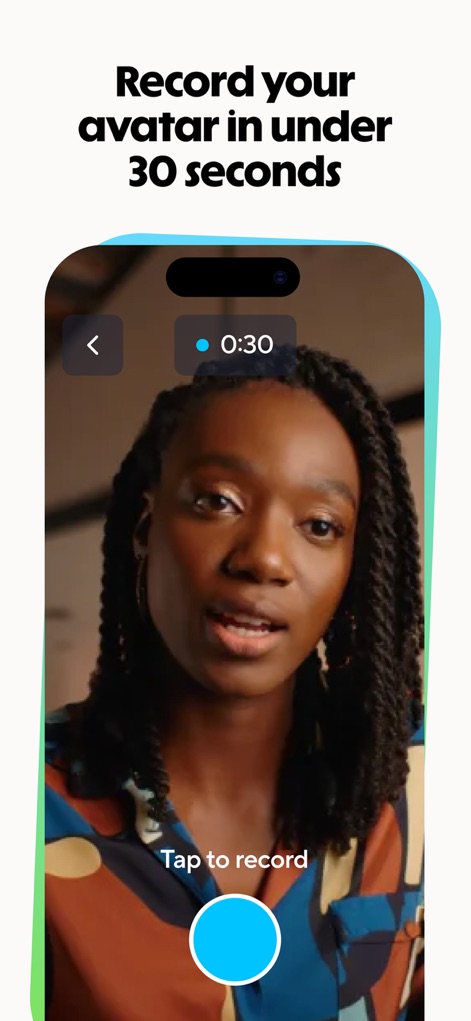
Explore the intuitive recording interface that enables users to create a personalized digital twin in under 30 seconds, capturing their unique look and expressions.
Quick Avatar Capture
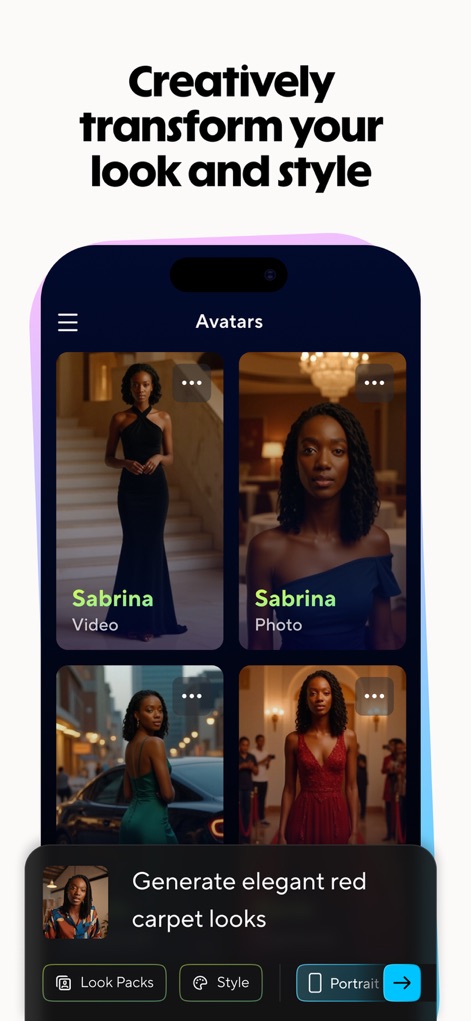
Discover a comprehensive avatar library offering diverse styles and leverage advanced styling suggestions to creatively transform appearances for any video project.
Avatar Customization Options
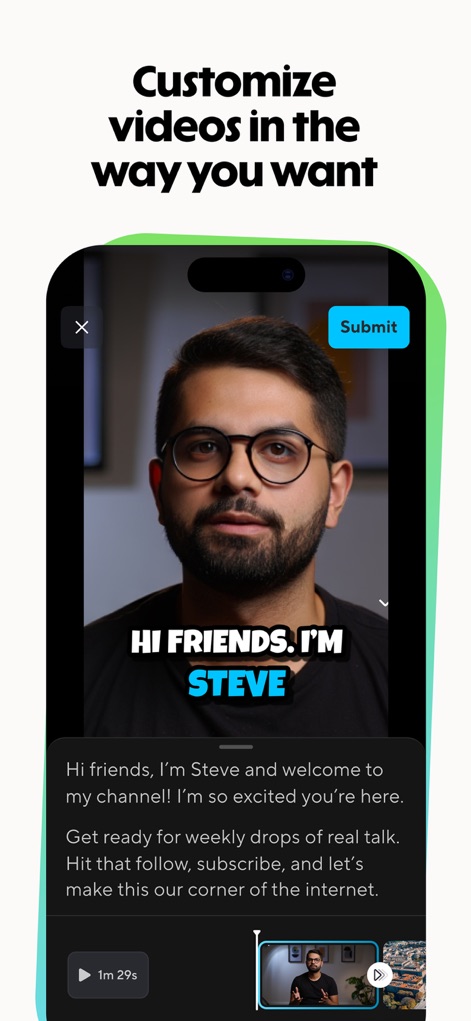
Review and refine generated videos within the app's interface, featuring clear video playback with captions and an intuitive timeline for precise adjustments before submission.
Video Editing & Output
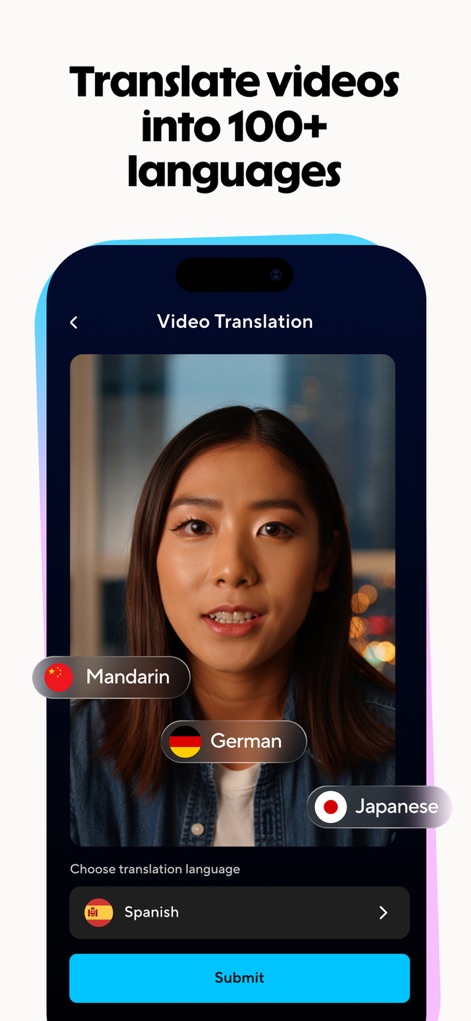
Expand your content's reach with the robust video translation feature, allowing users to effortlessly convert videos into over 100 languages for a global audience.
Global Video Translation
Description
Download
More Like This
Apps with similar features and user experience

Sora by OpenAI
OpenAI OpCo, LLC

DreamFace: AI Video Generator
New Port LLC
AI Video Generator - Viddo AI
li lin
MiniMax AI - Video Generator
Noam Barzik

WOMBO Dream - AI Art Generator
Wombo Studios, Inc.

AI Canvas - AI Image Generator
Engcraft, LLC
Cat Language Keyboard DIY
HUYNH DUONG VAN
AI Art Generator Image
琴慧 冯

Loopsie: AI Image Effects
KRNL SRL
This page is not an official page of the app or its developer, but an independent editorial publication created for informational and commentary purposes. Unless expressly stated otherwise, neither the app nor its developer is affiliated with, endorsed by, sponsored by, authorized by, or otherwise officially connected with MWM, Apple, Google Play, the app publisher, or the app's developer, and nothing on this page implies that the app was developed using MWM's services. Any trademarks, logos, screenshots, and other content remain the property of their respective owners.