Hi-Res music player-NePLAYER

Hi-Res music player-NePLAYER

Download on App Store
Logo of Hi-Res music player-NePLAYER

NePLAYER: Experience Bit-Perfect High-Resolution Audio

Unlock the full potential of your music library with support for DSD, FLAC, and USB-DACs. Engineered for audiophiles who demand studio-grade fidelity, professional EQ, and total technical control.

Download on App Store

Publisher

radius co., ltd.

Category

Music

Downloads

161K+

User Rating

4.0/5

Total Ratings

2K+

Locales

4

High-Fidelity Visualized

Discover the interface used by 161K+ users.

NePLAYER app intro screen with Hi-Res music quality slogan
NePLAYER app intro screen with Hi-Res music quality slogan

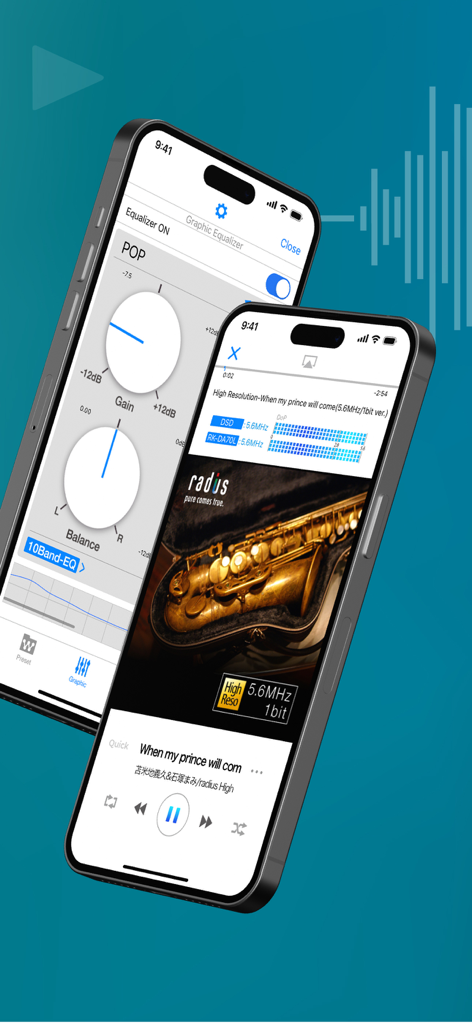
NePLAYER high-resolution music player interface showing equalizer settings and playback screen with technical audio data
NePLAYER high-resolution music player interface showing equalizer settings and playback screen with technical audio data

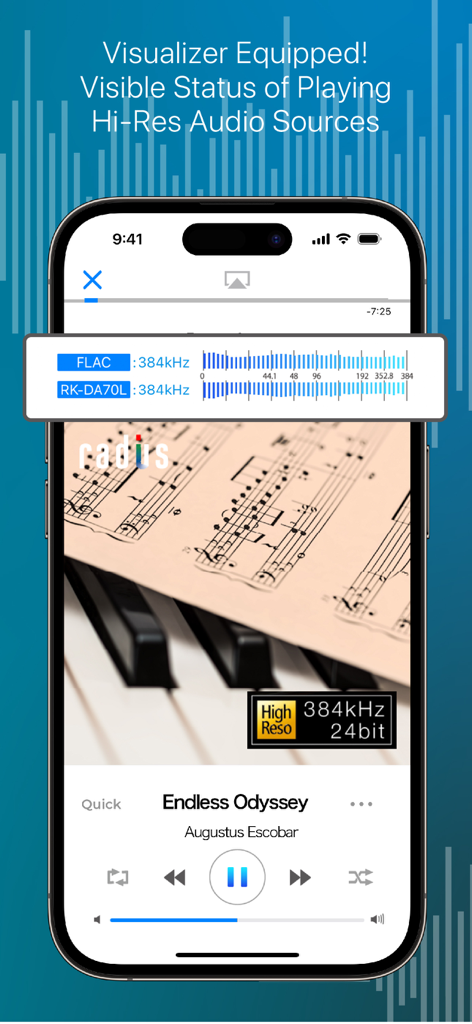
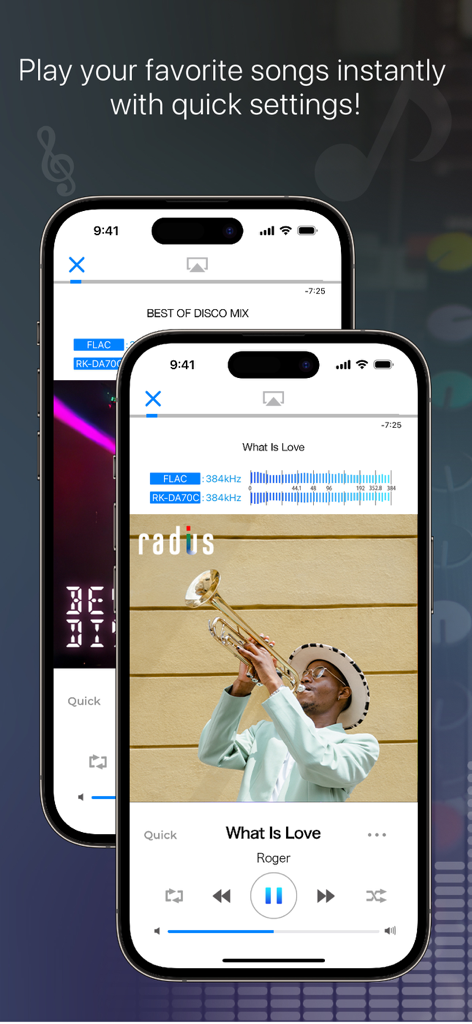
NePLAYER app interface showcasing high-resolution audio playback status and real-time visualizer.
NePLAYER app interface showcasing high-resolution audio playback status and real-time visualizer.

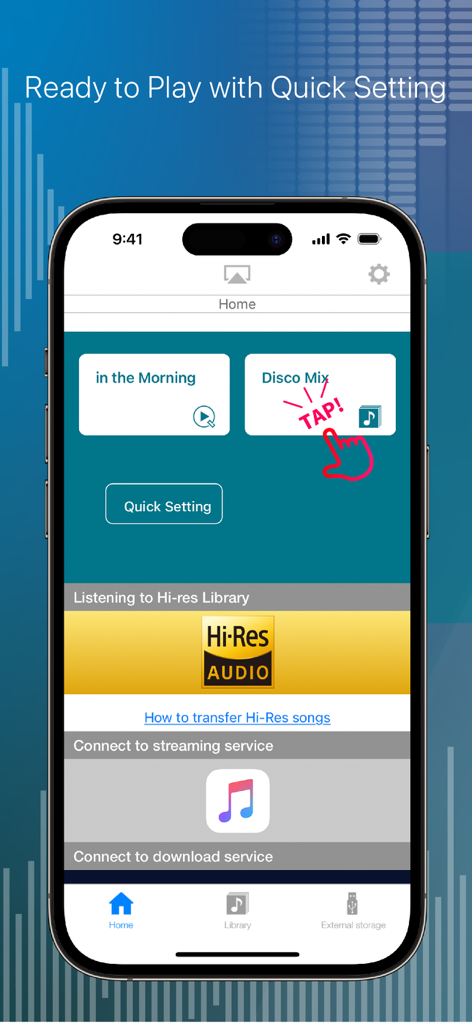
The home screen of NePLAYER showing quick settings for music playback and Hi-Res audio integration.
The home screen of NePLAYER showing quick settings for music playback and Hi-Res audio integration.

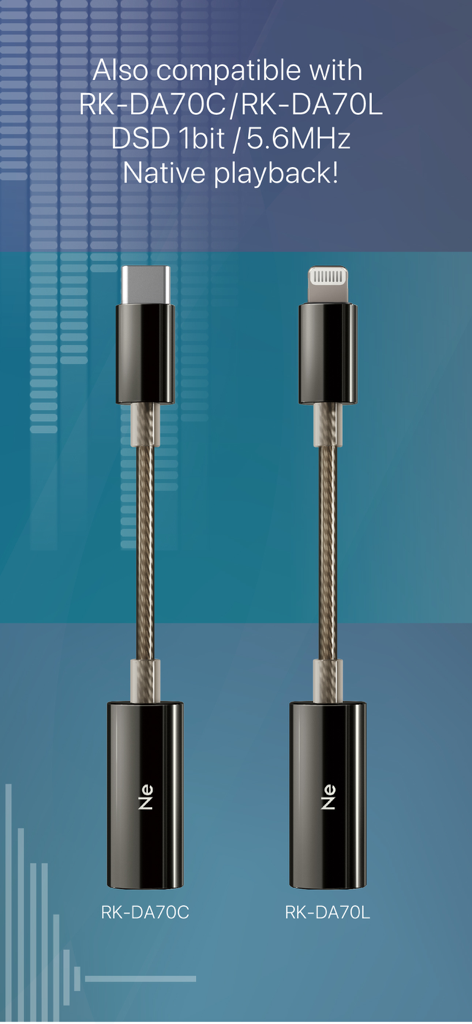
USB-C and Lightning DAC adapters for native DSD playback with NePLAYER app
USB-C and Lightning DAC adapters for native DSD playback with NePLAYER app

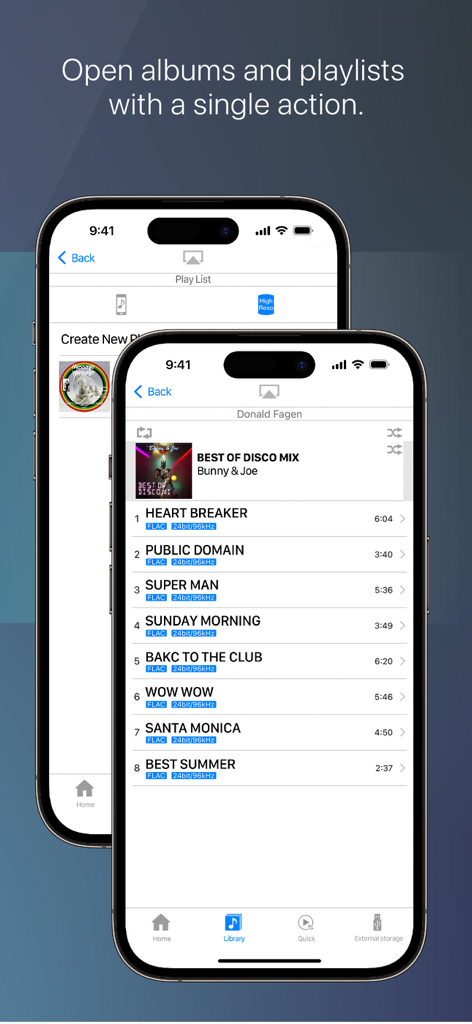
NePLAYER app interface displaying a high resolution music tracklist with FLAC technical specifications
NePLAYER app interface displaying a high resolution music tracklist with FLAC technical specifications

Hi-Res music player NePLAYER interface showing technical audio data and playback controls
Hi-Res music player NePLAYER interface showing technical audio data and playback controls

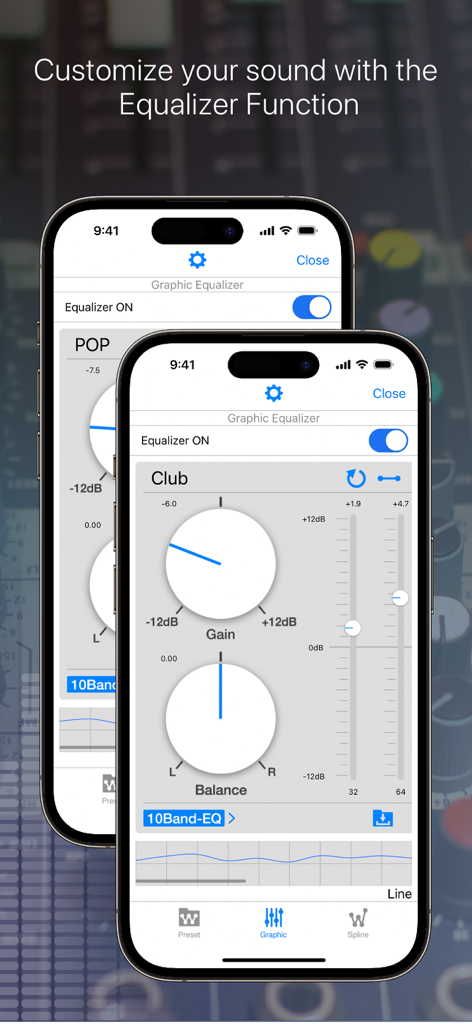
Graphic equalizer interface of NePLAYER showing gain and balance controls for audio customization.
Graphic equalizer interface of NePLAYER showing gain and balance controls for audio customization.

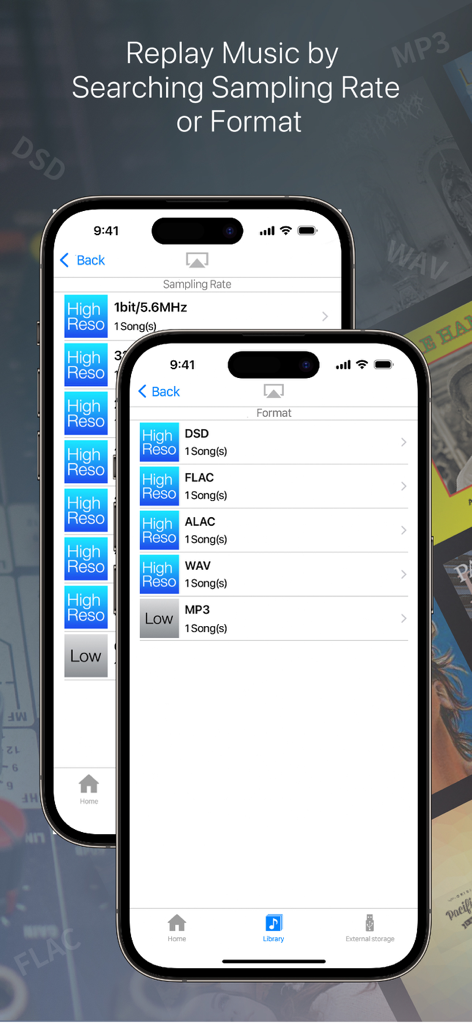
NePLAYER app interface showing music library sorting by sampling rate and file formats including DSD, FLAC, and ALAC
NePLAYER app interface showing music library sorting by sampling rate and file formats including DSD, FLAC, and ALAC

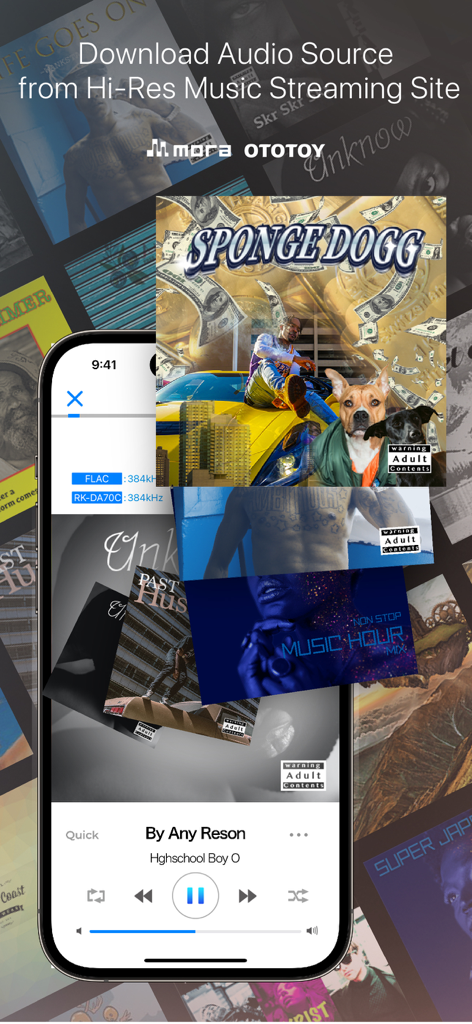
NePLAYER app interface showing high resolution music download options and playback controls

NePLAYER app interface showing high resolution music download options and playback controls

Experience True Studio Fidelity

The tools that make this app stand out, trusted by 161K+ users.

🎧

Bit-Perfect Hardware Support

Connect your favorite Lightning USB-DAC and enjoy DSD over PCM (DoP) for lossless, high-resolution playback up to 32bit/768kHz.

🌐

Seamless Network Streaming

Access your entire high-res library wirelessly. Stream directly from your NAS or DLNA devices without compromising on audio quality.

🎚️

Professional Sound Tailoring

Fine-tune your acoustics with a 15-band graphic equalizer and monitor your signal in real-time with an integrated high-res visualizer.

About the app

Everything you need to know about Hi-Res music player-NePLAYER.

Description

■ Features (1) Play High-Resolution Sound on your iPhone! You can easily play high-res sound sources on your iPhone. It's not just a music player, it's also equipped with the following various functions. ■・Playing high-res AudioFile Equipped with a real-time visualizer, you can check the playback quality. Playing FLAC, WAV, ALAC and DSD AudioFile(Max 32bit/768kHz,11.2MHz) Support DSD playing both DoP and PCM playback, be enjoyed with PCM conversion playback at a sampling rate of 705.6kHz (integer multiples). *FLAC and ALAC formats are supported up to 32bit/384kHz. ■Play audio with USB device Supports output to Lightning USB-DAC. and, Support DSD over PCM (DoP) via USB. *Compatible equipment is required for DSD Native playback. ■Equalizer/Surround Effect Equalizer/ You can create your own sound using Preset EQ,10, 15Band Graphic EQ, and Spline EQ. Surround Effect/ You can add spatial effects from presets. (2) Quickly find songs with format sorting Even large libraries can be easily discovered. ■Sort by Audio format DSD, FLAC, WAV, AAC...etc. You can sort by Audio format. In addition, you can sort by "playlist", "album", "artist", "song", etc. Besides the iTunes/Apple ID sync library, the player has an internal song library. Each library is independent. (App library is synced via in-app file sharing) ■“Quick” playback function You can create a "Quick" shortcut on your home or tab bar. This feature allows you to customize file location selection and post-actions. You can control 'Open File Location', 'Open Location and Play', and 'Add to Next Song'. With one action, you can play your favorite song. (3)Network Play NePLAYER can play music from DLNA compatible devices, and play music from NAS. ■Use with DLNA Using DLNA, you can transmit and play high-resolution audio wirelessly without down-converting. You can also remotely control a NAS within the same network and play stored songs. (Maximum PCM: 24bit/192kHz) *DLNA is only compatible with iOS paid version apps *Supported format/maximum performance depends on the connected device. *Depending on the communication speed of the network used, the sound may be interrupted or the connection may be terminated. *DSD files do not support DLNA playback. [Other features] ---Audio ・High-resolution free song samples ・Audio upsampling function ・Song fade in/fade out ・Gapless playback ・Automatic playback after call ends ---Operation/Display ・Song search ・Create playlist,Import/Output *1 ・Shuffle, repeat play (1/all songs) ・Display next song list ・Connected device information display ・Display jacket image ・Display of song file information ・Lyrics display function (embedded lyrics data) ・Supports import via AirDrop ・Supports display in 3 languages: Japanese, English, Chinese (simplified/traditional) *1: Can be created for songs in each library. Playlists created within the application are not synced to iTunes. *If you delete a song within the application, you cannot restore the song from the application. We recommend that you always make a backup. ---External service cooperation ・Downloading songs of purchased from mora, OTOTOY ・Link to Apple Music *An active Apple Music account is required to use Apple Music service. *Equalizer, surround, and upsampling functions cannot be used together with the Apple Music streaming service. **Note: The Spotify linked service has ended on May 31, 2023. **Note: The e-onkyo music linked service has ended on Oct 16, 2024. [Supported file formats] DSD(.dff.dsf)/ALAC/FLAC/WAV/MP3/AAC/HE-AAC *Songs protected by DRM cannot be played. [Supported OS] iOS11 or later *We recommend using the latest version of iOS. *Note: There are legacy models on which the app can be installed, but since the CPU is largely unavailable during playback, playback problems may occur.

Latest Version

2.6.5

Size

46.6 MB

First Released

Apr 7, 2015

Unleash the Power of Your High-Res Collection

Experience bit-perfect 32-bit/768kHz playback and professional USB-DAC support. Download NePLAYER today and transform your iPhone into the ultimate audiophile player.

Download on App Store

App information, icons, screenshots, and descriptions displayed on this page are sourced from the Apple App Store and are the property of their respective developers. Download estimates and rankings are based on MWM's proprietary models and may not reflect actual figures. This page is provided for informational and analytical purposes only.

Believe this page infringes your intellectual property? File a dispute