
This page is not an official page of the app or its developer, but an independent editorial publication created for informational and commentary purposes. Unless expressly stated otherwise, neither the app nor its developer is affiliated with, endorsed by, sponsored by, authorized by, or otherwise officially connected with MWM, Apple, Google Play, the app publisher, or the app's developer, and nothing on this page implies that the app was developed using MWM's services. Any trademarks, logos, screenshots, and other content remain the property of their respective owners.


HomeSim
Stop fumbling with your mouse and reclaim your immersion. Turn your iOS devices into dedicated RMU, PFD, and autopilot panels for a tactile, high-fidelity flight simulation experience.
Downloads
0User Rating
Total Ratings
0Publisher
Category
EntertainmentLocales
1Latest Version
1.04Size
5.3 MBFirst Released
Jul 29, 2024Master Your Flight with Precision Touch
Transform your iOS devices into professional-grade avionics. Eliminate the mouse and focus on flying with a high-fidelity interface designed for X-Plane 12 enthusiasts.
Intuitive Touch Avionics
Replace clunky mouse clicks with natural touchscreen gestures. Manage radios, autopilot modes, and flight plans with the same speed and tactile feel as a real cockpit.
Expanded Visual Horizon
Move your PFD and engine instruments to your iPad to free up your main monitor. Enjoy a full-screen, panoramic view of the world without cockpit clutter blocking your sight.
The following screenshots and description are sourced directly from the app's official store listing and are the property of the app developer.
App Store
Screenshots
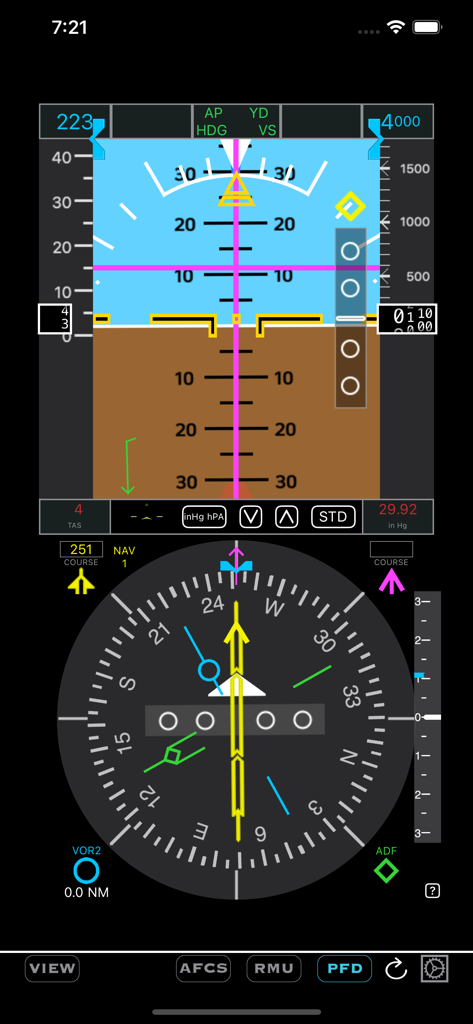
HomeSim Primary Flight Display interface showing artificial horizon, altitude, and airspeed for flight simulation.
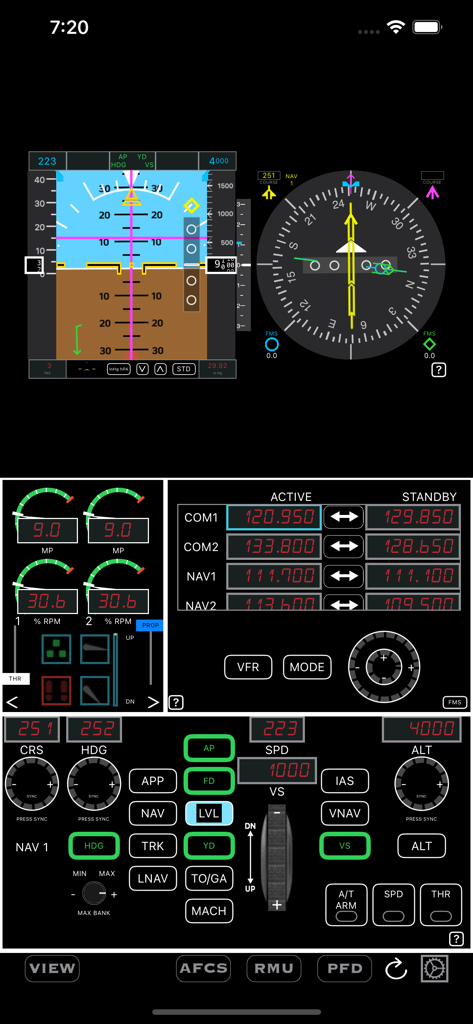
HomeSim interface displaying primary flight instruments, radio management unit, and autopilot controls for flight simulation
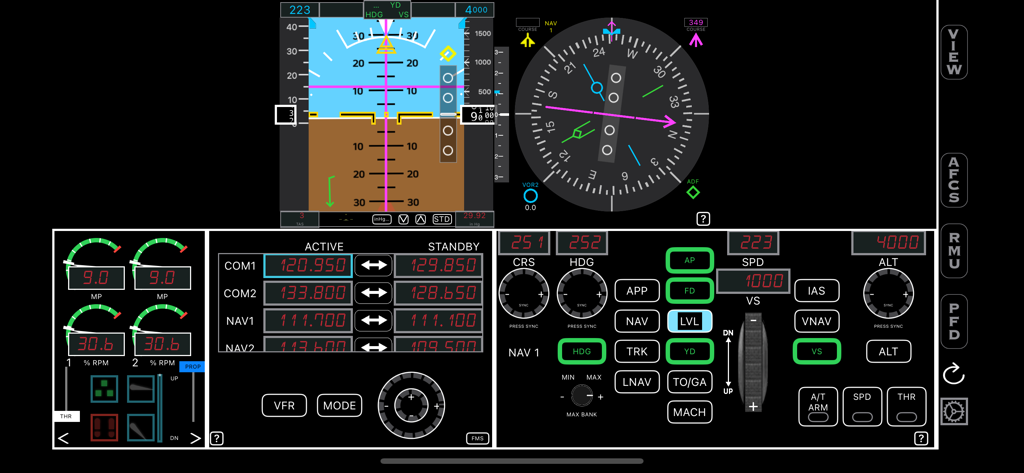
Digital cockpit dashboard showing flight instruments, radio frequencies, and autopilot controls for X-Plane 12.
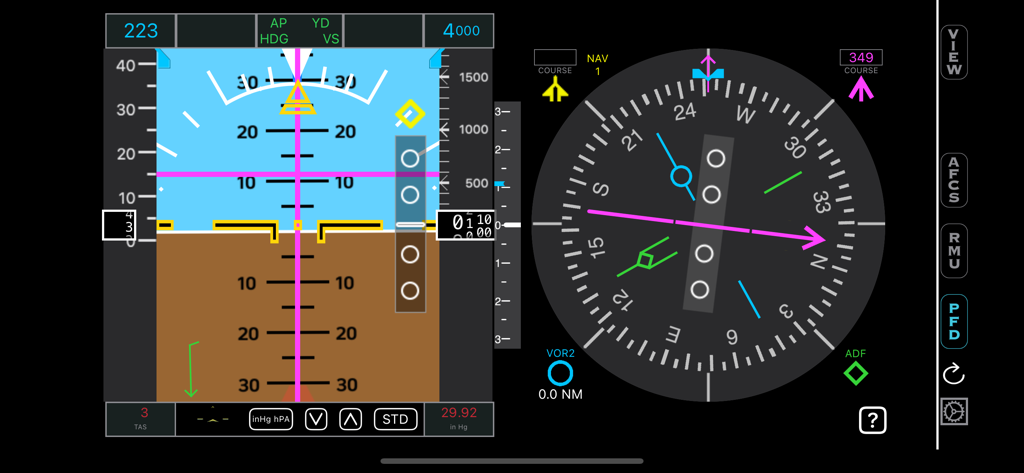
Digital flight instrument interface for HomeSim showing primary flight data and navigation controls
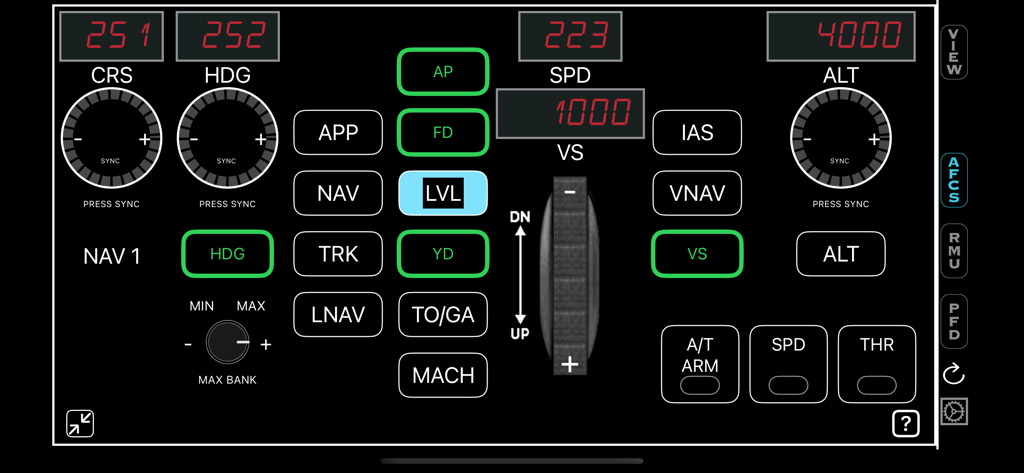
Digital autopilot interface for HomeSim flight simulator app showing heading and altitude controls
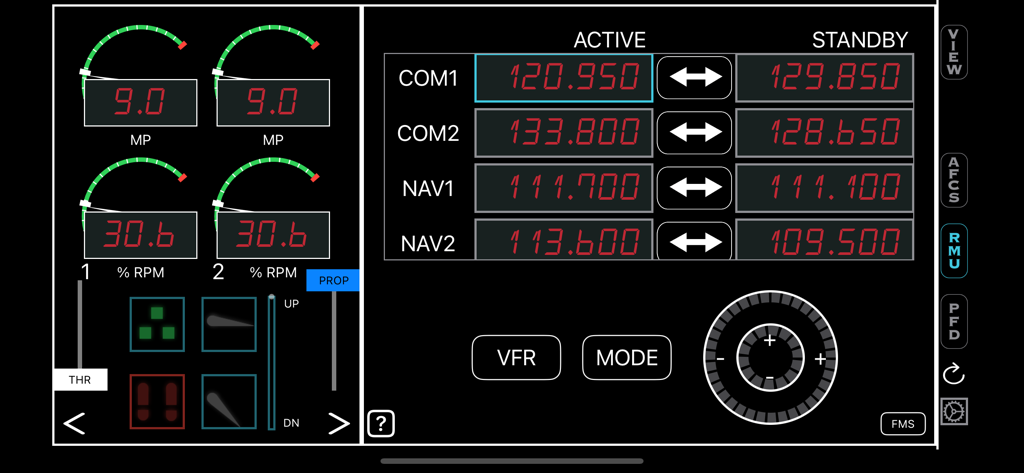
HomeSim interface displaying flight radio management unit and engine instrument gauges
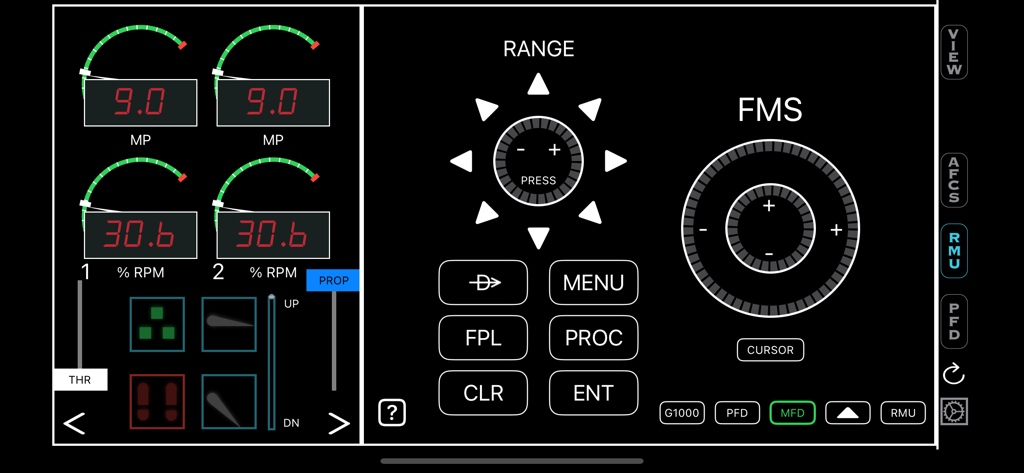
Digital flight simulator interface showing engine instruments and flight management system controls.
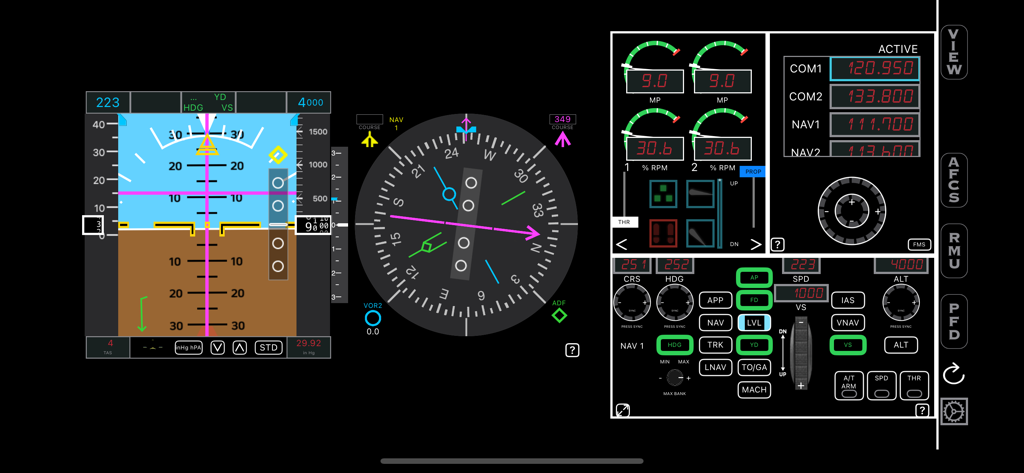
HomeSim flight simulation dashboard with primary flight display and radio controls
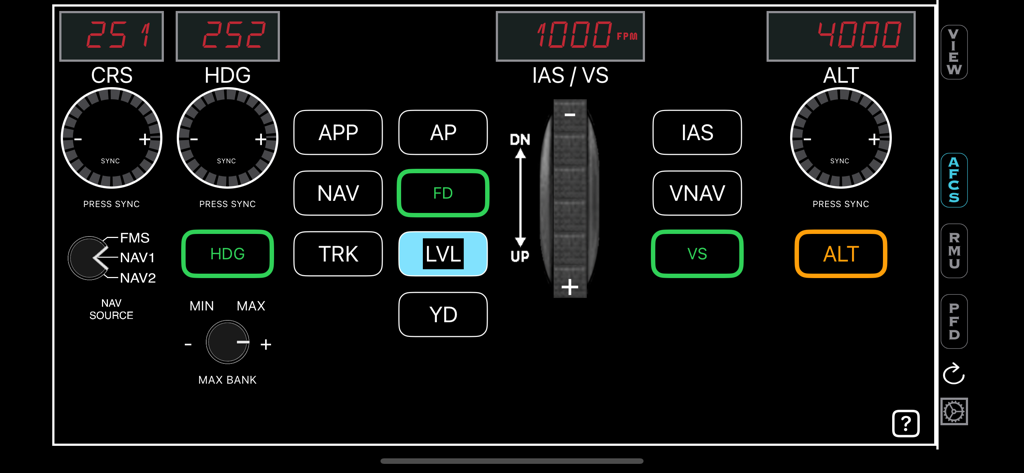
HomeSim AFCS interface showing autopilot controls for heading altitude and vertical speed
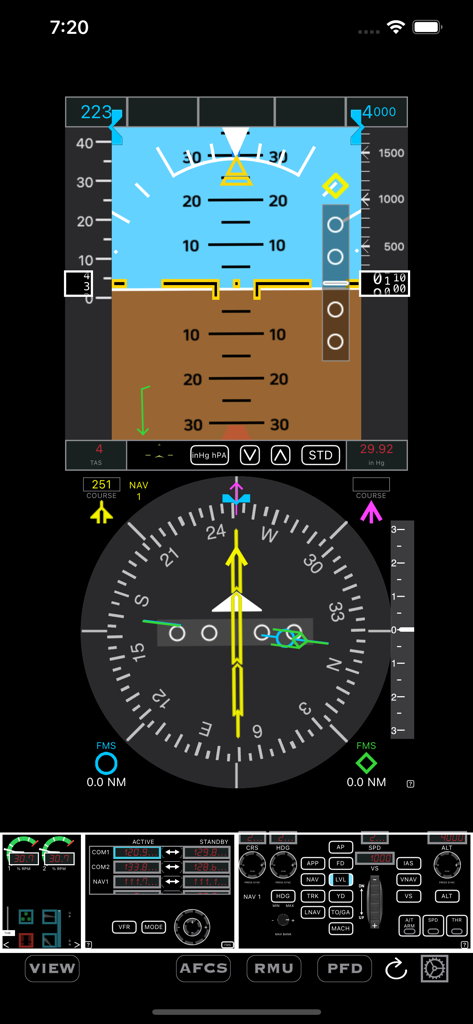
HomeSim flight simulator interface showing primary flight display and HSI
Description
Download
More Like This
Top-ranked apps in the same category

Netflix
Netflix, Inc.

TikTok - Videos, Shop & LIVE
TIKTOK PTE. LTD.

Freecash - Get Paid Real Money
256 REWARDS LTD

Disney+
Disney Electronic Content, Inc.

Amazon Prime Video
AMZN Mobile LLC

DramaBox - Stream Drama Shorts
STORYMATRIX PTE. LTD

NetShort - Popular Dramas & TV
NETSTORY PTE. LTD.

ReelShort - Stream Drama & TV
New Leaf Publishing, Inc.

HBO Max: Stream Movies & TV
WarnerMedia Global Digital Services, LLC
This page is not an official page of the app or its developer, but an independent editorial publication created for informational and commentary purposes. Unless expressly stated otherwise, neither the app nor its developer is affiliated with, endorsed by, sponsored by, authorized by, or otherwise officially connected with MWM, Apple, Google Play, the app publisher, or the app's developer, and nothing on this page implies that the app was developed using MWM's services. Any trademarks, logos, screenshots, and other content remain the property of their respective owners.