
This page is not an official page of the app or its developer, but an independent editorial publication created for informational and commentary purposes. Unless expressly stated otherwise, neither the app nor its developer is affiliated with, endorsed by, sponsored by, authorized by, or otherwise officially connected with MWM, Apple, Google Play, the app publisher, or the app's developer, and nothing on this page implies that the app was developed using MWM's services. Any trademarks, logos, screenshots, and other content remain the property of their respective owners.

HR2VP Bike Training & Tracker
The ultimate bridge for the data-driven cyclist. Broadcast your Apple Watch heart rate to your Garmin, turn any stationary bike into a Zwift-ready smart trainer, and access professional power metrics without the expensive hardware.
Downloads
2K+User Rating
Total Ratings
0Publisher
Category
Health & FitnessLocales
1Latest Version
7.4.3Size
87.2 MBFirst Released
Apr 23, 2020Unlock Pro-Level Cycling Data with the Gear You Already Own
HR2VP bridges the gap between your devices and your goals, turning your heart rate into powerful insights for indoor and outdoor rides.
Seamless Garmin & Apple Sync
Broadcast your Apple Watch heart rate directly to your Garmin Edge. No more choosing between ecosystems—get all your data on one screen, live.
Virtual Power Meter
Our advanced algorithm converts your heart rate into real-time wattage. Get pro-level power metrics on any bike without the $600 hardware cost.
Frequently Asked Questions
Everything you need to know about HR2VP Bike Training & Tracker
What is HR2VP Bike Training & Tracker?
HR2VP Bike Training & Tracker is an app that turns your phone into a bike computer. It adds power to rides, connects Apple Watch to Garmin GPS, supports structured workouts, uploads data to Strava, and works with indoor cycling apps like Zwift.
Does HR2VP Bike Training & Tracker support connecting an Apple Watch to Garmin GPS devices?
Yes, HR2VP Bike Training & Tracker connects an Apple Watch to Garmin GPS devices. Users download the HR2VP data field from the Connect IQ store and enable broadcasting in HR2VP settings. Heart rate and power then transmit to the bike computer.
Which Garmin Edge models are compatible with HR2VP for displaying Apple Watch data?
HR2VP is compatible with Garmin Edge models 1030, 1030 Plus, 1040, 1050, 130 Plus, 530, 540, 550, 830, 840, 850, and Explore 2 for displaying Apple Watch data.
Can HR2VP Bike Training & Tracker be used with Zwift or other indoor cycling apps?
Yes, HR2VP Bike Training & Tracker works with Zwift and other indoor cycling apps. It uses a heart rate monitor as a virtual power meter and broadcasts virtual power over Bluetooth Low Energy. It is compatible with Rouvy, Kinomap, My Whoosh, and indieVelo.
Does HR2VP support structured workouts and smart trainer control?
Yes, HR2VP supports structured workouts and smart trainer control. It connects to smart trainers and uses 'Ergometer mode' to automatically adjust resistance based on target power. The app offers a library of predefined workouts.
Can HR2VP track outdoor cycling routes and upload to Strava?
Yes, HR2VP tracks outdoor cycling routes using GPS and automatically uploads recorded data, including power, to Strava. It also visualizes real-time training intensity, total distance, speed, heart rate, and calories burned.
What types of Bluetooth sensors are compatible with HR2VP Bike Training & Tracker?
HR2VP Bike Training & Tracker is compatible with various Bluetooth Smart sensors. These include heart rate monitors, power meters, cadence sensors, and FTMS bike trainers, enabling comprehensive workout data collection and real-time tracking.
How does the HR2VP power matching algorithm work?
HR2VP's power matching algorithm considers heart rate variations for precise training, accurate in the aerobic intensity zone. Users customize parameters such as FTP, weight, resting heart rate, and maximum heart rate for personalized performance tracking.
Is HR2VP Bike Training & Tracker free to use, or does it require a subscription?
HR2VP Bike Training & Tracker is free to try for 15-minute workouts. For longer training sessions or to unlock full features, a subscription is required. The app offers in-app purchase options for subscriptions.
Does HR2VP allow users to view their training history and logs?
Yes, HR2VP provides access to training logs and history. Users can visualize past workouts, including total exercise time, energy, intensity zones (Endurance, Anaerobic, Threshold), Watts, Load, and vFTP, within the 'MY HISTORY' section.
The following screenshots and description are sourced directly from the app's official store listing and are the property of the app developer.
App Store
Screenshots
A woman training on an indoor stationary bike for cycling performance
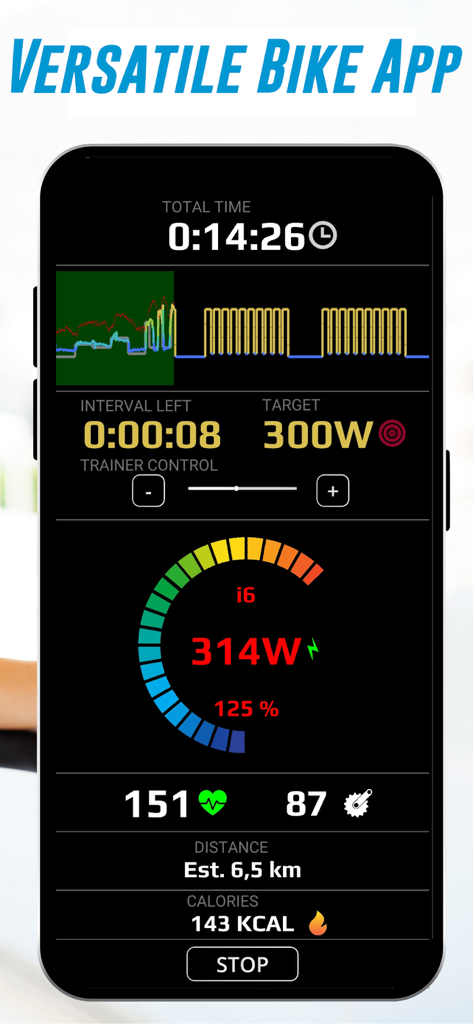
HR2VP app mobile interface showing real-time cycling metrics including power heart rate and cadence during a training session
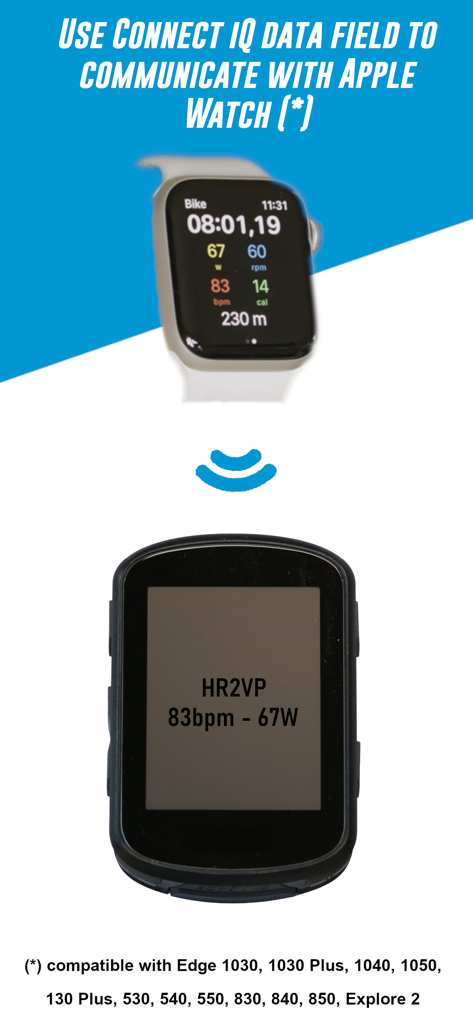
Apple Watch connecting to Garmin bike computer showing heart rate and power data
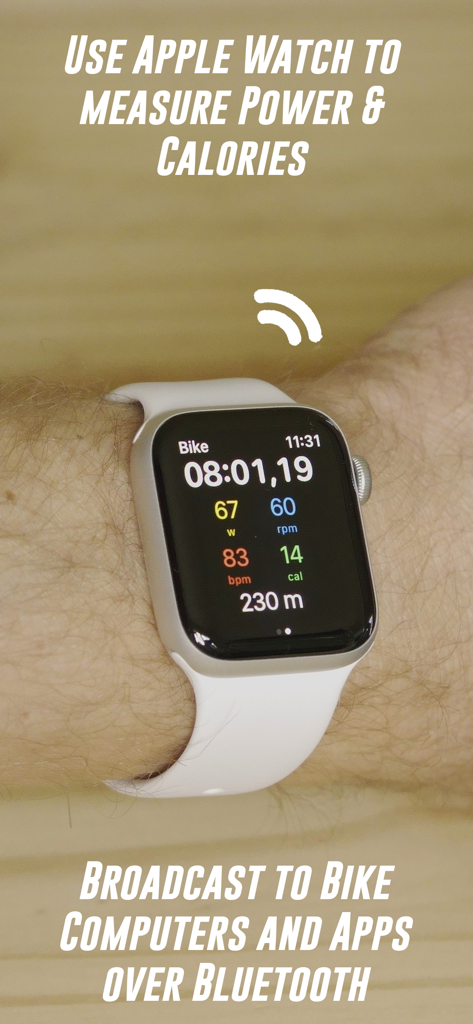
Apple Watch displaying cycling power and heart rate using the HR2VP app
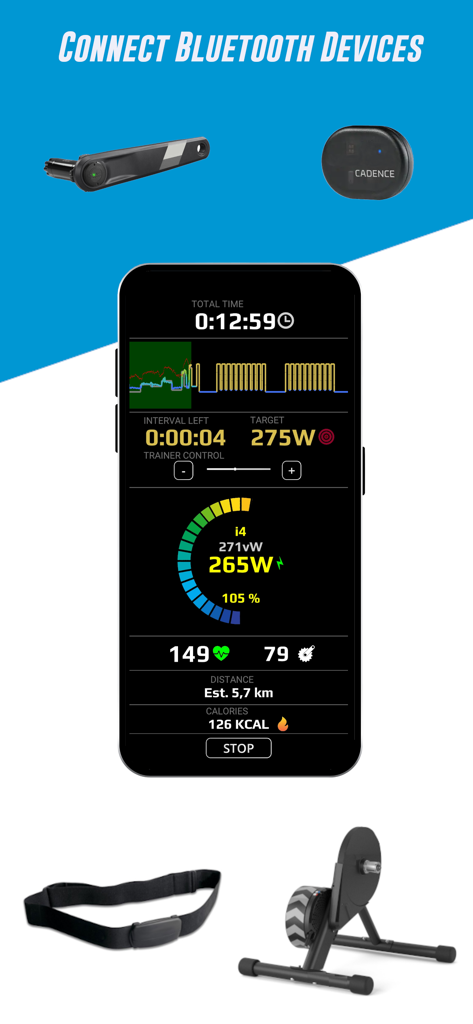
Smartphone app displaying cycling data and connecting to Bluetooth sensors like power meters and heart rate monitors.
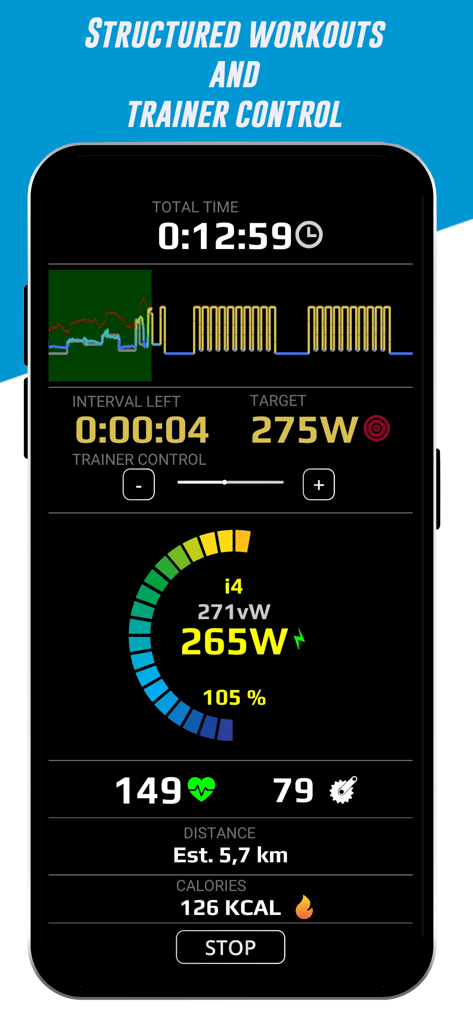
Mobile interface for structured bike training showing power and heart rate metrics
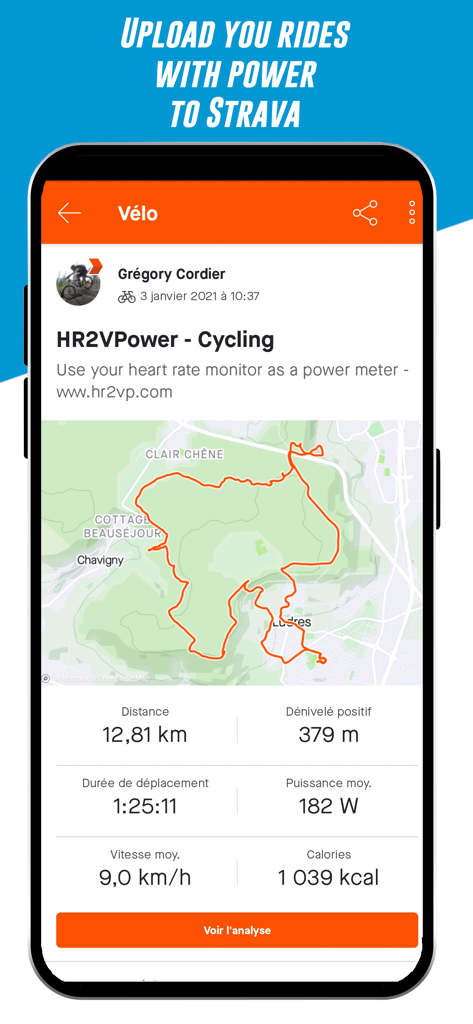
HR2VP app screen showing cycling ride metrics and GPS map for Strava upload
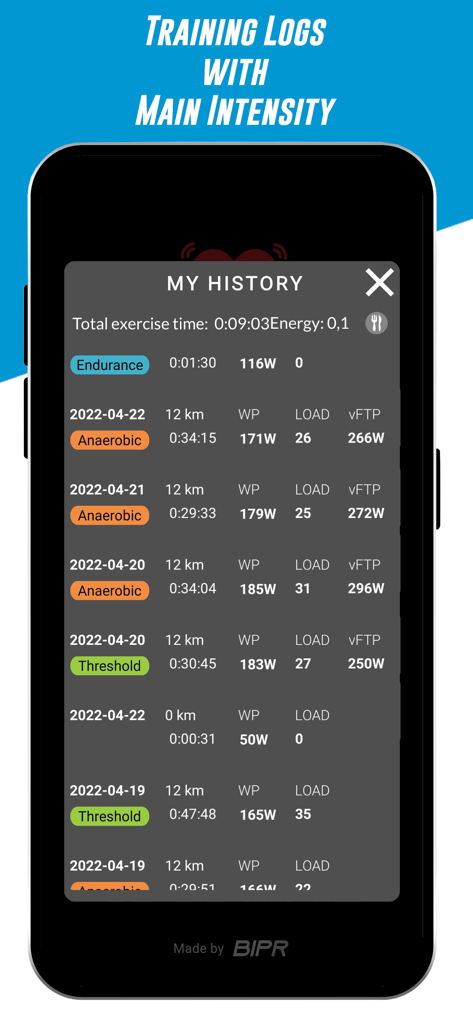
HR2VP app interface showing a list of recorded cycling training logs with intensity zones and performance data
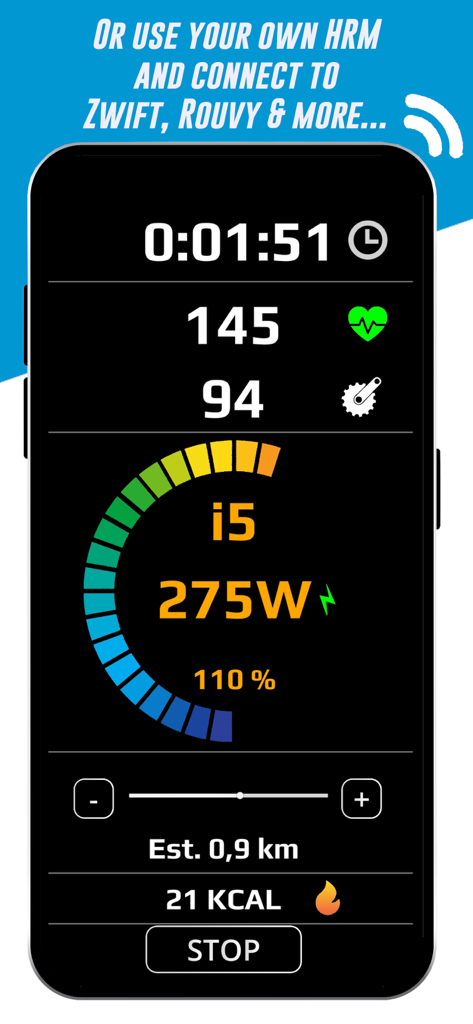
Smartphone screen showing HR2VP app with real-time cycling data including 145 heart rate and 275 watts virtual power
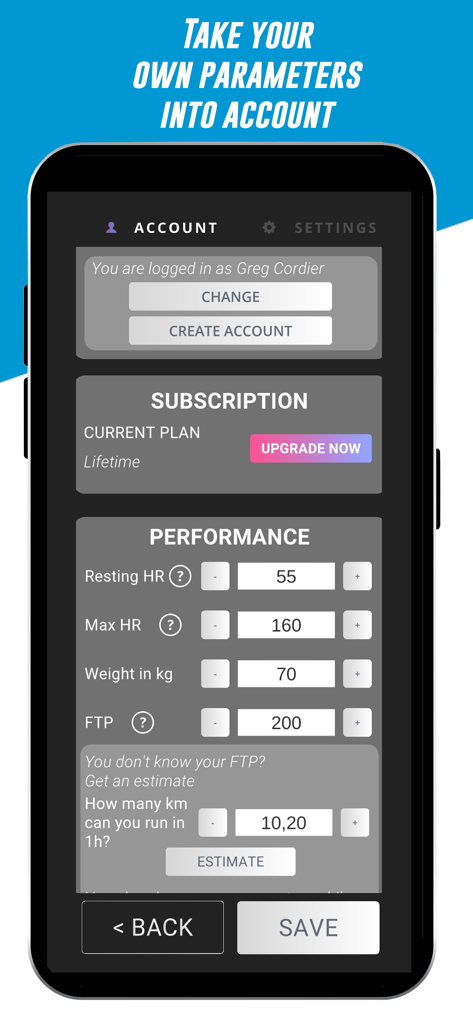
HR2VP app settings screen for configuring user performance parameters like heart rate and FTP
Description
Download
More Like This
Top-ranked apps in the same category

Strava: Run, Bike, Walk
Strava Inc.

Flo Cycle & Period Tracker
FLO HEALTH UK LIMITED

AI Calorie Tracker by Yazio
YAZIO GmbH

MyFitnessPal: Calorie Counter
MyFitnessPal, Inc.

Mi Fitness (Xiaomi Wear Lite)
Beijing Xiaomi Co., Ltd

美柚 - 经期·备孕·怀孕·育儿&亲友版
Xiamen Meet You Co., Ltd.

Cal AI - Calorie Tracker
Viral Development LLC

Yuka - Food & Cosmetic Scanner
Yuca

BitePal: Food Tracker Pet
REFACE LITHUANIA UAB
This page is not an official page of the app or its developer, but an independent editorial publication created for informational and commentary purposes. Unless expressly stated otherwise, neither the app nor its developer is affiliated with, endorsed by, sponsored by, authorized by, or otherwise officially connected with MWM, Apple, Google Play, the app publisher, or the app's developer, and nothing on this page implies that the app was developed using MWM's services. Any trademarks, logos, screenshots, and other content remain the property of their respective owners.