Hundred Board School Edition
Download on App Store

This page is not an official page of the app or its developer, but an independent editorial publication created for informational and commentary purposes. Unless expressly stated otherwise, neither the app nor its developer is affiliated with, endorsed by, sponsored by, authorized by, or otherwise officially connected with MWM, Apple, Google Play, the app publisher, or the app's developer, and nothing on this page implies that the app was developed using MWM's services. Any trademarks, logos, screenshots, and other content remain the property of their respective owners.

Logo of Hundred Board School Edition
Download on App Store

Hundred Board School Edition

Transform screen time into a premium learning experience. Trusted by schools and educators worldwide, our AMI-certified app helps children ages 3-6 build a rock-solid foundation in counting and sequencing from 1 to 1000.

Key Figures

Downloads

0

User Rating

3.8/5

Total Ratings

0

Publisher

Rantek Inc.

Category

Education

Locales

1

Latest Version

2.2

Size

163.2 MB

First Released

May 25, 2011
Features

The Proven Path to Numerical Fluency

Designed for children ages 3-6, our Montessori-based approach turns abstract numbers into a tangible, engaging journey from 1 to 1000.

Tactile Number Placement

Mimics physical classroom materials with 'Drag and Place' mechanics that build fine motor skills and spatial sequence memory.

Scaffolded Learning Modes

Use control numbers and simplified sequences to provide the perfect level of support, preventing frustration while building confidence.

The following screenshots and description are sourced directly from the app's official store listing and are the property of the app developer.

App Store

Screenshots
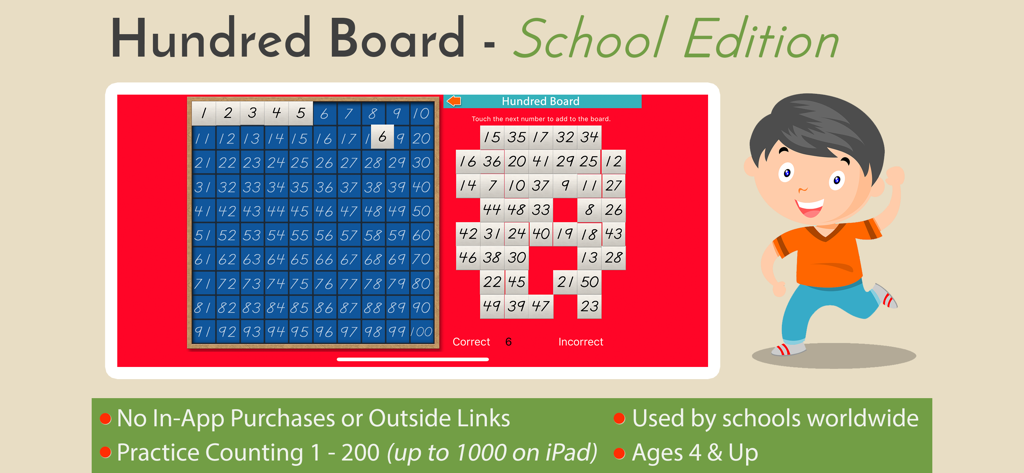
Hundred Board School Edition - Promotional image for Hundred Board School Edition math app showing a counting grid and key educational features.
Promotional image for Hundred Board School Edition math app showing a counting grid and key educational features.

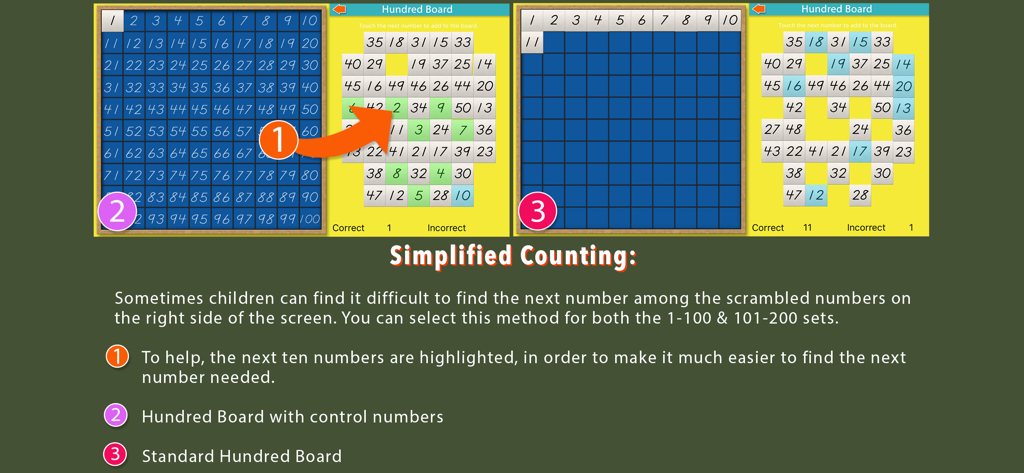
Hundred Board School Edition - Educational guide showing simplified counting features and board variations in the Hundred Board School Edition app.
Educational guide showing simplified counting features and board variations in the Hundred Board School Edition app.

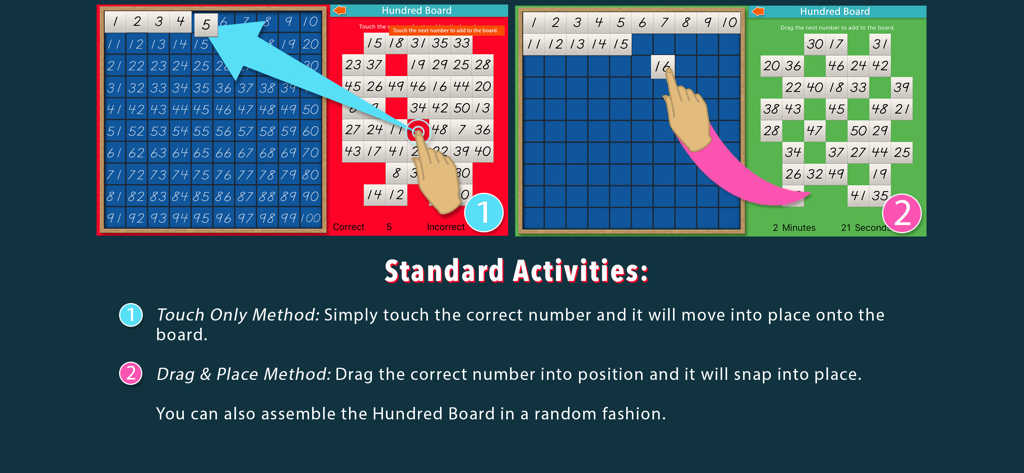
Hundred Board School Edition - Infographic demonstrating the touch and drag methods for placing numbers on a Montessori hundred board.
Infographic demonstrating the touch and drag methods for placing numbers on a Montessori hundred board.

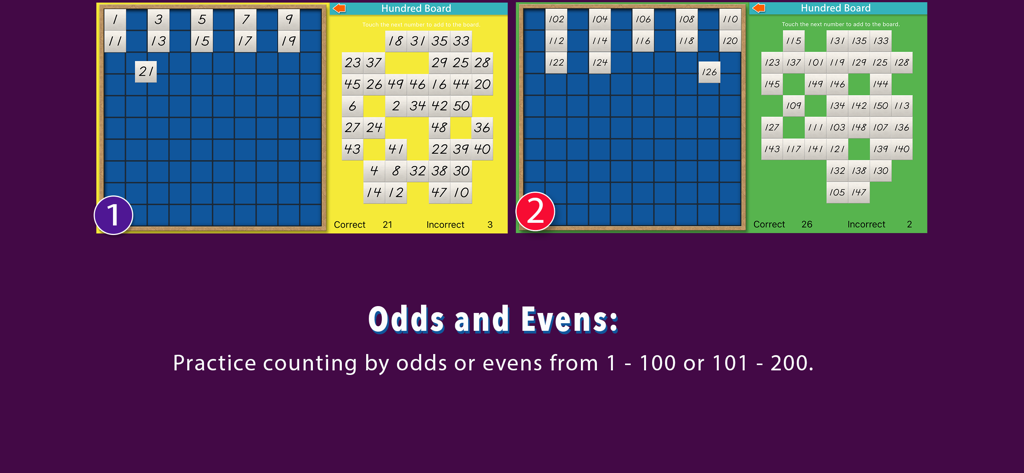
Hundred Board School Edition - Screenshot of the Hundred Board School Edition app demonstrating odd and even number counting activities on a digital Montessori board.
Screenshot of the Hundred Board School Edition app demonstrating odd and even number counting activities on a digital Montessori board.

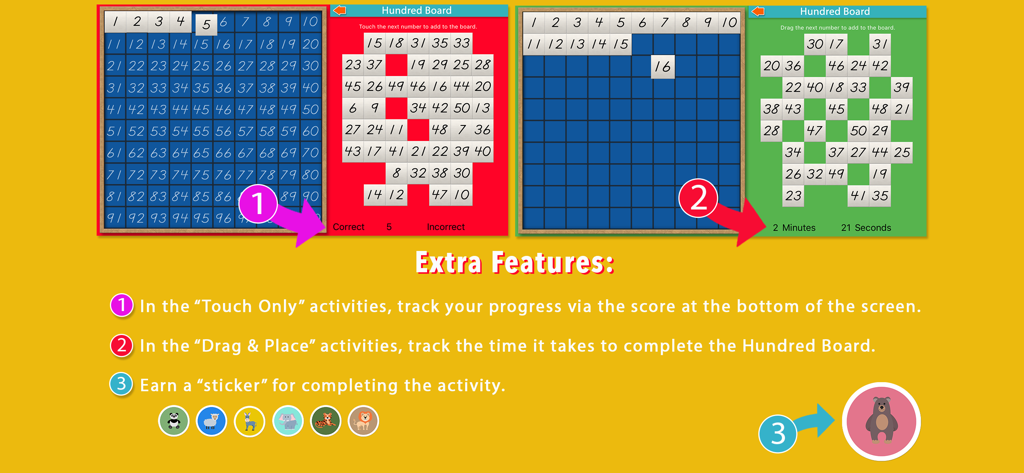
Hundred Board School Edition - Extra features of Hundred Board app showing score tracking timer and sticker rewards
Extra features of Hundred Board app showing score tracking timer and sticker rewards

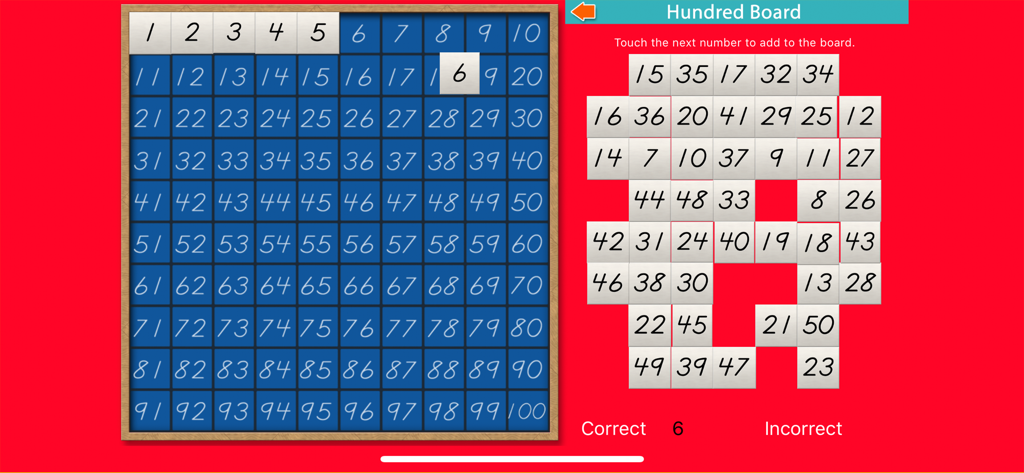
Hundred Board School Edition - Digital Montessori hundred board for learning numbers one to one hundred

Digital Montessori hundred board for learning numbers one to one hundred

Description

Ages 3-6. This is our most popular app of all time, used by school systems (preschool & first grade) in the United States, Australia, and many others around the world. It is the highest quality app in the store that you'll find to teach and practice the concept of numbers from 1 to 100. Now we've added activities to practice counting from 101 - 200, and a special activity to count from 1 all the way up to 1000! We first developed it in 2009 and we promise to continue to update it with new features. Thanks for your support of our famous, Hundred Board! The basic task of the Hundred Board is to transfer the scrambled number tiles on the right hand side onto the blue board in the correct order. You'll be amazed at the engagement time of this app. Children will spend hours working with it to complete an activity. 1-100 & 101-200 Activities: - Simplified counting, with or without control numbers - Standard counting, using the "touch only" or "drag & place" method - Assemble the Hundred Board in random order - Assemble the Hundred Board by even or odd numbers 1-1000 Activites: - Count from 1-1000 with control numbers - Count from 1-1000 without control numbers Features: - Touch Only Method: when you touch the correct number the number tile moves onto the board automatically. - Drag And Place Method - use your finger to drag a number tile onto the board. If the number is correct, it will snap into position. - Control Numbers: These are numbers shown on the board itself to help children know which number to search for next. - Simplified Counting: In these activities you will see the next 10 numbers in sequence highlighted among the scrambled numbers. This makes the search a little easier because you are only searching among 10 numbers. - Every number can be heard aloud when it is placed into position, reinforcing the name of each number for the child. - At the bottom of the screen there is either a score or a timer for parents and teachers to evaluate a child's progress. Accomplishments: Schools worldwide have incorporated our apps into their classrooms. See it used in a Montessori school in Germany here: http://youtu.be/U7GWhcEblbI The Hundred Board is now promoted by the Australian Institute for Teaching and School Leadership as an effective app for learning number sequencing techniques. Customer Comments: "This looks very simple, but, you'd be surprised how engrossing the children find this lesson to be. I've watched our five year old daughter spend over an hour working with it, trying to get to a hundred!" "Our son (6) started first grade and is ecstatic to be the only kid to write all the numbers from 1-100! Your app is fun to him!" This activity is a time-tested, teaching tool used in the Montessori classroom that children enjoy doing. The app was co-developed and approved by an AMI certified Montessori teacher with over forty years experience. Use this app as a complement to your child's classroom education and as a follow-up to the other Montessori applications in the app store teaching introductory counting. Your child will enjoy this challenging and fun activity! Visit our website: http://www.mobilemontessori.org App page: http://www.mobilemontessori.org/hundredboard

Download

Download on App Store

This page is not an official page of the app or its developer, but an independent editorial publication created for informational and commentary purposes. Unless expressly stated otherwise, neither the app nor its developer is affiliated with, endorsed by, sponsored by, authorized by, or otherwise officially connected with MWM, Apple, Google Play, the app publisher, or the app's developer, and nothing on this page implies that the app was developed using MWM's services. Any trademarks, logos, screenshots, and other content remain the property of their respective owners.